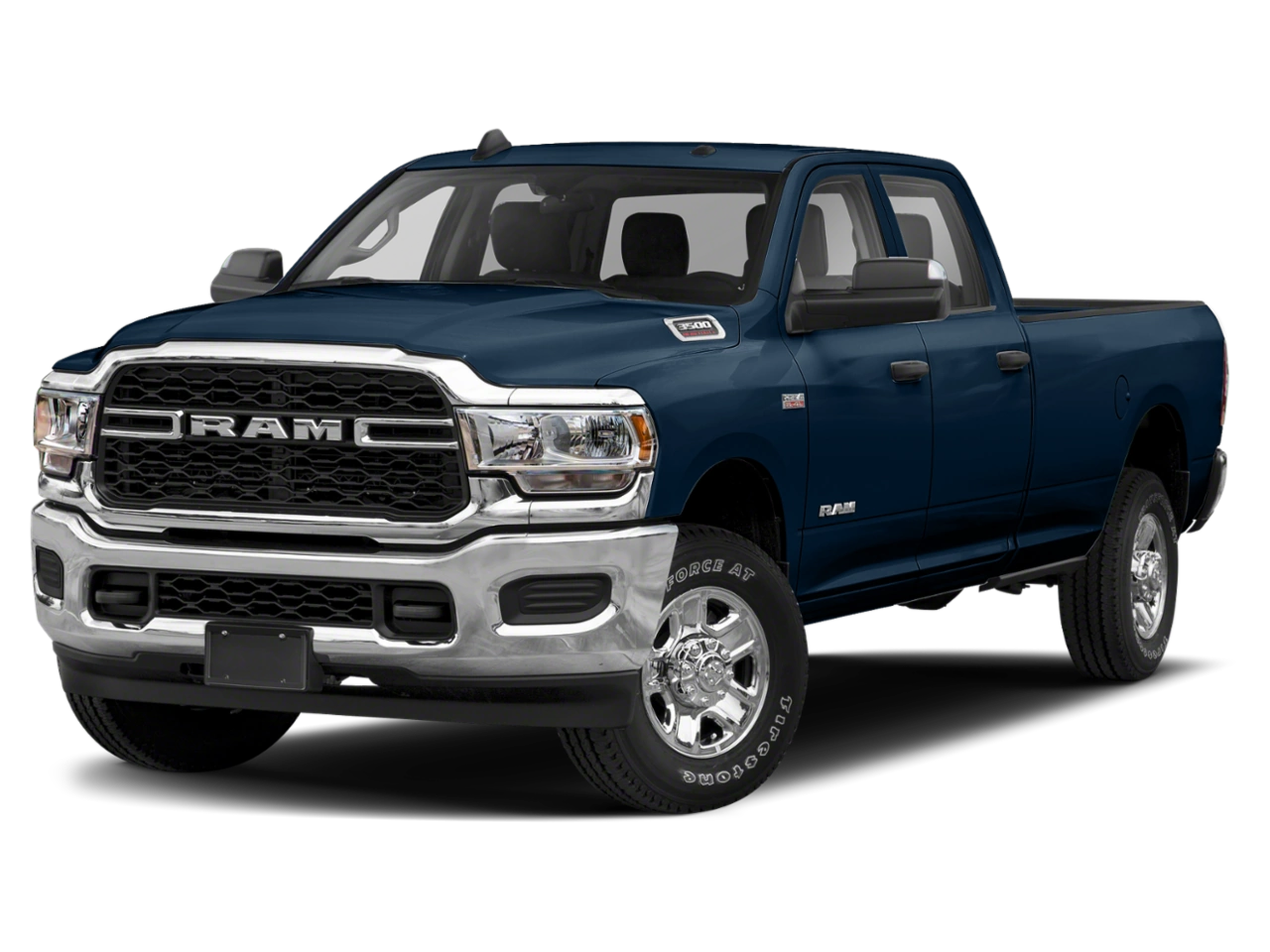
Safety Recall Z07 / NHTSA 21V-925 Side Air Bag Inflatable Curtain Inflator
Remedy Available
NOTE: Some vehicles above may have been identified as not involved in this recall and therefore have been excluded from this recall.
IMPORTANT: Some of the involved vehicles may be in dealer new vehicle inventory. Federal law requires you to complete this recall service on these vehicles before retail delivery. Dealers should also consider this requirement to apply to used vehicle inventory and should perform this recall on vehicles in for service. Involved vehicles can be determined by using the VIP inquiry process.
Subject
The Side Air Bag Inflatable Curtain (SABIC) on about 244 of the above vehicles may have been built with an inflator with out of specification propellant gas mass. SABIC assemblies with low gas mass may result in non-deployment or low/slow deployment and high gas mass may result in aggressive deployment of the air bag, which may increase the risk of occupant injury in certain crashes
Repair
Inspect for the traceability number on the SABIC and if necessary, replace one or both SABIC’s as needed. For CREW CAB inspect the Right side SABIC ONLY.
Alternate Transportation
Dealers should attempt to minimize customer inconvenience by placing the owner in a loaner vehicle if inspection determines that repair is required and the vehicle must be held overnight.
Parts Information
See above chart for SABIC Part Number
| Part Number | Required | Description |
| 06036773AA | 2 | Bolt |
| 06036690AA | 2 | Bolt, (Mega and Quad ONLY) |
Special Tools
The following special tools are required to perform this repair:
| ➢ NPN | wiTECH MicroPod II |
| ➢ NPN | Laptop Computer |
| ➢ NPN | wiTECH Software |
| ➢ C-4755 | Trim Stick or equivalent |
Service Procedure
Follow the repair procedure for the vehicle type being worked on:
A. Quad Cab – Page 4
B. Crew Cab – Page 20
Service Procedure [Continued] in PDF
Manufacturer Notices(to Dealers,etc) – Safety Recall Z07 / NHTSA 21V-925 Side Air Bag Inflatable Curtain Inflator
RCMN-21V925-6848.pdf 1788.082KB
Remedy Instructions and TSB
RCRIT-21V925-5543.pdf 2357.873KB
Remedy Instructions and TSB
RCRIT-21V925-7510.pdf 2357.458KB
Latest Recalls Documents

- [Easy to Use—Work Out of the Box] + [FOXWELL 2026 New Version] FOXWELL NT604 Elite scan tool is the 2026 new version from FOXWELL, designed for car owners who want to figure out the cause of issues before fixing car problems by scanning common systems like ABS, SRS, engine, and transmission. The NT604 Elite obd2 scanner diagnostic tool comes with the latest software—no need to waste time downloading software first. Plug the scanner into the OBDII port with OBDII cable to start the diagnosis.
- [Affordable] + [Reliable Car Health Monitor] Will you be confused what happens when the warning light of ABS/SRS/transmission/check engine flashes? Instead of taking your cars to dealership, this FOXWELL scanner will help you do a thorough scanning and detection for your cars and pinpoint the root cause. Note:The device is a diagnostic tool, not a repair tool. To turn off a warning light, you must first physically repair the issue causing it. Only then can the scanner be used to clear the corresponding fault code.
- [5 in 1 Car Diagnostic Scanner] Compared with obd scanners (50-100), NT604 Elite code scanner not only includes their OBDII diagnosis but also serves as ABS/SRS scanner, transmission and check engine code reader. When it’s an odb2 scanner, you can use it to check if your car is ready for annual test through I/M readiness menu. In addition, live data stream, built-in DTC library, data play back and print, all these features are a big plus for it. Note: doesn't support maintenance functions like reset or relearn. For the SRS system, NT604 Elite can read and clear common fault codes not caused by a crash, but crash/collision data cannot be cleared.
- [Fantastic AUTOVIN] + [No extra software fee] Through the AUTOVIN menu, this NT604 Elite car scanner allows you to get your V-IN and vehicle info rapidly, no need to take time to find your V-IN and input one by one. What's more, the NT604 Elite ABS SRS scanner supports 60+ car brands from worldwide (America/Asia/Europe). You don’t need to pay extra software fee. AUTOVIN may not work on some older vehicles or certain vehicle brands. If AUTOVIN fails, please input the vin code manually or go to the Diagnostic Menu to select your vehicle model.
- [Solid protective case KO plastic carrying bag] + [Lifetime update] Almost all same price-level car scanner diagnostic tool only offers plastic bag to hold the scanner.However, NT604 Elite automotive scanner is equipped with solid protective case, preventing your obd2 scanner from damage. Then you don’t need to pay extra money to buy a solid toolbox.

- OBD2 SCANNER FOR ALL SYSTEMS – The INNOVA SD35 is a tablet-based OBD2 scanner designed for advanced diagnostics. Read and clear check engine light, ABS, SRS, and TPMS codes, plus test your car battery and alternator to prevent unexpected failures. Vehicle coverage may vary. Please use Innova’s Coverage Checker to verify compatibility.
- ALL-SYSTEM DIAGNOSTICS & LIVE DATA – Unlike basic code readers, this OBD2 scanner for all vehicles scans engine, transmission, ABS, SRS, and more. Get real-time live data, including RPM, fuel trims, temperature readings, and oxygen sensor performance.
- OBD2 TABLET WITH USER-FRIENDLY INTERFACE – This automotive scan tool features a high-resolution display, making vehicle diagnostics faster and easier.
- ADVANCED TPMS, OIL RESET & SERVICE FUNCTIONS – Perform TPMS sensor checks, oil light reset, and other service resets with ease This professional diagnostic tool provides comprehensive vehicle maintenance capabilities in one device.
- WIDE VEHICLE COVERAGE (1996 & NEWER CARS & TRUCKS) – This OBD2 scanner Bluetooth tablet is compatible with Toyota, Ford, Honda, Chevrolet, Nissan, Dodge, and more. However, feature coverage may vary. Please use Innova's Coverage Checker to verify coverage.
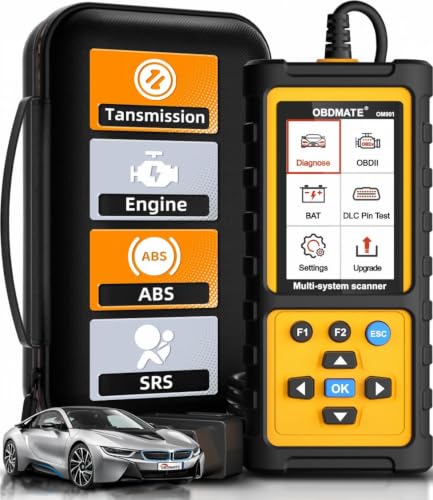
- 【Reset ABS/SRS/Transmission/Engine Lights】 More than an check engine code reader, OBDMATE OM901 obd2 scanner performs comprehensive diagnostics for the 4 most-used systems (ABS/SRS/Engine/Transmission). It quickly clears fault codes, turns off warning lights, read data stream and auto VIN.
- 【3.5" Handheld Scanner with 4 System Diagnose】 3.5" Super large TFT screen equipped displays an intuitive menu and clear readings of various sensors from ABS, SRS, ECM and TCM systems. It arrived with a silicone protective case and hard-shell carrying case, ensuring long-lived durability and drop resistance. The car diagnostic tool is plug-to-play designed, plug it and get diagnosis started without any batteries or updates required.
- 【One-Click I/M Readines&Full OBD2 Functions】 Press F1 to get an intuitive corloured form about whether various emissions-related systems on the vehicle are operating properly. Help you get smog-check ready quickly. OM901 car scanner supports all essential OBD2 functions you need: read & clear codes, view freeze frame, read I/M readiness, retrieve VIN, live data stream (with graphing display), O2 sensor test, onboard monitoring mode, and EVAP leak test.
- 【Battery Voltage Check&DLC Pin Test】 It allows you to monitor battery health by testing current battery voltage. Plus, this obd2 diagnostic tool features DLC 16-PIN test to check current voltage of every pin.
- 【Automotive Scanner Diagnostic Kit】 The package comes with 1 car scanner, 1 USB-type c cable, 1 hard storage bag and 1 user manual(en). Free to update without any hidden fees. 5 languanges available in setting including English, French, Italian, German and Espanish. Valuable and Portable, making it a great tool kit for car owners, DIY enthusiasts, and professional mechanics.
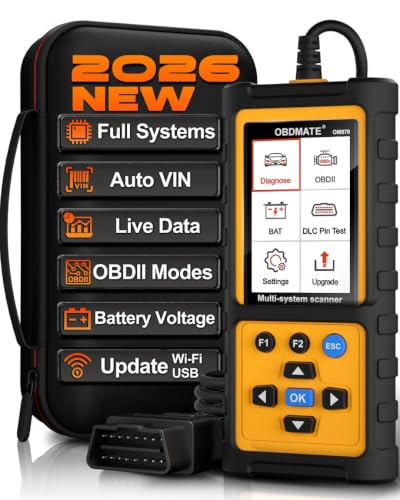
- 【Full Systems Automotive Diagnostic】 More than checking engine, ABS and SRS, OBDMATE OM970 obd2 scanner performs comprehensive diagnostics on all electric modules. It quickly scans and clears fault codes, turns off warning lights, reads live data, and features Auto-VIN technology.
- 【Live Datastream&4-in-1 Graph】 Easily view live sensor data such as RPM, fuel trims, ATF temperature, wheel speed sensor, battery voltage and so on. OM970 scan tool also supports 4-in-1 trend graphing. Spend just 3 minutes to check – and you'll know exactly what's going wrong, helping you avoid hundreds in dealership diagnostic fees.
- 【One-Click I/M Readiness&Full OBD2 Functions】 Press F1 to get an intuitive corloured form about whether your vehicle's emissions-related systems are operating properly. Help you get smog-check ready quickly. OM970 obd2 diagnostic tool supports all essential OBD2 functions you need. Plus, it features battery voltage test and DLC 16-PIN test.
- 【Straightforward Menus with Easy Navigation】 All functions are easy to understand without obscure decriptions. 3.5" Large screen delivers clear readings while keeping one-hand operation. The car diagnostic tool comes with a silicone protective case and a hard-shell carrying case, ensuring long-lived durability and drop resistance.
- 【Budget-Friendly, No Subscriptions, Free Software Updates】 Plug and play: no bluetooth pairing, monthly fees, Wi-Fi connection, or any other troublesome initial settings. OM970 obd2 scanner works out of the box with the latest software. Lifetime free upgrade.
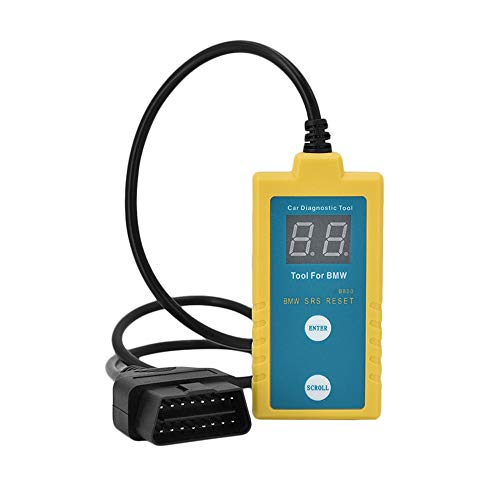
- ✔️【Professional SRS Reset for 1994-2003 BMW】 Designed specifically for classic BMW models (1994-2003). This B800 scanner reads & clears SRS airbag fault codes, turns off the warning light, and saves you a costly dealer visit. Confirmed compatible with: E36, E46 (EXCEPT 2001 330i), E34, E38, E39, Z3, and X5 (E53). NOT compatible with any BMW built before 1994 or after 2003.
- ✔️【Important: Two Different Connection Ports – Read Before Use】 To avoid “not working” issues, please note: For 1994–2000 BMWs (most E36, E34, Z3, early E39), the SRS diagnostic port is a round 20-pin connector under the hood. You MUST use the included 16-pin to 20-pin adapter cable. For 2000–2003 models (late E46, E39, X5), use the standard OBD-II port inside the cabin. Incorrect connection is the #1 reason for “incompatibility” reports.
- ✔️【Read & Clear Fault Codes in Minutes】 Quickly diagnose why your SRS light is on. The scanner accurately reads fault codes from airbag and seatbelt pretensioner systems. With one button press, clear the codes and reset the SRS warning light in seconds. No expensive dealer tools needed.
- ✔️【User-Friendly for DIYers – No Mechanic Required】 Easy operation with an intuitive button layout: ‘Enter’ to confirm, ‘Scroll’ to navigate. The clear LCD screen shows results instantly. Includes a step-by-step manual (revised for clarity) to guide you through the entire reset process.
- ✔️【Reliable Support with 1-Year Warranty】 We stand behind the quality of our B800 scanner. It comes with a 1-Year Hassle-Free Warranty. If you have any questions or need support, please contact us with your Order ID, and our dedicated team will assist you promptly.
SEOCONTENT-START
© Copyright 2022, FCA US LLC, All Rights Reserved (kka) Revision 2 June 2022 Dealer Service Instructions for: Safety Recall Z07 / NHTSA 21V-925 Side Air Bag Inflatable Curtain Inflator NOTE: Revised service procedure and LOP’s. 2021 – 2022 (DS) Ram 1500 Pickup 2021 – 2022 (DJ) Ram 2500 Pickup 2021 – 2022 (D2) Ram 3500 Pickup NOTE: Some vehicles above may have been identified as not involved in this recall and therefore have been excluded from this recall. The Side Air Bag Inflatable Curtain (SABIC) on about 244 of the above vehicles may have been built with an inflator with out of specification propellant gas mass. SABIC assemblies with low gas mass may result in non-deployment or low/slow deployment and high gas mass may result in aggressive deployment of the air bag, which may increase the risk of occupant injury in certain crashes Remedy Available IMPORTANT: Some of the involved vehicles may be in dealer new vehicle inventory. Federal law requires you to complete this recall service on these vehicles before retail delivery. Dealers should also consider this requirement to apply to used vehicle inventory and should perform this recall on vehicles in for service. Involved vehicles can be determined by using the VIP inquiry process. Subject Safety Recall Z07 – Side Air Bag Inflatable Curtain Inflator Page 2 Inspect for the traceability number on the SABIC and if necessary, replace one or both SABIC’s as needed. For CREW CAB inspect the Right side SABIC ONLY. Trace For Cab Config Part number 3V048120383 Crew CSSLY551AA ZL2521B1792 Quad CSSLY554AA ZL2521B1806 Quad CSSLY554AA ZL2521B1808 Quad CSSLY554AA ZR2531B2549 Quad CSSLY553AA ZR2541C0008 Quad CSSLY553AA ZR2551B0006 Quad CSSLY553AA ZR2781B1270 Crew CSSLY551AA ZR2951B2375 Crew CSSLY551AA ZR3011A1012 Crew CSSLY551AA ZR3011B2253 Crew CSSLY551AA Dealers should attempt to minimize customer inconvenience by placing the owner in a loaner vehicle if inspection determines that repair is required and the vehicle must be held overnight. See above chart for SABIC Part Number Part Number Required Description 06036773AA 2 Bolt 06036690AA 2 Bolt (Quad Cab Only) No parts return required for this campaign. Dispose of all non-deployed air bags in a manner consistent with state, provincial, local and federal regulations. Repair Alternate Transportation Parts Information Parts Return Safety Recall Z07 – Side Air Bag Inflatable Curtain Inflator Page 3 The following special tools are required to perform this repair: ➢ NPN wiTECH MicroPod II ➢ NPN Laptop Computer ➢ NPN wiTECH Software ➢ C-4755 Trim Stick or equivalent Follow the repair procedure for the vehicle type being worked on: A. Quad Cab – Page 4 B. Crew Cab – Page 20 Special Tools Service Procedure Safety Recall Z07 – Side Air Bag Inflatable Curtain Inflator Page 4 A. Quad Cab 1. Using a small flat-bladed tool, carefully open the two fastener covers (3) located in the A-pillar trim panel (2) (Figure 15). 2. Remove the two bolts (4) that secure the A-pillar trim panel to the A-pillar (1) and remove the trim panel (Figure 15). 3. Push in the buttons on front seat headrest sleeves then pull the headrest up and remove (Figure 16). 4. Position the front seats to the full forward position with the seat backs fully forward. Service Procedure [Continued] Figure 15 – A-Pillar Figure 16 – Head Rest Safety Recall Z07 – Side Air Bag Inflatable Curtain Inflator Page 5 5. Disconnect and isolate the negative battery cable. If equipped with an Intelligent Battery Sensor (IBS), disconnect the IBS connector first before disconnecting the negative battery cable. Wait two minutes for the system capacitor to discharge before further service. WARNING: To avoid serious or fatal injury on vehicles equipped with airbags, disable the Supplemental Restraint System (SRS) before attempting any steering wheel, steering column, airbag, seat belt tensioner, impact sensor or instrument panel component diagnosis or service. Disconnect and isolate the battery negative (ground) cable, then wait two minutes for the system capacitor to discharge before performing further diagnosis or service. This is the only sure way to disable the SRS. Failure to take the proper precautions could result in accidental airbag deployment. WARNING: To avoid serious or fatal injury when removing a deployed airbag, rubber gloves, eye protection, and a long-sleeved shirt should be worn. There may be deposits on the airbag unit and other interior surfaces. In large doses, these deposits may cause irritation to the skin and eyes. WARNING: To avoid serious or fatal injury, use extreme care to prevent any foreign material from entering the side curtain airbag, or becoming entrapped between the side curtain airbag cushion and the headliner. Failure to observe this warning could result in occupant injuries upon airbag deployment. NOTE: The following procedure is for replacement of an ineffective or damaged side curtain airbag (also known as Side Air Bag Inflatable Curtain/SABIC). If the airbag is ineffective or damaged, but not deployed, review local ordinances regarding recommended procedures for handling and disposal of Non-Deployed Supplemental Restraints. NOTE: If a side curtain airbag is being removed, but has not been deployed, the headliner does not need to be removed from the passenger compartment. Lowering the headliner and resting it on the seat backs will allow enough clearance to remove the side curtain airbag from the vehicle. Service Procedure [Continued] Safety Recall Z07 – Side Air Bag Inflatable Curtain Inflator Page 6 6. Release the front and rear door sill scuff plates on either side of the B-pillar lower trim panel to allow for removal of the B-pillar lower trim panel (Figure 17). 7. Release the retaining clips and remove the B-pillar lower trim panel to allow for removal of the B-pillar upper trim panel (Figure 18). Service Procedure [Continued] Front Door Sill Rear Door Sill Figure 17 – Door Sill Scuff Plates Figure 18 – B-Pillar Lower Trim Panel SCUFF PLATE SCUFF PLATE Safety Recall Z07 – Side Air Bag Inflatable Curtain Inflator Page 7 8. On the B-pillar, separate the seatbelt turning loop cover then remove the turning loop bolt (Figure 19). 9. On the B-pillar, use a small flat-bladed tool to carefully open the two fastener covers (2) located on the grab handle (Figure 20). 10. Remove the two bolts (3) that secure the grab handle to the B-pillar (Figure 20). 11. Using a trim stick C-4755 or equivalent, release the retaining clips that secure the B-pillar upper trim panel (1) then position the trim panel out of the way. It is not necessary to remove the seat belt from the trim panel (Figure 20). Service Procedure [Continued] Figure 19 – Seat Belt Turning Loop Figure 20 – B-Pillar Upper Trim Panel COVER BOLT Safety Recall Z07 – Side Air Bag Inflatable Curtain Inflator Page 8 12. Using a small flat bladed tool, open the coat hook screw cover (2) then remove the screw and coat hook (Figure 21). 13. On the C-pillar, lift the seat belt turning loop cover then remove the turning loop bolt (Figure 22). Service Procedure [Continued] Figure 22 – Seat Belt Turning Loop COVER BOLT Figure 21 – Coat Hook Safety Recall Z07 – Side Air Bag Inflatable Curtain Inflator Page 9 NOTE: Do not drop the screw inside the C-pillar, a magnetic screw driver may be helpful. 14. Using a trim stick or equivalent, release the C-pillar airbag applique then remove the screw that secures the upper trim panel (Figure 23). 15. Release the retaining clips and tilt the top of the C-pillar upper trim panel inward (Figure 24). Service Procedure [Continued] Figure 24 – C-Pillar Upper Trim Panel C-PILLAR TRIM Figure 23 – C-Pillar Upper Trim Panel SCREW APPLIQUE Safety Recall Z07 – Side Air Bag Inflatable Curtain Inflator Page 10 CAUTION: Hands should be clean or clean cloth gloves used when handling the visors and headliner to avoid marks or damage. 16. If equipped with DVD monitor, remove the screws (2) and separate the monitor (1) from the roof (Figure 25). 17. If equipped with DVD monitor, disconnect the electrical connectors (1) (Figure 26). Service Procedure [Continued] Figure 25 – Rear Seat DVD Monitor Figure 26 – DVD Monitor Electrical Connectors Safety Recall Z07 – Side Air Bag Inflatable Curtain Inflator Page 11 18. Separate the visor from the support (1) then remove the screw and remove the visor support (Figure 27). 19. Remove the visor screws (2) then remove the visor (Figure 27). Using a small flat bladed tool or equivalent, release the retaining tabs (1) and separate the visor from the headliner (Figure 28). 20. Disconnect the visor electrical connector if equipped. NOTE: In some cases, the wire harness for the visor vanity mirror may be glued to the top side of the headliner and may be a little difficult to release. 21. As necessary, release the headliner wiring harness clips (3) from the A-pillar to allow enough wiring harness slack for lowering the headliner (Figure 29). Service Procedure [Continued] Figure 27 – Visors Figure 28 – Visors Figure 29 – Headliner Harness Safety Recall Z07 – Side Air Bag Inflatable Curtain Inflator Page 12 22. Release the door seals from the door openings to allow for lowering of the headliner. 23. Tilt the rear view mirror up to allow clearance for lowering the headliner (Figure 30). 24. Carefully tilt the front of the headliner (2) down to clear the rear view mirror then slide the headliner forward to clear the C-pillar trim while disconnecting any wiring harness electrical connectors (1) as necessary to allow enough wiring harness slack to lower the headliner (Figure 31). 25. lower the headliner (2) allowing it to rest on the seat backs and instrument panel (Figure 31). NOTE: It will not be necessary to remove the headliner from the vehicle. 26. Obtain the appropriate replacement SABIC(s) for the vehicle based on its VIN. Service Procedure [Continued] Figure 30 – Headliner Harness Figure 31 – Headliner Harness MIRROR HEADLINER Safety Recall Z07 – Side Air Bag Inflatable Curtain Inflator Page 13 27. The body wire harness connector (5) is secured by integral latches to the connector receptacle on the inflator (4). Pinch both latches firmly, then pull the connector straight out from the airbag inflator to disconnect it from the connector receptacle (Figure 32). 28. Remove the six bolts (8) that secure the side curtain airbag (6) to the inner roof rail and A-pillar (Figure 32). 29. Disengage the plastic push-in retainer (9) that secures the side curtain airbag tether to the inner A-pillar (1) and the plastic push-in retainer (7) that secures the side curtain airbag to the inner roof rail (Figure 32). 30. Slide the inflator rearward far enough to disengage the T-tab at the front of the inflator bracket from the keyed T-slot in the inner roof rail over the rear door opening (Figure 33). 31. Remove the SABIC (6) from the vehicle as a unit and DISCARD following local ordinances and recommended procedures for handling and disposal of Non-Deployed Supplemental Restraints (Figure 32). Provided packaging is not authorized for the transport of the recalled SABIC Module. Parts will need to be either deployed on-site or transported in alternative approved containers. Service Procedure [Continued] Figure 32 – SABIC Safety Recall Z07 – Side Air Bag Inflatable Curtain Inflator Page 14 32. Check to be certain that the spring nuts are properly installed in the inner roof rail and that they are in good condition. 33. Position the NEW SABIC (6) into the vehicle as a unit (Figure 32). 34. Insert the T-tab at the front of the inflator bracket into the keyed T-slot in the inner roof rail over the rear door opening and slide the inflator forward to engage it (Figure 33). 35. Engage the plastic push-in retainer (7) that secures the side curtain airbag to the inner roof rail and ensure the tether is not twisted then engage the plastic push-in retainer (9) that secures the side curtain airbag front tether to the assist handle bracket on the inner A-pillar (1) (Figure 32). 36. Working from rear to front, install and tighten the seven bolts (8) that secure the side curtain airbag (6) to the inner roof rail and A-pillar. Tighten the bolts to 7 N·m (62 in. lbs.) (Figure 32). 37. Connect the body wire harness connector (5) for the side curtain airbag to the connector receptacle of the inflator (4). Be certain that each connector is fully engaged in its receptacle by listening carefully for a distinct, audible click as the connector latches snap into place (Figure 32). Service Procedure [Continued] Figure 33 – SABIC Inflator T-Tab and Inner Roof Rail T-Slot T-SLOT T-TAB SABIC Safety Recall Z07 – Side Air Bag Inflatable Curtain Inflator Page 15 CAUTION: Hands should be clean or clean cloth gloves used when handling the headliner to avoid damage to the headliner. 38. Raise the headliner into proper vehicle position and connect any electrical connectors previously disconnected from the headliner (Figure 31). CAUTION: Be certain to avoid any wiring or drain tube interference. 39. Tilt the rear view mirror down to support the headliner (Figure 30). 40. Reattach any headliner wiring harness clips (3) removed from the A-pillar to allow slack while lowering headliner (Figure 29). 41. Position the visor supports (1) onto the headliner and install the screws into the mounting clips (Figure 27). 42. If equipped with illuminated vanity mirror, connect the wire harness connector. 43. Position the visor to the headliner and install the screws (2) that secure the visor to the roof panel. Tighten the screws to 6 N·m (53 in. lbs.) (Figure 27). 44. If equipped with DVD monitor, connect the DVD monitor electrical connectors (1) (Figure 26). Position the DVD monitor to the roof then install and tighten the screws (2) (Figure 25). Service Procedure [Continued] Safety Recall Z07 – Side Air Bag Inflatable Curtain Inflator Page 16 45. Position the upper trim to the C-pillar then engage the retaining clips (Figure 24). 46. Install and tighten the screw that secures the C-pillar upper trim panel. Then install the airbag applique (Figure 23). 47. Remove and DISCARD the bolt retainer and bolt from the seat belt turning loop, save the spacer washer for reuse (Figure 34). 48. Using a NEW bolt and reusing the spacer, install the turning loop then tighten the bolt to 40 N·m (30 ft. lbs.) (Figure 22). 49. Install the seat belt turning loop cover (Figure 22). 50. Position the coat hooks (5) onto the headliner and install the screws tightening securely into the mounting clips then close the screw cap fully (Figure 21). Service Procedure [Continued] Figure 34 – Turning Loop Bolt RETAINER BOLT SPACER Safety Recall Z07 – Side Air Bag Inflatable Curtain Inflator Page 17 51. Install the B-pillar upper trim panel (1) and engage the retaining clips fully (Figure 20). 52. Install the grab handle bolts (3) and tighten to 5 N·m (44 in. lbs.). Close the fastener covers (2) (Figure 20). 53. Remove and DISCARD the bolt retainer and bolt from the seat belt turning loop, save the spacer washer for reuse (Figure 35). 54. Using a NEW bolt and reusing the spacer washer, install the turning loop then tighten the bolt to 40 N·m (30 ft. lbs.) (Figure 19). 55. Install the seat belt turning loop cover (Figure 19). 56. Position the B-pillar lower trim panel and engage the retaining clips fully (Figure 18). 57. Position the front and rear door sill scuff plates and engage the retainers (Figure 17). Service Procedure [Continued] Figure 35 – Turning Loop Bolt RETAINER BOLT SPACER WASHER Safety Recall Z07 – Side Air Bag Inflatable Curtain Inflator Page 18 WARNING: Do not connect the negative battery cable at this time. The Supplemental Restraint System (SRS) Verification Test procedure should be performed following service of any SRS component. NOTE: The following procedure should be performed using a diagnostic scan tool to verify proper Supplemental Restraint System (SRS) operation following the service or replacement of any SRS component. Refer to the appropriate diagnostic procedures. 58. During the following test, the negative cable remains disconnected and isolated from the battery, as it was during the Supplemental Restraint System (SRS) component removal and installation procedures. 59. Be certain that the diagnostic scan tool contains the latest version of the proper diagnostic software. Connect the scan tool to the 16-way Data Link Connector (DLC). The DLC is located on the driver side lower edge of the instrument panel, near the steering column opening cover and outboard of the steering column. 60. Transition the status of the ignition switch (also known as the Keyless Ignition Node/KIN or IGnition Node Module/IGNM) to ON and exit the vehicle with the scan tool. 61. Check to be certain that nobody is in the vehicle, then connect the negative cable to the battery. Service Procedure [Continued] Safety Recall Z07 – Side Air Bag Inflatable Curtain Inflator Page 19 62. Using the scan tool, read and record the active (current) Diagnostic Trouble Code (DTC) data. 63. Next, use the scan tool to read and record any stored (historical) DTC data. 64. If any SRS related DTC is found in the previous two steps, refer to the appropriate diagnostic information. 65. Use the scan tool to erase the stored DTC data. If any problems remain, the stored DTC data will not erase. Refer to the appropriate diagnostic information to diagnose any stored DTC that will not erase. If the stored DTC information is successfully erased, continue to the next step. 66. Transition the status of the ignition switch to OFF for about 15 seconds, and then back to ON. Observe the airbag indicator in the instrument cluster. It should light from four to six seconds, and then go out. This indicates that the SRS is functioning normally and that the repairs are complete. If the airbag indicator fails to light, or lights and stays ON, there is still an active SRS fault or malfunction. Refer to the appropriate diagnostic information to diagnose the problem. 67. Install the front seat headrests (Figure 16). 68. Position the locating tab of the A-pillar trim panel (2) into the slot located in the top of the instrument panel (Figure 15). 69. Install the A-pillar trim panel onto the A-pillar (1) and install the two bolts (4). Tighten the bolts to 5 N·m (44 in. lbs.) (Figure 15). 70. Close the two fastener covers (3) located in the A-pillar trim panel (Figure 15). 71. Install the door seals around the door openings. 72. Return the vehicle to the customer or inventory. Service Procedure [Continued] Safety Recall Z07 – Side Air Bag Inflatable Curtain Inflator Page 20 C. Crew Cab 1. Using a small flat-bladed tool, carefully open the two fastener covers (3) located in the A-pillar trim panel (2) (Figure 36). 2. Remove the two bolts (4) that secure the A-pillar trim panel to the A-pillar (1) and remove the trim panel (Figure 36). 3. Push in the buttons on front seat headrest sleeves then pull the headrest up and remove (Figure 37). 4. Position the front seats to the full forward position with the seat backs fully forward. Service Procedure [Continued] Figure 36 – A-Pillar Figure 37 – Head Rest Safety Recall Z07 – Side Air Bag Inflatable Curtain Inflator Page 21 5. Disconnect and isolate the negative battery cable. If equipped with an Intelligent Battery Sensor (IBS), disconnect the IBS connector first before disconnecting the negative battery cable. Wait two minutes for the system capacitor to discharge before further service. WARNING: To avoid serious or fatal injury on vehicles equipped with airbags, disable the Supplemental Restraint System (SRS) before attempting any steering wheel, steering column, airbag, seat belt tensioner, impact sensor or instrument panel component diagnosis or service. Disconnect and isolate the battery negative (ground) cable, then wait two minutes for the system capacitor to discharge before performing further diagnosis or service. This is the only sure way to disable the SRS. Failure to take the proper precautions could result in accidental airbag deployment. WARNING: To avoid serious or fatal injury when removing a deployed airbag, rubber gloves, eye protection, and a long-sleeved shirt should be worn. There may be deposits on the airbag unit and other interior surfaces. In large doses, these deposits may cause irritation to the skin and eyes. WARNING: To avoid serious or fatal injury, use extreme care to prevent any foreign material from entering the side curtain airbag, or becoming entrapped between the side curtain airbag cushion and the headliner. Failure to observe this warning could result in occupant injuries upon airbag deployment. NOTE: The following procedure is for replacement of an ineffective or damaged side curtain airbag (also known as Side Air Bag Inflatable Curtain/SABIC). If the airbag is ineffective or damaged, but not deployed, review local ordinances regarding recommended procedures for handling and disposal of Non-Deployed Supplemental Restraints. NOTE: If a side curtain airbag is being removed, but has not been deployed, the headliner does not need to be removed from the passenger compartment. Lowering the headliner and resting it on the seat backs will allow enough clearance to remove the side curtain airbag from the vehicle. Service Procedure [Continued] Safety Recall Z07 – Side Air Bag Inflatable Curtain Inflator Page 22 6. Release the front and rear door sill scuff plates on either side of the B-pillar lower trim panel to allow for removal of the B-pillar lower trim panel (Figure 38). 7. Release the retaining clips and remove the B-pillar lower trim panel to allow for removal of the B-pillar upper trim panel (Figure 39). Service Procedure [Continued] Front Door Sill Rear Door Sill Figure 38 – Door Sill Scuff Plates Figure 39 – B-Pillar Lower Trim Panel SCUFF PLATE SCUFF PLATE Safety Recall Z07 – Side Air Bag Inflatable Curtain Inflator Page 23 8. On the B-pillar, separate the seatbelt turning loop cover then remove the turning loop bolt (Figure 40). 9. On the B-pillar, use a small flat-bladed tool to carefully open the two fastener covers (2) located on the grab handle (Figure 41). 10. Remove the two bolts (3) that secure the grab handle to the B-pillar (Figure 41). 11. Using a trim stick C-4755 or equivalent, release the retaining clips that secure the B-pillar upper trim panel (1) then position the trim panel out of the way. It is not necessary to remove the seat belt from the trim panel (Figure 41). Service Procedure [Continued] Figure 40 – Seat Belt Turning Loop Figure 41 – B-Pillar Upper Trim Panel COVER BOLT Safety Recall Z07 – Side Air Bag Inflatable Curtain Inflator Page 24 12. Using a small flat bladed tool, open the coat hook screw cover (2) then remove the screw and coat hook (Figure 42). NOTE: Do not drop the screw inside the C-pillar, a magnetic screw driver may be helpful. 13. Using a trim stick or equivalent, release the C-pillar airbag applique then remove the screw that secures the upper trim panel (Figure 43). 14. Release the retaining clips and tilt the top of the C-pillar upper trim panel inward (Figure 44). Service Procedure [Continued] Figure 43 – C-Pillar Upper Trim Panel Figure 44 – C-Pillar Trim Panels APPLIQUE SCREW C-PILLAR UPPER TRIM PANEL Figure 42 – Coat Hook Safety Recall Z07 – Side Air Bag Inflatable Curtain Inflator Page 25 15. If equipped with DVD monitor, remove the screws (2) and separate the monitor (1) from the roof (Figure 45). 16. If equipped with DVD monitor, disconnect the electrical connectors (1) (Figure 46). Service Procedure [Continued] Figure 45 – Rear Seat DVD Monitor Figure 46 – DVD Monitor Electrical Connectors Safety Recall Z07 – Side Air Bag Inflatable Curtain Inflator Page 26 17. Separate the visor from the support (1) then remove the screw and remove the visor support (Figure 47). 18. Remove the visor screws (2) then remove the visor (Figure 47). Using a small flat bladed tool or equivalent, release the retaining tabs (1) and separate the visor from the headliner (Figure 48). 19. Disconnect the visor electrical connector if equipped. NOTE: In some cases, the wire harness for the visor vanity mirror may be glued to the top side of the headliner and may be a little difficult to release. 20. As necessary, release the headliner wiring harness clips (3) from the A-pillar to allow enough wiring harness slack for lowering the headliner (Figure 49). Service Procedure [Continued] Figure 47 – Visors Figure 49 – Headliner Harness Figure 48 – Visors Safety Recall Z07 – Side Air Bag Inflatable Curtain Inflator Page 27 21. Release the door seals from the door openings to allow for lowering of the headliner. 22. Tilt the rear view mirror up to allow clearance for lowering the headliner (Figure 50). 23. Carefully tilt the front of the headliner (2) down to clear the rear view mirror then slide the headliner forward to clear the C-pillar trim while disconnecting any wiring harness electrical connectors (1) as necessary to allow enough wiring harness slack to lower the headliner (Figure 51). 24. lower the headliner (2) allowing it to rest on the seat backs and instrument panel (Figure 51). NOTE: It will not be necessary to remove the headliner from the vehicle. 25. Obtain the appropriate replacement SABIC(s) for the vehicle based on its VIN. Service Procedure [Continued] Figure 50 – Rearview Mirror Figure 51 – Headliner Harness MIRROR HEADLINER Safety Recall Z07 – Side Air Bag Inflatable Curtain Inflator Page 28 26. The body wire harness connector (5) is secured by integral latches to the connector receptacle on the inflator (4). Pinch both latches firmly, then pull the connector straight out from the airbag inflator to disconnect it from the connector receptacle (Figure 52). 27. Remove the six bolts (8) that secure the side curtain airbag (6) to the inner roof rail and A-pillar (Figure 52). 28. Disengage the plastic push-in retainer (9) that secures the side curtain airbag tether to the inner A-pillar (1) and the plastic push-in retainer (7) that secures the side curtain airbag to the inner roof rail (Figure 52). 29. Slide the inflator rearward far enough to disengage the T-tab at the front of the inflator bracket from the keyed T-slot in the inner roof rail over the rear door opening (Figure 53). 30. Remove the SABIC (6) from the vehicle as a unit and DISCARD following local ordinances and recommended procedures for handling and disposal of Non-Deployed Supplemental Restraints (Figure 52). Provided packaging is not authorized for the transport of the recalled SABIC Module. Parts will need to be either deployed on-site or transported in alternative approved containers. Service Procedure [Continued] Figure 52 – SABIC Safety Recall Z07 – Side Air Bag Inflatable Curtain Inflator Page 29 31. Check to be certain that the spring nuts are properly installed in the inner roof rail and that they are in good condition. 32. Position the NEW SABIC (6) into the vehicle as a unit (Figure 52). 33. Insert the T-tab at the front of the inflator bracket into the keyed T-slot in the inner roof rail over the rear door opening and slide the inflator forward to engage it (Figure 53). 34. Engage the plastic push-in retainer (7) that secures the side curtain airbag to the inner roof rail and ensure the tether is not twisted then engage the plastic push-in retainer (9) that secures the side curtain airbag front tether to the assist handle bracket on the inner A-pillar (1) (Figure 52). 35. Working from rear to front, install and tighten the seven bolts (8) that secure the side curtain airbag (6) to the inner roof rail and A-pillar. Tighten the bolts to 7 N·m (62 in. lbs.) (Figure 52). 36. Connect the body wire harness connector (5) for the side curtain airbag to the connector receptacle of the inflator (4). Be certain that each connector is fully engaged in its receptacle by listening carefully for a distinct, audible click as the connector latches snap into place (Figure 52). Service Procedure [Continued] Figure 53 – SABIC Inflator T-Tab and Inner Roof Rail T-Slot T-SLOT T-TAB SABIC Safety Recall Z07 – Side Air Bag Inflatable Curtain Inflator Page 30 CAUTION: Hands should be clean or clean cloth gloves used when handling the headliner to avoid damage to the headliner. 37. Raise the headliner into proper vehicle position and connect any electrical connectors previously disconnected from the headliner (Figure 51). CAUTION: Be certain to avoid any wiring or drain tube interference. 38. Tilt the rear view mirror down to allow it to support the headliner (Figure 50). 39. Reattach any headliner wiring harness clips (3) removed from the A-pillar to allow slack while lowering headliner (Figure 49). 40. Position the visor supports (1) onto the headliner and install the screws into the mounting clips (Figure 47). 41. If equipped with illuminated vanity mirror, connect the wire harness connector. 42. Position the visor to the headliner and install the screws (2) that secure the visor to the roof panel. Tighten the screws to 6 N·m (53 in. lbs.) (Figure 47). 43. If equipped with DVD monitor, connect the DVD monitor electrical connectors (1) (Figure 46). Position the DVD monitor to the roof then install and tighten the screws (2) (Figure 45). 44. Position the upper trim panel to the C-pillar then engage the retaining clips (Figure 44). 45. Install and tighten the screw that secures the C-pillar upper trim panel. Then install the airbag applique (Figure 43). 46. Position the coat hooks (5) onto the headliner and install the screws tightening securely into the mounting clips then close the screw cap fully (Figure 42). Service Procedure [Continued] Safety Recall Z07 – Side Air Bag Inflatable Curtain Inflator Page 31 47. Install the B-pillar upper trim panel (1) and engage the retaining clips fully (Figure 41). 48. Install the grab handle bolts (3) and tighten to 5 N·m (44 in. lbs.). Close the fastener covers (2) (Figure 41). 49. Remove and DISCARD the bolt retainer and the bolt from the seat belt turning loop, save the spacer washer for reuse (Figure 54). 50. Using a NEW bolt and reusing the spacer washer, install the turning loop then tighten the bolt to 40 N·m (30 ft. lbs.) (Figure 40). 51. Install the seat belt turning loop cover (Figure 40). 52. Position the B-pillar lower trim panel and engage the retaining clips fully (Figure 39). 53. Position the front and rear door sill scuff plates and engage the retainers (Figure 38). Service Procedure [Continued] Figure 54 – Turning Loop Bolt RETAINER BOLT SPACER WASHER Safety Recall Z07 – Side Air Bag Inflatable Curtain Inflator Page 32 WARNING: Do not connect the negative battery cable at this time. The Supplemental Restraint System (SRS) Verification Test procedure should be performed following service of any SRS component. NOTE: The following procedure should be performed using a diagnostic scan tool to verify proper Supplemental Restraint System (SRS) operation following the service or replacement of any SRS component. Refer to the appropriate diagnostic procedures. 54. During the following test, the negative cable remains disconnected and isolated from the battery, as it was during the Supplemental Restraint System (SRS) component removal and installation procedures. 55. Be certain that the diagnostic scan tool contains the latest version of the proper diagnostic software. Connect the scan tool to the 16-way Data Link Connector (DLC). The DLC is located on the driver side lower edge of the instrument panel, near the steering column opening cover and outboard of the steering column. 56. Transition the status of the ignition switch (also known as the Keyless Ignition Node/KIN or IGnition Node Module/IGNM) to ON and exit the vehicle with the scan tool. 57. Check to be certain that nobody is in the vehicle, then connect the negative cable to the battery. Service Procedure [Continued] Safety Recall Z07 – Side Air Bag Inflatable Curtain Inflator Page 33 58. Using the scan tool, read and record the active (current) Diagnostic Trouble Code (DTC) data. 59. Next, use the scan tool to read and record any stored (historical) DTC data. 60. If any SRS related DTC is found in the previous two steps, refer to the appropriate diagnostic information. 61. Use the scan tool to erase the stored DTC data. If any problems remain, the stored DTC data will not erase. Refer to the appropriate diagnostic information to diagnose any stored DTC that will not erase. If the stored DTC information is successfully erased, continue to the next step. 62. Transition the status of the ignition switch to OFF for about 15 seconds, and then back to ON. Observe the airbag indicator in the instrument cluster. It should light from four to six seconds, and then go out. This indicates that the SRS is functioning normally and that the repairs are complete. If the airbag indicator fails to light, or lights and stays ON, there is still an active SRS fault or malfunction. Refer to the appropriate diagnostic information to diagnose the problem. 63. Install the front seat headrests (Figure 37). 64. Position the locating tab of the A-pillar trim panel (2) into the slot located in the top of the instrument panel (Figure 36). 65. Install the A-pillar trim panel onto the A-pillar (1) and install the two bolts (4). Tighten the bolts to 5 N·m (44 in. lbs.) (Figure 36). 66. Close the two fastener covers (3) located in the A-pillar trim panel (Figure 36). 67. Install the door seals around the door openings. 68. Return the vehicle to the customer or inventory. Service Procedure [Continued] Safety Recall Z07 – Side Air Bag Inflatable Curtain Inflator Page 34 Claims for vehicles that have been serviced must be submitted on the DealerCONNECT Claim Entry Screen located on the Service tab. Claims paid will be used by FCA to record recall service completions and provide dealer payments. Use the following labor operation numbers and time allowances: Labor Operation Time Number Allowance Inspect SABICs 23-Z0-71-81 0.1 hours (Inspection LOP 23-Z0-71-81 must be combined with the Related Inspection LOP below) Replace One SABIC (Crew, Quad Cab) 23-Z0-71-82 1.7 hours Replace Two SABICs (Crew, Quad Cab) 23-Z0-71-83 2.0 hours Related Operation Remove headliner to inspect Left and Right SABIC 23-Z0-71-50 1.4 hours Related LOP is to be combined with inspection LOP 23-Z0-71-81 ONLY Floor Plan Reimbursement 95-95-95-97 Calculate See Below Floor Plan Reimbursement represents the vehicle’s average daily allowance (see table below) multiplied by the number of days the vehicle was in dealer inventory and not available for sale. This reimbursement is limited to the number of days from the date of the stop sale to the date that the remedy was made available. Note: If the vehicle was received by your dealership (KZX date) AFTER the stop sale date, you will use the KZX date instead of the stop sale date. For this Recall, the stop sale was initiated on 01/14/2022 and the remedy was made available on 01/21/2022, therefore, the number of days cannot exceed 7 days. Vehicle Average Daily Allowance 2021 – 2022 (DS) Ram 1500 Pickup 2021 – 2022 (DJ) Ram 2500 Pickup 2021 – 2022 (D2) Ram 3500 Pickup NOTE: See the Warranty Administration Manual, Recall Claim Processing Section, for complete recall claim processing instructions. Completion Reporting and Reimbursement Safety Recall Z07 – Side Air Bag Inflatable Curtain Inflator Page 35 To view this notification on DealerCONNECT, select “Global Recall System” on the Service tab, then click on the description of this notification. All involved vehicle owners known to FCA are being notified of the service requirement by first class mail. They are requested to schedule appointments for this service with their dealers. A generic copy of the owner letter is attached. All involved vehicles have been entered into the DealerCONNECT Global Recall System (GRS) and Vehicle Information Plus (VIP) for dealer inquiry as needed. GRS provides involved dealers with an updated VIN list of their incomplete vehicles. The owner’s name, address and phone number are listed if known. Completed vehicles are removed from GRS within several days of repair claim submission. To use this system, click on the “Service” tab and then click on “Global Recall System.” Your dealer’s VIN list for each recall displayed can be sorted by: those vehicles that were unsold at recall launch, those with a phone number, city, zip code, or VIN sequence. Dealers must perform this repair on all unsold vehicles before retail delivery. Dealers should also use the VIN list to follow up with all owners to schedule appointments for this repair. Recall VIN lists may contain confidential, restricted owner name and address information that was obtained from the Department of Motor Vehicles of various states. Use of this information is permitted for this recall only and is strictly prohibited from all other use. Dealer Notification Owner Notification and Service Scheduling Vehicle Lists, Global Recall System, VIP and Dealer Follow Up Safety Recall Z07 – Side Air Bag Inflatable Curtain Inflator Page 36 If you have any questions or need assistance in completing this action, please contact your Service and Parts District Manager. Customer Services / Field Operations FCA US LLC Additional Information This notice applies to your vehicle, Z07/NHTSA 21V-925 YOUR SCHEDULING OPTIONS 1. RECOMMENDED OPTION Call your authorized Chrysler / Dodge / Jeep® / RAM Dealership 2. Call the FCA Recall Assistance Center at 1-800-853-1403. An agent can confirm part availability and help schedule an appointment 3. Visit recalls.mopar.com, scan the QR code below, or download the Mopar Owner’s Companion App. Get access to recall notifications, locate your nearest dealer, and more through this website or Mopar Owner’s Companion App. You will be asked to provide your Vehicle Identification Number (VIN) to protect and verify your identity. The last eight characters of your VIN are provided above. DEALERSHIP INSTRUCTIONS Please reference Safety Recall Z07. IMPORTANT SAFETY RECALL Side Air Bag Inflatable Curtain Dear [Name], This notice is sent to you in accordance with the National Traffic and Motor Vehicle Safety Act. FCA US has decided that a defect, which relates to motor vehicle safety, exists in certain [2021-2022 (DS) Ram 1500 Pickup, (DJ) Ram 2500 Pickup, (D2) Ram 3500 Pickup] vehicles. It is extremely important to take steps now to repair your vehicle to ensure the safety of you and your passengers. WHY DOES MY VEHICLE NEED REPAIRS? Your vehicle [1] may have been built with a Side Air Bag Inflatable Curtain (SABIC) assembly containing an inflator with out of specification propellant gas mass. SABIC assemblies with low gas mass may result in non-deployment or low/slow deployment and high gas mass may result in aggressive deployment of the air bag which may increase the risk of occupant injury in certain crashes. HOW DO I RESOLVE THIS IMPORTANT SAFETY ISSUE? FCA US will repair your vehicle [2] free of charge (parts and labor). To do this, your dealer will inspect and if necessary, replace one or both SABIC’s as needed. The estimated repair time is 3 hours. In addition, your dealer will require your vehicle for proper check-in, preparation, and check-out during your visit, which may require more time. Your time is important to us, so we recommend that you schedule a service appointment to minimize your inconvenience. Please bring this letter with you to your dealership. TO SCHEDULE YOUR FREE REPAIR, CALL YOUR CHRYSLER, DODGE, JEEP OR RAM DEALER TODAY WHAT IF I ALREADY PAID TO HAVE THIS REPAIR COMPLETED? If you have already experienced this specific condition and have paid to have it repaired, you may visit www.fcarecallreimbursement.com to submit your reimbursement request online. [3] Once we receive and verify the required documents, reimbursement will be sent to you within 60 days. If you have had previous repairs performed and/or already received reimbursement, you may still need to have the recall repair performed. We apologize for any inconvenience, but are sincerely concerned about your safety. Thank you for your attention to this important matter. Customer Assistance/Field Operations FCA US LLC [Model Year and Model] VIN XXXXXXXXXXXXXXXXX LOGO VEHICLE PICTURE QR Code [1] If you no longer own this vehicle, please help us update our records. Call the FCA Recall Assistance Center at 1-800-853-1403 to update your information. [2] If your dealer fails or is unable to remedy this defect without charge and within a reasonable time, you may submit a written complaint to the Administrator, National Highway Traffic Safety Administration, 1200 New Jersey Ave., S.E., Washington, DC 20590, or you can call the toll-free Vehicle Safety Hotline at 1-888-327-4236 (TTY 1-800-424- 9153), or go to safercar.gov. [3] You can also mail in your original receipts and proof of payment to the following address for reimbursement consideration: FCA Customer Assistance, P.O. Box 21-8004, Auburn Hills, MI 48321-8007, Attention: Recall Reimbursement. Note to lessors receiving this recall notice: Federal regulation requires that you forward this recall notice to the lessee within 10 days. Mr. Mrs. Customer 1234 Main Street Hometown, MI 48371
**************************************************************************************************************
SEOCONTENT-END
This product presentation was made with AAWP plugin.