
March 9, 2023 NHTSA CAMPAIGN NUMBER: 23E019000
Hydraulic Control Unit Malfunction
Constant brake light illumination and unintentional vehicle movement can both increase the risk of a crash.
NHTSA Campaign Number: 23E019
Manufacturer Chrysler (FCA US, LLC)
Components SERVICE BRAKES, HYDRAULIC
Potential Number of Units Affected 330
Summary
Chrysler (FCA US, LLC) is recalling certain Mopar Hydraulic Control Unit/Anti-lock Brake system modules (HCU) with part number 68085397AB. When installed in a vehicle, the HCU Module may falsely read pressure in the primary circuit and illuminate the brake lights, as well as allow the vehicle to start and shift out of park without first applying the brake pedal.
Remedy
Dealers will repurchase the HCU modules, or replace installed HCU modules, free of charge. Owner notification letters are expected to be mailed April 28, 2023. Owners may contact FCA US, LLC customer service at 1-800-853-1403. FCA US, LLC’s number for this recall is 21A.
Notes
Owners may also contact the National Highway Traffic Safety Administration Vehicle Safety Hotline at 1-888-327-4236 (TTY 1-800-424-9153), or go to www.nhtsa.gov.
New Safety Recall Advanced Communication – 21A
FCA US LLC (FCA US) has announced a safety recall on certain Anti-lock Brake System (ABS) Hydraulic Control Units (HCU)s part number 68085397AB intended for use on some 2011 – 2022 (WK) Jeep Grand Cherokee and 2011 – 2020 (WD) Dodge Durango vehicles.
REASON FOR THIS SAFETY RECALL
Some of the above HCU / ABS modules may falsely read pressure in the primary circuit. When installed in a vehicle, an HCU / ABS module which falsely reads pressure in the primary circuit may illuminate the brake lights, as well as allow the vehicle to start and shift out of park without the brake pedal being depressed. This condition can cause unintended vehicle movement which can cause a vehicle crash without prior warning and/or injury to others outside the vehicle.
SERVICE ACTION
FCA US will conduct a voluntary safety recall on all affected parts to repurchase suspect HCUs. If installed on a vehicle, FCA US will replace the HCU. The remedy for this condition is not currently available. Dealers will be notified of the launch of this safety recall by way of established communication methods. This recall is estimated to launch in 2nd Quarter of 2023.
March 2023
Dealer Service Instructions for:
Equipment Safety Recall 21A
NHTSA 23E-019
Anti-lock Brake System Hydraulic Control Unit
Remedy Available
FCA US LLC (FCA US) has announced a safety recall on certain Anti-lock Brake System (ABS) Hydraulic Control Units (HCU)s part number 68085397AB.
Intended for use with some of the following vehicles:
Subject
Some of the above HCU / ABS modules may falsely read pressure in the primary circuit. When installed in a vehicle, an HCU / ABS module which falsely reads pressure in the primary circuit may illuminate the brake lights, as well as allow the vehicle to start and shift out of park without the brake pedal being depressed. This condition can cause unintended vehicle movement which can cause a vehicle crash without prior warning and/or injury to others outside the vehicle.
Repair
Inspect the Julian date code of HCU manufacturing and repurchase suspect HCUs. If installed on a vehicle, replace the HCU.
Parts Information
| Part Number | Qty. | Description |
| 68085397AB | 1 | Hydraulic Control Unit |
| 04318080AD | A/R | Brake fluid DOT 3 12oz. bottle (MS-4574) (Expected volume of fluid per vehicle 800ml) |
Parts Return
No parts return required for this campaign.
Render the recalled Hydraulic Control Unitunusable and discard.
Special Tools
The following special tools are required to perform Hydraulic Control Unit (HCU) replacement:
| ➢ NPN | wiTECH MicroPod II |
| ➢ NPN | Laptop Computer |
| ➢ NPN | wiTECH Software |
| ➢ NPN | Brake Bleeding Equipment |
| ➢ 6921 | Cap, Master Cylinder |
| ➢ NPN | Brake Holding Tool |
Uninstalled Hydraulic Control Unit (HCU) Inspection Procedure
Procedure for Uninstalled HCU Inspection:
- Locate the pin stamp ID number on the HCU aluminum body.
- Julian Date is the 3rd to 6th digits.
- Suspect range 8166 to 9106
- If HCU is suspect: Repurchase suspect HCU.
- If HCU is NOT suspect: Return HCU to customer.
Installed Hydraulic Control Unit (HCU) Inspection Procedure
Procedure for Installed HCU Inspection:
- Take note of the customer’s preferred seat position then move the front passenger seat fully forward.
- Cycle the ignition to the Off position. Be certain that all electrical accessories are turned off.
- If equipped with an Intelligent Battery Sensor (IBS), disconnect the IBS connector first before disconnecting the battery negative cable.
- Disconnect and isolate the battery negative cable by loosening the captive nut securing the terminal end to the post. Do no attempt to remove the captive nut as damage to the threads may occur (Figure 2).
- Remove the engine cover. Some engine covers can be removed by gently lifting vertically to disengage the engine cover grommets. Others require oil filter access cover or additional fasteners removed first before engine cover removal. If unsure of the proper procedure to remove the engine cover, please refer to Service Library for proper engine cover removal procedure.
NOTE: Place the engine cover with the appearance surface upward to prevent damage and scratches.
- If equipped, disconnect the wire harness connector (1) from the Inlet Air Temperature (IAT) sensor and wire harness retainer (2) from the air cleaner resonator (Figure 3).
- If equipped, disconnect the wire harness connector (1) from the Mass Air Flow (MAF) sensor and wire harness retainer (2) from the air cleaner housing (Figure 4).
- Inlet air tube or resonator. Loosen the clamp (1) at the throttle body and clamp (2) at air cleaner body. (Figure 5) shows a 3.6L engine, other engines are similar.
- Disengage any rubber grommets or fasteners (3) securing the inlet air tube or resonator (Figure 5).
- Remove the inlet air tube or resonator assembly from the vehicle. Air inlet design may vary depending on engine and vehicle (Figure 6).
- Remove the hood seal (1) from the air cleaner body (Figure 7).
- If equipped, disconnect the fresh air makeup hose (1) from the air cleaner body (Figure 8).
- Pull the air cleaner body (1) straight up off the locating pins (2) (Figure 9).
- Disconnect the wire harness connector (1) from the ABS module (2) (Figure 10).
- Locate the pin stamp ID number on the HCU aluminum body (Figure 11).
- Julian Date is the 3rd to 6th digits (Figure 11).
- Suspect range 8166 to 9106 (Figure 11).
- If HCU is suspect: Proceed to Service Procedure Page 12 for HCU replacement.
- If HCU is NOT suspect: Continue with Inspection Procedure for vehicle reassembly.
- Connect the wire harness connector (1) to the ABS module (2) (Figure 10).
- Install the air cleaner body (1) straight down on the locating pins (2) (Figure 9).
- If equipped, install the fresh air makeup hose (1) to the air cleaner body (Figure 8).
- Install the hood seal (1) (Figure 7).
- Install the inlet air tube or resonator assembly to the vehicle. Secure any rubber grommets or fasteners. Design may vary depending on engine and vehicle (Figure 6).
- Inlet air tube or resonator. Securely tighten the clamp at the throttle body (1) and the clamp (2) at the air cleaner body (Figure 5).
- If equipped, connect the wire harness connector (1) to the Mass Air Flow (MAF) sensor and secure the wire harness retainer (2) to the air cleaner resonator (Figure 4).
- If equipped, connect the wire harness connector (1) to the Inlet Air Temperature (IAT) sensor and secure the wire harness retainer (2) to the air cleaner resonator (Figure 3).
- Install the engine cover. Align the cover grommets to ball studs then gently push down until you feel the grommet and ball stud engage, ensuring grommet and ball stud retention. Lightly lift up around the edges of the engine cover to ensure that the cover is not loose and that all of the grommets are engaged. Some engine covers require oil filter access cover or additional fasteners to be installed. If unsure of the proper procedure to install the engine cover, please refer to Service Library for proper engine cover installation procedure.
- Close the engine compartment hood.
- Connect the negative battery cable 5 N·m (44 In. Lbs.) (Figure 2).
- If equipped with an Intelligent Battery Sensor (IBS), connect the IBS connector (Figure 2).
- Return the vehicle to the customer or inventory.
Service Procedure
Replacement Procedure if Inspection Shows HCU to be Suspect:
- Install a prop rod on the brake pedal to keep pressure on the brake system.
NOTE: Holding the pedal in this position will isolate the master cylinder from the hydraulic brake system and will not allow brake fluid to drain out of the brake fluid reservoir while the brake lines are open. This will allow bleeding only the area of repair instead of the entire system.
- Mark or take note of the hydraulic tube locations before removing to assist in proper installation.
- Remove the primary and secondary brake hydraulic tubes (2) at the HCU (1) (Figure 12).
- Remove the chassis hydraulic tubes (3) at the HCU (1) (Figure 12).
- Remove ABS/HCU assembly with mounting bracket (1) from the vehicle by firmly lifting the assembly from the push mount pins (2) (Figure 13).
CAUTION: When removing the ABS module from the HCU, be sure to completely separate the two components approximately 38 mm (1.5 in.) straight out before moving module to the side. Do not to touch the sensor terminals on the module side or the contact pads on the HCU side as this may result in contamination and issues in the future.
- Remove and DISCARD the four ABS module screws (2) securing the module (1) to the HCU (Figure 14).
- Separate the ABS module (1) from the HCU (4) pulling the ABS module (1) straight out without touching the contact tower (2) terminals to any solenoids (Figure 15).
- Remove the three bolts (1) securing the HCU (2) to the mounting bracket (3) then separate and DISCARD the HCU (Figure 16).
- Align the NEW HCU (2) to the mounting bracket (3) then install the three bolts (1). Tighten the bolts to 11 N·m (8 Ft. Lbs.)
CAUTION: When installing the ABS module to the HCU, be sure to properly align the ABS module and the HCU so that sensor terminals or the contact pads do not touch other parts of the modules. Otherwise, damage to the pressure sensor or Pump Motor connection may result requiring HCU replacement.
- Align the ABS module contact tower (2) to the tower receiving hole (3) of the HCU (4) and put the ABS module (1) and the HCU (4) together without touching the tower terminals to any solenoids (Figure 15).
NOTE: Tighten the ABS module screws (2) in a crisscross pattern (Figure 14).
- Install the four NEW ABS module screws (2) securing the module (1) to the HCU and tighten to 3 N·m (27 In. Lbs.) (Figure 14).
- Install the ABS/HCU assembly with mounting bracket (1) to the vehicle by firmly pushing the assembly on the push mount pins (2) (Figure 13).
- Install the chassis hydraulic tubes (3) to the HCU (1) and tighten the fittings to 21 N·m (15 Ft. Lbs.) (Figure 12).
- Install the primary and secondary brake hydraulic tubes (2) to the HCU (1) and tighten the fittings to 35 N·m (26 Ft. Lbs.) (Figure 12).
- Connect the wire harness connector (1) to the ABS module (2) (Figure 10).
- Install the air cleaner body (1) straight down on the locating pins (2) (Figure 9).
- If equipped, install the fresh air makeup hose (1) to the air cleaner body (Figure 8).
- Install the hood seal (1) (Figure 7).
- Install the inlet air tube or resonator assembly to the vehicle. Secure any rubber grommets or fasteners. Design may vary depending on engine and vehicle (Figure 6).
- Inlet air tube or resonator. Securely tighten the clamp at the throttle body (1) and the clamp (2) at the air cleaner body (Figure 5).
- If equipped, connect the wire harness connector (1) to the Mass Air Flow (MAF) sensor and secure the wire harness retainer (2) to the air cleaner resonator (Figure 4).
- If equipped, connect the wire harness connector (1) to the Inlet Air Temperature (IAT) sensor and secure the wire harness retainer (2) to the air cleaner resonator (Figure 3).
- Install the engine cover. Align the cover grommets to ball studs then gently push down until you feel the grommet and ball stud engage, ensuring grommet and ball stud retention. Lightly lift up around the edges of the engine cover to ensure that the cover is not loose and that all of the grommets are engaged. Some engine covers require oil filter access cover or additional fasteners to be installed. If unsure of the proper procedure to install the engine cover, please refer to Service Library for proper engine cover installation procedure.
- Connect the negative battery cable 5 N·m (44 In. Lbs.) (Figure 2).
- If equipped with an Intelligent Battery Sensor (IBS), connect the IBS connector (Figure 2).
- Remove the brake pedal prop rod.
NOTE: Use Mopar® brake fluid, or an equivalent quality fluid meeting SAE J1703-F and DOT 3 standards only. Use ONLY fresh, clean fluid from a sealed container.
- Remove master cylinder reservoir filler cap and fill reservoir with brake fluid prior to connecting pressure bleeder.
- Install MASTER CYLINDER CAP 6921 or equivalent to the master cylinder reservoir.
- Fill the bleeder tank with recommended fluid and purge air from the tank lines before bleeding.
NOTE: Follow the manufacturer’s instructions carefully when using pressure equipment. Do not exceed the tank manufacturers pressure recommendations. Generally, a tank pressure of 51-67 kPa (15-20 psi) is sufficient for bleeding. Do not pressure bleed without a proper master cylinder adapter. The wrong adapter can lead to leakage or drawing air back into the system.
- Partly raise the vehicle.
- Connect the pressure bleeder to the master cylinder using adapter provided with the equipment or MASTER CYLINDER CAP 6921.
NOTE: When pressure bleeding, a helper is needed inside the vehicle.
NOTE: Bleed only one brake component at a time beginning with the rear brake caliper furthest from the master cylinder, then the other rear caliper, followed by the furthest front caliper from the master cylinder and finishing with the closest to the master cylinder as follows:
- Attach one end of the bleed hose (1) to the bleed screw and insert the opposite end into a glass container (2) partially filled with brake fluid.
Be sure the end of the bleed hose is immersed in fluid (Figure 17).
- Open the bleeder and have the helper pump the brake pedal multiple times, until the fluid stream is clear and free of air bubbles, then with the brake pedal pushed, tighten the bleeder screw.
- Repeat the bleeding procedure at each wheel until all are complete.
- Remove the bleeder hose, and the pressure bleeder from the master cylinder.
NOTE: The wiTECH scan tool must be used to perform this recall. The wiTECH software is required to be at the latest release level before performing this procedure.
- Open the hood. Install a battery charger and verify that the charging rate provides 13.0 to 13.5 volts. Do not allow the charger to time out during the flash process. Set the battery charger timer (if so equipped) to continuous charge.
NOTE: Use an accurate stand-alone voltmeter. The battery charger volt meter may not be sufficiently accurate. Voltages outside of the specified range will cause an unsuccessful wiTECH operation. If voltage reading is too high, apply an electrical load by activating the park or headlamps and/or HVAC blower motor to lower the voltage.
- Connect the wiTECH micro pod II to the vehicle data link connector.
- Place the ignition in the “RUN” position.
- Open the wiTECH 2.0 website.
- Enter your “User id” and “Password” and your “Dealer Code”, then select “Sign In” at the bottom of the screen. Click “Accept”.
- From the “Vehicle Selection” screen, select the applicable vehicle.
- Select “ANTILOCK BRAKES”, followed by “MISCELLANEOUS”, then “ABS BLEED BRAKES” and follow the instructions displayed for the procedure.
- Click “View DTCs”, select “Clear All DTCs”, click “Continue” and then click “Close”.
- Place the ignition in the “OFF” position and then remove the wiTECH micro pod II device from the vehicle.
- Remove the battery charger from the vehicle.
- Remove the pressure bleeder from the master cylinder reservoir.
- Top off the brake fluid and install the master cylinder reservoir cap.
- Clean any excess brake fluid from vehicle.
- Close the hood.
- Verify proper brake operation before moving the vehicle.
- Lower the vehicle.
- Return the vehicle to the customer or inventory.
Chronology :
- On October 5, 2021, the FCA US LLC (“FCA US”) Technical Safety and Regulatory Compliance (“TSRC”) organization opened an investigation based on an increase in warranty claims on some Jeep Grand Cherokee vehicles of customers experiencing the brake lights staying on.
- From October 2021, to January 2022, FCA US TSRC reviewed and analyzed warranty records, and determined that Dodge Durango vehicles were also experiencing the brake lights staying on.
- From January 2022, to May 2022, FCA US TSRC analyzed vehicle records, met with FCA US engineering to investigate the issue and the vehicles involved, and determined the suspect population of vehicles affected.
- On June 02, 2022, FCA US determined, through the Vehicle Regulations Committee, to conduct a voluntary safety recall of the affected vehicles. Root cause was unknown.
- On August 12, 2022, the supplier isolated the root cause to a process issue.
- From August 2022, to February 2023, FCA US TSRC received suspect service part traceability data from the supplier, identified the suspect service part quantities shipped to dealerships, verified suspect service parts were not used in vehicle production, obtained Mopar sales information for suspect service parts sent to dealerships, and verified make / model / model year compatibility of suspect service parts.
- As of February 24, 2023, FCA US has identified 150 customer assistance records, 216 warranty claims, 29 field reports potentially relating to this issue for all markets with dates of receipt ranging from November 11, 2019, to March 3, 2021.
- As of February 24, 2023, FCA US is not aware of any accidents or injuries potentially relating to this issue for all markets.
- On March 02, 2023, FCA US determined, through the Vehicle Regulations Committee, to conduct a voluntary safety recall of the affected units.
1 Affected Product
Equipment
| BRAND | PART NO. | PRODUCTION DATES |
| MOPAR | HYDRAULIC CONTROL UNIT | |
5 Associated Documents
Manufacturer Notices(to Dealers,etc) – NSRAC re New Safety Recall Advanced Communication – 21A
Miscellaneous Document – Recall Part Number re FCA US LLC Recall Part Number/Model Compatibility 21A Hydraulic Control / Unit Anti-Lock Brake System Module Submitted on March 9, 2023
RMISC-23E019-2071.pdf 121.58KB
Defect Notice 573 Report
RCLRPT-23E019-3683.PDF 215.397KB
Recall Acknowledgement
RCAK-23E019-7022.pdf 645.328KB
Remedy Instructions and TSB
RCRIT-23E019-5030.pdf 1613.965KB
Latest Recalls Documents

- [Easy to Use—Work Out of the Box] + [FOXWELL 2026 New Version] FOXWELL NT604 Elite scan tool is the 2026 new version from FOXWELL, designed for car owners who want to figure out the cause of issues before fixing car problems by scanning common systems like ABS, SRS, engine, and transmission. The NT604 Elite obd2 scanner diagnostic tool comes with the latest software—no need to waste time downloading software first. Plug the scanner into the OBDII port with OBDII cable to start the diagnosis.
- [Affordable] + [Reliable Car Health Monitor] Will you be confused what happens when the warning light of ABS/SRS/transmission/check engine flashes? Instead of taking your cars to dealership, this FOXWELL scanner will help you do a thorough scanning and detection for your cars and pinpoint the root cause. Note:The device is a diagnostic tool, not a repair tool. To turn off a warning light, you must first physically repair the issue causing it. Only then can the scanner be used to clear the corresponding fault code.
- [5 in 1 Car Diagnostic Scanner] Compared with obd scanners (50-100), NT604 Elite code scanner not only includes their OBDII diagnosis but also serves as ABS/SRS scanner, transmission and check engine code reader. When it’s an odb2 scanner, you can use it to check if your car is ready for annual test through I/M readiness menu. In addition, live data stream, built-in DTC library, data play back and print, all these features are a big plus for it. Note: doesn't support maintenance functions like reset or relearn. For the SRS system, NT604 Elite can read and clear common fault codes not caused by a crash, but crash/collision data cannot be cleared.
- [Fantastic AUTOVIN] + [No extra software fee] Through the AUTOVIN menu, this NT604 Elite car scanner allows you to get your V-IN and vehicle info rapidly, no need to take time to find your V-IN and input one by one. What's more, the NT604 Elite ABS SRS scanner supports 60+ car brands from worldwide (America/Asia/Europe). You don’t need to pay extra software fee. AUTOVIN may not work on some older vehicles or certain vehicle brands. If AUTOVIN fails, please input the vin code manually or go to the Diagnostic Menu to select your vehicle model.
- [Solid protective case KO plastic carrying bag] + [Lifetime update] Almost all same price-level car scanner diagnostic tool only offers plastic bag to hold the scanner.However, NT604 Elite automotive scanner is equipped with solid protective case, preventing your obd2 scanner from damage. Then you don’t need to pay extra money to buy a solid toolbox.

- CEL Doctor: The ANCEL AD310 is one of the best-selling OBD II scanners on the market and is recommended by Scotty Kilmer, a YouTuber and auto mechanic. It can easily determine the cause of the check engine light coming on. After repairing the vehicle's problems, it can quickly read and clear diagnostic trouble codes of emission system, read live data & hard memory data, view freeze frame, I/M monitor readiness and collect vehicle information
- Sturdy and Compact: Equipped with a 2.5 foot cable made of very thick, flexible insulation. It is important to have a sturdy scanner as it can easily fall to the ground when working in a car. The AD310 OBD2 scanner is a well-constructed mechanic tool with a sleek design. It weighs 12 ounces and measures 8.9 x 6.9 x 1.4 inches. Thanks to its compact design and light weight, transporting the device is not a problem. The buttons are clearly labelled and the screen is large and displays results clearly
- Accurate Fast and Easy to Use: The AD310 scanner can help you or your mechanic understand if your car is in good condition, provides exceptionally accurate and fast results, reads and clears engine trouble emission codes in seconds after you fixed the problem. This device will let you know immediately and fix the problem right away without any car knowledge. No need for batteries or a charger, get power directly from the OBDII Data Link Connector in your vehicle
- OBDII Protocols and Car Compatibility: Many cheap scan tools do not really support all OBD2 protocols. AD310 scanner as it can support all OBDII protocols such as KWP2000, J1850 VPW, ISO9141, J1850 PWM and CAN. This device also has extensive vehicle compatibility with 1996 US-based, 2000 EU-based and Asian cars, light trucks, SUVs, as well as newer OBD2 and CAN vehicles both domestic and foreign. Pls confirm with our customer service whether it is compatible with your vehicle before purchasing
- Home Necessity and Worthy to Own: This is an excellent code reader to travel or home with as it weighs less and it is compact in design. You can easily slide it in your backpack as you head to the garage, or put it on the dashboard, this will be a great fit for you. The AD310 is not only portable, but also accurate and fast in performance. Moreover, it covers various car brands and is suitable for people who just need a code reader to check their car
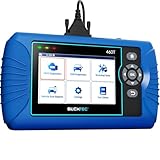
- [All System Diagnostics, Professional-Level Scanner] - BLCKTEC 460T is the ultimate OBD2 diagnostic tool for home mechanics and professionals. It supports all 10 OBD2 modes, reads and clears Engine/Transmission/ABS/SRS codes, performs All-System Diagnostics, offers workshop reset tools, and provides real-time live data. It helps you pinpoint issues, assess your car's condition, and prepare for SMOG checks with ease. NOTE: Function availability depends on your vehicle. Before you buy, be sure to use the Compatibility Checker on BLCKTEC website or contact our customer support to verify that the features you need are supported for your vehicle’s specific year, make, and model.
- [12+ Most Popular Reset Functions] - BLCKTEC 460T OBD2 scanner offers 12+ dealer-level service functions, including Oil Maintenance Reset, ABS Bleeding, EPB Reset, SAS(Steering Angle Sensor) Recalibration, DPF(Diesel Particulate Filter) Reset, Throttle Body Relearn, Battery Reset/Initialization, TPMS Relearn, Transmission Reset, Fluid Change Reset, Maintenance Reset and more, enabling you to perform workshop services like a pro. NOTE: Function availability depends on your vehicle. Be sure to use the Compatibility Checker on BLCKTEC website to verify that the features you need are supported for your vehicle.
- [Real-Time OBD2 and OEM Live Data, Freeze Frame Data] - BLCKTEC 460T helps diagnose vehicle issues when warning lights like Check Engine Light or ABS/SRS Light appear. It offers detailed DTC info, ECU Freeze Frame Data, and real-time OBD2 and advanced OEM live data, including Engine, Transmission, ABS, SRS, and more, making it easy to diagnose and resolve vehicle problems. You can view, graph, record, replay, and overlay up to four live data streams in a single graph for better analysis.
- [AutoVIN, AutoReLink, AutoScan, 3X Faster] - Equipped with AutoVIN technology, 460T automatically retrieves the VIN to save you time. Its AutoScan and AutoReLink features scan all of the vehicle's ECUs and detect any fault codes immediately after you plug the scanner into the vehicle's OBD2 port - no button presses required. Additionally, it regathers DTC and I/M readiness information every 30 seconds, simplifying monitor tests. 460T's advanced technology makes it 3X faster than other products.
- [Get RepairSolutions2, the #1 Auto Repair App for Free] - When paired with RepairSolutions2(RS2) App, 460T becomes even more powerful. RS2's Verified Fix Database built by master technicians, provides the parts needed for the repair. Additionally, RS2 gives you access to OEM warranty info, maintenance schedules, TSB, and dealership recall info, making car care easier than ever. RS2 is free with no subscription fees and it stores your car scan reports in the cloud, allowing you to access, share, or print them anytime and anywhere.
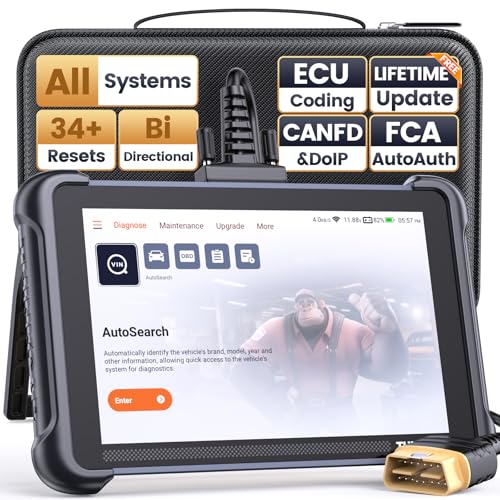
- 【Warm Tips】Dear friend, we've built this product to last, but in the unlikely event you encounter any technical hiccups, functions not support, received a used product, or just a simple question, please directly c0ntact us via Amazon Message and support @ mythinkcar. com, we're here to help and get it sorted in no time. Not sure if this product is compatible with your vehicle? Just e.mail your VIN at support @ mythinkcar. com for technical support. Note: FCA AutoAuth is a third-party service, additional cost may require.
- 【Professional Car Diagnostic Tool】Tired of renew fees? Thinkscan 689 scanner provides dealer-level advanced functions without annual fees for auto mechanics and repair shops. 34+ Services, 3000+ Active Test, ECU Coding, 140+ Brands Coverage, FCA AutoAuth, CANFD&DOIP Protocol, Component Matching, Power Balance, V.A.G Guided, Compatible with Google Chrome integration, etc. With strong hardware backing, 64G Memory, Android 10, 4-core processors, and 4150mAh battery. Thinkscan 689 brings you the best as your daily business helper and never lets you drop the ball!
- 【34+ Reset Service, Adaptation, Relearn, Calibration, Initialization, Matching】Made for workshops, Thinkscan 689 scanner provides 34+ services for worldwide vehicles: such as Gear/SAS/EPB/TPMS/D.P.F/BMS/ETS/Oil/Brake/AFS/GEARB0X/SUNROOF/SUS Reset, ABS Bleed, Injector coding, etc. Warm tips: Compatibility varies by car model, please reach out to us directly to make sure it works well on your cars.
- 【Real Active Test】Thinkscan 689 scan tool features over 3000+ full bi-directional control ability, to send commands to vehicle’s systems/components, to verify system input/output without using the vehicle's controls, e.g. turn on the radiator fan, modulate the throttle, open/close windows, operate mirrors, Injector Buz Test, turn on interior&exterior lights, sound horn, test door lock actuators, turn on/off front/rear side ACM Solenoid, Vehicle level position calibration, Wheel Speed Sensor Supply.
- 【Comprehensive Solutions with Advanced Features】Take your vehicle customization to the next level with the Thinkscan 689's advanced ECU coding capabilities. This scan tool provides power balance, PMI, unlock hidden features and enhance performance by activating dormant functions, customizing OE settings, matching replaced components, and reprogramming adaptive data to elevate your driving experience. Note: Compatibility varies by car models, please check before order.


- 【Diagnose Check Engine Light in Seconds – No Mechanic Needed】The FOXWELL NT301 OBD2 scanner instantly reads & clears engine fault codes (DTCs) with one click. Simply plug into the 16-pin DLC port, turn ignition on, and get accurate results within seconds—No prior car knowledge required. Save hundreds on dealership fees by knowing exactly what’s wrong before you visit a shop. The #1 choice car scanner for DIYers and car owners who want to take control of their vehicle’s health
- 【Clear & Reset CEL with Confidence】Unlike cheap code readers that just erase codes temporarily, NT301 works like all professional vehicle code readers: It clears the check engine light only after you’ve fixed the underlying issue. If the problem isn’t fully repaired, the fault code will reappear. So you’ll never get a false pass. Use the foxwell scanner to verify your repair work and drive with peace of mind
- 【Sm-og Check Helper – Know Your Pass/Fail Status Before the Test】With dedicated one-click I/M readiness hotkeys and a simple Red-Yellow-Green LED indicator, you’ll instantly know if your vehicle is ready for annual testing. Built-in speaker provides clear audio feedback. No guesswork—just confidence before you head to the test center. One less thing to worry about when inspection day comes
- 【Advanced OBDII Modes – O- 2 Sensor & EVAP Testing】NT301 go beyond basic code reading with enhanced OBD2 modes. Run an EVAP system check to assess fuel tank condition, and use the O- 2 sensor test to optimize air-fuel ratio, boosting fuel economy, cutting em- issions, and saving you money at the pump. The code reader for cars and trucks is like having a mini em-issions lab in your glove box
- 【Live Data Graphing – Spot Engine Issues in Real Time】View and log live sensor data in easy-to-read graphs with this OBD2 scanner diagnostic tool. Monitor ox- ygen sensors, fuel trims, coolant temperature, RPM, and more to spot suspicious values instantly. This obd scanner gives you professional-grade insight without the pro price tag—a feature you won’t find on basic $20 car code readers
SEOCONTENT-START
FCA US LLC Recall Part Number/Model Compatibility 21A Hydraulic Control / Unit Anti-Lock Brake System Module Submitted on March 9, 2023 The chart below shows the vehicle make/model/model year(s) in which the recalled components COULD be used/installed as aftermarket or service parts. This list does not represent vehicle models or model years in which the recalled components were used for initial vehicle production. HYDRAULIC CONTROL UNIT / ANTI-LOCK BRAKE SYSTEM PART NUMBERS BY MAKE/MODEL/MODEL YEAR(S) Part Number / Name / Description Make / Model Model Year 68085397AB HYDRAULIC CONTROL UNIT – ANTI-LOCK BRAKE SYSTEM Jeep Grand Cherokee 2011 X 2012 X 2013 X 2014 X 2015 X 2016 X 2017 X 2018 X 2019 X 2020 X 2021 X 2022 X Dodge Durango 2011 X 2012 X 2013 X 2014 X 2015 X 2016 X 2017 X 2018 X 2019 X 2020 X
**************************************************************************************************************
03/10/2023 _____________________________________________________________________ New Safety Recall Advanced Communication – 21A FCA US LLC (FCA US) has announced a safety recall on certain Anti-lock Brake System (ABS) Hydraulic Control Units (HCU)s part number 68085397AB intended for use on some 2011 – 2022 (WK) Jeep Grand Cherokee and 2011 – 2020 (WD) Dodge Durango vehicles. REASON FOR THIS SAFETY RECALL Some of the above HCU / ABS modules may falsely read pressure in the primary circuit. When installed in a vehicle, an HCU / ABS module which falsely reads pressure in the primary circuit may illuminate the brake lights, as well as allow the vehicle to start and shift out of park without the brake pedal being depressed. This condition can cause unintended vehicle movement which can cause a vehicle crash without prior warning and/or injury to others outside the vehicle. SERVICE ACTION FCA US will conduct a voluntary safety recall on all affected parts to repurchase suspect HCUs. If installed on a vehicle, FCA US will replace the HCU. The remedy for this condition is not currently available. Dealers will be notified of the launch of this safety recall by way of established communication methods. This recall is estimated to launch in 2nd Quarter of 2023. We ask that you please take the time to ensure that your personnel are aware of this communication and are prepared to execute a customer friendly process for inquiries regarding involved vehicles. Customer Services Field Operations FCA US LLC
**************************************************************************************************************
OMB Control No.: 2127-0004 Part 573 Safety Recall Report 23E-019 The information contained in this report was submitted pursuant to 49 CFR §573 Manufacturer Name : Chrysler (FCA US, LLC) Submission Date : MAR 09, 2023 NHTSA Recall No. : 23E-019 Manufacturer Recall No. : 21A Manufacturer Information : Manufacturer Name : Chrysler (FCA US, LLC) Address : 800 Chrysler Drive CIMS 482-00-91 Auburn Hills MI 48326-2757 Company phone : 1-800-853-1403 Population : Number of potentially involved : 330 Estimated percentage with defect : 100 % Equipment Information : Brand / Trade 1 : MOPAR Model : HYDRAULIC CONTROL UNIT / ANTI-LOCK BRAKE SYSTEM Part No. : 68085397AB Size : NR Function : NR Descriptive Information : Some hydraulic control unit (“HCU”)/anti-lock brake system (“ABS”) modules may falsely read pressure in the primary circuit. The suspect part population includes HCU/ABS modules built from July 12, 2018, through February 13, 2020, and was determined using supplier traceability and shipment information, and sales records of the suspect parts. Similar HCU/ABS modules not included in this recall were manufactured outside of the suspect period. Production Dates : JUL 12, 2018 – FEB 13, 2020 Description of Defect : Description of the Defect : When installed in a vehicle, an HCU / ABS Module which falsely reads pressure in the primary circuit may illuminate the brake lights, as well as allow the vehicle to start and shift out of park without the brake pedal being depressed. FMVSS 1 : NR FMVSS 2 : NR Description of the Safety Risk : A vehicle that is able to start and shift out of park without depressing the brake pedal can cause unintended vehicle movement which can cause a vehicle crash without prior warning and/or injury to others outside the vehicle. Part 573 Safety Recall Report 23E-019 Page 2 The information contained in this report was submitted pursuant to 49 CFR §573 Description of the Cause : NR Identification of Any Warning that can Occur : None. However, after the failure occurs but before an accident or injury, a dash light may illuminate, and/or the customer may notice brake lights staying on after parking/turning off the vehicle. Involved Components : Component Name : HYDRAULIC CONTROL UNIT Component Description : ANTI-LOCK BRAKE SYSTEM Component Part Number : 68085397AB Supplier Identification : Component Manufacturer Name : ZF ACTIVE SAFETY US INC. Address : 12001 Tech Center Drive Livonia Michigan 48150 Country : United States Chronology : • On October 5, 2021, the FCA US LLC (“FCA US”) Technical Safety and Regulatory Compliance (“TSRC”) organization opened an investigation based on an increase in warranty claims on some Jeep Grand Cherokee vehicles of customers experiencing the brake lights staying on. • From October 2021, to January 2022, FCA US TSRC reviewed and analyzed warranty records, and determined that Dodge Durango vehicles were also experiencing the brake lights staying on. • From January 2022, to May 2022, FCA US TSRC analyzed vehicle records, met with FCA US engineering to investigate the issue and the vehicles involved, and determined the suspect population of vehicles affected. • On June 02, 2022, FCA US determined, through the Vehicle Regulations Committee, to conduct a voluntary safety recall of the affected vehicles. Root cause was unknown. • On August 12, 2022, the supplier isolated the root cause to a process issue. • From August 2022, to February 2023, FCA US TSRC received suspect service part traceability data from the supplier, identified the suspect service part quantities shipped to dealerships, verified suspect service parts Part 573 Safety Recall Report 23E-019 Page 3 The information contained in this report was submitted pursuant to 49 CFR §573 were not used in vehicle production, obtained Mopar sales information for suspect service parts sent to dealerships, and verified make / model / model year compatibility of suspect service parts. • As of February 24, 2023, FCA US has identified 150 customer assistance records, 216 warranty claims, 29 field reports potentially relating to this issue for all markets with dates of receipt ranging from November 11, 2019, to March 3, 2021. • As of February 24, 2023, FCA US is not aware of any accidents or injuries potentially relating to this issue for all markets. • On March 02, 2023, FCA US determined, through the Vehicle Regulations Committee, to conduct a voluntary safety recall of the affected units. Description of Remedy : Description of Remedy Program : FCA US will conduct a voluntary safety recall on all affected parts to repurchase suspect HCUs. If installed on a vehicle, FCA US will replace the HCU. FCA US has a longstanding policy and practice of reimbursing owners who have incurred the cost of repairing a problem that subsequently becomes the subject of a field action. To ensure consistency, FCA US, as part of the owner letter, will request that customers send the original receipt and/or other adequate proof of payment to the company for confirmation of the expense. How Remedy Component Differs from Recalled Component : The remedy component will be an HCU built outside the suspect period. Identify How/When Recall Condition was Corrected in Production : NR Recall Schedule : Description of Recall Schedule : **03/09/2023: FCA US will notify dealers and begin notifying owners on or about 04/28/2023. Planned Dealer Notification Date : APR 28, 2023 – APR 28, 2023 Planned Owner Notification Date : APR 28, 2023 – APR 28, 2023 Purchaser Information : The following manufacturers purchased this defective/noncompliant equipment for possible use or installation in new motor vehicles or new items of motor vehicle equipment: Part 573 Safety Recall Report 23E-019 Page 4 The information contained in this report was submitted pursuant to 49 CFR §573 Name : NR Address : NR NR Country : NR Company Phone : NR * NR – Not Reported
**************************************************************************************************************
© Copyright 2023, FCA US LLC, All Rights Reserved (tdb) March 2023 Dealer Service Instructions for: Equipment Safety Recall 21A NHTSA 23E-019 Anti-lock Brake System Hydraulic Control Unit FCA US LLC (FCA US) has announced a safety recall on certain Anti-lock Brake System (ABS) Hydraulic Control Units (HCU)s part number 68085397AB. Intended for use with some of the following vehicles: • 2011 – 2022 (WK) Jeep Grand Cherokee • 2011 – 2020 (WD) Dodge Durango Some of the above HCU / ABS modules may falsely read pressure in the primary circuit. When installed in a vehicle, an HCU / ABS module which falsely reads pressure in the primary circuit may illuminate the brake lights, as well as allow the vehicle to start and shift out of park without the brake pedal being depressed. This condition can cause unintended vehicle movement which can cause a vehicle crash without prior warning and/or injury to others outside the vehicle. Inspect the Julian date code of HCU manufacturing and repurchase suspect HCUs. If installed on a vehicle, replace the HCU. Remedy Available Subject Repair Equipment Safety Recall 21A Page 2 Anti-lock Brake System Hydraulic Control Unit Part Number Qty. Description 68085397AB 1 Hydraulic Control Unit 04318080AD A/R Brake fluid DOT 3 12oz. bottle (MS-4574) (Expected volume of fluid per vehicle 800ml) No parts return required for this campaign. Render the recalled Hydraulic Control Unit unusable and discard. The following special tools are required to perform Hydraulic Control Unit (HCU) replacement: ➢ NPN wiTECH MicroPod II ➢ NPN Laptop Computer ➢ NPN wiTECH Software ➢ NPN Brake Bleeding Equipment ➢ 6921 Cap, Master Cylinder ➢ NPN Brake Holding Tool Parts Information Parts Return Special Tools Equipment Safety Recall 21A Page 3 Anti-lock Brake System Hydraulic Control Unit Procedure for Uninstalled HCU Inspection: 1. Locate the pin stamp ID number on the HCU aluminum body. 2. Julian Date is the 3rd to 6th digits. 3. Suspect range 8166 to 9106 ➢ If HCU is suspect: Repurchase suspect HCU. ➢ If HCU is NOT suspect: Return HCU to customer. For Installed HCU Inspection Continue to Next Page: Uninstalled Hydraulic Control Unit (HCU) Inspection Procedure Figure 1 – Pin Stamp ID Number on the HCU Aluminum Body Breakdown of Pin Stamp for Body ID: J Y 2 0 6 9 E 0 1 9 A D A Julian Date of Body Manufacturing Suspect Range: 8 1 6 6 to 9 1 0 6 Equipment Safety Recall 21A Page 4 Anti-lock Brake System Hydraulic Control Unit Procedure for Installed HCU Inspection: 1. Take note of the customer’s preferred seat position then move the front passenger seat fully forward. 2. Cycle the ignition to the Off position. Be certain that all electrical accessories are turned off. 3. Open the battery access cover located under the passenger front seat. 4. If equipped with an Intelligent Battery Sensor (IBS), disconnect the IBS connector first before disconnecting the battery negative cable. 5. Disconnect and isolate the battery negative cable by loosening the captive nut securing the terminal end to the post. Do no attempt to remove the captive nut as damage to the threads may occur (Figure 2). 6. Remove the engine cover. Some engine covers can be removed by gently lifting vertically to disengage the engine cover grommets. Others require oil filter access cover or additional fasteners removed first before engine cover removal. If unsure of the proper procedure to remove the engine cover, please refer to Service Library for proper engine cover removal procedure. NOTE: Place the engine cover with the appearance surface upward to prevent damage and scratches. Installed Hydraulic Control Unit (HCU) Inspection Procedure Figure 2 – Battery Access BATTERY ACCESS COVER BATTERY PASSENGER SEATBACK Equipment Safety Recall 21A Page 5 Anti-lock Brake System Hydraulic Control Unit 7. If equipped, disconnect the wire harness connector (1) from the Inlet Air Temperature (IAT) sensor and wire harness retainer (2) from the air cleaner resonator (Figure 3). 8. If equipped, disconnect the wire harness connector (1) from the Mass Air Flow (MAF) sensor and wire harness retainer (2) from the air cleaner housing (Figure 4). Installed (HCU) Inspection Procedure [Continued] Figure 3 – Inlet Air Temperature Sensor Figure 4 – Mass Air Flow Sensor Equipment Safety Recall 21A Page 6 Anti-lock Brake System Hydraulic Control Unit 9. Inlet air tube or resonator. Loosen the clamp (1) at the throttle body and clamp (2) at air cleaner body. (Figure 5) shows a 3.6L engine, other engines are similar. 10. Disengage any rubber grommets or fasteners (3) securing the inlet air tube or resonator (Figure 5). 11. Remove the inlet air tube or resonator assembly from the vehicle. Air inlet design may vary depending on engine and vehicle (Figure 6). Installed (HCU) Inspection Procedure [Continued] Figure 5 – Inlet Air Tube / Resonator 3.6L Shown Others Similar Figure 6 – Inlet Air Tube / Resonator Design May Vary Depending on Engine and Vehicle Equipment Safety Recall 21A Page 7 Anti-lock Brake System Hydraulic Control Unit 12. Remove the hood seal (1) from the air cleaner body (Figure 7). 13. If equipped, disconnect the fresh air makeup hose (1) from the air cleaner body (Figure 8). Installed (HCU) Inspection Procedure [Continued] Figure 7 – Hood Seal Figure 8 – Fresh Air Makeup Hose Equipment Safety Recall 21A Page 8 Anti-lock Brake System Hydraulic Control Unit 14. Pull the air cleaner body (1) straight up off the locating pins (2) (Figure 9). 15. Disconnect the wire harness connector (1) from the ABS module (2) (Figure 10). Installed (HCU) Inspection Procedure [Continued] Figure 9 – Air Cleaner Body Figure 10 – Wire Harness Connector Equipment Safety Recall 21A Page 9 Anti-lock Brake System Hydraulic Control Unit 16. Locate the pin stamp ID number on the HCU aluminum body (Figure 11). 17. Julian Date is the 3rd to 6th digits (Figure 11). 18. Suspect range 8166 to 9106 (Figure 11). ➢ If HCU is suspect: Proceed to Service Procedure Page 12 for HCU replacement. ➢ If HCU is NOT suspect: Continue with Inspection Procedure for vehicle reassembly. Installed (HCU) Inspection Procedure [Continued] Figure 11 – Pin Stamp ID Number on the HCU Aluminum Body Breakdown of Pin Stamp for Body ID: J Y 2 0 6 9 E 0 1 9 A D A Julian Date of Body Manufacturing Suspect Range: 8 1 6 6 to 9 1 0 6 Equipment Safety Recall 21A Page 10 Anti-lock Brake System Hydraulic Control Unit 19. Connect the wire harness connector (1) to the ABS module (2) (Figure 10). 20. Install the air cleaner body (1) straight down on the locating pins (2) (Figure 9). 21. If equipped, install the fresh air makeup hose (1) to the air cleaner body (Figure 8). 22. Install the hood seal (1) (Figure 7). 23. Install the inlet air tube or resonator assembly to the vehicle. Secure any rubber grommets or fasteners. Design may vary depending on engine and vehicle (Figure 6). 24. Inlet air tube or resonator. Securely tighten the clamp at the throttle body (1) and the clamp (2) at the air cleaner body (Figure 5). 25. If equipped, connect the wire harness connector (1) to the Mass Air Flow (MAF) sensor and secure the wire harness retainer (2) to the air cleaner resonator (Figure 4). 26. If equipped, connect the wire harness connector (1) to the Inlet Air Temperature (IAT) sensor and secure the wire harness retainer (2) to the air cleaner resonator (Figure 3). 27. Install the engine cover. Align the cover grommets to ball studs then gently push down until you feel the grommet and ball stud engage, ensuring grommet and ball stud retention. Lightly lift up around the edges of the engine cover to ensure that the cover is not loose and that all of the grommets are engaged. Some engine covers require oil filter access cover or additional fasteners to be installed. If unsure of the proper procedure to install the engine cover, please refer to Service Library for proper engine cover installation procedure. Installed (HCU) Inspection Procedure [Continued] Equipment Safety Recall 21A Page 11 Anti-lock Brake System Hydraulic Control Unit 28. Close the engine compartment hood. 29. Connect the negative battery cable 5 N·m (44 In. Lbs.) (Figure 2). 30. If equipped with an Intelligent Battery Sensor (IBS), connect the IBS connector (Figure 2). 31. Install the battery access cover located under the passenger front seat (Figure 2). 32. Return the vehicle to the customer or inventory. Installed (HCU) Inspection Procedure [Continued] Equipment Safety Recall 21A Page 12 Anti-lock Brake System Hydraulic Control Unit Replacement Procedure if Inspection Shows HCU to be Suspect: 1. Install a prop rod on the brake pedal to keep pressure on the brake system. NOTE: Holding the pedal in this position will isolate the master cylinder from the hydraulic brake system and will not allow brake fluid to drain out of the brake fluid reservoir while the brake lines are open. This will allow bleeding only the area of repair instead of the entire system. 2. Mark or take note of the hydraulic tube locations before removing to assist in proper installation. 3. Remove the primary and secondary brake hydraulic tubes (2) at the HCU (1) (Figure 12). 4. Remove the chassis hydraulic tubes (3) at the HCU (1) (Figure 12). 5. Remove ABS/HCU assembly with mounting bracket (1) from the vehicle by firmly lifting the assembly from the push mount pins (2) (Figure 13). Service Procedure Figure 12 – HCU Hydraulic Tubes Figure 13 – ICU Mounting Bracket Equipment Safety Recall 21A Page 13 Anti-lock Brake System Hydraulic Control Unit CAUTION: When removing the ABS module from the HCU, be sure to completely separate the two components approximately 38 mm (1.5 in.) straight out before moving module to the side. Do not to touch the sensor terminals on the module side or the contact pads on the HCU side as this may result in contamination and issues in the future. 6. Remove and DISCARD the four ABS module screws (2) securing the module (1) to the HCU (Figure 14). 7. Separate the ABS module (1) from the HCU (4) pulling the ABS module (1) straight out without touching the contact tower (2) terminals to any solenoids (Figure 15). Service Procedure [Continued] Figure 14 – ABS Module Figure 15 – ABS Module Equipment Safety Recall 21A Page 14 Anti-lock Brake System Hydraulic Control Unit 8. Remove the three bolts (1) securing the HCU (2) to the mounting bracket (3) then separate and DISCARD the HCU (Figure 16). 9. Align the NEW HCU (2) to the mounting bracket (3) then install the three bolts (1). Tighten the bolts to 11 N·m (8 Ft. Lbs.) (Figure 16). CAUTION: When installing the ABS module to the HCU, be sure to properly align the ABS module and the HCU so that sensor terminals or the contact pads do not touch other parts of the modules. Otherwise, damage to the pressure sensor or Pump Motor connection may result requiring HCU replacement. 10. Align the ABS module contact tower (2) to the tower receiving hole (3) of the HCU (4) and put the ABS module (1) and the HCU (4) together without touching the tower terminals to any solenoids (Figure 15). NOTE: Tighten the ABS module screws (2) in a crisscross pattern (Figure 14). 11. Install the four NEW ABS module screws (2) securing the module (1) to the HCU and tighten to 3 N·m (27 In. Lbs.) (Figure 14). Service Procedure [Continued] Figure 16 – HCU Mounting Bracket Equipment Safety Recall 21A Page 15 Anti-lock Brake System Hydraulic Control Unit 12. Install the ABS/HCU assembly with mounting bracket (1) to the vehicle by firmly pushing the assembly on the push mount pins (2) (Figure 13). 13. Install the chassis hydraulic tubes (3) to the HCU (1) and tighten the fittings to 21 N·m (15 Ft. Lbs.) (Figure 12). 14. Install the primary and secondary brake hydraulic tubes (2) to the HCU (1) and tighten the fittings to 35 N·m (26 Ft. Lbs.) (Figure 12). 15. Connect the wire harness connector (1) to the ABS module (2) (Figure 10). 16. Install the air cleaner body (1) straight down on the locating pins (2) (Figure 9). 17. If equipped, install the fresh air makeup hose (1) to the air cleaner body (Figure 8). 18. Install the hood seal (1) (Figure 7). 19. Install the inlet air tube or resonator assembly to the vehicle. Secure any rubber grommets or fasteners. Design may vary depending on engine and vehicle (Figure 6). 20. Inlet air tube or resonator. Securely tighten the clamp at the throttle body (1) and the clamp (2) at the air cleaner body (Figure 5). 21. If equipped, connect the wire harness connector (1) to the Mass Air Flow (MAF) sensor and secure the wire harness retainer (2) to the air cleaner resonator (Figure 4). 22. If equipped, connect the wire harness connector (1) to the Inlet Air Temperature (IAT) sensor and secure the wire harness retainer (2) to the air cleaner resonator (Figure 3). Service Procedure [Continued] Equipment Safety Recall 21A Page 16 Anti-lock Brake System Hydraulic Control Unit 23. Install the engine cover. Align the cover grommets to ball studs then gently push down until you feel the grommet and ball stud engage, ensuring grommet and ball stud retention. Lightly lift up around the edges of the engine cover to ensure that the cover is not loose and that all of the grommets are engaged. Some engine covers require oil filter access cover or additional fasteners to be installed. If unsure of the proper procedure to install the engine cover, please refer to Service Library for proper engine cover installation procedure. 24. Connect the negative battery cable 5 N·m (44 In. Lbs.) (Figure 2). 25. If equipped with an Intelligent Battery Sensor (IBS), connect the IBS connector (Figure 2). 26. Install the battery access cover located under the passenger front seat (Figure 2). 27. Remove the brake pedal prop rod. NOTE: Use Mopar® brake fluid, or an equivalent quality fluid meeting SAE J1703-F and DOT 3 standards only. Use ONLY fresh, clean fluid from a sealed container. 28. Remove master cylinder reservoir filler cap and fill reservoir with brake fluid prior to connecting pressure bleeder. 29. Install MASTER CYLINDER CAP 6921 or equivalent to the master cylinder reservoir. Service Procedure [Continued] Equipment Safety Recall 21A Page 17 Anti-lock Brake System Hydraulic Control Unit 30. Fill the bleeder tank with recommended fluid and purge air from the tank lines before bleeding. NOTE: Follow the manufacturer’s instructions carefully when using pressure equipment. Do not exceed the tank manufacturers pressure recommendations. Generally, a tank pressure of 51-67 kPa (15-20 psi) is sufficient for bleeding. Do not pressure bleed without a proper master cylinder adapter. The wrong adapter can lead to leakage or drawing air back into the system. 31. Partly raise the vehicle. 32. Connect the pressure bleeder to the master cylinder using adapter provided with the equipment or MASTER CYLINDER CAP 6921. NOTE: When pressure bleeding, a helper is needed inside the vehicle. NOTE: Bleed only one brake component at a time beginning with the rear brake caliper furthest from the master cylinder, then the other rear caliper, followed by the furthest front caliper from the master cylinder and finishing with the closest to the master cylinder as follows: 33. Attach one end of the bleed hose (1) to the bleed screw and insert the opposite end into a glass container (2) partially filled with brake fluid. Be sure the end of the bleed hose is immersed in fluid (Figure 17). Service Procedure [Continued] Figure 17 – Bleed Hose Immersed in Container of Brake Fluid Equipment Safety Recall 21A Page 18 Anti-lock Brake System Hydraulic Control Unit 34. Open the bleeder and have the helper pump the brake pedal multiple times, until the fluid stream is clear and free of air bubbles, then with the brake pedal pushed, tighten the bleeder screw. 35. Repeat the bleeding procedure at each wheel until all are complete. 36. Remove the bleeder hose, and the pressure bleeder from the master cylinder. NOTE: The wiTECH scan tool must be used to perform this recall. The wiTECH software is required to be at the latest release level before performing this procedure. 37. Open the hood. Install a battery charger and verify that the charging rate provides 13.0 to 13.5 volts. Do not allow the charger to time out during the flash process. Set the battery charger timer (if so equipped) to continuous charge. NOTE: Use an accurate stand-alone voltmeter. The battery charger volt meter may not be sufficiently accurate. Voltages outside of the specified range will cause an unsuccessful wiTECH operation. If voltage reading is too high, apply an electrical load by activating the park or headlamps and/or HVAC blower motor to lower the voltage. 38. Connect the wiTECH micro pod II to the vehicle data link connector. 39. Place the ignition in the “RUN” position. 40. Open the wiTECH 2.0 website. 41. Enter your “User id” and “Password” and your “Dealer Code”, then select “Sign In” at the bottom of the screen. Click “Accept”. 42. From the “Vehicle Selection” screen, select the applicable vehicle. Service Procedure [Continued] Equipment Safety Recall 21A Page 19 Anti-lock Brake System Hydraulic Control Unit 43. Select “ANTILOCK BRAKES”, followed by “MISCELLANEOUS”, then “ABS BLEED BRAKES” and follow the instructions displayed for the procedure. 44. Click “View DTCs”, select “Clear All DTCs”, click “Continue” and then click “Close”. 45. Place the ignition in the “OFF” position and then remove the wiTECH micro pod II device from the vehicle. 46. Remove the battery charger from the vehicle. 47. Remove the pressure bleeder from the master cylinder reservoir. 48. Top off the brake fluid and install the master cylinder reservoir cap. 49. Clean any excess brake fluid from vehicle. 50. Close the hood. 51. Verify proper brake operation before moving the vehicle. 52. Lower the vehicle. 53. Return the vehicle to the customer or inventory. Service Procedure [Continued] Equipment Safety Recall 21A Page 20 Anti-lock Brake System Hydraulic Control Unit Claims for vehicles that have been serviced must be submitted on the DealerCONNECT Claim Entry Screen located on the Service tab. Claims paid will be used by FCA to record recall service completions and provide dealer payments. Use the following labor operation numbers and time allowances: Labor Operation Time Number Allowance Uninstalled HCU, Inspect Julian Build Date 05-21-A1-80 0.0 hours (Over the counter inspection of uninstalled HCU.) Installed HCU, Inspect Julian Build Date 05-21-A1-81 0.3 hours (On vehicle inspection of installed HCU.) Inspect and Replace Suspect HCU on Vehicle 05-21-A1-82 1.4 hours Related Operation Dealership Handling Fee for HCU Repurchase 95-05-40-50 (Uninstalled HCU) Add the cost of the recall parts package plus applicable dealer allowance to your claim. In addition, enter “MATL” in the Part Number section of your claim with the applicable Material Allowance where appropriate. NOTE: See the Warranty Administration Manual, Recall Claim Processing Section, for complete recall claim processing instructions. To view this notification on DealerCONNECT, select “Global Recall System” on the Service tab, then click on the description of this notification. Completion Reporting and Reimbursement Dealer Notification Equipment Safety Recall 21A Page 21 Anti-lock Brake System Hydraulic Control Unit All involved vehicle owners known to FCA are being notified of the service requirement by first class mail. They are requested to schedule appointments for this service with their dealers. A generic copy of the owner letter is attached. All involved vehicles have been entered into the DealerCONNECT Global Recall System (GRS) and Vehicle Information Plus (VIP) for dealer inquiry as needed. GRS provides involved dealers with an updated VIN list of their incomplete vehicles. The owner’s name, address and phone number are listed if known. Completed vehicles are removed from GRS within several days of repair claim submission. To use this system, click on the “Service” tab and then click on “Global Recall System.” Your dealer’s VIN list for each recall displayed can be sorted by: those vehicles that were unsold at recall launch, those with a phone number, city, zip code, or VIN sequence. Dealers must perform this repair on all unsold vehicles before retail delivery. Dealers should also use the VIN list to follow up with all owners to schedule appointments for this repair. Recall VIN lists may contain confidential, restricted owner name and address information that was obtained from the Department of Motor Vehicles of various states. Use of this information is permitted for this recall only and is strictly prohibited from all other use. If you have any questions or need assistance in completing this action, please contact your Service and Parts District Manager. Customer Services / Field Operations FCA US LLC Owner Notification and Service Scheduling Vehicle Lists, Global Recall System, VIP and Dealer Follow Up Additional Information 21A/NHTSA 23E-019 YOUR SCHEDULING OPTIONS 1. RECOMMENDED OPTION Call your authorized Chrysler / Dodge / Jeep® / RAM Dealership 2. Call the FCA Recall Assistance Center at 1-800-853-1403. An agent can confirm part availability and help schedule an appointment 3. Visit recalls.mopar.com or download the Mopar Owner’s Companion App. Get access to recall notifications, locate your nearest dealer, and more through this website or Mopar Owner’s Companion App. You will be asked to provide your Vehicle Identification Number (VIN) to protect and verify your identity. DEALERSHIP INSTRUCTIONS Please reference Safety Recall 21A. IMPORTANT SAFETY RECALL Anti-lock Brake System Hydraulic Control Unit Dear [Name], This notice is sent to you in accordance with the National Traffic and Motor Vehicle Safety Act. FCA has decided that a defect, which relates to motor vehicle safety, exists in certain Anti-lock Brake System (ABS) Hydraulic Control Units (HCU)s part number 68085397AB intended for use on some 2011 – 2022 model year Jeep Grand Cherokee and 2011 – 2020 model year Dodge Durango vehicles. It is extremely important to take steps now to repair your vehicle to ensure the safety of you and your passengers. WHY DOES MY VEHICLE NEED REPAIRS? FCA US records indicate that you may have purchased an HCU service part for your vehicle [1]. When installed in a vehicle, an HCU / ABS module may falsely read pressure in the primary circuit which may illuminate the brake lights, as well as allow the vehicle to start and shift out of park without the brake pedal being depressed. This condition can cause unintended vehicle movement which can cause a vehicle crash without prior warning and/or injury to others outside the vehicle. HOW DO I RESOLVE THIS IMPORTANT SAFETY ISSUE? FCA US will repurchase suspect HCUs. If installed on a vehicle, FCA US will replace the HCU [2] free of charge (parts and labor). To do this, your dealer will inspect the Julian date code of HCU manufacturing and repurchase suspect HCUs. If installed on a vehicle your dealer will replace the suspect HCU. The estimated repair time for on vehicle inspection/replacement of the HCU may take up to one and a half hours. In addition, your dealer will require your vehicle for proper check-in, preparation, and check-out during your visit, which may require more time. We recommend that you schedule a service appointment to minimize your inconvenience. Please bring this letter and your HCU if uninstalled or vehicle if HCU is installed with you to your dealership. TO SCHEDULE YOUR FREE REPAIR, CALL YOUR CHRYSLER, DODGE, JEEP OR RAM DEALER TODAY WHAT IF I ALREADY PAID TO HAVE THIS REPAIR COMPLETED? If you have already experienced this specific condition and have paid to have it repaired, you may visit www.fcarecallreimbursement.com to submit your reimbursement request online. [3] Once we receive and verify the required documents, reimbursement will be sent to you within 60 days. If you have had previous repairs performed and/or already received reimbursement, you may still need to have the recall repair performed. We apologize for any inconvenience, but are sincerely concerned about your safety. Thank you for your attention to this important matter. Customer Assistance/Field Operations FCA US LLC [1] If you no longer own this vehicle, please help us update our records. Call the FCA Recall Assistance Center at 1-800-853-1403 to update your information. [2] If your dealer fails or is unable to remedy this defect without charge and within a reasonable time, you may submit a written complaint to the Administrator, National Highway Traffic Safety Administration, 1200 New Jersey Ave., S.E., Washington, DC 20590, or you can call the toll-free Vehicle Safety Hotline at 1-888-327-4236 (TTY 1-800-424- 9153), or go to safercar.gov. [3] You can also mail in your original receipts and proof of payment to the following address for reimbursement consideration: FCA Customer Assistance, P.O. Box 21-8004, Auburn Hills, MI 48321-8007, Attention: Recall Reimbursement. Note to lessors receiving this recall notice: Federal regulation requires that you forward this recall notice to the lessee within 10 days. Mr. Mrs. Customer 1234 Main Street Hometown, MI 48371
**************************************************************************************************************
SEOCONTENT-END
This product presentation was made with AAWP plugin.