April 13, 2023 NHTSA CAMPAIGN NUMBER: 23V264000
Air bags that do not deploy as intended increase the risk of injury in a crash.
NHTSA Campaign Number: 23V264
Manufacturer Chrysler (FCA US, LLC)
Components AIR BAGS
Potential Number of Units Affected 37
Summary
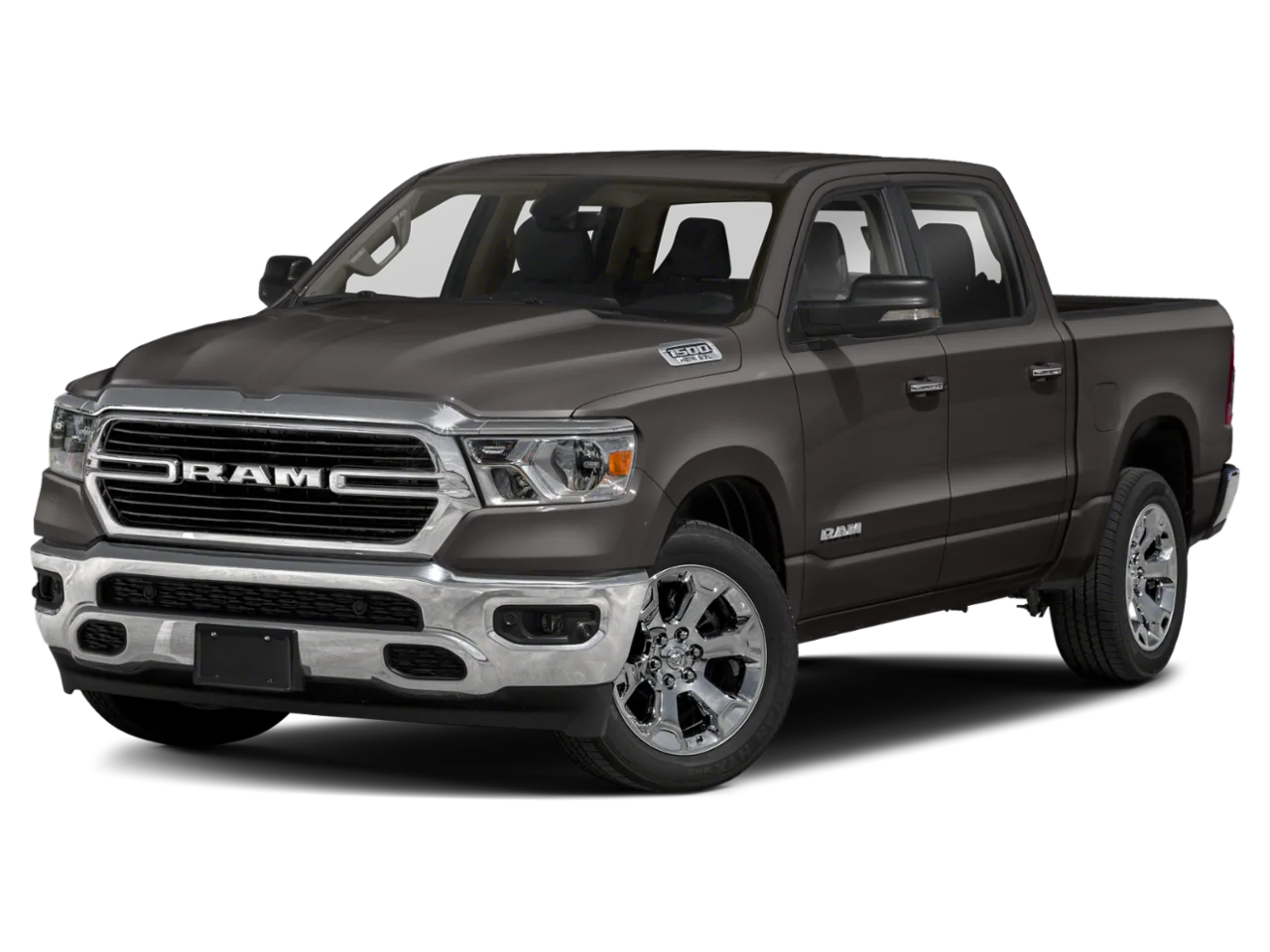
Chrysler (FCA US, LLC) is recalling certain 2022 Ram 1500 vehicles. The B-pillar impact sensors may be missing, which can result in delayed air bag deployment or non-deployment.
Remedy
Dealers will inspect and, if necessary, install the B-pillar impact sensors, free of charge. Owner notification letters were mailed May 4, 2023. Owners may contact FCA US, LLC customer service at 1-800-853-1403. FCA US, LLC’s number for this recall is 33A.
Notes
Owners may also contact the National Highway Traffic Safety Administration Vehicle Safety Hotline at 1-888-327-4236 (TTY 1-800-424-9153), or go to www.nhtsa.gov.
Check if your Vehicle has a Recall
New Safety Recall Advanced Communication – 33A
FCA US LLC (FCA US) has announced a safety recall on certain 2022 Model Year (DT) Ram 1500 Pickup vehicles.
REASON FOR THIS SAFETY RECALL
Some 2022 MY Ram 1500 vehicles may have been built without installing the B-pillar impact sensors.
Missing B-pillar impact sensors may result in delayed airbag deployment or non-deployment in certain circumstances, which may increase the risk of occupant injury.
SERVICE ACTION
FCA US will conduct a voluntary safety recall to inspect and, if necessary, install the B-pillar impact sensors. The remedy for this condition is not currently available. Dealers will be notified of the launch of this safety recall by way of established communication methods. This recall is estimated to launch in 2nd Quarter of 2023.
SAFETY RECALL – NORTH AMERICA B-Pillar Impact Sensor
Reference: 33A / NHTSA 23V-264
Remedy available for
2022 (DT) Ram 1500 Pickup
| Revision | Edition | Detail |
| 0 | 20 April 2023 | Initial Version. |
SUBJECT
The B-pillar impact sensors on about 37 of the above vehicles may be missing.
Missing B-pillar impact sensors may result in delayed airbag deployment or non-deployment in certain circumstances, which may increase the risk of occupant injury.
SCOPE
This recall applies only to the above vehicles.
IMPORTANT: Some of the involved vehicles may be in dealer new vehicle inventory. Federal law requires you to complete this recall service on these vehicles before retail delivery. Dealers should also consider this requirement to apply to used vehicle inventory and should perform this recall on vehicles in for service. Involved vehicles can be determined by using the VIP inquiry process.
REPAIR TO BE PERFORMED
Inspect and, if necessary, install the B-pillar impact sensors.
PARTS INFORMATION
| Part No. | Qty. | Part Name |
| 68284053AA | 2 | Acceleration Sensor |
| 06105099AA | 2 | Bolt |
PARTS RETURN
No parts return required for this campaign.
SPECIAL TOOLS
| Number | Description |
| NPN | wiTECH MicroPod II / MDP / MDP |
| NPN | Laptop Computer |
| NPN | wiTECH Software |
DEALER NOTIFICATION
To view this notification on DealerCONNECT, select “Global Recall System” on the Service tab, then click on the description of this notification.
OWNER NOTIFICATION AND SERVICE SCHEDULING
All involved vehicle owners known to FCA are being notified of the service requirement by first class mail. They are requested to schedule appointments for this service with their dealers
SERVICE PROCEDURE
A. Removal
WARNING: To avoid serious or fatal injury on vehicles equipped with airbags, disable the Supplemental Restraint System (SRS) before attempting any steering wheel, steering column, airbags, airbag curtains, knee blocker, seat belt tensioner, impact sensor or instrument panel component diagnosis or service. Disconnect the Intelligent Battery Sensor (IBS)/negative battery cable assembly from the negative battery post, then wait two minutes for the system capacitor to discharge before performing further diagnosis or service. This is the only sure way to disable the SRS. Failure to take the proper precautions could result in accidental airbag deployment.
WARNING: To avoid serious or fatal injury, never strike or drop the side impact sensor, as it can damage the impact sensor or affect its calibration. The side impact sensor enables the system to deploy the side Supplemental Restraint System (SRS) components. If an impact sensor is accidentally dropped during service, the sensor must be scrapped and replaced with a new unit. Failure to observe this warning could result in accidental, incomplete, or improper side SRS component deployment.
- With the Ignition ON, check for an Air Bag Warning Light (Figure 1).
- Connect the scan tool, and check for codes that would indicate a missing B-pillar Impact Sensor.
- Impact Sensor missing?
a. YES: Proceed to Step 4.
b. NO: The system is complete and working properly. Return the vehicle to the owner, and close the recall.
- Adjust the appropriate front seat to its full forward position for easiest access to the B-pillar.
NOTE: When disconnecting and isolating the negative battery cable for the 12 volt system, this will also power down the 48 volt battery system. No extra steps will be needed for a power down of the 48 volt system.
NOTE: The graphic in this procedure depicts a typical negative battery cable and Intelligent Battery Sensor (IBS) connection at the negative battery post. The location of the battery and orientation of the cable eyelet connection to the IBS can vary between vehicles. Refer to the Description and Operation for the 12 volt battery specific location.
- Remove the ground terminal nut (Figure 2).
- Remove and isolate the negative battery cable eyelet from the IBS. This will isolate the 12 volt and 48 volt battery from the vehicle electrical system.
- Reposition floor mat as needed.
NOTE: If removing the negative battery cable clamp from the battery post instead of removing the negative battery cable eyelet, the Intelligent Battery Sensor (IBS) wire harness connector must be disconnecting prior to removing the cable end. Failure to disconnect the IBS wire harness connector can lead to damage of the IBS wire harness connector.
- Using a trim stick or equivalent, disengage the retaining tabs of the cowl trim panel from the retainer clips in the door sill (Figure 3).
- Pull the cowl trim panel rearward and remove it from the vehicle (Figure 3).
- Using a trim stick or equivalent, disengage the retaining tabs of the sill trim panel from the retainer clips in the rear door sill and remove the trim panel (Figure 4).
- Pull back enough of the front and rear door seals to expose the edges of the mid B-pillar trim.
- Using a trim stick or equivalent release the retaining clips and remove the B-pillar mid trim panel (Figure 5).
- Using a trim stick or equivalent release the retaining clips and remove the lower B-pillar trim panel (Figure 6).
B. Install
- Install new B-pillar impact sensor and tighten fastener to 8 N·m (71 in. lbs.) (Figure 7).
- Connect the body wire harness connector from the B-pillar impact sensor (Figure 8).
- Align and seat the retaining clips and install the lower B-pillar trim panel (Figure 6).
- Align and seat the retaining clips and install the Bpillar mid trim panel (Figure 5).
- Install the front and rear door seals.
- Align and seat the retaining tabs of the sill trim panel to the retainer clips in the rear door sill and install the trim panel (Figure 4).
- Push the cowl trim panel forward and install it to the vehicle (Figure 3).
- Align and seat the retaining tabs of the cowl trim panel to the retainer clips in the door sill (Figure 3).
- Do not connect the negative battery cable at this time. The Supplemental Restraint System (SRS) Verification Test procedure should be performed following service of any SRS component.
WARNING: To avoid serious or fatal injury on vehicles equipped with airbags, disable the Supplemental Restraint System (SRS) before attempting any steering wheel, steering column, airbags, airbag curtains, knee blocker, seat belt tensioner, impact sensor or instrument panel component diagnosis or service. Disconnect the Intelligent Battery Sensor (IBS)/negative battery cable assembly from the negative battery post, then wait two minutes for the system capacitor to discharge before performing further diagnosis or service. This is the only sure way to disable the SRS. Failure to take the proper precautions could result in accidental airbag deployment.
NOTE: The following procedure should be performed using a diagnostic scan tool to verify proper Supplemental Restraint System (SRS) operation following the service or replacement of any SRS component. Refer to the appropriate diagnostic procedures.
- During the following test, the negative cable remains disconnected and isolated from the battery, as it was during the Supplemental Restraint System (SRS) component removal and installation procedures.
- Be certain that the diagnostic scan tool contains the latest version of the proper diagnostic software. Connect the diagnostic scan tool to the 16-way Data Link Connector (DLC). The DLC is located on the driver side lower edge of the instrument panel, near the steering column opening cover and outboard of the steering column.
- Check to be certain that there are no occupants in the vehicle, then connect the negative battery cable. If equipped with an Intelligent Battery Sensor (IBS), connect the IBS connector.
- If the vehicle is equipped with Keyless Go, follow the warning below:
WARNING: After disconnecting the 12-Volt battery wait two minutes before proceeding. Remove the ORC fuses, connect the 12-Volt battery, wait two minutes before proceeding. Cycle the ignition to the on position, then reconnect the orc fuses. Failure to follow these instructions may result in possible serious or fatal in jury.
NOTE: The ORC fuse is in the Interior PDC under the driver side instrument panel, fuse F28.
- For vehicles with a standard ignition follow the warning below:
WARNING: Turn the ignition on, then reconnect the 12-Volt battery. Failure to follow these instructions may result in possible serious or fatal injury.
- Exit the vehicle with the diagnostic scan tool.
- Using the diagnostic scan tool, read and record the active (current) Diagnostic Trouble Code (DTC) data.
- Next, use the diagnostic scan tool to read and record any stored (historical) DTC data.
- If any DTC is found in Step 29 or Step 30, refer to the appropriate diagnostic information.
- Use the diagnostic scan tool to erase the stored DTC data. If any problems remain, the stored DTC data will not erase. Refer to the appropriate diagnostic information to diagnose any stored DTC that will not erase. If the stored DTC information is successfully erased, go to Step 33.
- Turn the ignition switch OFF for about 15 seconds, and then back to ON. Observe the airbag indicator in the instrument cluster. It should light from four to six seconds, and then go out. This indicates that the SRS is functioning normally and that the repairs are complete. If the airbag indicator fails to light, or lights and stays ON, there is still an active SRS fault or malfunction. Refer to the appropriate diagnostic information to diagnose the problem.
- Install the negative battery cable eyelet to the IBS stud and secure using the nut. Tighten the nut to 7 N·m (62 in. lbs.).
NOTE: Overtightening of the nut connecting the negative cable to the IBS will cause damage to the IBS or break the stud for the nut.
- Connect the IBS wire harness connector if the negative battery cable clamp was removed.
Chronology :
- On October 25, 2022, the FCA US LLC (“FCA US”) Technical Safety and Regulatory Compliance (“TSRC”) organization opened an investigation into 2022 MY Ram 1500 vehicles being assembled without B-pillar impact sensors.
- From October 2022, through March 2023, FCA US TSRC reviewed vehicle assembly and shipping records and met with FCA US manufacturing and engineering to determine if vehicles were released from the assembly plant without B-pillar impact sensors.
- As of April 3, 2023, FCA US has identified zero customer assistance records, 13 warranty claims, and zero field reports potentially related to this issue for all markets with dates of receipt ranging from April 25, 2022 to September 23, 2022.
- As of April 3, 2023, FCA US is not aware of any accidents or injuries potentially related to this issue for all markets.
- On April 6, 2023, FCA US determined, through the Vehicle Regulations Committee, to conduct a voluntary safety recall of the affected vehicles.
1 Affected Product
Vehicle
| MAKE | MODEL | YEAR |
| RAM | 1500 | 2022 |
11 Associated Documents
Defect Notice 573 Report
RCLRPT-23V264-3643.PDF 214.373KB
Defect Notice 573 Report
RCLRPT-23V264-9246.PDF 214.373KB
Recall Acknowledgement
RCAK-23V264-7226.pdf 645.234KB
Manufacturer Notices(to Dealers,etc) – NSRAC re New Safety Recall Advanced Communication – 33A
Remedy Instructions and TSB
RCRIT-23V264-5701.pdf 439.533KB
ISSUED Owner Notification Letter(Part 577)
RCONL-23V264-9318.pdf 174.912KB
Recall Quarterly Report #1, 2023-2
RCLQRT-23V264-5718.PDF 211.128KB
ISSUED Renotification Notice
RCRN-23V264-2336.pdf 139.483KB
Recall Quarterly Report #2, 2023-3
RCLQRT-23V264-4626.PDF 211.364KB
Recall Quarterly Report #3, 2023-4
RCLQRT-23V264-0488.PDF 211.45KB
Recall Quarterly Report #4, 2024-1
RCLQRT-23V264-9767.PDF 211.549KB
Latest Recalls Documents

- [Easy to Use—Work Out of the Box] + [FOXWELL 2026 New Version] FOXWELL NT604 Elite scan tool is the 2026 new version from FOXWELL, designed for car owners who want to figure out the cause of issues before fixing car problems by scanning common systems like ABS, SRS, engine, and transmission. The NT604 Elite obd2 scanner diagnostic tool comes with the latest software—no need to waste time downloading software first. Plug the scanner into the OBDII port with OBDII cable to start the diagnosis.
- [Affordable] + [Reliable Car Health Monitor] Will you be confused what happens when the warning light of ABS/SRS/transmission/check engine flashes? Instead of taking your cars to dealership, this FOXWELL scanner will help you do a thorough scanning and detection for your cars and pinpoint the root cause. Note:The device is a diagnostic tool, not a repair tool. To turn off a warning light, you must first physically repair the issue causing it. Only then can the scanner be used to clear the corresponding fault code.
- [5 in 1 Car Diagnostic Scanner] Compared with obd scanners (50-100), NT604 Elite code scanner not only includes their OBDII diagnosis but also serves as ABS/SRS scanner, transmission and check engine code reader. When it’s an odb2 scanner, you can use it to check if your car is ready for annual test through I/M readiness menu. In addition, live data stream, built-in DTC library, data play back and print, all these features are a big plus for it. Note: doesn't support maintenance functions like reset or relearn. For the SRS system, NT604 Elite can read and clear common fault codes not caused by a crash, but crash/collision data cannot be cleared.
- [Fantastic AUTOVIN] + [No extra software fee] Through the AUTOVIN menu, this NT604 Elite car scanner allows you to get your V-IN and vehicle info rapidly, no need to take time to find your V-IN and input one by one. What's more, the NT604 Elite ABS SRS scanner supports 60+ car brands from worldwide (America/Asia/Europe). You don’t need to pay extra software fee. AUTOVIN may not work on some older vehicles or certain vehicle brands. If AUTOVIN fails, please input the vin code manually or go to the Diagnostic Menu to select your vehicle model.
- [Solid protective case KO plastic carrying bag] + [Lifetime update] Almost all same price-level car scanner diagnostic tool only offers plastic bag to hold the scanner.However, NT604 Elite automotive scanner is equipped with solid protective case, preventing your obd2 scanner from damage. Then you don’t need to pay extra money to buy a solid toolbox.

- OBD2 SCANNER FOR ALL SYSTEMS – The INNOVA SD35 is a tablet-based OBD2 scanner designed for advanced diagnostics. Read and clear check engine light, ABS, SRS, and TPMS codes, plus test your car battery and alternator to prevent unexpected failures. Vehicle coverage may vary. Please use Innova’s Coverage Checker to verify compatibility.
- ALL-SYSTEM DIAGNOSTICS & LIVE DATA – Unlike basic code readers, this OBD2 scanner for all vehicles scans engine, transmission, ABS, SRS, and more. Get real-time live data, including RPM, fuel trims, temperature readings, and oxygen sensor performance.
- OBD2 TABLET WITH USER-FRIENDLY INTERFACE – This automotive scan tool features a high-resolution display, making vehicle diagnostics faster and easier.
- ADVANCED TPMS, OIL RESET & SERVICE FUNCTIONS – Perform TPMS sensor checks, oil light reset, and other service resets with ease This professional diagnostic tool provides comprehensive vehicle maintenance capabilities in one device.
- WIDE VEHICLE COVERAGE (1996 & NEWER CARS & TRUCKS) – This OBD2 scanner Bluetooth tablet is compatible with Toyota, Ford, Honda, Chevrolet, Nissan, Dodge, and more. However, feature coverage may vary. Please use Innova's Coverage Checker to verify coverage.
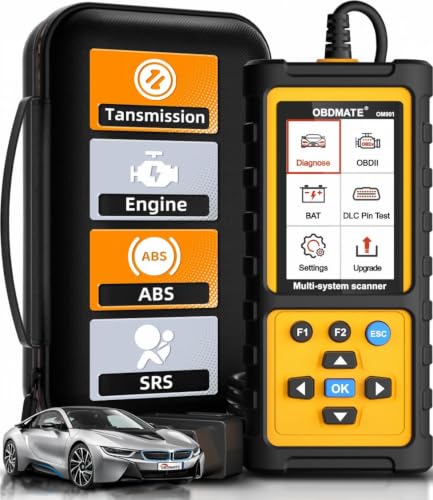
- 【Reset ABS/SRS/Transmission/Engine Lights】 More than an check engine code reader, OBDMATE OM901 obd2 scanner performs comprehensive diagnostics for the 4 most-used systems (ABS/SRS/Engine/Transmission). It quickly clears fault codes, turns off warning lights, read data stream and auto VIN.
- 【3.5" Handheld Scanner with 4 System Diagnose】 3.5" Super large TFT screen equipped displays an intuitive menu and clear readings of various sensors from ABS, SRS, ECM and TCM systems. It arrived with a silicone protective case and hard-shell carrying case, ensuring long-lived durability and drop resistance. The car diagnostic tool is plug-to-play designed, plug it and get diagnosis started without any batteries or updates required.
- 【One-Click I/M Readines&Full OBD2 Functions】 Press F1 to get an intuitive corloured form about whether various emissions-related systems on the vehicle are operating properly. Help you get smog-check ready quickly. OM901 car scanner supports all essential OBD2 functions you need: read & clear codes, view freeze frame, read I/M readiness, retrieve VIN, live data stream (with graphing display), O2 sensor test, onboard monitoring mode, and EVAP leak test.
- 【Battery Voltage Check&DLC Pin Test】 It allows you to monitor battery health by testing current battery voltage. Plus, this obd2 diagnostic tool features DLC 16-PIN test to check current voltage of every pin.
- 【Automotive Scanner Diagnostic Kit】 The package comes with 1 car scanner, 1 USB-type c cable, 1 hard storage bag and 1 user manual(en). Free to update without any hidden fees. 5 languanges available in setting including English, French, Italian, German and Espanish. Valuable and Portable, making it a great tool kit for car owners, DIY enthusiasts, and professional mechanics.
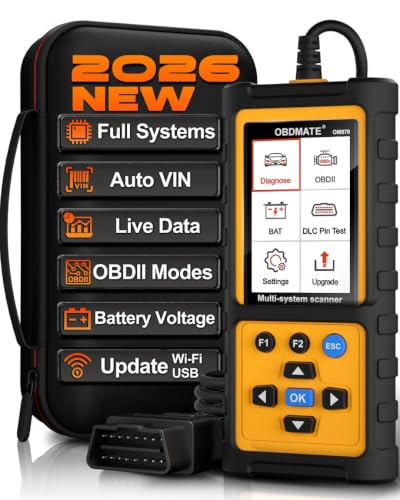
- 【Full Systems Automotive Diagnostic】 More than checking engine, ABS and SRS, OBDMATE OM970 obd2 scanner performs comprehensive diagnostics on all electric modules. It quickly scans and clears fault codes, turns off warning lights, reads live data, and features Auto-VIN technology.
- 【Live Datastream&4-in-1 Graph】 Easily view live sensor data such as RPM, fuel trims, ATF temperature, wheel speed sensor, battery voltage and so on. OM970 scan tool also supports 4-in-1 trend graphing. Spend just 3 minutes to check – and you'll know exactly what's going wrong, helping you avoid hundreds in dealership diagnostic fees.
- 【One-Click I/M Readiness&Full OBD2 Functions】 Press F1 to get an intuitive corloured form about whether your vehicle's emissions-related systems are operating properly. Help you get smog-check ready quickly. OM970 obd2 diagnostic tool supports all essential OBD2 functions you need. Plus, it features battery voltage test and DLC 16-PIN test.
- 【Straightforward Menus with Easy Navigation】 All functions are easy to understand without obscure decriptions. 3.5" Large screen delivers clear readings while keeping one-hand operation. The car diagnostic tool comes with a silicone protective case and a hard-shell carrying case, ensuring long-lived durability and drop resistance.
- 【Budget-Friendly, No Subscriptions, Free Software Updates】 Plug and play: no bluetooth pairing, monthly fees, Wi-Fi connection, or any other troublesome initial settings. OM970 obd2 scanner works out of the box with the latest software. Lifetime free upgrade.
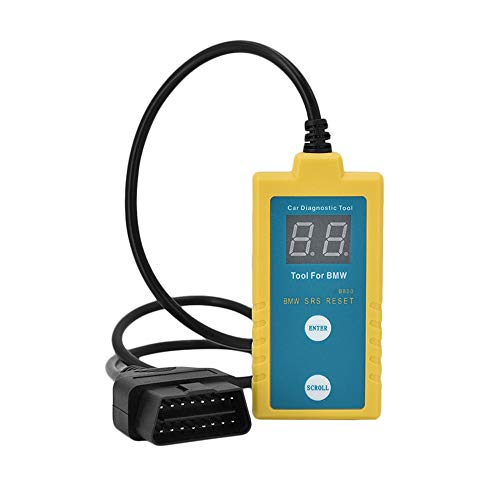
- ✔️【Professional SRS Reset for 1994-2003 BMW】 Designed specifically for classic BMW models (1994-2003). This B800 scanner reads & clears SRS airbag fault codes, turns off the warning light, and saves you a costly dealer visit. Confirmed compatible with: E36, E46 (EXCEPT 2001 330i), E34, E38, E39, Z3, and X5 (E53). NOT compatible with any BMW built before 1994 or after 2003.
- ✔️【Important: Two Different Connection Ports – Read Before Use】 To avoid “not working” issues, please note: For 1994–2000 BMWs (most E36, E34, Z3, early E39), the SRS diagnostic port is a round 20-pin connector under the hood. You MUST use the included 16-pin to 20-pin adapter cable. For 2000–2003 models (late E46, E39, X5), use the standard OBD-II port inside the cabin. Incorrect connection is the #1 reason for “incompatibility” reports.
- ✔️【Read & Clear Fault Codes in Minutes】 Quickly diagnose why your SRS light is on. The scanner accurately reads fault codes from airbag and seatbelt pretensioner systems. With one button press, clear the codes and reset the SRS warning light in seconds. No expensive dealer tools needed.
- ✔️【User-Friendly for DIYers – No Mechanic Required】 Easy operation with an intuitive button layout: ‘Enter’ to confirm, ‘Scroll’ to navigate. The clear LCD screen shows results instantly. Includes a step-by-step manual (revised for clarity) to guide you through the entire reset process.
- ✔️【Reliable Support with 1-Year Warranty】 We stand behind the quality of our B800 scanner. It comes with a 1-Year Hassle-Free Warranty. If you have any questions or need support, please contact us with your Order ID, and our dedicated team will assist you promptly.
SEOCONTENT-START
Schedule your FREE repair today!
URGENT SAFETY RECALL
B-PILLAR IMPACT SENSOR — 33A/23V-264
[MY Make Model] AA111111
Dear CUSTOMER NAME:
Please bring your vehicle and this card to your scheduled appointment.
We apologize for any inconvenience and do appreciate your attention to this urgent matter.
Safety recall campaign 33A/23V-264 is open on your
[MY Make Model].
ATENCIÓN! La unidad descrita en esta carta tiene un llamado a revisión pendiente por realizer. Para protegerlo a usted y a su
familia, es urgente que se comunique con el grupo FCA US al teléfono 1-800-853-1403 con el fin de programar una cita y se
reparada su unidad sin costo para usted.
0000155/#107005/33A-FSP
Call 1-800-853-1403
Visit recalls.mopar.com to
locate your closest dealer
Download the Mopar
Owner’s Companion App
at either the App or Google
Play Stores
LOGO
VEHICLE
PICTURE
**************************************************************************************************************
SAFETY RECALL – NORTH AMERICA
B-Pillar Impact Sensor
Reference: 33A / NHTSA 23V-264
FCA US LLC
_________________________________________________________
Strictly respect STELLANTIS Group safety, cleanliness, and environmental instructions for any intervention.
Document exclusively reserved for dealer information. Internal distribution to be ensured by dealer.
Reproduction forbidden without the written agreement of STELLANTIS Group. . (djt)
1/8
Remedy available for
2022 (DT) Ram 1500 Pickup
Template Version 1.8
Revision
Edition
Detail
0
20 April 2023
Initial Version.
SUBJECT
The B-pillar impact sensors on about 37 of the above vehicles may be missing.
Missing B-pillar impact sensors may result in delayed airbag deployment or non-deployment in certain circumstances, which may increase the risk of occupant injury.
SCOPE
This recall applies only to the above vehicles.
IMPORTANT: Some of the involved vehicles may be in dealer new vehicle inventory. Federal law requires you to complete this recall service on these vehicles before retail delivery. Dealers should also consider this requirement to apply to used vehicle inventory and should perform this recall on vehicles in for service. Involved vehicles can be determined by using the VIP inquiry process.
REPAIR TO BE PERFORMED
Inspect and, if necessary, install the B-pillar impact sensors.
COMPLETION REPORTING AND REIMBURSEMENT
Claims for vehicles that have been serviced must be submitted on the DealerCONNECT Claim Entry Screen located on the Service tab. Claims paid will be used by FCA to record recall service completions and provide dealer payments.
Use the following labor operation numbers and time allowances:
Labor Description Number Hrs
Inspect for Missing Impact Sensors
08-33-A1-81
0.2
Inspect and Replace Both B-Pillar Impact Sensors
08-33-A1-82
0.8
Add the cost of the recall parts package plus applicable dealer allowance to your claim.
NOTE: See the Warranty Administration Manual, Recall Claim Processing Section, for complete recall claim processing instructions.
PARTS INFORMATION
Part No. Qty. Part Name
68284053AA
2
Acceleration Sensor
06105099AA
2
Bolt
PARTS RETURN
No parts return required for this campaign.
SPECIAL TOOLS Number Description Picture NPN wiTECH MicroPod II / MDP NPN Laptop Computer NPN wiTECH Software
DEALER NOTIFICATION
To view this notification on DealerCONNECT, select “Global Recall System” on the Service tab, then click on the description of this notification.
OWNER NOTIFICATION AND SERVICE SCHEDULING
All involved vehicle owners known to FCA are being notified of the service requirement by first class mail. They are requested to schedule appointments for this service with their dealers
VEHICLE LISTS, GLOBAL RECALL SYSTEM, VIP AND DEALER FOLLOW UP
SAFETY RECALL – NORTH AMERICA
B-Pillar Impact Sensor
Reference: 33A / NHTSA 23V-264
FCA US LLC
_________________________________________________________
Strictly respect STELLANTIS Group safety, cleanliness, and environmental instructions for any intervention.
Document exclusively reserved for dealer information. Internal distribution to be ensured by dealer.
Reproduction forbidden without the written agreement of STELLANTIS Group. (djt)
2/8
All involved vehicles have been entered into the DealerCONNECT Global Recall System (GRS) and Vehicle Information Plus (VIP) for dealer inquiry as needed.
GRS provides involved dealers with an updated VIN list of their incomplete vehicles. The owner’s name, address and phone number are listed if known. Completed vehicles are removed from GRS within several days of repair claim submission.
To use this system, click on the “Service” tab and then click on “Global Recall System.” Your dealer’s VIN list for each recall displayed can be sorted by: those vehicles that were unsold at recall launch, those with a phone number, city, zip code, or VIN sequence.
Dealers must perform this repair on all unsold vehicles before retail delivery. Dealers should also use the VIN list to follow up with all owners to schedule appointments for this repair.
Recall VIN lists may contain confidential, restricted owner name and address information that was obtained from the Department of Motor Vehicles of various states. Use of this information is permitted for this recall only and is strictly prohibited from all other use.
ADDITIONAL INFORMATION
If you have any questions or need assistance in completing this action, please contact your Service and Parts District Manager.
Customer Services / Field Operations
FCA US LLC.
SAFETY RECALL – NORTH AMERICA
B-Pillar Impact Sensor
Reference: 33A / NHTSA 23V-264
FCA US LLC
_________________________________________________________
Strictly respect STELLANTIS Group safety, cleanliness, and environmental instructions for any intervention.
Document exclusively reserved for dealer information. Internal distribution to be ensured by dealer.
Reproduction forbidden without the written agreement of STELLANTIS Group. (djt)
3/8
SERVICE PROCEDURE
A. Removal
WARNING: To avoid serious or fatal injury on vehicles equipped with airbags, disable the Supplemental Restraint System (SRS) before attempting any steering wheel, steering column, airbags, airbag curtains, knee blocker, seat belt tensioner, impact sensor or instrument panel component diagnosis or service. Disconnect the Intelligent Battery Sensor (IBS)/negative battery cable assembly from the negative battery post, then wait two minutes for the system capacitor to discharge before performing further diagnosis or service. This is the only sure way to disable the SRS. Failure to take the proper precautions could result in accidental airbag deployment.
WARNING: To avoid serious or fatal injury, never strike or drop the side impact sensor, as it can damage the impact sensor or affect its calibration. The side impact sensor enables the system to deploy the side Supplemental Restraint System (SRS) components. If an impact sensor is accidentally dropped during service, the sensor must be scrapped and replaced with a new unit. Failure to observe this warning could result in accidental, incomplete, or improper side SRS component deployment.
1. With the Ignition ON, check for an Air Bag Warning Light (Figure 1).
2. Connect the scan tool, and check for codes that would indicate a missing B-pillar Impact Sensor.
3. Impact Sensor missing?
a. YES: Proceed to Step 4.
b. NO: The system is complete and working properly. Return the vehicle to the owner, and close the recall.
Figure 1 – Air Bag Warning Light
SAFETY RECALL – NORTH AMERICA
B-Pillar Impact Sensor
Reference: 33A / NHTSA 23V-264
FCA US LLC
_________________________________________________________
Strictly respect STELLANTIS Group safety, cleanliness, and environmental instructions for any intervention.
Document exclusively reserved for dealer information. Internal distribution to be ensured by dealer.
Reproduction forbidden without the written agreement of STELLANTIS Group. (djt)
4/8
4. Adjust the appropriate front seat to its full forward position for easiest access to the B-pillar.
NOTE: When disconnecting and isolating the negative battery cable for the 12 volt system, this will also power down the 48 volt battery system. No extra steps will be needed for a power down of the 48 volt system.
NOTE: The graphic in this procedure depicts a typical negative battery cable and Intelligent Battery Sensor (IBS) connection at the negative battery post. The location of the battery and orientation of the cable eyelet connection to the IBS can vary between vehicles. Refer to the Description and Operation for the 12 volt battery specific location.
5. Remove the ground terminal nut (Figure 2).
6. Remove and isolate the negative battery cable eyelet from the IBS. This will isolate the 12 volt
and 48 volt battery from the vehicle electrical system.
7. Reposition floor mat as needed.
NOTE: If removing the negative battery cable clamp from the battery post instead of removing the negative battery cable eyelet, the Intelligent Battery Sensor (IBS) wire harness connector must be disconnecting prior to removing the cable end. Failure to disconnect the IBS wire harness connector can lead to damage of the IBS wire harness connector.
8. Using a trim stick or equivalent, disengage the retaining tabs of the cowl trim panel from the retainer clips in the door sill (Figure 3).
9. Pull the cowl trim panel rearward and remove it from the vehicle (Figure 3).
Figure 2 – Battery Disconnect
Figure 3 – Cowl Trim Panel
SAFETY RECALL – NORTH AMERICA
B-Pillar Impact Sensor
Reference: 33A / NHTSA 23V-264
FCA US LLC
_________________________________________________________
Strictly respect STELLANTIS Group safety, cleanliness, and environmental instructions for any intervention.
Document exclusively reserved for dealer information. Internal distribution to be ensured by dealer.
Reproduction forbidden without the written agreement of STELLANTIS Group. (djt)
5/8
10. Using a trim stick or equivalent, disengage the retaining tabs of the sill trim panel from the retainer clips in the rear door sill and remove the trim panel (Figure 4).
11. Pull back enough of the front and rear door seals to expose the edges of the mid B-pillar trim.
12. Using a trim stick or equivalent release the retaining clips and remove the B-pillar mid trim panel (Figure 5).
Figure 4 – Sill Trim Panel
Figure 5 – B-Pillar Mid Trim Panel
SAFETY RECALL – NORTH AMERICA
B-Pillar Impact Sensor
Reference: 33A / NHTSA 23V-264
FCA US LLC
_________________________________________________________
Strictly respect STELLANTIS Group safety, cleanliness, and environmental instructions for any intervention.
Document exclusively reserved for dealer information. Internal distribution to be ensured by dealer.
Reproduction forbidden without the written agreement of STELLANTIS Group. (djt)
6/8
13. Using a trim stick or equivalent release the retaining clips and remove the lower B-pillar trim panel (Figure 6).
B. Install
14. Install new B-pillar impact sensor and tighten fastener to 8 N·m (71 in. lbs.) (Figure 7).
Figure 6 – B-Pillar Lower Trim Panel
Figure 7 – Sensor Anti-rotation tab and Bolt Holes
HOLES
SAFETY RECALL – NORTH AMERICA
B-Pillar Impact Sensor
Reference: 33A / NHTSA 23V-264
FCA US LLC
_________________________________________________________
Strictly respect STELLANTIS Group safety, cleanliness, and environmental instructions for any intervention.
Document exclusively reserved for dealer information. Internal distribution to be ensured by dealer.
Reproduction forbidden without the written agreement of STELLANTIS Group. (djt)
7/8
15. Connect the body wire harness connector from the B-pillar impact sensor (Figure 8).
16. Align and seat the retaining clips and install the lower B-pillar trim panel (Figure 6).
17. Align and seat the retaining clips and install the B-pillar mid trim panel (Figure 5).
18. Install the front and rear door seals.
19. Align and seat the retaining tabs of the sill trim panel to the retainer clips in the rear door sill and install the trim panel (Figure 4).
20. Push the cowl trim panel forward and install it to the vehicle (Figure 3).
21. Align and seat the retaining tabs of the cowl trim
panel to the retainer clips in the door sill (Figure 3).
22. Do not connect the negative battery cable at this time. The Supplemental Restraint System (SRS) Verification Test procedure should be performed following service of any SRS component.
WARNING: To avoid serious or fatal injury on vehicles equipped with airbags, disable the Supplemental Restraint System (SRS) before attempting any steering wheel, steering column, airbags, airbag curtains, knee blocker, seat belt tensioner, impact sensor or instrument panel component diagnosis or service. Disconnect the Intelligent Battery Sensor (IBS)/negative battery cable assembly from the negative battery post, then wait two minutes for the system capacitor to discharge before performing further diagnosis or service. This is the only sure way to disable the SRS. Failure to take the proper precautions could result in accidental airbag deployment.
NOTE: The following procedure should be performed using a diagnostic scan tool to verify proper Supplemental Restraint System (SRS) operation following the service or replacement of any SRS component. Refer to the appropriate diagnostic procedures.
23. During the following test, the negative cable remains disconnected and isolated from the battery, as it was during the Supplemental Restraint System (SRS) component removal and installation procedures.
24. Be certain that the diagnostic scan tool contains the latest version of the proper diagnostic software. Connect the diagnostic scan tool to the 16-way Data Link Connector (DLC). The DLC is located on the driver side lower edge of the instrument panel, near the steering column opening cover and outboard of the steering column.
25. Check to be certain that there are no occupants in the vehicle, then connect the negative battery cable. If equipped with an Intelligent Battery Sensor (IBS), connect the IBS connector.
Figure 8 – Sensor Connector
CONNECTOR
SAFETY RECALL – NORTH AMERICA
B-Pillar Impact Sensor
Reference: 33A / NHTSA 23V-264
FCA US LLC
_________________________________________________________
Strictly respect STELLANTIS Group safety, cleanliness, and environmental instructions for any intervention.
Document exclusively reserved for dealer information. Internal distribution to be ensured by dealer.
Reproduction forbidden without the written agreement of STELLANTIS Group. (djt)
8/8
26. If the vehicle is equipped with Keyless Go, follow the warning below:
WARNING: After disconnecting the 12-Volt battery wait two minutes before proceeding. Remove the ORC fuses, connect the 12-Volt battery, wait two minutes before proceeding. Cycle the ignition to the on position, then reconnect the orc fuses. Failure to follow these instructions may result in possible serious or fatal in jury.
NOTE: The ORC fuse is in the Interior PDC under the driver side instrument panel, fuse F28.
27. For vehicles with a standard ignition follow the warning below:
WARNING: Turn the ignition on, then reconnect the 12-Volt battery. Failure to follow these instructions may result in possible serious or fatal injury.
28. Exit the vehicle with the diagnostic scan tool.
29. Using the diagnostic scan tool, read and record the active (current) Diagnostic Trouble Code (DTC) data.
30. Next, use the diagnostic scan tool to read and record any stored (historical) DTC data.
31. If any DTC is found in Step 29 or Step 30, refer to the appropriate diagnostic information.
32. Use the diagnostic scan tool to erase the stored DTC data. If any problems remain, the stored DTC data will not erase. Refer to the appropriate diagnostic information to diagnose any stored DTC that will not erase. If the stored DTC information is successfully erased, go to Step 33.
33. Turn the ignition switch OFF for about 15 seconds, and then back to ON. Observe the airbag indicator in the instrument cluster. It should light from four to six seconds, and then go out. This indicates that the SRS is functioning normally and that the repairs are complete. If the airbag indicator fails to light, or lights and stays ON, there is still an active SRS fault or malfunction. Refer to the appropriate diagnostic information to diagnose the problem.
34. Install the negative battery cable eyelet to the IBS stud and secure using the nut. Tighten the nut to 7 N·m (62 in. lbs.).
NOTE: Overtightening of the nut connecting the negative cable to the IBS will cause damage to the IBS or break the stud for the nut.
35. Connect the IBS wire harness connector if the negative battery cable clamp was removed.
**************************************************************************************************************
This notice applies to your vehicle,
33A/NHTSA 23V-264
YOUR SCHEDULING OPTIONS
1. RECOMMENDED OPTION
Call your authorized Chrysler / Dodge / Jeep® / RAM Dealership.
2. Call the FCA Recall Assistance Center at 1-800-853-1403. An agent can confirm part availability and help schedule an appointment
3. Visit recalls.mopar.com, scan the QR code below, or download the Mopar Owner’s Companion App.
Get access to recall notifications, locate your nearest dealer, and more through this website or Mopar Owner’s Companion App. You will be asked to provide your Vehicle Identification Number (VIN) to protect and verify your identity. The last eight characters of your VIN are provided above.
DEALERSHIP INSTRUCTIONS
Please reference Safety Recall 33A.
IMPORTANT SAFETY RECALL
B-Pillar Impact Sensor
Dear [Name],
This notice is sent to you in accordance with the National Traffic and Motor Vehicle Safety Act.
FCA US LLC has decided that a defect, which relates to motor vehicle safety, exists in certain [2022 (DT) Ram 1500 Pickup] vehicles.
It is extremely important to take steps now to repair your vehicle to ensure the safety of you and your passengers.
WHY DOES MY VEHICLE NEED REPAIRS?
The B-pillar impact sensors on your vehicle [1] may be missing.
Missing B-pillar impact sensors may result in delayed airbag deployment or non-deployment in certain circumstances, which may increase the risk of occupant injury.
HOW DO I RESOLVE THIS IMPORTANT SAFETY ISSUE? FCA US will repair your vehicle [2] free of charge (parts and labor). To do this, your dealer will inspect and, if necessary, install the B-pillar impact sensors. The estimated repair time is one hour. In addition, your dealer will require your vehicle for proper check-in, preparation, and check-out during your visit, which may require more time. Your time is important to us, so we recommend that you schedule a service appointment to minimize your inconvenience. Please bring this letter with you to your dealership.
TO SCHEDULE YOUR FREE REPAIR,
CALL YOUR CHRYSLER, DODGE, JEEP OR RAM DEALER TODAY
WHAT IF I ALREADY PAID TO HAVE THIS REPAIR COMPLETED?
If you have already experienced this specific condition and have paid to have it repaired, you may visit www.fcarecallreimbursement.com to submit your reimbursement request online. [3] Once we receive and verify the required documents, reimbursement will be sent to you within 60 days. If you have had previous repairs performed and/or already received reimbursement, you may still need to have the recall repair performed.
We apologize for any inconvenience, but are sincerely concerned about your safety. Thank you for your attention to this important matter.
Customer Assistance/Field Operations
FCA US LLC
[Model Year and Model]
VIN XXXXXXXXXXXXXXXXX
LOGO
VEHICLE PICTURE
QR Code
[1] If you no longer own this vehicle, please help us update our records. Call the FCA Recall Assistance Center at 1-800-853-1403 to update your information.
[2] If your dealer fails or is unable to remedy this defect without charge and within a reasonable time, you may submit a written complaint to the Administrator, National Highway
Traffic Safety Administration, 1200 New Jersey Ave., S.E., Washington, DC 20590, or you can call the toll-free Vehicle Safety Hotline at 1-888-327-4236 (TTY 1-800-424-
9153), or go to safercar.gov.
[3] You can also mail in your original receipts and proof of payment to the following address for reimbursement consideration: FCA Customer Assistance, P.O. Box 21-8004,
Auburn Hills, MI 48321-8007, Attention: Recall Reimbursement.
Note to lessors receiving this recall notice: Federal regulation requires that you forward this recall notice to the lessee within 10 days.
Mr. Mrs. Customer
1234 Main Street
Hometown, MI 48371
**************************************************************************************************************
04/14/2023
_____________________________________________________________________
New Safety Recall Advanced Communication – 33A
FCA US LLC (FCA US) has announced a safety recall on certain 2022 Model Year (DT) Ram 1500 Pickup vehicles.
REASON FOR THIS SAFETY RECALL
Some 2022 MY Ram 1500 vehicles may have been built without installing the B-pillar impact sensors.
Missing B-pillar impact sensors may result in delayed airbag deployment or non-deployment in certain circumstances, which may increase the risk of occupant injury.
SERVICE ACTION
FCA US will conduct a voluntary safety recall to inspect and, if necessary, install the B-pillar impact sensors. The remedy for this condition is not currently available. Dealers will be notified of the launch of this safety recall by way of established communication methods. This recall is estimated to launch in 2nd Quarter of 2023.
We ask that you please take the time to ensure that your personnel are aware of this communication and are prepared to execute a customer friendly process for inquiries regarding involved vehicles.
Customer Services Field Operations
FCA US LLC
**************************************************************************************************************
OMB Control No.: 2127-0004
Part 573 Safety Recall Report 23V-264
The information contained in this report was submitted pursuant to 49 CFR §573
Manufacturer Name : Submission Date :
Chrysler (FCA US, LLC) APR 13, 2023 NHTSA Recall No. : 23V-264 Manufacturer Recall No. : 33A Manufacturer Information :
Manufacturer Name : Chrysler (FCA US, LLC) Address : 800 Chrysler Drive
CIMS 482-00-91 Auburn Hills MI 48326-2757
Company phone : 1-800-853-1403
Population :
Number of potentially involved : 37 Estimated percentage with defect : 1 %
Vehicle Information : Vehicle 1 : 2022-2022 Ram 1500 Vehicle Type : Body Style : PICKUP TRUCK Power Train : NR
Descriptive Information : Some 2022 MY Ram 1500 vehicles may have been built without installing the B-pillar impact sensors. The suspect period began on April 11, 2022, when a B-pillar impact sensor shortage started, and ended on April 13, 2022, when the B-pillar impact sensor shortage ended. Field data and vehicle production records were used to determine the suspect period. Similar vehicles not included in this recall were confirmed to have been built with B- pillar impact sensors.
Production Dates : APR 11, 2022 – APR 13, 2022
VIN Range 1 : Begin : NR End : NR Not sequential Description of Defect :
Description of the Defect : Missing B-pillar impact sensors may result in delayed airbag deployment or non-deployment in certain circumstances.
FMVSS 1 : NR FMVSS 2 : NR
Description of the Safety Risk : If the B-pillar impact sensor is missing, the vehicle will sound a chime and
display a cluster message at start-up and will constantly display an airbag warning light. If these warnings are not heeded and the vehicle is involved in a side impact, delayed airbag deployment or non-deployment may increase
the risk of occupant injury. Part 573 Safety Recall Report 23V-264 Page 2 Description of the Cause : NR Identification of Any Warning
that can Occur : When the B-pillar sensors are missing, the vehicle will have a constant Airbag Warning Light and, during start-up, there will be a chime followed by a cluster message indicating that the Airbag System needs to be serviced with a Diagnostic Trouble Code (“DTC”) set. Involved Components : Component Name 1 : ACCELERATION SENSOR Component Description : ACCELERATION SENSOR Component Part Number : 68284053AA Supplier Identification : Component Manufacturer
Name : ROBERT BOSCH LLC
Address : 38000 Hills Tech Drive
Farmington Hills Michigan 48331 Country : United States Chronology :
• On October 25, 2022, the FCA US LLC (“FCA US”) Technical Safety and Regulatory Compliance (“TSRC”) organization opened an investigation into 2022 MY Ram 1500 vehicles being assembled without B-pillar impact sensors. • From October 2022, through March 2023, FCA US TSRC reviewed vehicle assembly and shipping records and met with FCA US manufacturing and engineering to determine if vehicles were released from the assembly plant without B-pillar impact sensors. • As of April 3, 2023, FCA US has identified zero customer assistance records, 13 warranty claims, and zero field reports potentially related to this issue for all markets with dates of receipt ranging from April 25, 2022 to September 23, 2022. • As of April 3, 2023, FCA US is not aware of any accidents or injuries potentially related to this issue for all markets. The information contained in this report was submitted pursuant to 49 CFR §573 Part 573 Safety Recall Report 23V-264
Page 3
The information contained in this report was submitted pursuant to 49 CFR §573
• On April 6, 2023, FCA US determined, through the Vehicle Regulations Committee, to conduct a voluntary safety recall of the affected vehicles.
Description of Remedy :
Description of Remedy Program : FCA US will conduct a voluntary safety recall on all affected vehicles to
inspect and, if necessary, install the B-pillar impact sensors.
FCA US has a longstanding policy and practice of reimbursing owners who have incurred the cost of repairing a problem that subsequently becomes the subject of a field action. To ensure consistency, FCA US, as part of the owner letter, will request that customers send the original receipt and/or other adequate proof of payment to the company for confirmation of the expense.
How Remedy Component Differs from Recalled Component :
This recall is not related to a part defect but rather an assembly issue where the vehicle may have been built without the B-pillar impact sensors. The remedy will be to inspect and, if necessary, install the B-pillar impact sensors. Identify How/When Recall Condition NR was Corrected in Production : Recall Schedule :
Description of Recall Schedule : **04/13/2023: FCA US will notify dealers and begin notifying owners on
or about 06/02/2023.
Planned Dealer Notification Date : JUN 02, 2023 – JUN 02, 2023
Planned Owner Notification Date : JUN 02, 2023 – JUN 02, 2023
* NR – Not Reported
**************************************************************************************************************
OMB Control No.: 2127-0004
Part 573 Safety Recall Report 23V-264
The information contained in this report was submitted pursuant to 49 CFR §573
Manufacturer Name : Submission Date :
Chrysler (FCA US, LLC) APR 13, 2023 NHTSA Recall No. : 23V-264 Manufacturer Recall No. : 33A Manufacturer Information :
Manufacturer Name : Chrysler (FCA US, LLC) Address : 800 Chrysler Drive
CIMS 482-00-91 Auburn Hills MI 48326-2757
Company phone : 1-800-853-1403
Population :
Number of potentially involved : 37 Estimated percentage with defect : 1 %
Vehicle Information : Vehicle 1 : 2022-2022 Ram 1500 Vehicle Type : Body Style : PICKUP TRUCK Power Train : NR
Descriptive Information : Some 2022 MY Ram 1500 vehicles may have been built without installing the B-pillar impact sensors. The suspect period began on April 11, 2022, when a B-pillar impact sensor shortage started, and ended on April 13, 2022, when the B-pillar impact sensor shortage ended. Field data and vehicle production records were used to determine the suspect period. Similar vehicles not included in this recall were confirmed to have been built with B- pillar impact sensors.
Production Dates : APR 11, 2022 – APR 13, 2022
VIN Range 1 : Begin : NR End : NR Not sequential Description of Defect :
Description of the Defect : Missing B-pillar impact sensors may result in delayed airbag deployment or non-deployment in certain circumstances.
FMVSS 1 : NR FMVSS 2 : NR
Description of the Safety Risk : If the B-pillar impact sensor is missing, the vehicle will sound a chime and
display a cluster message at start-up and will constantly display an airbag warning light. If these warnings are not heeded and the vehicle is involved in a side impact, delayed airbag deployment or non-deployment may increase
the risk of occupant injury. Part 573 Safety Recall Report 23V-264 Page 2 Description of the Cause : NR Identification of Any Warning
that can Occur : When the B-pillar sensors are missing, the vehicle will have a constant Airbag Warning Light and, during start-up, there will be a chime followed by a cluster message indicating that the Airbag System needs to be serviced with a Diagnostic Trouble Code (“DTC”) set. Involved Components : Component Name 1 : ACCELERATION SENSOR Component Description : ACCELERATION SENSOR Component Part Number : 68284053AA Supplier Identification : Component Manufacturer
Name : ROBERT BOSCH LLC
Address : 38000 Hills Tech Drive
Farmington Hills Michigan 48331 Country : United States Chronology :
• On October 25, 2022, the FCA US LLC (“FCA US”) Technical Safety and Regulatory Compliance (“TSRC”) organization opened an investigation into 2022 MY Ram 1500 vehicles being assembled without B-pillar impact sensors. • From October 2022, through March 2023, FCA US TSRC reviewed vehicle assembly and shipping records and met with FCA US manufacturing and engineering to determine if vehicles were released from the assembly plant without B-pillar impact sensors. • As of April 3, 2023, FCA US has identified zero customer assistance records, 13 warranty claims, and zero field reports potentially related to this issue for all markets with dates of receipt ranging from April 25, 2022 to September 23, 2022. • As of April 3, 2023, FCA US is not aware of any accidents or injuries potentially related to this issue for all markets. The information contained in this report was submitted pursuant to 49 CFR §573 Part 573 Safety Recall Report 23V-264
Page 3
The information contained in this report was submitted pursuant to 49 CFR §573
• On April 6, 2023, FCA US determined, through the Vehicle Regulations Committee, to conduct a voluntary safety recall of the affected vehicles.
Description of Remedy :
Description of Remedy Program : FCA US will conduct a voluntary safety recall on all affected vehicles to
inspect and, if necessary, install the B-pillar impact sensors.
FCA US has a longstanding policy and practice of reimbursing owners who have incurred the cost of repairing a problem that subsequently becomes the subject of a field action. To ensure consistency, FCA US, as part of the owner letter, will request that customers send the original receipt and/or other adequate proof of payment to the company for confirmation of the expense.
How Remedy Component Differs from Recalled Component :
This recall is not related to a part defect but rather an assembly issue where the vehicle may have been built without the B-pillar impact sensors. The remedy will be to inspect and, if necessary, install the B-pillar impact sensors. Identify How/When Recall Condition NR was Corrected in Production : Recall Schedule :
Description of Recall Schedule : **04/13/2023: FCA US will notify dealers and begin notifying owners on
or about 06/02/2023.
Planned Dealer Notification Date : JUN 02, 2023 – JUN 02, 2023
Planned Owner Notification Date : JUN 02, 2023 – JUN 02, 2023
* NR – Not Reported
**************************************************************************************************************
SEOCONTENT-END
This product presentation was made with AAWP plugin.