
November 28, 2023 NHTSA CAMPAIGN NUMBER: 23E092000
Turn Signal and High Beam Malfunction/FMVSS 108
Turn signals and/or high beams that do not function as intended may cause confusion or reduced visibility to other road users, increasing the risk of a crash.
NHTSA Campaign Number: 23E092
Manufacturer Chrysler (FCA US, LLC)
Components STEERING, EXTERIOR LIGHTING
Potential Number of Units Affected 1,240
Summary
Chrysler (FCA US, LLC) is recalling certain Mopar Steering Column Control Modules, with part numbers: 68508697AB, 68508699AB, 68508700AB, 68508701AF, 68508702AF, 68508704AF, and 68508698AB. When installed into a vehicle, the steering column control module may cause the high beams to activate when using the turn signal, or the turn signal to activate when using the high beams. As such, these modules fail to comply with the requirements of Federal Motor Vehicle Safety Standard number 108, “Lamps, Reflective Devices, and Associated Equipment.”
Remedy
Dealers will replace or repurchase the steering column control module, free of charge. Owner notification letters are expected to be mailed January 17, 2024. Owners may contact FCA US, LLC customer service at 1-800-853-1403. FCA US, LLC’s number for this recall is B3A.
Notes
Owners may also contact the National Highway Traffic Safety Administration Vehicle Safety Hotline at 1-888-327-4236 (TTY 1-800-424-9153), or go to www.nhtsa.gov.
New Safety Recall Advanced Communication – B3A
FCA US LLC has announced an equipment safety recall on certain:
Mopar Steering Column Control Module 68508697AB
Mopar Steering Column Control Module 68508698AB
Mopar Steering Column Control Module 68508699AB
Mopar Steering Column Control Module 68508700AB
Mopar Steering Column Control Module 68508701AF
Mopar Steering Column Control Module 68508702AF
Mopar Steering Column Control Module 68508703AF
REASON FOR THIS SAFETY RECALL
Some steering column control modules (“SCCMs”) may have been built with a turn signal self-canceling anti-jam component out of specification or an internal short circuit on the SCCM printed circuit board (“PCB”).
Federal Motor Vehicle Safety Standard (“FMVSS”) 571.108.9.1.1 requires that “The turn signal operating unit must be self-canceling by steering wheel rotation and capable of cancellation by a manually operated control.” The suspect SCCMs, when installed in a vehicle, may not allow the self-canceling feature to function correctly. FMVSS 571.108.6.1.5 requires that “only those light sources intended for meeting lower beam photometrics are energized when the beam selector switch is in the lower beam position, and that only those light sources intended for meeting upper beam photometrics are energized when the beam selector switch is in the upper beam position.” The suspect SCCMs, when installed in a vehicle, may cause the high beams to activate when using the turn signal, or the turn signal to activate when using the high beams.
A turn signal which remains active after a completed turn may cause surrounding drivers to misunderstand the intent to change vehicle direction. High beam activation when the turn signal switch is activated may result in reduced visibility of oncoming drivers. Either of these conditions may cause a vehicle crash without prior warning.
SERVICE ACTION
FCA US will conduct a voluntary safety recall on all affected parts to replace or repurchase the SCCMs. Dealers will be notified of the launch of this safety recall by way of established communication methods. This recall is estimated to launch in 4th Quarter of 2023.
Malfunctioning SCCM – Equipment
Reference: B3A / NHTSA 23E-092
Parts Recalled
MOPAR Steering Column Control Modules 68508697AB, 68508699AB, 68508698AB, 68508700AB, 68508701AF, 68508702AF and 68508704AF intended for use on some 2023-2024 (D2) RAM 3500 Pickup, 2023-2024 (DD) RAM 3500 Cab/Chassis,
2023 (DF) RAM 3500 10K LB. Cab/Chassis, 2023-2024 (DJ) RAM 2500 Pickup,
2023-2024 (DP) RAM 4500/5500 Cab Chassis and 2023 (DS) RAM 1500 Pickup vehicles
Revision 0
December 2023
SYMPTOM DESCRIPTION
About 1,200 of the above Steering Column Control Modules (SCCM) may have been built with a turn signal self-cancelling anti-jam component out of specification or an internal short circuit on the SCCM printed circuit board (PCB).
Federal Motor Vehicle Safety Standard (“FMVSS”) 571.108.9.1.1 requires that “The turn signal operating unit must be self-cancelling by steering wheel rotation and capable of cancellation by a manually operated control.” The suspect SCCMs, when installed in a vehicle, may not allow the self-cancelling feature to function correctly. FMVSS 571.108.6.1.5 requires that “only those light sources intended for meeting lower beam photometrics are energized when the beam selector switch is in the lower beam position, and that only those light sources intended for meeting upper beam photometrics are energized when the beam selector switch is in the upper beam position.” The suspect SCCMs, when installed in a vehicle, may cause the high beams to activate when using the turn signal, or the turn signal to activate when using the high beams.
A turn signal which remains active after a completed turn may cause surrounding drivers to misunderstand the intent to change vehicle direction. High beam activation when the turn signal switch is activated may result in reduced visibility of oncoming drivers. Either of these conditions may cause a vehicle crash without prior warning.
REPAIR TO BE PERFORMED
This recall is applicable only to MOPAR replacement parts.
Inspect the module part number:
Part number 68508697AB, 68508699AB, 68508698AB, 68508700AB, 68508701AF, 68508702AF and 68508704AF – Module suspect, exchange or repurchase the module.
Dealer should add part (reimbursement) to claim when using LOP.
If the recalled SCCM part number listed above has been installed into a vehicle covered under recall B2A, complete the repair according to the B2A dealer instructions.
If the recalled SCCM part number listed above has been installed into a vehicle NOT covered under recall B2A, complete the repair according to the instructions below, and claim the appropriate B3A LOPs.
SPECIAL TOOLS
No special tools required for this campaign.
OWNER NOTIFICATION / SERVICE SCHEDULING
All involved vehicle owners known to FCA are being notified of the service requirement by first class mail. They are requested to schedule appointments for this service with their dealers. A generic copy of the owner letter is attached.
SERVICE PROCEDURE – DS AND DX LIGHT DUTY
A. Removal
WARNING: To avoid serious or fatal injury on vehicles equipped with airbags, disable the Supplemental Restraint System (SRS) before attempting any steering wheel, steering column, airbag, seat belt tensioner, impact sensor or instrument panel component diagnosis or service. Disconnect and isolate the battery negative (ground) cable, then wait two minutes for the system capacitor to discharge before performing further diagnosis or service. This is the only sure way to disable the SRS. Failure to take the proper precautions could result in accidental airbag deployment.
WARNING: To avoid serious or fatal injury, use extreme care to prevent any foreign material from entering the Driver AirBag (DAB), or becoming entrapped between the DAB cushion and the DAB trim cover. Failure to observe this warning could result in occupant injuries upon airbag deployment.
CAUTION: If the clockspring is not properly centered in relation to the Steering Angle Sensor (SAS), steering wheel, steering shaft and steering gear, it may be damaged or Diagnostic Trouble Codes (DTC) may be set in the SAS. Service replacement clocksprings are shipped pre-centered and with a locking pin installed. This locking pin should not be removed until the clockspring has been installed on the steering column.
- Place the front wheels in the straight-ahead position.
- Disconnect and isolate the negative battery cable. If equipped with an Intelligent Battery Sensor (IBS), disconnect the IBS connector first before disconnecting the negative battery cable.
- From below the steering column, remove the two outboard screws within the recess areas (2) that secure the upper shroud (1) to the lower shroud (3) (Figure 1).
NOTE: There are snap connections near the instrument cluster and between the shroud and the steering wheel that secure the upper and lower shroud.
- Remove the upper shroud (1) by pushing gently inward and upward on both sides of the upper shroud above the parting line of the lower shroud to release the snap features that secure the two shroud halves to each other (Figure 1).
- Release the steering column tilt lever and lower the column to its most downward position for easiest driver airbag removal access.
NOTE: It may be helpful to use a small mirror to aid visibility during the initial attempt to remove the
Driver AirBag (DAB) from the steering wheel.
- There are three airbag retainer access holes (1) on the instrument panel side of the hub of the steering wheel (2), located at the two o’clock, six o’clock and ten o’clock positions. The steering wheel must be rotated to bring each of these access holes up to the twelve o’clock position of the steering column one at a time for removal access (Figure 2).
- Insert the short blade (Tip A) of the DAB Removal Tool (Special Tool Number 10187 ) (1) or the blade of an equivalent prying tool into either of the upper (two o’clock or ten o’clock) access holes (3) of the steering wheel hub rear trim cover (2), being certain to place the blade of the tool on the inboard (steering wheel hub) side of the airbag snap retainer wire loop (Figure 3).
- Push the handle of the tool downward for the blade to pry the snap retainer wire loop (3) upward far enough to disengage the loop from the hook of the steering wheel armature. At the same time, gently pull the DAB (1) away from the steering wheel (2) to prevent the retainer from snapping back into place over the hook once it is disengaged (Figure 4).
- Repeat Steps 7 and 8 at the other upper (two o’clock or ten o’clock) access hole to disengage the other upper snap retainer wire loop.
- Repeat Steps 7 and 8 at the lower (six o’clock) access hole to disengage the lower snap retainer wire loop. The lower snap retainer wire loop has a distinctive Vshape and must always be installed onto the six o’clock hook of the steering wheel armature.
- Pull the DAB away from the steering wheel far enough to access and disengage the plastic push-in retainer (2) of the clockspring pigtail wire harness (1) from the locator hole (3) at the 12 o’clock position on the back of the airbag housing (Figure 5).
CAUTION: Do not pull on the clockspring pigtail wires or pry on the connector insulator to disengage the connector from the driver airbag inflator connector receptacle. Improper removal of these pigtail wires and their connector insulators can result in damage to the airbag circuits or connector insulators.
- The clockspring DAB pigtail wire connector insulators (1) are secured by integral latches (2) to the airbag inflator connector receptacles, which are located on the back of the airbag housing. Pinch both latches firmly, then pull the insulators straight out from the airbag inflator to disconnect them from the connector receptacles (Figure 6).
- Disconnect the wire harness connectors (1) and (2) (Figure 7).
- Using a trim stick C-4755 or equivalent, disengage the retainer clip that secures the hood release to the steering column opening cover, and remove the hood release handle from the cover (Figure 8).
- Remove the two fasteners (2) that secure the bottom of the steering column opening cover (1) to the instrument panel (Figure 8).
- Remove the Data Link Connector (3) from the steering column opening cover (2) by pressing in the tabs (1) and pushing the connector through the opening on the back side of the cover (Figure 9).
- Using a trim stick C-4755 or equivalent, release the retainer clips that secure the steering column opening cover (1) to the instrument panel and remove the cover (Figure 10).
- Disconnect necessary wire harness connectors.
- Remove the lower shroud to column retaining screw (1) and carefully move the lower shroud over the steering column tilt lever and off the steering column (Figure 11).
- Remove the screw (1) (Figure 12).
- Remove the screw (1) (Figure 13).
- Pull the SCCM slightly away from the steering column and disconnect the pedal adjustment wire harness connector, if equipped.
- Remove the SCCM from the steering column (Figure 14).
- Disengage the wire harness routing clip (1) (Figure 14).
- Disconnect the wire harness connectors (2 & 3) (Figure 14).
- Remove and DISCARD the SCCM from the vehicle.
B. Installation
NOTE: The Steering Column Control Module (SCCM) centering can be verified by visually confirming the blue striped ribbon is present in the sight glass (Figure 15).
- Connect the wire harness connectors (2&3) (Figure 14).
- Secure the wire harness routing clip (1) (Figure 14).
- While sliding the SCCM over the steering column connect the pedal adjustment wire harness connector, if equipped.
- Install and securely tighten the screws (1) (Figures 12 & 13).
- Remove the lock tab or any other device that is being used to secure the SCCM rotor to the SCCM case to maintain SCCM centering.
- Install the lower shroud, shroud to column retaining screw (1) and tighten securely (Figure 11).
NOTE: If the vehicle is equipped with an automatic transmission, be certain to engage the gearshift lever boot into the opening in both shroud halves.
- Lift the steering column opening cover into position. Connect necessary wire harness connectors.
- Align the retainer clips that secure the steering column opening cover (1) to the instrument panel and install the cover (Figure 10).
- Install the Data Link Connector (3) to the steering column opening cover (2) through the opening on the back side of the cover (Figure 9).
- Install the two fasteners (2) that secure the bottom of the steering column opening cover (1) to the instrument panel and tighten securely (Figure 8).
- Engage the retainer clip that secures the hood release to the steering column opening cover (Figure 8).
NOTE: Do not reuse the old steering wheel bolt (a new bolt must be used)
- Align the steering column control module (SCCM) lug and install steering wheel to the column.
NOTE: Be certain that the steering wheel mounting bolt is tightened to the proper torque specification to ensure proper clockspring operation.
- Connect the wire harness connectors (1) and (2) (Figure 7).
- Position the Driver AirBag (DAB) close enough to the steering wheel to reconnect the two clockspring DAB pigtail wire (1) electrical connections (5) to the inflator connector receptacles (4) on the back of the airbag housing (Figure 5).
- Reconnect the wire connectors to the airbag inflator connector receptacles by pressing straight in on the connector insulator. Be certain to engage each keyed and color-coded connector to the matching connector receptacle. You can be certain that each connector is fully engaged in its receptacle by listening carefully for a distinct, audible click as the connector latches snap into place.
- Be certain to fully engage the plastic push-in retainer (2) of the clockspring pigtail wires into the locator hole (3) at the 12 o’clock position on the back of the airbag housing (Figure 5).
- Carefully position the DAB (1) into the hub cavity of the steering wheel (2). Be certain that the clockspring pigtail wires and the steering wheel wire harness are not pinched between the DAB and the horn switch, the steering wheel armature or, on vehicles equipped with a diesel engine, the steering wheel damper weight (Figure 4).
- Engage the lower airbag snap retainer wire loop (3) onto the lower hook of the steering wheel armature. The lower snap retainer wire loop has a distinctive V-shape and must always be installed onto the six o’clock hook of the steering wheel armature (Figure 4).
- Roll the DAB upwards and press firmly and evenly over the two upper snap retainer wire loop locations simultaneously until they snap into place over the two upper hooks of the steering wheel armature.
NOTE: If the vehicle is equipped with an automatic transmission, be certain to engage the gearshift lever boot into the opening in both shroud halves.
- Position the upper shroud (1) onto the steering column over the lower shroud (3) (Figure 1).
- Align the snaps features on the upper and lower shroud halves and apply hand pressure to snap together.
- From below the steering column, install the two outboard screws within the recess areas (2) that secure the upper shroud (1) to the lower shroud (3) (Figure 1).
NOTE: Do not reconnect the negative cable to the battery at this time. The Supplemental Restraint System (SRS) Verification Test procedure should be performed following service of any SRS component.
NOTE: The following procedure should be performed using a diagnostic scan tool to verify proper Supplemental Restraint System (SRS) operation following the service or replacement of any SRS component. Refer to the appropriate diagnostic procedures.
- During the following test, the negative cable remains disconnected and isolated from the battery, as it was during the Supplemental Restraint System (SRS) component removal and installation procedures.
SERVICE PROCEDURE – DP, DJ, DF, DD AND D2
G. Remove SCCM
WARNING: To avoid serious or fatal injury on vehicles equipped with airbags, disable the Supplemental Restraint System (SRS) before attempting any steering wheel, steering column, airbag, seat belt tensioner, impact sensor or instrument panel component diagnosis or service. Disconnect and isolate the battery negative (ground) cable, then wait two minutes for the system capacitor to discharge before performing further diagnosis or service. This is the only sure way to disable the SRS. Failure to take the proper precautions could result in accidental airbag deployment.
WARNING: To avoid serious or fatal injury, use extreme care to prevent any foreign material from entering the Driver AirBag (DAB), or becoming entrapped between the DAB cushion and the DAB trim cover. Failure to observe this warning could result in occupant injuries upon airbag deployment.
CAUTION: If the clockspring is not properly centered in relation to the Steering Angle Sensor (SAS), steering wheel, steering shaft and steering gear, it may be damaged or Diagnostic Trouble Codes (DTC) may be set in the SAS. Service replacement clocksprings are shipped pre-centered and with a locking pin installed. This locking pin should not be removed until the clockspring has been installed on the steering column.
- Place the front wheels in the straight-ahead position.
NOTE: If the vehicle is equipped with an auxiliary battery, when disconnecting and isolating the negative battery cable for the 12-volt system, both batteries will need to be disconnected to power down the vehicle.
- Disconnect the Intelligent Battery Sensor (IBS) wire harness connector (1) (Figure 16).
NOTE: Failure to disconnect the IBS wire harness connector can lead to damage of the IBS wire harness connector.
- Loosen the ground terminal nut (2) and remove the negative battery cable with IBS from the battery and isolate it.
- If the vehicle is equipped with an auxiliary battery, Loosen the clamp (1) and remove the clamp from the battery and isolate.
NOTE: If the vehicle is equipped with an auxiliary battery, install the negative clamp on the negative battery post and tighten to the proper torque specifications prior to connecting the IBS.
- Wait 2 minutes for capacitor discharge.
- Locate the access hole dimples (1) in the lower surface of the steering wheel hub rear trim cover near each of the two horizontal spokes.
- Using the Remover, Driver Air Bag 2050200100, pierce the trim cover at the dimple and insert it through one of the steering wheel access holes. A guide and notch integral to each side of the steering wheel hub rear trim cover and the mounting/horn switch plate will assist in directing the tool to the ends of the retainer spring (Figure 17).
- When the tool makes contact with the retainer spring, push inward (toward the steering column) on the tool far enough to disengage the retainer spring from under the hook of the steering wheel armature.
- Pull the released side of the DAB away from the steering wheel far enough to insert a trim stick or another long and thin obstacle between the released spoke of the DAB trim cover and the steering wheel spoke hub cavity. This will help to prevent the released end of the retainer spring from becoming accidentally engaged again while the opposite end of the retainer spring is being released.
- Repeat Steps 6 and 7 for the opposite end of the retainer spring.
- Pull the DAB away from the steering wheel far enough to access the steering wheel wire harness connector to the DAB inflator initiators (1) (Figure 18).
CAUTION: Do not pull on the clockspring pigtail wires or pry on the connector insulators to disengage them from the Driver AirBag (DAB) inflator initiator connector receptacles. Improper removal of these pigtail wires and their connector insulators can result in damage to the airbag circuits or the connector.
- The clockspring DAB pigtail wire connector insulators are secured by integral latches and a Connector Position Assurance (CPA) lock to the airbag tether cutter and inflator connector receptacles, which are located on the back of the floating horn switch plate and the DAB housing. Pull the lock straight away from the connector insulator, then pull the insulators straight away from the connector receptacles to disengage and disconnect them (Figure 18).
NOTE: If the steering wheel cannot be removed by hand, a commercially available puller may be used to remove the steering wheel.
- Remove the three steering column shroud screws (Figure 20).
- If equipped, release the shifter boot (1) from the steering column shroud (Figure 21).
- Disengage the upper steering column shroud tabs (2) from the lower steering column shroud (Figure 21).
- Disengage the gap hider (1) from the upper steering column shroud (2) and remove the upper steering column shroud (Figure 22).
- Remove the lower steering column shroud screws (2), then the shroud (1) (Figure 23).
- Secure the SCCM in the straight-ahead position.
- Remove the screws (1) (Figure 24 and 25).
- Pull the SCCM slightly away from the steering column and disconnect the pedal adjustment wire harness connector (4), if equipped (Figure 26).
- Remove the SCCM from the steering column.
- Disengage the wire harness routing clip (1) (Figure 26).
- Disconnect the wire harness connectors (2 & 3) (Figure 26).
H. Install SCCM
NOTE: The Steering Column Control Module (SCCM) centering can be verified by visually confirming the blue striped ribbon is present in the sight glass (Figure 27).
- Connect the wire harness connectors (2 & 3) (Figure 26).
- Secure the wire harness routing clip (1) (Figure 26).
- While sliding the NEW SCCM over the steering column connect the pedal adjustment wire harness connector.
- Install and securely tighten the SCCM screws (1) (Figure 24 and 25).
- Position the lower steering column (1) shroud to the steering column (Figure 23).
- Engage the upper steering column shroud (2) to the gap hider (1) (Figure 24). Verify that the top shroud is properly secured to the gap hider. Move the tilt column up and down to ensure the gap hider stays connected to the upper shroud.
- Install the upper steering column shroud to the lower steering column shroud (Figure 21).
- If equipped, install the shifter boot (1) to the steering column shroud (Figure 21).
- Install and securely tighten the three steering column shroud screws (2) (Figure 20).
- If equipped, connect the heated steering wheel wire harness connectors and secure the steering wheel wire harness.
- Install the steering wheel to the steering column.
- If equipped, position the damper to the steering wheel, then install a NEW steering wheel bolt and tighten the nut to 61 N·m (45 ft. lbs.) (Figure 19).
- Position the DAB close enough to the steering wheel to connect the steering wheel wire harness connectors to the DAB inflator initiators (1) (Figures 18 and 19).
- Connect the clockspring pigtail wire connectors to the airbag inflator initiator connector receptacles by pressing straight in on the connector insulator. Be certain to engage each keyed and color-coded connector to the matching connector receptacle. Be certain that each connector is fully engaged in its receptacle, then push the connector lock straight into the connector to lock it in place.
- Carefully position the DAB to the steering wheel hub cavity while tugging lightly upward on the clockspring pigtail wires for the airbag and tucking the wires in the upper hub cavity of the steering wheel. Be certain that none of the steering wheel wiring is pinched between the airbag housing or the horn switch and the steering wheel armature.
- Using both hands, push firmly and evenly on both sides of the DAB trim cover until both ends of the spring retainer have snapped in place under the hooks within the hub cavity of the steering wheel.
- Do not connect the negative cable to the battery at this time. The Supplemental Restraint System (SRS) Verification Test procedure should be performed following service of any SRS component.
NOTE: The following procedure should be performed using a diagnostic scan tool to verify proper Supplemental Restraint System (SRS) operation following the service or replacement of any SRS component. Refer to the appropriate diagnostic procedures.
- During the following test, the negative cable remains disconnected and isolated from the battery, as it was during the Supplemental Restraint System (SRS) component removal and installation procedures.
- Be certain that the diagnostic scan tool contains the latest version of the proper diagnostic software. Connect the diagnostic scan tool to the 16-way Data Link Connector (DLC). The DLC is located on the driver side lower edge of the instrument panel, near the steering column opening cover and outboard of the steering column.
- Check to be certain that there are no occupants in the vehicle, then connect the negative battery cable. If equipped with an Intelligent Battery Sensor (IBS), connect the IBS connector.
- If the vehicle is equipped with Keyless Go, follow the warning below.
WARNING: After disconnecting the 12-Volt battery wait two minutes before proceeding. Remove the ORC fuses, connect the 12-Volt battery, wait two minutes before proceeding. Cycle the ignition to the on position, then reconnect the orc fuses. Failure to follow these instructions may result in possible serious or fatal in jury.
- For vehicles with a standard ignition follow the warning below.
WARNING: Turn the ignition on, then reconnect the 12-Volt battery. Failure to follow these instructions may result in possible serious or fatal injury.
- Exit the vehicle with the diagnostic scan tool.
- Using the diagnostic scan tool, read and record the active (current) Diagnostic Trouble Code (DTC) data.
- Next, use the diagnostic scan tool to read and record any stored (historical) DTC data.
- If any DTC is found in Step 25 or Step 26, refer to the appropriate diagnostic information.
- Use the diagnostic scan tool to erase the stored DTC data. If any problems remain, the stored DTC data will not erase. Refer to the appropriate diagnostic information to diagnose any stored DTC that will not erase. If the stored DTC information is successfully erased, go to Step 29.
- Turn the ignition switch OFF for about 15 seconds, and then back to ON. Observe the airbag indicator in the instrument cluster. It should light from four to six seconds, and then go out. This indicates that the SRS is functioning normally and that the repairs are complete. If the airbag indicator fails to light, or lights and stays ON, there is still an active SRS fault or malfunction. Refer to the appropriate diagnostic information to diagnose the problem.
- If equipped with Steering Assist Module (SAM) perform the reset steering angle calibration standard procedure, Steps 31 and 32.
- Using the scan tool, under Steering Assist Module (SAM) select “Miscellaneous Functions” and perform the “Steering Angle Calibration” routine.
NOTE: Proper SCCM installation must also be confirmed by viewing the SAS menu item, Data Display function using a diagnostic scan tool.
Chronology :
- On May 4, 2023, the FCA US LLC (“FCA US”) Technical Safety and Regulatory Compliance (“TSRC”) organization was notified of a potential issue related to malfunctioning SCCMs on some 2023-2024 MY Ram Heavy Duty and Ram 1500 Classic vehicles.
- From May 2023, through October 2023, FCA US TSRC conducted an analysis of SCCM failure patterns and vehicle history and determined that the affected vehicles may have been built with SCCMs which may not function as intended.
- On October 18, 2023, the FCA US TSRC organization recognized a vehicle build issue existed on certain vehicles related to a condition that can lead to failure of turn signal self-canceling or turn signal activation when high beam requested or vice versa, potentially resulting in a noncompliance with FMVSS No. 108.
- On November 21, 2023, FCA US determined, through the Vehicle Regulations Committee, to conduct a voluntary safety recall of the affected units.
1 Affected Product
Equipment
| BRAND | PART NO. | PRODUCTION DATES |
| MOPAR | STEERING COLUMN MODULE | |
6 Associated Documents
Noncompliance Notice 573 Report
RCLRPT-23E092-9511.PDF 219.414KB
Miscellaneous Document – FCA US LLC Recall Part Number / Model Compatibility B3A – Ram Heavy Duty / Ram 1500 Classic Steering Column Control Module
RMISC-23E092-5216.pdf 125.579KB
Recall Acknowledgement
RCAK-23E092-5443.pdf 645.479KB
Manufacturer Notices(to Dealers,etc)
Miscellaneous Document – FCA US LLC Recall Part Number / Model Compatibility B3A – Ram Heavy Duty / Ram 1500 Classic Steering Column Control Module
RMISC-23E092-8740.pdf 124.822KB
Remedy Instructions and TSB – Remedy Instructions
RCRIT-23E092-9859.pdf 1027.892KB
Latest Recalls Documents

- [Easy to Use—Work Out of the Box] + [FOXWELL 2026 New Version] FOXWELL NT604 Elite scan tool is the 2026 new version from FOXWELL, designed for car owners who want to figure out the cause of issues before fixing car problems by scanning common systems like ABS, SRS, engine, and transmission. The NT604 Elite obd2 scanner diagnostic tool comes with the latest software—no need to waste time downloading software first. Plug the scanner into the OBDII port with OBDII cable to start the diagnosis.
- [Affordable] + [Reliable Car Health Monitor] Will you be confused what happens when the warning light of ABS/SRS/transmission/check engine flashes? Instead of taking your cars to dealership, this FOXWELL scanner will help you do a thorough scanning and detection for your cars and pinpoint the root cause. Note:The device is a diagnostic tool, not a repair tool. To turn off a warning light, you must first physically repair the issue causing it. Only then can the scanner be used to clear the corresponding fault code.
- [5 in 1 Car Diagnostic Scanner] Compared with obd scanners (50-100), NT604 Elite code scanner not only includes their OBDII diagnosis but also serves as ABS/SRS scanner, transmission and check engine code reader. When it’s an odb2 scanner, you can use it to check if your car is ready for annual test through I/M readiness menu. In addition, live data stream, built-in DTC library, data play back and print, all these features are a big plus for it. Note: doesn't support maintenance functions like reset or relearn. For the SRS system, NT604 Elite can read and clear common fault codes not caused by a crash, but crash/collision data cannot be cleared.
- [Fantastic AUTOVIN] + [No extra software fee] Through the AUTOVIN menu, this NT604 Elite car scanner allows you to get your V-IN and vehicle info rapidly, no need to take time to find your V-IN and input one by one. What's more, the NT604 Elite ABS SRS scanner supports 60+ car brands from worldwide (America/Asia/Europe). You don’t need to pay extra software fee. AUTOVIN may not work on some older vehicles or certain vehicle brands. If AUTOVIN fails, please input the vin code manually or go to the Diagnostic Menu to select your vehicle model.
- [Solid protective case KO plastic carrying bag] + [Lifetime update] Almost all same price-level car scanner diagnostic tool only offers plastic bag to hold the scanner.However, NT604 Elite automotive scanner is equipped with solid protective case, preventing your obd2 scanner from damage. Then you don’t need to pay extra money to buy a solid toolbox.

- CEL Doctor: The ANCEL AD310 is one of the best-selling OBD II scanners on the market and is recommended by Scotty Kilmer, a YouTuber and auto mechanic. It can easily determine the cause of the check engine light coming on. After repairing the vehicle's problems, it can quickly read and clear diagnostic trouble codes of emission system, read live data & hard memory data, view freeze frame, I/M monitor readiness and collect vehicle information
- Sturdy and Compact: Equipped with a 2.5 foot cable made of very thick, flexible insulation. It is important to have a sturdy scanner as it can easily fall to the ground when working in a car. The AD310 OBD2 scanner is a well-constructed mechanic tool with a sleek design. It weighs 12 ounces and measures 8.9 x 6.9 x 1.4 inches. Thanks to its compact design and light weight, transporting the device is not a problem. The buttons are clearly labelled and the screen is large and displays results clearly
- Accurate Fast and Easy to Use: The AD310 scanner can help you or your mechanic understand if your car is in good condition, provides exceptionally accurate and fast results, reads and clears engine trouble emission codes in seconds after you fixed the problem. This device will let you know immediately and fix the problem right away without any car knowledge. No need for batteries or a charger, get power directly from the OBDII Data Link Connector in your vehicle
- OBDII Protocols and Car Compatibility: Many cheap scan tools do not really support all OBD2 protocols. AD310 scanner as it can support all OBDII protocols such as KWP2000, J1850 VPW, ISO9141, J1850 PWM and CAN. This device also has extensive vehicle compatibility with 1996 US-based, 2000 EU-based and Asian cars, light trucks, SUVs, as well as newer OBD2 and CAN vehicles both domestic and foreign. Pls confirm with our customer service whether it is compatible with your vehicle before purchasing
- Home Necessity and Worthy to Own: This is an excellent code reader to travel or home with as it weighs less and it is compact in design. You can easily slide it in your backpack as you head to the garage, or put it on the dashboard, this will be a great fit for you. The AD310 is not only portable, but also accurate and fast in performance. Moreover, it covers various car brands and is suitable for people who just need a code reader to check their car
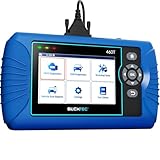
- [All System Diagnostics, Professional-Level Scanner] - BLCKTEC 460T is the ultimate OBD2 diagnostic tool for home mechanics and professionals. It supports all 10 OBD2 modes, reads and clears Engine/Transmission/ABS/SRS codes, performs All-System Diagnostics, offers workshop reset tools, and provides real-time live data. It helps you pinpoint issues, assess your car's condition, and prepare for SMOG checks with ease. NOTE: Function availability depends on your vehicle. Before you buy, be sure to use the Compatibility Checker on BLCKTEC website or contact our customer support to verify that the features you need are supported for your vehicle’s specific year, make, and model.
- [12+ Most Popular Reset Functions] - BLCKTEC 460T OBD2 scanner offers 12+ dealer-level service functions, including Oil Maintenance Reset, ABS Bleeding, EPB Reset, SAS(Steering Angle Sensor) Recalibration, DPF(Diesel Particulate Filter) Reset, Throttle Body Relearn, Battery Reset/Initialization, TPMS Relearn, Transmission Reset, Fluid Change Reset, Maintenance Reset and more, enabling you to perform workshop services like a pro. NOTE: Function availability depends on your vehicle. Be sure to use the Compatibility Checker on BLCKTEC website to verify that the features you need are supported for your vehicle.
- [Real-Time OBD2 and OEM Live Data, Freeze Frame Data] - BLCKTEC 460T helps diagnose vehicle issues when warning lights like Check Engine Light or ABS/SRS Light appear. It offers detailed DTC info, ECU Freeze Frame Data, and real-time OBD2 and advanced OEM live data, including Engine, Transmission, ABS, SRS, and more, making it easy to diagnose and resolve vehicle problems. You can view, graph, record, replay, and overlay up to four live data streams in a single graph for better analysis.
- [AutoVIN, AutoReLink, AutoScan, 3X Faster] - Equipped with AutoVIN technology, 460T automatically retrieves the VIN to save you time. Its AutoScan and AutoReLink features scan all of the vehicle's ECUs and detect any fault codes immediately after you plug the scanner into the vehicle's OBD2 port - no button presses required. Additionally, it regathers DTC and I/M readiness information every 30 seconds, simplifying monitor tests. 460T's advanced technology makes it 3X faster than other products.
- [Get RepairSolutions2, the #1 Auto Repair App for Free] - When paired with RepairSolutions2(RS2) App, 460T becomes even more powerful. RS2's Verified Fix Database built by master technicians, provides the parts needed for the repair. Additionally, RS2 gives you access to OEM warranty info, maintenance schedules, TSB, and dealership recall info, making car care easier than ever. RS2 is free with no subscription fees and it stores your car scan reports in the cloud, allowing you to access, share, or print them anytime and anywhere.
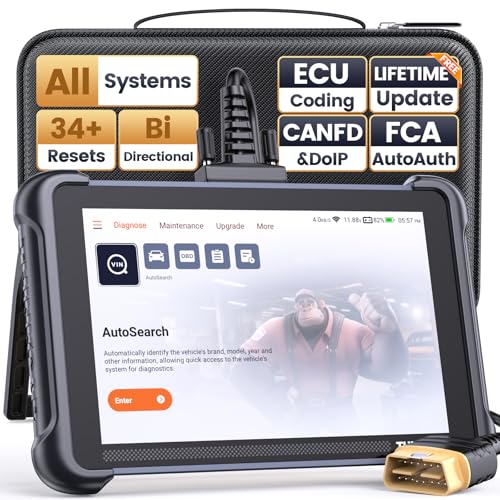
- 【Warm Tips】Dear friend, we've built this product to last, but in the unlikely event you encounter any technical hiccups, functions not support, received a used product, or just a simple question, please directly c0ntact us via Amazon Message and support @ mythinkcar. com, we're here to help and get it sorted in no time. Not sure if this product is compatible with your vehicle? Just e.mail your VIN at support @ mythinkcar. com for technical support. Note: FCA AutoAuth is a third-party service, additional cost may require.
- 【Professional Car Diagnostic Tool】Tired of renew fees? Thinkscan 689 scanner provides dealer-level advanced functions without annual fees for auto mechanics and repair shops. 34+ Services, 3000+ Active Test, ECU Coding, 140+ Brands Coverage, FCA AutoAuth, CANFD&DOIP Protocol, Component Matching, Power Balance, V.A.G Guided, Compatible with Google Chrome integration, etc. With strong hardware backing, 64G Memory, Android 10, 4-core processors, and 4150mAh battery. Thinkscan 689 brings you the best as your daily business helper and never lets you drop the ball!
- 【34+ Reset Service, Adaptation, Relearn, Calibration, Initialization, Matching】Made for workshops, Thinkscan 689 scanner provides 34+ services for worldwide vehicles: such as Gear/SAS/EPB/TPMS/D.P.F/BMS/ETS/Oil/Brake/AFS/GEARB0X/SUNROOF/SUS Reset, ABS Bleed, Injector coding, etc. Warm tips: Compatibility varies by car model, please reach out to us directly to make sure it works well on your cars.
- 【Real Active Test】Thinkscan 689 scan tool features over 3000+ full bi-directional control ability, to send commands to vehicle’s systems/components, to verify system input/output without using the vehicle's controls, e.g. turn on the radiator fan, modulate the throttle, open/close windows, operate mirrors, Injector Buz Test, turn on interior&exterior lights, sound horn, test door lock actuators, turn on/off front/rear side ACM Solenoid, Vehicle level position calibration, Wheel Speed Sensor Supply.
- 【Comprehensive Solutions with Advanced Features】Take your vehicle customization to the next level with the Thinkscan 689's advanced ECU coding capabilities. This scan tool provides power balance, PMI, unlock hidden features and enhance performance by activating dormant functions, customizing OE settings, matching replaced components, and reprogramming adaptive data to elevate your driving experience. Note: Compatibility varies by car models, please check before order.


- 【Diagnose Check Engine Light in Seconds – No Mechanic Needed】The FOXWELL NT301 OBD2 scanner instantly reads & clears engine fault codes (DTCs) with one click. Simply plug into the 16-pin DLC port, turn ignition on, and get accurate results within seconds—No prior car knowledge required. Save hundreds on dealership fees by knowing exactly what’s wrong before you visit a shop. The #1 choice car scanner for DIYers and car owners who want to take control of their vehicle’s health
- 【Clear & Reset CEL with Confidence】Unlike cheap code readers that just erase codes temporarily, NT301 works like all professional vehicle code readers: It clears the check engine light only after you’ve fixed the underlying issue. If the problem isn’t fully repaired, the fault code will reappear. So you’ll never get a false pass. Use the foxwell scanner to verify your repair work and drive with peace of mind
- 【Sm-og Check Helper – Know Your Pass/Fail Status Before the Test】With dedicated one-click I/M readiness hotkeys and a simple Red-Yellow-Green LED indicator, you’ll instantly know if your vehicle is ready for annual testing. Built-in speaker provides clear audio feedback. No guesswork—just confidence before you head to the test center. One less thing to worry about when inspection day comes
- 【Advanced OBDII Modes – O- 2 Sensor & EVAP Testing】NT301 go beyond basic code reading with enhanced OBD2 modes. Run an EVAP system check to assess fuel tank condition, and use the O- 2 sensor test to optimize air-fuel ratio, boosting fuel economy, cutting em- issions, and saving you money at the pump. The code reader for cars and trucks is like having a mini em-issions lab in your glove box
- 【Live Data Graphing – Spot Engine Issues in Real Time】View and log live sensor data in easy-to-read graphs with this OBD2 scanner diagnostic tool. Monitor ox- ygen sensors, fuel trims, coolant temperature, RPM, and more to spot suspicious values instantly. This obd scanner gives you professional-grade insight without the pro price tag—a feature you won’t find on basic $20 car code readers
SEOCONTENT-START
FCA US LLC Recall Part Number / Model Compatibility
B3A – Ram Heavy Duty / Ram 1500 Classic Steering Column Control Module
Submitted on November 28, 2023
The chart below shows the vehicle make/model/model year(s) in which the recalled components COULD be used/installed as aftermarket of service parts. This list does not represent vehicle models or model years in which the recalled components were used for initial vehicle production.
STEERING COLUMN CONTROL MODULE PART NUMBERS BY MAKE/MODEL/MODEL YEAR(S)
Part Number
Description
Ram 1500 Classic
Ram 2500/3500
Ram 3500/4500/5500 Cab Chassis
Ram 3500 Cab Chassis (<10K LB. GVWR)
2023
2023
2024
2023
2024
2023
68508697AB
Steering Column Control Module
X
68508699AB
Steering Column Control Module
X
68508698AB
Steering Column Control Module
X
68508700AB
Steering Column Control Module
X
68508701AF
Steering Column Control Module
X
X
X
X
X
68508702AF
Steering Column Control Module
X
X
X
X
X
68508703AF
Steering Column Control Module
X
X
X
X
X
**************************************************************************************************************
11/29/2023
_____________________________________________________________________
New Safety Recall Advanced Communication – B3A
FCA US LLC has announced an equipment safety recall on certain:
Mopar Steering Column Control Module 68508697AB
Mopar Steering Column Control Module 68508698AB
Mopar Steering Column Control Module 68508699AB
Mopar Steering Column Control Module 68508700AB
Mopar Steering Column Control Module 68508701AF
Mopar Steering Column Control Module 68508702AF
Mopar Steering Column Control Module 68508703AF
REASON FOR THIS SAFETY RECALL
Some steering column control modules (“SCCMs”) may have been built with a turn signal self-canceling anti-jam component out of specification or an internal short circuit on the SCCM printed circuit board (“PCB”).
Federal Motor Vehicle Safety Standard (“FMVSS”) 571.108.9.1.1 requires that “The turn signal operating unit must be self-canceling by steering wheel rotation and capable of cancellation by a manually operated control.” The suspect SCCMs, when installed in a vehicle, may not allow the self-canceling feature to function correctly. FMVSS 571.108.6.1.5 requires that “only those light sources intended for meeting lower beam photometrics are energized when the beam selector switch is in the lower beam position, and that only those light sources intended for meeting upper beam photometrics are energized when the beam selector switch is in the upper beam position.” The suspect SCCMs, when installed in a vehicle, may cause the high beams to activate when using the turn signal, or the turn signal to activate when using the high beams.
A turn signal which remains active after a completed turn may cause surrounding drivers to misunderstand the intent to change vehicle direction. High beam activation when the turn signal switch is activated may result in reduced visibility of oncoming drivers. Either of these conditions may cause a vehicle crash without prior warning.
SERVICE ACTION
FCA US will conduct a voluntary safety recall on all affected parts to replace or repurchase the SCCMs. Dealers will be notified of the launch of this safety recall by way of established communication methods. This recall is estimated to launch in 4th Quarter of 2023.
We ask that you please take the time to ensure that your personnel are aware of this communication and are prepared to execute a customer friendly process for inquiries regarding involved vehicles.
Customer Services Field Operations
FCA US LLC
**************************************************************************************************************
OMB Control No.: 2127-0004
Part 573 Safety Recall Report 23E-092
The information contained in this report was submitted pursuant to 49 CFR §573
Manufacturer Name : Chrysler (FCA US, LLC)
Submission Date : NOV 28, 2023
NHTSA Recall No. : 23E-092
Manufacturer Recall No. : B3A
Manufacturer Information :
Manufacturer Name : Chrysler (FCA US, LLC)
Address : 800 Chrysler Drive
CIMS 482-00-91 Auburn Hills MI
48326-2757
Company phone : 1-800-853-1403
Population :
Number of potentially involved : 1,240
Estimated percentage with defect : 100 %
Equipment Information :
Brand / Trade 1 : Mopar
Model : Steering Column Control Module
Part No. : 68508697AB
Size : NR
Function : NR
Descriptive Information : Some steering column control modules (“SCCMs”) may have been built with a
turn signal self-canceling anti-jam component out of specification or an internal
short circuit on the SCCM printed circuit board (“PCB”).
The suspect part population includes SCCMs built November 1, 2022, through
May 8, 2023, and was determined using supplier production records.
Similar SCCMs not included in the recall population were manufactured after the
suspect period.
The total affected parts for this part number is 243.
Production Dates : NOV 01, 2022 – MAY 08, 2023
Part 573 Safety Recall Report 23E-092 Page 2
The information contained in this report was submitted pursuant to 49 CFR §573
Brand / Trade 2 : Mopar
Model : Steering Column Control Module
Part No. : 68508699AB
Size : NR
Function : NR
Descriptive Information : Some SCCMs may have been built with a turn signal self-canceling anti-jam
component out of specification or an internal short circuit on the SCCM PCB.
The suspect part population includes SCCMs built November 1, 2022, through
May 8, 2023, and was determined using supplier production records.
Similar SCCMs not included in the recall population were manufactured after the
suspect period.
The total affected parts for this part number is 14.
Production Dates : NOV 01, 2022 – MAY 08, 2023
Brand / Trade 3 : Mopar
Model : Steering Column Control Module
Part No. : 68508700AB
Size : NR
Function : NR
Descriptive Information : Some SCCMs may have been built with a turn signal self-canceling anti-jam
component out of specification or an internal short circuit on the SCCM PCB.
The suspect part population includes SCCMs built November 1, 2022, through
May 8, 2023, and was determined using supplier production records.
Similar SCCMs not included in the recall population were manufactured after the
suspect period.
The total affected parts for this part number is 3.
Production Dates : NOV 01, 2022 – MAY 08, 2023
Part 573 Safety Recall Report 23E-092 Page 3
The information contained in this report was submitted pursuant to 49 CFR §573
Brand / Trade 4 : Mopar
Model : Steering Column Control Module
Part No. : 68508701AF
Size : NR
Function : NR
Descriptive Information : Some SCCMs may have been built with a turn signal self-canceling anti-jam
component out of specification or an internal short circuit on the SCCM PCB.
The suspect part population includes SCCMs built November 1, 2022, through
May 8, 2023, and was determined using supplier production records.
Similar SCCMs not included in the recall population were manufactured after the
suspect period.
The total affected parts for this part number is 617.
Production Dates : NOV 01, 2022 – MAY 08, 2023
Brand / Trade 5 : Mopar
Model : Steering Column Control Module
Part No. : 68508702AF
Size : NR
Function : NR
Descriptive Information : Some SCCMs may have been built with a turn signal self-canceling anti-jam
component out of specification or an internal short circuit on the SCCM PCB.
The suspect part population includes SCCMs built November 1, 2022, through
May 8, 2023, and was determined using supplier production records.
Similar SCCMs not included in the recall population were manufactured after the
suspect period.
The total affected parts for this part number is 72.
Production Dates : NOV 01, 2022 – MAY 08, 2023
Part 573 Safety Recall Report 23E-092 Page 4
The information contained in this report was submitted pursuant to 49 CFR §573
Brand / Trade 6 : Mopar
Model : Steering Column Control Module
Part No. : 68508704AF
Size : NR
Function : NR
Descriptive Information : Some SCCMs may have been built with a turn signal self-canceling anti-jam
component out of specification or an internal short circuit on the SCCM PCB.
The suspect part population includes SCCMs built November 1, 2022, through
May 8, 2023, and was determined using supplier production records.
Similar SCCMs not included in the recall population were manufactured after the
suspect period.
The total affected parts for this part number is 290.
Production Dates : NOV 01, 2022 – MAY 08, 2023
Brand / Trade 7 : Mopar
Model : Steering Column Control Module
Part No. : 68508698AB
Size : NR
Function : NR
Descriptive Information : Some SCCMs may have been built with a turn signal self-canceling anti-jam
component out of specification or an internal short circuit on the SCCM PCB.
The suspect part population includes SCCMs built November 1, 2022, through
May 8, 2023, and was determined using supplier production records.
Similar SCCMs not included in the recall population were manufactured after the
suspect period.
The total affected parts for this part number is 1.
Production Dates : NOV 01, 2022 – MAY 08, 2023
Part 573 Safety Recall Report 23E-092 Page 5
The information contained in this report was submitted pursuant to 49 CFR §573
Description of Noncompliance :
Description of the
Noncompliance :
Federal Motor Vehicle Safety Standard (“FMVSS”) 571.108.9.1.1 requires that
“The turn signal operating unit must be self-canceling by steering wheel
rotation and capable of cancellation by a manually operated control.” The
suspect SCCMs, when installed in a vehicle, may not allow the self-canceling
feature to function correctly.
FMVSS 571.108.6.1.5 requires that “only those light sources intended for
meeting lower beam photometrics are energized when the beam selector
switch is in the lower beam position, and that only those light sources intended
for meeting upper beam photometrics are energized when the beam selector
switch is in the upper beam position.” The suspect SCCMs, when installed in a
vehicle, may cause the high beams to activate when using the turn signal, or the
turn signal to activate when using the high beams.
FMVSS 1 : 108 – Lamps, reflective devices, and assoc. Equipment
FMVSS 2 : NR
Description of the Safety Risk : A turn signal which remains active after a completed turn may cause
surrounding drivers to misunderstand the intent to change vehicle direction.
High beam activation when the turn signal switch is activated may result in
reduced visibility of oncoming drivers. Either of these conditions may cause a
vehicle crash without prior warning.
Description of the Cause : NR
Identification of Any Warning
that can Occur :
None
Involved Components :
Component Name : Control Module
Component Description : Steering Column
Component Part Number : 68508697AB / 68508698AB / 68508699AB / 68508700AB / 68508701AF /
68508702AF / 68508704AF
Supplier Identification :
Component Manufacturer
Name : Merit Automotive Electronics Systems SLU
Address : Avinguda de Torrelles 11/13
Barcelona Foreign States 08620
Part 573 Safety Recall Report 23E-092 Page 6
The information contained in this report was submitted pursuant to 49 CFR §573
Country : Spain
Chronology :
• On May 4, 2023, the FCA US LLC (“FCA US”) Technical Safety and Regulatory Compliance (“TSRC”)
organization was notified of a potential issue related to malfunctioning SCCMs on some 2023-2024 MY Ram
Heavy Duty and Ram 1500 Classic vehicles.
• From May 2023, through October 2023, FCA US TSRC conducted an analysis of SCCM failure patterns and
vehicle history and determined that the affected vehicles may have been built with SCCMs which may not
function as intended.
• On October 18, 2023, the FCA US TSRC organization recognized a vehicle build issue existed on certain
vehicles related to a condition that can lead to failure of turn signal self-canceling or turn signal activation
when high beam requested or vice versa, potentially resulting in a noncompliance with FMVSS No. 108.
• On November 21, 2023, FCA US determined, through the Vehicle Regulations Committee, to conduct a
voluntary safety recall of the affected units.
Description of Remedy :
Description of Remedy Program : FCA US will conduct a voluntary safety recall on all affected parts to
replace or repurchase the SCCMs.
FCA US has a longstanding policy and practice of reimbursing owners who
have incurred the cost of repairing a problem that subsequently becomes
the subject of a field action. To ensure consistency, FCA US, as part of the
owner letter, will request that customers send the original receipt and/or
other adequate proof of payment to the company for confirmation of the
expense.
How Remedy Component Differs
from Recalled Component :
The remedy component is a SCCM with a conforming anti-jam component
and revised PCB layout.
Identify How/When Recall Condition
was Corrected in Production :
NR
Recall Schedule :
Description of Recall Schedule : **11/28/2023: FCA US will notify dealers and begin notifying owners on
or about 01/17/2024.
Part 573 Safety Recall Report 23E-092 Page 7
The information contained in this report was submitted pursuant to 49 CFR §573
Planned Dealer Notification Date : JAN 17, 2024 – JAN 17, 2024
Planned Owner Notification Date : JAN 17, 2024 – JAN 17, 2024
Purchaser Information :
The following manufacturers purchased this defective/noncompliant equipment for possible use or
installation in new motor vehicles or new items of motor vehicle equipment:
Name : NR
Address : NR
NR
Country : NR
Company Phone : NR
* NR – Not Reported
**************************************************************************************************************
FCA US LLC Recall Part Number / Model Compatibility
B3A – Ram Heavy Duty / Ram 1500 Classic Steering Column Control Module
Submitted on December 7, 2023
The chart below shows the vehicle make/model/model year(s) in which the recalled components COULD be used/installed as aftermarket of service parts. This list does not represent vehicle models or model years in which the recalled components were used for initial vehicle production.
STEERING COLUMN CONTROL MODULE PART NUMBERS BY MAKE/MODEL/MODEL YEAR(S) Part Number 68508697AB 68508698AB 68508699AB 68508700AB 68508701AF 68508702AF 68508704AF Description Steering Column Control Module Steering Column Control Module Steering Column Control Module Steering Column Control Module Steering Column Control Module Steering Column Control Module Steering Column Control Module Ram 1500 Classic
2023
X X X X Ram 2500/3500 2023 2024 X X X X X X Ram 3500/4500/5500
Cab Chassis 2023 2024 X X
X X
X X Ram 3500 Cab Chassis (<10K LB. GVWR) 2023 X X X
**************************************************************************************************************
EQUIPMENT SAFETY RECALL
ERICA
Malfunctioning SCCM – Equipment
Reference: B3A / NHTSA 23E-092 FCA US LLC
Strictly respect STELLANTIS Group safety, cleanliness, and environmental instructions for any vehicle service. Document exclusively reserved for dealer information. Internal distribution to be ensured by dealer.
Reproduction forbidden without the written agreement of STELLANTIS Group. (C) 2023 STELLANTIS Group. All Rights Reserved (djt) 1/22
Parts Recalled
MOPAR Steering Column Control Modules 68508697AB, 68508699AB, 68508698AB, 68508700AB, 68508701AF, 68508702AF and 68508704AF intended for use on some 2023- 2024 (D2) RAM 3500 Pickup, 2023-2024 (DD) RAM 3500 Cab/Chassis,
2023 (DF) RAM 3500 10K LB. Cab/Chassis, 2023-2024 (DJ) RAM 2500 Pickup,
2023-2024 (DP) RAM 4500/5500 Cab Chassis and 2023 (DS) RAM 1500 Pickup vehicles
Revision Edition Detail
0 December 2023 Initial Version. SYMPTOM DESCRIPTION
Template Version 1.8
About 1,200 of the above Steering Column Control Modules (SCCM) may have been built with a turn signal self-cancelling anti-jam component out of specification or an internal short circuit on the SCCM printed circuit board (PCB). Federal Motor Vehicle Safety Standard (“FMVSS”) 571.108.9.1.1 requires that “The turn signal operating unit must be self-cancelling by steering wheel rotation and capable of cancellation by a manually operated control.” The suspect SCCMs, when installed in a vehicle, may not allow the self-cancelling feature to function correctly. FMVSS 571.108.6.1.5 requires that “only those light sources intended for meeting lower beam photometrics are energized when the beam selector switch is in the lower beam position, and that only those light sources intended for meeting upper beam photometrics are energized when the beam selector switch is in the upper beam position.” The suspect SCCMs, when installed in a vehicle, may cause the high beams to activate when using the turn signal, or the turn signal to activate when using the high beams. A turn signal which remains active after a completed turn may cause surrounding drivers to misunderstand the intent to change vehicle direction. High beam activation when the turn signal switch is activated may result in reduced visibility of oncoming drivers. Either of these conditions may cause a vehicle crash without prior warning. REPAIR TO BE PERFORMED This recall is applicable only to MOPAR replacement parts. Part number 68508697AB, 68508699AB, 68508698AB, 68508700AB, 68508701AF,
68508702AF and 68508704AF – Module suspect, exchange or repurchase the module. Dealer should add part (reimbursement) to claim when using LOP. If the recalled SCCM part number listed above has been installed into a vehicle covered under recall B2A, complete the repair according to the B2A dealer instructions. If the recalled SCCM part number listed above has been installed into a vehicle NOT covered under recall B2A, complete the repair according to the instructions below, and claim the appropriate B3A LOPs. COMPLETION REPORTING / REIMBURSEMENT
Claims for vehicles that have been serviced must be submitted on the DealerCONNECT Claim Entry Screen located on the Service tab. Claims paid will be used by FCA to record recall service completions
dealer payments. EQUIPMENT SAFETY RECALL – NORTH AMERICA
Malfunctioning SCCM – Equipment Reference: B3A / NHTSA 23E-092 FCA US LLC Use the following labor operation numbers and time allowances: Labor Description Number Hrs
Inspect SCCM Part Number 08-B3-A1-81 0.0 Related Labor Description Number Hrs SPECIAL TOOLS
No special tools required for this campaign. DEALER NOTIFICATION
To view this notification on DealerCONNECT, select “Global Recall System” on the Service tab, then click on the description of this notification. Handling Fee for Equipment Safety Recall B3A Replace SCCM (D2, DD, DF,
DJ, DP Only)
Replace SCCM (DS Only) 95192750 08-B3-A1-51 08-B3-A1-52 0.5 0.6 OWNER NOTIFICATION / SERVICE SCHEDULING
All involved vehicle owners known to FCA are being notified of the service requirement by first class mail. They are requested to schedule appointments for this NOTE: See the Warranty Administration Manual, Recall Claim Processing Section, for complete recall claim processing instructions. PARTS RETURN
No parts return required for this campaign. Render the recalled part unusable and discard. service with their dealers. A generic copy of the owner letter is attached. ADDITIONAL INFORMATION
If you have any questions or need assistance in completing this action, please contact your Service and Parts District Manager. Customer Services / Field Operations
FCA US LLC. Strictly respect STELLANTIS Group safety, cleanliness, and environmental instructions for any vehicle service. Document exclusively reserved for dealer information. Internal distribution to be ensured by dealer.
Reproduction forbidden without the written agreement of STELLANTIS Group. (C) 2023 STELLANTIS Group. All Rights Reserved
(djt) 2/22 EQUIPMENT SAFETY RECALL – NORTH AMERICA
Malfunctioning SCCM – Equipment Reference: B3A / NHTSA 23E-092 FCA US LLC SERVICE PROCEDURE – DS AND DX LIGHT DUTY
A. Removal WARNING: To avoid serious or fatal injury on vehicles equipped with airbags, disable the Supplemental Restraint System (SRS) before attempting any steering wheel, steering column, airbag, seat belt tensioner, impact sensor or instrument panel component diagnosis or service. Disconnect and isolate the battery negative (ground) cable, then wait two minutes for the system capacitor to discharge before performing further diagnosis or service. This is the only sure way to disable the SRS. Failure to take the proper precautions could result in accidental airbag deployment. WARNING: To avoid serious or fatal injury, use extreme care to prevent any foreign material from entering the Driver AirBag (DAB), or becoming entrapped between the DAB cushion and the DAB trim cover. Failure to observe this warning could result in occupant injuries upon airbag deployment. CAUTION: If the clockspring is not properly centered in relation to the Steering Angle Sensor (SAS), steering wheel, steering shaft and steering gear, it may be damaged or Diagnostic Trouble Codes (DTC) may be set in the SAS. Service replacement clocksprings are shipped pre-centered and with a locking pin installed. This locking pin should not be removed until the clockspring has been installed on the steering column. 1. Place the front wheels in the straight-ahead position. 2. Disconnect and isolate the negative battery cable. If equipped with an Intelligent Battery Sensor (IBS), disconnect the IBS connector first before
disconnecting the negative battery cable. 3. From below the steering column, remove the two outboard screws within the recess areas (2) that secure the upper shroud (1) to the lower shroud (3) (Figure 1). NOTE: There are snap connections near the instrument cluster and between the shroud and the steering wheel that secure the upper and lower shroud. 4. Remove the upper shroud (1) by pushing gently inward and upward on both sides of the upper shroud above the parting line of the lower shroud to release the snap features that secure the two shroud halves to each other (Figure 1). 5. Release the steering column tilt lever and lower the Figure 1 – Steering Column Upper Shroud column to its most downward position for easiest driver airbag removal access. Strictly respect STELLANTIS Group safety, cleanliness, and environmental instructions for any vehicle service. Document exclusively reserved for dealer information. Internal distribution to be ensured by dealer.
Reproduction forbidden without the written agreement of STELLANTIS Group. (C) 2023 STELLANTIS Group. All Rights Reserved
(djt) 3/22 EQUIPMENT SAFETY RECALL – NORTH AMERICA
Malfunctioning SCCM – Equipment Reference: B3A / NHTSA 23E-092 FCA US LLC NOTE: It may be helpful to use a small mirror to aid visibility during the initial attempt to remove the Driver AirBag (DAB) from the steering wheel. 6. There are three airbag retainer access holes (1) on the instrument panel side of the hub of the steering wheel (2), located at the two o’clock, six o’clock and ten o’clock positions. The steering wheel must be rotated to bring each of these access holes up to the twelve o’clock position of the steering column one at a time for removal access (Figure 2). Figure 2 – Airbag Retainer Access Holes 7. Insert the short blade (Tip A) of the DAB Removal Tool (Special Tool Number 10187 ) (1) or the blade of an equivalent prying tool into either of the upper (two o’clock or ten o’clock) access holes (3) of the steering wheel hub rear trim cover (2), being certain to place the blade of the tool on the inboard (steering wheel hub) side of the airbag snap retainer wire loop (Figure 3). Figure 3 – DAB Removal Tool 10187 Strictly respect STELLANTIS Group safety, cleanliness, and environmental instructions for any vehicle service. Document exclusively reserved for dealer information. Internal distribution to be ensured by dealer.
Reproduction forbidden without the written agreement of STELLANTIS Group. (C) 2023 STELLANTIS Group. All Rights Reserved
(djt) 4/22 EQUIPMENT SAFETY RECALL – NORTH AMERICA
Malfunctioning SCCM – Equipment Reference: B3A / NHTSA 23E-092 FCA US LLC 8. Push the handle of the tool downward for the blade to pry the snap retainer wire loop (3) upward far enough to disengage the loop from the hook of the steering wheel armature. At the same time, gently pull the DAB
(1) away from the steering wheel (2) to prevent the retainer from snapping back into place over the hook once it is disengaged (Figure 4). 9. Repeat Steps 7 and 8 at the other upper (two o’clock or ten o’clock) access hole to disengage the other upper snap retainer wire loop. 10. Repeat Steps 7 and 8 at the lower (six o’clock) access hole to disengage the lower snap retainer wire loop. The lower snap retainer wire loop has a distinctive V- shape and must always be installed onto the six o’clock hook of the steering wheel armature. Figure 4 – Airbag Removal 11. Pull the DAB away from the steering wheel far enough to access and disengage the plastic push-in retainer
(2) of the clockspring pigtail wire harness (1) from the locator hole (3) at the 12 o’clock position on the back of the airbag housing (Figure 5). Figure 5 – Pigtail Wiring Harness Retainer CAUTION: Do not pull on the clockspring pigtail wires or pry on the connector insulator to disengage the connector from the driver airbag inflator connector receptacle. Improper removal of these pigtail wires and their connector insulators can result in damage to the airbag circuits or connector insulators. Strictly respect STELLANTIS Group safety, cleanliness, and environmental instructions for any vehicle service. Document exclusively reserved for dealer information. Internal distribution to be ensured by dealer.
Reproduction forbidden without the written agreement of STELLANTIS Group. (C) 2023 STELLANTIS Group. All Rights Reserved
(djt) 5/22 EQUIPMENT SAFETY RECALL – NORTH AMERICA
Malfunctioning SCCM – Equipment Reference: B3A / NHTSA 23E-092 FCA US LLC 12. The clockspring DAB pigtail wire connector insulators
(1) are secured by integral latches (2) to the airbag inflator connector receptacles, which are located on the back of the airbag housing. Pinch both latches firmly, then pull the insulators straight out from the airbag inflator to disconnect them from the connector receptacles (Figure 6). 13. Remove the DAB from the steering wheel. 14. Remove the steering wheel bolt and DISCARD. Figure 6 – Connector Insulator Latches 15. Disconnect the wire harness connectors (1) and (2) (Figure 7). 16. Remove the steering wheel. Figure 7 – Wire Harness Connectors Strictly respect STELLANTIS Group safety, cleanliness, and environmental instructions for any vehicle service. Document exclusively reserved for dealer information. Internal distribution to be ensured by dealer.
Reproduction forbidden without the written agreement of STELLANTIS Group. (C) 2023 STELLANTIS Group. All Rights Reserved
(djt) 6/22 EQUIPMENT SAFETY RECALL – NORTH AMERICA
Malfunctioning SCCM – Equipment Reference: B3A / NHTSA 23E-092 FCA US LLC 17. Using a trim stick C-4755 or equivalent, disengage the retainer clip that secures the hood release to the steering column opening cover, and remove the hood release handle from the cover (Figure 8). 18. Remove the two fasteners (2) that secure the bottom of the steering column opening cover (1) to the instrument panel (Figure 8). Figure 8 – Steering Column Opening Cover 19. Remove the Data Link Connector (3) from the steering column opening cover (2) by pressing in the tabs (1) and pushing the connector through the opening on the back side of the cover (Figure 9). Figure 9 – Data Link Connector Strictly respect STELLANTIS Group safety, cleanliness, and environmental instructions for any vehicle service. Document exclusively reserved for dealer information. Internal distribution to be ensured by dealer.
Reproduction forbidden without the written agreement of STELLANTIS Group. (C) 2023 STELLANTIS Group. All Rights Reserved
(djt) 7/22 EQUIPMENT SAFETY RECALL – NORTH AMERICA
Malfunctioning SCCM – Equipment Reference: B3A / NHTSA 23E-092 FCA US LLC 20. Using a trim stick C-4755 or equivalent, release the retainer clips that secure the steering column opening cover (1) to the instrument panel and remove the cover (Figure 10). 21. Disconnect necessary wire harness connectors. Figure 10 – Steering Column Opening Cover 22. Remove the lower shroud to column retaining screw
(1) and carefully move the lower shroud over the steering column tilt lever and off the steering column (Figure 11). Figure 11 – Steering Column Lower Shroud Strictly respect STELLANTIS Group safety, cleanliness, and environmental instructions for any vehicle service. Document exclusively reserved for dealer information. Internal distribution to be ensured by dealer.
Reproduction forbidden without the written agreement of STELLANTIS Group. (C) 2023 STELLANTIS Group. All Rights Reserved
(djt) 8/22 EQUIPMENT SAFETY RECALL – NORTH AMERICA
Malfunctioning SCCM – Equipment Reference: B3A / NHTSA 23E-092 FCA US LLC 23. Remove the screw (1) (Figure 12). Figure 12 – SCCM Screw 24. Remove the screw (1) (Figure 13). 25. Pull the SCCM slightly away from the steering column and disconnect the pedal adjustment wire harness connector, if equipped. Figure 13 – SCCM Screw Strictly respect STELLANTIS Group safety, cleanliness, and environmental instructions for any vehicle service. Document exclusively reserved for dealer information. Internal distribution to be ensured by dealer.
Reproduction forbidden without the written agreement of STELLANTIS Group. (C) 2023 STELLANTIS Group. All Rights Reserved
(djt) 9/22 EQUIPMENT SAFETY RECALL – NORTH AMERICA
Malfunctioning SCCM – Equipment Reference: B3A / NHTSA 23E-092 FCA US LLC 26. Remove the SCCM from the steering column (Figure 14). 27. Disengage the wire harness routing clip (1) (Figure 14). 28. Disconnect the wire harness connectors (2 & 3) (Figure 14). 29. Remove and DISCARD the SCCM from the vehicle. Figure 14 – SCCM Removal Strictly respect STELLANTIS Group safety, cleanliness, and environmental instructions for any vehicle service. Document exclusively reserved for dealer information. Internal distribution to be ensured by dealer.
Reproduction forbidden without the written agreement of STELLANTIS Group. (C) 2023 STELLANTIS Group. All Rights Reserved
(djt) 10/22 EQUIPMENT SAFETY RECALL – NORTH AMERICA
Malfunctioning SCCM – Equipment Reference: B3A / NHTSA 23E-092 FCA US LLC B. Installation NOTE: The Steering Column Control Module (SCCM) centering can be verified by visually confirming the blue striped ribbon is present in the sight glass (Figure 15). 1. Connect the wire harness connectors (2&3) (Figure 14). 2. Secure the wire harness routing clip (1) (Figure 14). 3. While sliding the SCCM over the steering column connect the pedal adjustment wire harness connector, if equipped. 4. Install and securely tighten the screws (1) (Figures 12 & 13). 5. Remove the lock tab or any other device that is being used to secure the SCCM rotor to the SCCM case to maintain SCCM centering. Figure 15 – Blue Stripe Ribbon 6. Install the lower shroud, shroud to column retaining screw (1) and tighten securely (Figure 11). NOTE: If the vehicle is equipped with an automatic transmission, be certain to engage the gearshift lever boot into the opening in both shroud halves. 7. Lift the steering column opening cover into position. Connect necessary wire harness connectors. 8. Align the retainer clips that secure the steering column opening cover (1) to the instrument panel and install the cover (Figure 10). 9. Install the Data Link Connector (3) to the steering column opening cover (2) through the opening on the back side of the cover (Figure 9). 10. Install the two fasteners (2) that secure the bottom of the steering column opening cover (1) to the instrument panel and tighten securely (Figure 8). 11. Engage the retainer clip that secures the hood release to the steering column opening cover (Figure 8). NOTE: Do not reuse the old steering wheel bolt (a new bolt must be used) 12. Align the steering column control module (SCCM) lug and install steering wheel to the column. NOTE: Be certain that the steering wheel mounting bolt is tightened to the proper torque specification to ensure proper clockspring operation. 13. Install the NEW steering wheel bolt. Tighten the bolt to 61 N·m (45 ft. lbs.). 14. Connect the wire harness connectors (1) and (2) (Figure 7). Strictly respect STELLANTIS Group safety, cleanliness, and environmental instructions for any vehicle service. Document exclusively reserved for dealer information. Internal distribution to be ensured by dealer.
Reproduction forbidden without the written agreement of STELLANTIS Group. (C) 2023 STELLANTIS Group. All Rights Reserved
(djt) 11/22 EQUIPMENT SAFETY RECALL – NORTH AMERICA
Malfunctioning SCCM – Equipment Reference: B3A / NHTSA 23E-092 FCA US LLC 15. Position the Driver AirBag (DAB) close enough to the steering wheel to reconnect the two clockspring DAB pigtail wire (1) electrical connections (5) to the inflator connector receptacles (4) on the back of the airbag housing (Figure 5). 16. Reconnect the wire connectors to the airbag inflator connector receptacles by pressing straight in on the connector insulator. Be certain to engage each keyed and color-coded connector to the matching connector receptacle. You can be certain that each connector is fully engaged in its receptacle by listening carefully for a distinct, audible click as the connector latches snap into place. 17. Be certain to fully engage the plastic push-in retainer (2) of the clockspring pigtail wires into the locator hole (3) at the 12 o’clock position on the back of the airbag housing (Figure 5). 18. Carefully position the DAB (1) into the hub cavity of the steering wheel (2). Be certain that the clockspring pigtail wires and the steering wheel wire harness are not pinched between the DAB and the horn switch, the steering wheel armature or, on vehicles equipped with a diesel engine, the steering wheel damper weight (Figure 4). 19. Engage the lower airbag snap retainer wire loop (3) onto the lower hook of the steering wheel armature. The lower snap retainer wire loop has a distinctive V-shape and must always be installed onto the six o’clock hook of the steering wheel armature (Figure 4). 20. Roll the DAB upwards and press firmly and evenly over the two upper snap retainer wire loop locations simultaneously until they snap into place over the two upper hooks of the steering wheel armature. NOTE: If the vehicle is equipped with an automatic transmission, be certain to engage the gearshift lever boot into the opening in both shroud halves. 21. Position the upper shroud (1) onto the steering column over the lower shroud (3) (Figure 1). 22. Align the snaps features on the upper and lower shroud halves and apply hand pressure to snap together. 23. From below the steering column, install the two outboard screws within the recess areas (2) that secure the upper shroud (1) to the lower shroud (3) (Figure 1). NOTE: Do not reconnect the negative cable to the battery at this time. The Supplemental Restraint System (SRS) Verification Test procedure should be performed following service of any SRS component. NOTE: The following procedure should be performed using a diagnostic scan tool to verify proper Supplemental Restraint System (SRS) operation following the service or replacement of any SRS component. Refer to the appropriate diagnostic procedures. 24. During the following test, the negative cable remains disconnected and isolated from the battery, as it was during the Supplemental Restraint System (SRS) component removal and installation procedures. Strictly respect STELLANTIS Group safety, cleanliness, and environmental instructions for any vehicle service. Document exclusively reserved for dealer information. Internal distribution to be ensured by dealer.
Reproduction forbidden without the written agreement of STELLANTIS Group. (C) 2023 STELLANTIS Group. All Rights Reserved
(djt) 12/22 EQUIPMENT SAFETY RECALL – NORTH AMERICA
Malfunctioning SCCM – Equipment Reference: B3A / NHTSA 23E-092 FCA US LLC SERVICE PROCEDURE – DP, DJ, DF, DD AND D2
G. Remove SCCM WARNING: To avoid serious or fatal injury on vehicles equipped with airbags, disable the Supplemental Restraint System (SRS) before attempting any steering wheel, steering column, airbag, seat belt tensioner, impact sensor or instrument panel component diagnosis or service. Disconnect and isolate the battery negative (ground) cable, then wait two minutes for the system capacitor to discharge before performing further diagnosis or service. This is the only sure way to disable the SRS. Failure to take the proper precautions could result in accidental airbag deployment. WARNING: To avoid serious or fatal injury, use extreme care to prevent any foreign material from entering the Driver AirBag (DAB), or becoming entrapped between the DAB cushion and the DAB trim cover. Failure to observe this warning could result in occupant injuries upon airbag deployment. CAUTION: If the clockspring is not properly centered in relation to the Steering Angle Sensor (SAS), steering wheel, steering shaft and steering gear, it may be damaged or Diagnostic Trouble Codes (DTC) may be set in the SAS. Service replacement clocksprings are shipped pre-centered and with a locking pin installed. This locking pin should not be removed until the clockspring has been installed on the steering column. 1. Place the front wheels in the straight-ahead position. NOTE: If the vehicle is equipped with an auxiliary battery, when disconnecting and isolating the negative battery cable for the 12-volt system, both batteries will need to be disconnected to power down the vehicle. 2. Disconnect the Intelligent Battery Sensor (IBS) wire harness connector (1) (Figure 16). NOTE: Failure to disconnect the IBS wire harness connector can lead to damage of the IBS wire harness connector. 3. Loosen the ground terminal nut (2) and remove the negative battery cable with IBS from the battery and isolate it. Figure 16 – IBS Connector Strictly respect STELLANTIS Group safety, cleanliness, and environmental instructions for any vehicle service. Document exclusively reserved for dealer information. Internal distribution to be ensured by dealer.
Reproduction forbidden without the written agreement of STELLANTIS Group. (C) 2023 STELLANTIS Group. All Rights Reserved
(djt) 13/22 EQUIPMENT SAFETY RECALL – NORTH AMERICA
Malfunctioning SCCM – Equipment Reference: B3A / NHTSA 23E-092 FCA US LLC 4. If the vehicle is equipped with an auxiliary battery, Loosen the clamp (1) and remove the clamp from the battery and isolate. NOTE: If the vehicle is equipped with an auxiliary battery, install the negative clamp on the negative battery post and tighten to the proper torque specifications prior to connecting the IBS. 5. Wait 2 minutes for capacitor discharge. 6. Locate the access hole dimples (1) in the lower surface of the steering wheel hub rear trim cover near each of the two horizontal spokes. 7. Using the Remover, Driver Air Bag 2050200100, pierce the trim cover at the dimple and insert it through one of the steering wheel access holes. A guide and notch integral to each side of the steering wheel hub rear trim cover and the mounting/horn switch plate will assist in directing the tool to the ends of the retainer spring (Figure 17). 8. When the tool makes contact with the retainer spring, push inward (toward the steering column) on the tool far enough to disengage the retainer spring from under the hook of the steering wheel armature. 9. Pull the released side of the DAB away from the Figure 17 – DAB Removal steering wheel far enough to insert a trim stick or another long and thin obstacle between the released spoke of the DAB trim cover and the steering wheel spoke hub cavity. This will help to prevent the released end of the retainer spring from becoming accidentally engaged again while the opposite end of the retainer spring is being released. 10. Repeat Steps 6 and 7 for the opposite end of the retainer spring. Strictly respect STELLANTIS Group safety, cleanliness, and environmental instructions for any vehicle service. Document exclusively reserved for dealer information. Internal distribution to be ensured by dealer.
Reproduction forbidden without the written agreement of STELLANTIS Group. (C) 2023 STELLANTIS Group. All Rights Reserved
(djt) 14/22 EQUIPMENT SAFETY RECALL – NORTH AMERICA
Malfunctioning SCCM – Equipment Reference: B3A / NHTSA 23E-092 FCA US LLC 11. Pull the DAB away from the steering wheel far enough to access the steering wheel wire harness connector to the DAB inflator initiators (1) (Figure 18). CAUTION: Do not pull on the clockspring pigtail wires or pry on the connector insulators to disengage them from the Driver AirBag (DAB) inflator initiator connector receptacles. Improper removal of these pigtail wires and their connector insulators can result in damage to the airbag circuits or the connector. Figure 18 – Steering Wheel Wire Harness Connectors Strictly respect STELLANTIS Group safety, cleanliness, and environmental instructions for any vehicle service. Document exclusively reserved for dealer information. Internal distribution to be ensured by dealer.
Reproduction forbidden without the written agreement of STELLANTIS Group. (C) 2023 STELLANTIS Group. All Rights Reserved
(djt) 15/22 EQUIPMENT SAFETY RECALL – NORTH AMERICA
Malfunctioning SCCM – Equipment Reference: B3A / NHTSA 23E-092 FCA US LLC 12. The clockspring DAB pigtail wire connector insulators are secured by integral latches and a Connector Position Assurance (CPA) lock to the airbag tether cutter and inflator connector receptacles, which are located on the back of the floating horn switch plate and the DAB housing. Pull the lock straight away from the connector insulator, then pull the insulators straight away from the connector receptacles to disengage and disconnect them (Figure 18). 13. Remove the DAB and floating horn switch plate from the steering wheel as a unit. 14. Disconnect the steering wheel wire harness connectors (1) (Figure 19). 15. If equipped, disconnect the heated steering wheel wire harness connectors. 16. Remove and DISCARD the steering wheel bolt (2) and retain the damper if equipped (Figure 19). NOTE: If the steering wheel cannot be removed by hand, a commercially available puller may be used to remove the steering wheel. Figure 19 – Steering Wheel Wire Harness Connectors 17. Remove the three steering column shroud screws (Figure 20). Figure 20 – Steering Column Shroud Screws Strictly respect STELLANTIS Group safety, cleanliness, and environmental instructions for any vehicle service. Document exclusively reserved for dealer information. Internal distribution to be ensured by dealer.
Reproduction forbidden without the written agreement of STELLANTIS Group. (C) 2023 STELLANTIS Group. All Rights Reserved
(djt) 16/22 EQUIPMENT SAFETY RECALL – NORTH AMERICA
Malfunctioning SCCM – Equipment Reference: B3A / NHTSA 23E-092 FCA US LLC 18. If equipped, release the shifter boot (1) from the steering column shroud (Figure 21). 19. Disengage the upper steering column shroud tabs (2) from the lower steering column shroud (Figure 21). Figure 21 – Steering Column Shroud 20. Disengage the gap hider (1) from the upper steering column shroud (2) and remove the upper steering column shroud (Figure 22). Figure 22 – Gap Hider Strictly respect STELLANTIS Group safety, cleanliness, and environmental instructions for any vehicle service. Document exclusively reserved for dealer information. Internal distribution to be ensured by dealer.
Reproduction forbidden without the written agreement of STELLANTIS Group. (C) 2023 STELLANTIS Group. All Rights Reserved
(djt) 17/22 EQUIPMENT SAFETY RECALL – NORTH AMERICA
Malfunctioning SCCM – Equipment Reference: B3A / NHTSA 23E-092 FCA US LLC 21. Remove the lower steering column shroud screws (2), then the shroud (1) (Figure 23). Figure 23 – Lower Steering Column Shroud 22. Secure the SCCM in the straight-ahead position. 23. Remove the screws (1) (Figure 24 and 25). Figure 24 – SCCM Strictly respect STELLANTIS Group safety, cleanliness, and environmental instructions for any vehicle service. Document exclusively reserved for dealer information. Internal distribution to be ensured by dealer.
Reproduction forbidden without the written agreement of STELLANTIS Group. (C) 2023 STELLANTIS Group. All Rights Reserved
(djt) 18/22 EQUIPMENT SAFETY RECALL – NORTH AMERICA
Malfunctioning SCCM – Equipment Reference: B3A / NHTSA 23E-092 FCA US LLC Figure 25 – SCCM 24. Pull the SCCM slightly away from the steering column and disconnect the pedal adjustment wire harness connector (4), if equipped (Figure 26). 25. Remove the SCCM from the steering column. 26. Disengage the wire harness routing clip (1) (Figure 26). 27. Disconnect the wire harness connectors (2 & 3) (Figure 26). Figure 26 – SCCM Strictly respect STELLANTIS Group safety, cleanliness, and environmental instructions for any vehicle service. Document exclusively reserved for dealer information. Internal distribution to be ensured by dealer.
Reproduction forbidden without the written agreement of STELLANTIS Group. (C) 2023 STELLANTIS Group. All Rights Reserved
(djt) 19/22 EQUIPMENT SAFETY RECALL – NORTH AMERICA
Malfunctioning SCCM – Equipment Reference: B3A / NHTSA 23E-092 FCA US LLC H. Install SCCM NOTE: The Steering Column Control Module (SCCM) centering can be verified by visually confirming the blue striped ribbon is present in the sight glass (Figure 27). 1. Connect the wire harness connectors (2 & 3) (Figure 26). 2. Secure the wire harness routing clip (1) (Figure 26). 3. While sliding the NEW SCCM over the steering column connect the pedal adjustment wire harness connector. 4. Install and securely tighten the SCCM screws (1) (Figure 24 and 25). 5. Position the lower steering column (1) shroud to the steering column (Figure 23). Figure 27 – Blue Stripe Ribbon 6. Engage the upper steering column shroud (2) to the gap hider (1) (Figure 24). Verify that the top shroud is properly secured to the gap hider. Move the tilt column up and down to ensure the gap hider stays connected to the upper shroud. 7. Install the upper steering column shroud to the lower steering column shroud (Figure 21). 8. If equipped, install the shifter boot (1) to the steering column shroud (Figure 21). 9. Install and securely tighten the three steering column shroud screws (2) (Figure 20). 10. If equipped, connect the heated steering wheel wire harness connectors and secure the steering wheel wire harness. 11. Install the steering wheel to the steering column. 12. If equipped, position the damper to the steering wheel, then install a NEW steering wheel bolt and tighten the nut to 61 N·m (45 ft. lbs.) (Figure 19). 13. Connect the two steering wheel wire harness connectors (Figure 18). 14. Position the DAB close enough to the steering wheel to connect the steering wheel wire harness connectors to the DAB inflator initiators (1) (Figures 18 and 19). 15. Connect the clockspring pigtail wire connectors to the airbag inflator initiator connector receptacles by pressing straight in on the connector insulator. Be certain to engage each keyed and color-coded connector to the matching connector receptacle. Be certain that each connector is fully engaged in its receptacle, then push the connector lock straight into the connector to lock it in place. Strictly respect STELLANTIS Group safety, cleanliness, and environmental instructions for any vehicle service. Document exclusively reserved for dealer information. Internal distribution to be ensured by dealer.
Reproduction forbidden without the written agreement of STELLANTIS Group. (C) 2023 STELLANTIS Group. All Rights Reserved
(djt) 20/22 EQUIPMENT SAFETY RECALL – NORTH AMERICA
Malfunctioning SCCM – Equipment Reference: B3A / NHTSA 23E-092 FCA US LLC 16. Carefully position the DAB to the steering wheel hub cavity while tugging lightly upward on the clockspring pigtail wires for the airbag and tucking the wires in the upper hub cavity of the steering wheel. Be certain that none of the steering wheel wiring is pinched between the airbag housing or the horn switch and the steering wheel armature. 17. Using both hands, push firmly and evenly on both sides of the DAB trim cover until both ends of the spring retainer have snapped in place under the hooks within the hub cavity of the steering wheel. 18. Do not connect the negative cable to the battery at this time. The Supplemental Restraint System (SRS) Verification Test procedure should be performed following service of any SRS component. NOTE: The following procedure should be performed using a diagnostic scan tool to verify proper Supplemental Restraint System (SRS) operation following the service or replacement of any SRS component. Refer to the appropriate diagnostic procedures. 19. During the following test, the negative cable remains disconnected and isolated from the battery, as it was during the Supplemental Restraint System (SRS) component removal and installation procedures. 20. Be certain that the diagnostic scan tool contains the latest version of the proper diagnostic software. Connect the diagnostic scan tool to the 16-way Data Link Connector (DLC). The DLC is located on the driver side lower edge of the instrument panel, near the steering column opening cover and outboard of the steering column. 21. Check to be certain that there are no occupants in the vehicle, then connect the negative battery cable. If equipped with an Intelligent Battery Sensor (IBS), connect the IBS connector. 22. If the vehicle is equipped with Keyless Go, follow the warning below. WARNING: After disconnecting the 12-Volt battery wait two minutes before proceeding. Remove the ORC fuses, connect the 12-Volt battery, wait two minutes before proceeding. Cycle the ignition to the on position, then reconnect the orc fuses. Failure to follow these instructions may result in possible serious or fatal in jury. 23. For vehicles with a standard ignition follow the warning below. WARNING: Turn the ignition on, then reconnect the 12-Volt battery. Failure to follow these instructions may result in possible serious or fatal injury. 24. Exit the vehicle with the diagnostic scan tool. 25. Using the diagnostic scan tool, read and record the active (current) Diagnostic Trouble Code (DTC) data. 26. Next, use the diagnostic scan tool to read and record any stored (historical) DTC data. 27. If any DTC is found in Step 25 or Step 26, refer to the appropriate diagnostic information. 28. Use the diagnostic scan tool to erase the stored DTC data. If any problems remain, the stored DTC data will not erase. Refer to the appropriate diagnostic information to diagnose any stored DTC that will not erase. If the stored DTC information is successfully erased, go to Step 29. Strictly respect STELLANTIS Group safety, cleanliness, and environmental instructions for any vehicle service. Document exclusively reserved for dealer information. Internal distribution to be ensured by dealer.
Reproduction forbidden without the written agreement of STELLANTIS Group. (C) 2023 STELLANTIS Group. All Rights Reserved
(djt) 21/22 EQUIPMENT SAFETY RECALL
ERICA
Malfunctioning SCCM – Equipment
Reference: B3A / NHTSA 23E-092 FCA US LLC
Strictly respect STELLANTIS Group safety, cleanliness, and environmental instructions for any vehicle service. Document exclusively reserved for dealer information. Internal distribution to be ensured by dealer.
Reproduction forbidden without the written agreement of STELLANTIS Group. (C) 2023 STELLANTIS Group. All Rights Reserved (djt) 22/22
29. Turn the ignition switch OFF for about 15 seconds, and then back to ON. Observe the airbag indicator in the instrument cluster. It should light from four to six seconds, and then go out. This indicates that the SRS is functioning normally and that the repairs are complete. If the airbag indicator fails to light, or lights and stays ON, there is still an active SRS fault or malfunction. Refer to the appropriate diagnostic information to diagnose the problem. 30. If equipped with Steering Assist Module (SAM) perform the reset steering angle calibration standard procedure,
Steps 31 and 32. 31. With the vehicle parked on level ground, center the steering wheel. 32. Using the scan tool, under Steering Assist Module (SAM) select “Miscellaneous Functions” and perform the “Steering Angle Calibration” routine. NOTE: Proper SCCM installation must also be confirmed by viewing the SAS menu item, Data Display
function using a diagnostic scan tool.
**************************************************************************************************************
**************************************************************************************************************
SEOCONTENT-END
This product presentation was made with AAWP plugin.