September 21, 2021 NHTSA CAMPAIGN NUMBER: 21V729000
Rearview Camera Image May Not Display/FMVSS 111
A rearview camera that does not display an image reduces the driver’s rear view, increasing the risk of a crash.
NHTSA Campaign Number: 21V729
Manufacturer Chrysler (FCA US, LLC)
Components VISIBILITY, BACK OVER PREVENTION
Potential Number of Units Affected 56,180
Summary
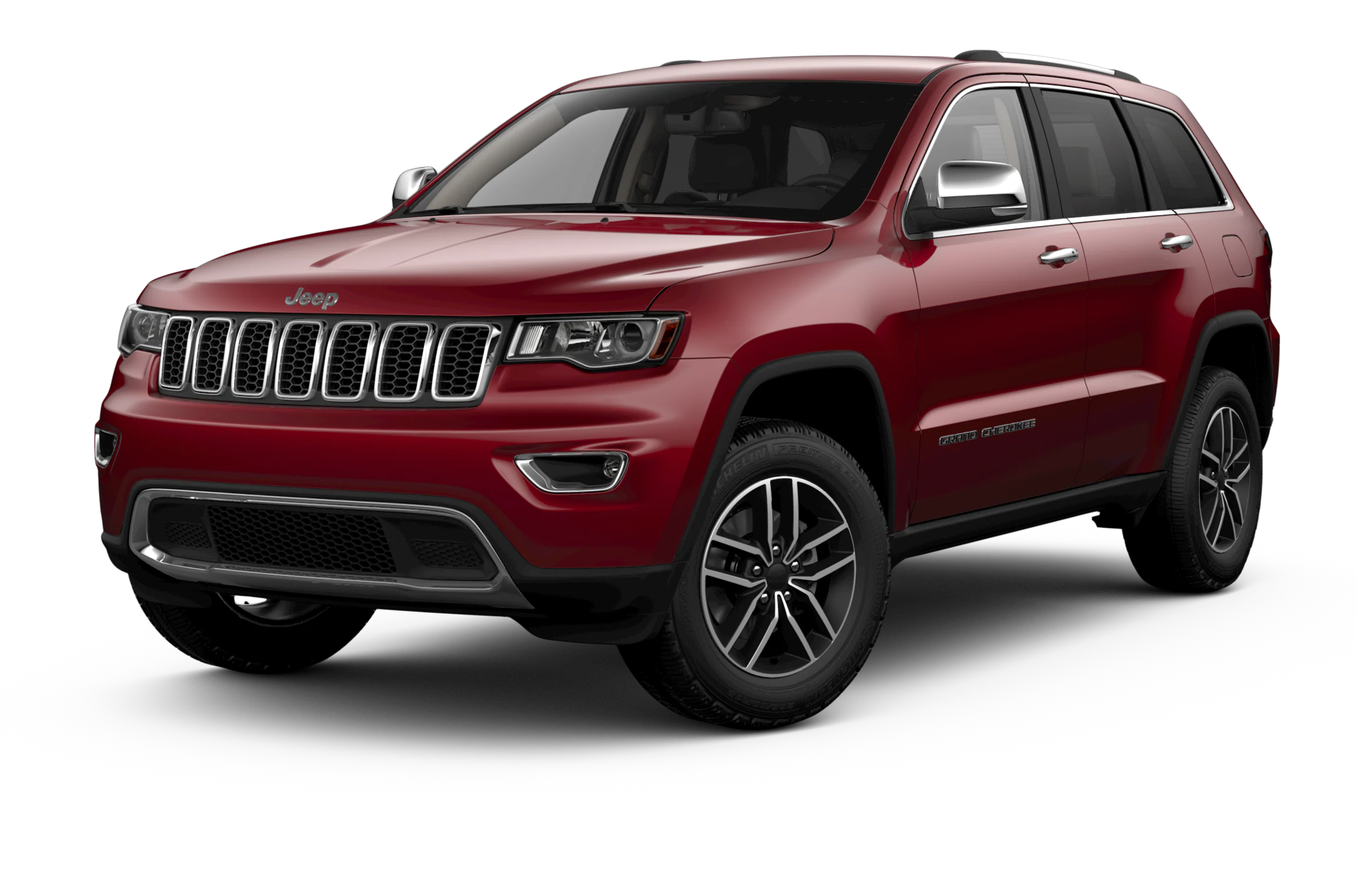
Chrysler (FCA US, LLC) is recalling certain 2021 Jeep Grand Cherokee L vehicles. A radio software error may prevent the rearview image from displaying. As such, these vehicles fail to comply with the requirements of Federal Motor Vehicle Safety Standard number 111, “Rear Visibility.”
Remedy
FCA US LLC will update the radio software, free of charge. Owner notification letters were mailed on December 28, 2021. Owners may contact FCA US LLC customer service at 1-800-853-1403. FCA US LLC’s number for this recall is Y67.
Notes
Owners may also contact the National Highway Traffic Safety Administration Vehicle Safety Hotline at 1-888-327-4236 (TTY 1-800-424-9153), or go to www.nhtsa.gov.
Check if your Vehicle has a Recall
Revision 2 September 2021
Dealer Service Instructions for:
Safety Recall Y67 / NHTSA 21V-729 Radio Software Update
NOTE: USB flash drive must not exceed 16GB Page 2 Special Tools section and Page 4 Step 1. Format USB flash drive to NTFS file type Page 4, Step 3.
Remedy Available
2021 (WL) Jeep Grand Cherokee
NOTE: This recall applies only to the above vehicles equipped with a:
- Uconnect 5 navigation radio with 10.1″ display (United States sales code UBN)
- Uconnect 5 navigation radio with 8.4″ display (United States sales code UBL)
- Uconnect 5 radio with 8.4″ display (United States sales code UBF)
NOTE: Some vehicles above may have been identified as not involved in this recall and therefore have been excluded from this recall.
Subject
The radio software on about 56,100 of the above vehicles may malfunction during shutdown and fail to produce a display on the radio screen during subsequent key cycles. There is no warning that the rearview camera image will not display; however, the vehicle operator will notice that the rearview image is not displayed if attempting to reference the image while backing. If this warning is not heeded, backing without verifying it is safe to do so could lead to an increased risk of injury to people outside the vehicle.
The condition above fails to conform to the requirements of Federal Motor Vehicle Safety Standard (FMVSS) No. 111 – Rearview Mirrors, which requires that the rear visibility system default to the rearview image being visible, and meet the requirements of FMVSS No. 111 S6.2.1 (field of view) and S6.2.2 (image size) at the beginning of each backing event, regardless of any modifications to the field of view that the driver had previously selected. Suspect vehicles may not display the rear view image during a backing event.
Repair
Inspect and if necessary, update the radio software version.
Parts Information
No parts are required to perform this service procedure.
Parts Return
No parts return required for this campaign.
Special Tools
The following special tools are required to perform this repair:
| ➢ NPN | USB Flash Drive (Minimum 4 GB maximum 16 GB) |
| ➢ NPN | wiTECH MicroPod II |
| ➢ NPN | Laptop Computer |
| ➢ NPN | wiTECH Software |
Service Procedure
A. Verify the Radio Software Version
- Radio must be in Dealer Mode to verify software version. To put the radio in Dealer Mode, follow these steps:
a. Press “Screen Off” hard key.
b. Wait 3 seconds until text disappears from the screen.
c. At the same time, press and hold the upper right and lower left corners of the display for 10sec, Radio will revert to “Dealer Mode“.
Note: If not performed at the same time, pressing and holding the opposite corners may turn on the display. Repeat process until you are able to enter dealer mode.
d. Select “Radio Part Information”. The software level will be listed next to “Application Version”.
- Verify that the software version is at 17.98 or above:
- Yes – Software version is at 17.98 or above. This recall is complete. Claim the inspection LOP.
- No – Software version number is lower than 17.98. Update the radio software. Proceed to Section B. Download Software
B. Software Download
- Download the Software Update to a USB Flash Drive.
- A USB Flash Drive must be a minimum of 4 GB to a maximum 16 GB.
- The flash drive must not contain any files (including documents, music, or pictures).
- Plug the flash drive into the computer and make sure it is active and ready to Record the name of the USB flash drive and the drive location.
- Format the USB flash drive (NTFS).
- Confirm that there are no files or folders on the USB Flash drive. This is done to ensure that there are no conflicting files that may interrupt the software update process.
- Leave the USB Flash drive in the computer and proceed to the next step.
- Go to Dealer CONNECT.
- Select the “Service” tab.
- Select “Uconnect Dealer Software Downloads”.
- Enter the vehicle VIN. And select “GO”
- Select Software Release ID.
- Select the “MAC” operating system (OS) only.
- Select the download directly to your browser.
- Select the downloaded file and copy the .zip file to the USB drive folder.
- Safely remove the flash drive from your computer and proceed to Section C. Update Radio Software Version.
C. Update Radio Software Version
- Proceed to update the radio software version on the vehicle.
- Open the hood. Install a battery charger and verify that the charging rate provides 13.0 to 13.5 volts. Do not allow the charger to time out during the flash process. Set the battery charger timer (if so equipped) to continuous charge.
NOTE: Use an accurate stand-alone voltmeter. The battery charger volt meter may not be sufficiently accurate. Voltages outside of the specified range will cause an unsuccessful flash. If voltage reading is too high, apply an electrical load by activating the park or headlamps and/or HVAC blower motor to lower the voltage.
- Remove all devices (SD, USB, AUX) from the media hub.
- Insert the USB flash drive containing the downloaded software into the vehicle USB port.
- The radio screen will display a Software Update message.
- Follow the radio screen prompts.
- The progress bar will display status of the update.
- Wait for software update screen to be displayed.
- Verify the software is at the correct version.
- YES – Remove the USB flash drive from the vehicle USB port and disconnect the battery charger. Proceed to Step 10.
- No – Perform the update again beginning with Step 3.
- Perform a factory reset. This can be found in the radio by selecting the Vehicle App > Settings option > Reset option on the left > Factory Reset
- Once the reset is completed, cycle the ignition to the OFF position, open and close the driver door, then let all modules go to sleep. Make sure the scan tool is not connected at this point.
- After all the modules have been in sleep mode for five minutes, cycle the ignition back to the RUN position.
- Before clearing all DTCs, cycle the ignition OFF and back to RUN quickly (within two seconds).
- Using wiTECH, clear all DTCs that may have been set in any module due to reprogramming.
- Return the vehicle to the customer.
For more information: Visit for details on how to update your radio. By selecting the remote FOTA technology option to update your radio software, a visit to your dealership will not be necessary. When prompted, simply select “Update Now” on your radio display to update the software at your convenience.
1 Affected Product
Vehicle
| MAKE | MODEL | YEAR |
| JEEP | GRAND CHEROKEE | 2021 |
13 Associated Documents
Recall Quarterly Report #1, 2021-4
RCLQRT-21V729-4459.PDF 211.161KB
Recall 573 Report
RCLRPT-21V729-7730.PDF 214.303KB
ISSUED Owner Notification Letter(Part 577)
RCONL-21V729-3514.pdf 65.082KB
ISSUED Owner Notification Letter(Part 577)
RCONL-21V729-5798.pdf 178.845KB
ISSUED Owner Notification Letter(Part 577)
RCONL-21V729-0729.pdf 521.171KB
Noncompliance Notice 573 Report
RCLRPT-21V729-1816.PDF 214.255KB
Recall Acknowledgement
RCAK-21V729-7209.pdf 645.136KB
Remedy Instructions and TSB
RCRIT-21V729-9880.pdf 430.942KB
Remedy Instructions and TSB
RCRIT-21V729-8145.pdf 432.127KB
Remedy Instructions and TSB
RCRIT-21V729-2190.pdf 934.507KB
ISSUED Renotification Notice
RCRN-21V729-5386.pdf 140.463KB
Recall Quarterly Report #2, 2022-1
RCLQRT-21V729-9737.PDF 211.266KB
Recall Quarterly Report #3, 2022-2
RCLQRT-21V729-5104.PDF 211.355KB
Latest Recalls Documents
Uconnect Updates - Chrysler Dodge Ram Jeep Fiat
http://chrysler.oemdtc.com/344/uconnect-updates-chrysler-dodge-ram-jeep-fiat

- USB-C 2-in-1 storage OTG: The Lexar JumpDrive Dual Drive D40E features USB Type-A and Type-C connectors in a slim, portable form factor for easy device compatibility
- Transfer speeds up to 100MB/s: Based on internal testing, performance may vary depending upon the host device, interface, and usage conditions. 1MB=1,000,000 bytes
- Plug and Play: Widely compatible with USB Type-C smartphones, tablets, laptops, Macs, and traditional Type-A devices, no software installation required. The 360° swivel design allows for easy switching between connectors without the hassle of losing a cap
- Durable & Compact: The Lexar D40E USB memory stick features a metal enclosure, withstands temperatures from 0° to 50° C (32°F to 122°F), and is lightweight at 26g with dimensions of 70.4 x 16.9 x 11.7mm
- Security & Warranty: Securely protects files using an advanced security software solution with 256-bit AES encryption. Backed by a Lexar 3-year limited warranty
- The durable, light-weight design of the Turbo Attaché 3 USB 3.0 Flash Drive is the essential mobile storage solution
- Perfect for transferring large files such as movies, videos, photos, music & documents
- Transfer speeds up to 10 times faster than standard USB 2.0 flash drives
- Convenient sliding collar, and cap-less design protects your content when not in use
- Compatible with most PC and Mac laptop and desktop computers with USB 3.0 ports


- GOOD VALUE PACKAGE - 1 Pack 32GB Memory Stick USB 2.0 Flash Drives with great cost performance and high quality.
- BIG CAPACITY - The available capacity: 29.10GB-29.8GB, You can save the data of movies, music, photos, designs, programs, manuals, handouts in a high speed.Good performance in digital data storing, transferring and sharing with families, friends, workmates, clients and machines.
- EASY TO USE & PLUG AND WORK - Support windows 7 / 8 / 10 / Vista / XP / 2000 / ME / NT Linux and Mac OS, Compatible with USB2.0 and below.
- TWISTTURN DESIGN & EASY CARRY - The metal clip rotates 360° round the ABS plastic body which with rubber oil skin feeling finish. The capless design can avoid lossing of cap, and providing efficient protection to the USB port.
- WARRANTY & SUPPORT - SIMMAX logo is laser printed on the USB connector surface, our products are of good quality and we promise that any problem about the product within one year since you buy.

- High-speed USB 3.0 performance of up to 150MB/s(1) [(1) Write to drive up to 15x faster than standard USB 2.0 drives (4MB/s); varies by drive capacity. Up to 150MB/s read speed. USB 3.0 port required. Based on internal testing; performance may be lower depending on host device, usage conditions, and other factors; 1MB=1,000,000 bytes]
- Transfer a full-length movie in less than 30 seconds(2) [(2) Based on 1.2GB MPEG-4 video transfer with USB 3.0 host device. Results may vary based on host device, file attributes and other factors]
- Transfer to drive up to 15 times faster than standard USB 2.0 drives(1)
- Sleek, durable metal casing
- Easy-to-use password protection for your private files(3) [(3)Password protection uses 128-bit AES encryption and is supported by Windows 7, Windows 8, Windows 10, and Mac OS X v10.9 plus; Software download required for Mac, visit the SanDisk SecureAccess support page]

- Easily store and access 2TB to content on the go with the Seagate Portable Drive, a USB external hard drive
- Designed to work with Windows or Mac computers, this external hard drive makes backup a snap just drag and drop
- To get set up, connect the portable hard drive to a computer for automatic recognition no software required
- This USB drive provides plug and play simplicity with the included 18 inch USB 3.0 cable
- The available storage capacity may vary.
SEOCONTENT-START
Schedule your FREE repair today! URGENT SAFETY RECALL RADIO SOFTWARE UPDATE — Y67/NHTSA 21V-729 [MY Make Model] AA111111 Dear CUSTOMER NAME: Please bring your vehicle and this card to your scheduled appointment. We apologize for any inconvenience and do appreciate your attention to this urgent matter. Safety recall campaign Y67/NHTSA 21V-729 is open on your [MY Make® Model]. ATENCIÓN! La unidad descrita en esta carta tiene un llamado a revisión pendiente por realizer. Para protegerlo a usted y a su familia, es urgente que se comunique con el grupo FCA US al teléfono 1-800-853-1403 con el fin de programar una cita y se reparada su unidad sin costo para usted. 0000005/#102688/Y67-FST Call 1-800-853-1403 Visit recalls.mopar.com to locate your closest dealer Download the Mopar Owner’s Companion App at either the App or Google Play Stores LOGO VEHICLE PICTURE
**************************************************************************************************************
Copyright 2021, FCA US LLC, All Rights Reserved (tdb) Revision 2 September 2021 Dealer Service Instructions for: Safety Recall Y67 / NHTSA 21V-729 Radio Software Update NOTE: USB flash drive must not exceed 16GB Page 2 Special Tools section and Page 4 Step 1. Format USB flash drive to NTFS file type Page 4, Step 3. 2021 (WL) Jeep Grand Cherokee NOTE: This recall applies only to the above vehicles equipped with a: Uconnect 5 navigation radio with 10.1″ display (United States sales code UBN) Uconnect 5 navigation radio with 8.4″ display (United States sales code UBL) Uconnect 5 radio with 8.4″ display (United States sales code UBF) NOTE: Some vehicles above may have been identified as not involved in this recall and therefore have been excluded from this recall. The radio software on about 56,100 of the above vehicles may malfunction during shutdown and fail to produce a display on the radio screen during subsequent key cycles. There is no warning that the rearview camera image will not display; however, the vehicle operator will notice that the rearview image is not displayed if attempting to reference the image while backing. If this warning is not heeded, backing without verifying it is safe to do so could lead to an increased risk of injury to people outside the vehicle. Remedy Available IMPORTANT: Some of the involved vehicles may be in dealer new vehicle inventory. Federal law requires you to complete this recall service on these vehicles before retail delivery. Dealers should also consider this requirement to apply to used vehicle inventory and should perform this recall on vehicles in for service. Involved vehicles can be determined by using the VIP inquiry process. Subject Safety Recall Y67 – Radio Shutdown Page 2 The condition above fails to conform to the requirements of Federal Motor Vehicle Safety Standard (FMVSS) No. 111 – Rearview Mirrors, which requires that the rear visibility system default to the rearview image being visible, and meet the requirements of FMVSS No. 111 S6.2.1 (field of view) and S6.2.2 (image size) at the beginning of each backing event, regardless of any modifications to the field of view that the driver had previously selected. Suspect vehicles may not display the rear view image during a backing event. Inspect and if necessary, update the radio software version. No parts are required to perform this service procedure. No parts return required for this campaign. The following special tools are required to perform this repair: NPN USB Flash Drive (Minimum 4 GB maximum 16 GB) NPN wiTECH MicroPod II NPN Laptop Computer NPN wiTECH Software Subject [Continued] Repair Parts Information Parts Return Special Tools Safety Recall Y67 – Radio Shutdown Page 3 A. Verify the Radio Software Version 1. Radio must be in Dealer Mode to verify software version. To put the radio in Dealer Mode, follow these steps: a. Press “Screen Off” hard key. b. Wait 3 seconds until text disappears from the screen. c. At the same time, press and hold the upper right and lower left corners of the display for 10sec, Radio will revert to “Dealer Mode”. Note: If not performed at the same time, pressing and holding the opposite corners may turn on the display. Repeat process until you are able to enter dealer mode. d. Select “Radio Part Information”. The software level will be listed next to “Application Version”. 2. Verify that the software version is at 17.98 or above: Yes – Software version is at 17.98 or above. This recall is complete. Claim the inspection LOP. No – Software version number is lower than 17.98. Update the radio software. Proceed to Section B. Download Software Service Procedure Safety Recall Y67 – Radio Shutdown Page 4 B. Software Download 1. Download the Software Update to a USB Flash Drive. A USB Flash Drive must be a minimum of 4 GB to a maximum 16 GB. The flash drive must not contain any files (including documents, music, or pictures). 2. Plug the flash drive into the computer and make sure it is active and ready to use. Record the name of the USB flash drive and the drive location. 3. Format the USB flash drive (NTFS). 4. Confirm that there are no files or folders on the USB Flash drive. This is done to ensure that there are no conflicting files that may interrupt the software update process. 5. Leave the USB Flash drive in the computer and proceed to the next step. 6. Go to Dealer CONNECT. 7. Select the “Service” tab. 8. Select “Uconnect” from the Uconnect Command Center. 9. Select “Uconnect Dealer Software Downloads”. 10. Enter the vehicle VIN. And select “GO” 11. Select Software Release ID. 12. Select the “MAC” operating system (OS) only. 13. Select the download directly to your browser. 14. Select the downloaded file and copy the .zip file to the USB drive folder. 15. Safely remove the flash drive from your computer and proceed to Section C. Update Radio Software Version. Service Procedure [Continued] Safety Recall Y67 – Radio Shutdown Page 5 C. Update Radio Software Version 1. Proceed to update the radio software version on the vehicle. 2. Open the hood. Install a battery charger and verify that the charging rate provides 13.0 to 13.5 volts. Do not allow the charger to time out during the flash process. Set the battery charger timer (if so equipped) to continuous charge. NOTE: Use an accurate stand-alone voltmeter. The battery charger volt meter may not be sufficiently accurate. Voltages outside of the specified range will cause an unsuccessful flash. If voltage reading is too high, apply an electrical load by activating the park or headlamps and/or HVAC blower motor to lower the voltage. 3. Remove all devices (SD, USB, AUX) from the media hub. 4. Insert the USB flash drive containing the downloaded software into the vehicle USB port. 5. The radio screen will display a Software Update message. 6. Follow the radio screen prompts. 7. The progress bar will display status of the update. 8. Wait for software update screen to be displayed. 9. Verify the software is at the correct version. YES – Remove the USB flash drive from the vehicle USB port and disconnect the battery charger. Proceed to Step 10. No – Perform the update again beginning with Step 3. Service Procedure [Continued] Safety Recall Y67 – Radio Shutdown Page 6 10. Perform a factory reset. This can be found in the radio by selecting the Vehicle App > Settings option > Reset option on the left > Factory Reset 11. Once the reset is completed, cycle the ignition to the OFF position, open and close the driver door, then let all modules go to sleep. Make sure the scan tool is not connected at this point. 12. After all the modules have been in sleep mode for five minutes, cycle the ignition back to the RUN position. 13. Before clearing all DTCs, cycle the ignition OFF and back to RUN quickly (within two seconds). 14. Using wiTECH, clear all DTCs that may have been set in any module due to reprogramming. 15. Return the vehicle to the customer. Service Procedure [Continued] Safety Recall Y67 – Radio Shutdown Page 7 Claims for vehicles that have been serviced must be submitted on the DealerCONNECT Claim Entry Screen located on the Service tab. Claims paid will be used by FCA to record recall service completions and provide dealer payments. Use the following labor operation numbers and time allowances: Labor Operation Time Number Allowance Inspect radio software level 18-Y6-71-81 0.2 hours Inspect radio software level and update 18-Y6-71-82 0.5 hours *Create USB Flash Drive one time only 18-Y6-71-51 0.2 hours *NOTE: USB Flash Drive is a onetime allowed LOP for each dealer NOTE: See the Warranty Administration Manual, Recall Claim Processing Section, for complete recall claim processing instructions. To view this notification on DealerCONNECT, select “Global Recall System” on the Service tab, then click on the description of this notification. All involved vehicle owners known to FCA are being notified of the service requirement by first class mail. They are requested to schedule appointments for this service with their dealers. A generic copy of the owner letter is attached. Completion Reporting and Reimbursement Dealer Notification Owner Notification and Service Scheduling Safety Recall Y67 – Radio Shutdown Page 8 All involved vehicles have been entered into the DealerCONNECT Global Recall System (GRS) and Vehicle Information Plus (VIP) for dealer inquiry as needed. GRS provides involved dealers with an updated VIN list of their incomplete vehicles. The owner’s name, address and phone number are listed if known. Completed vehicles are removed from GRS within several days of repair claim submission. To use this system, click on the “Service” tab and then click on “Global Recall System.” Your dealer’s VIN list for each recall displayed can be sorted by: those vehicles that were unsold at recall launch, those with a phone number, city, zip code, or VIN sequence. Dealers must perform this repair on all unsold vehicles before retail delivery. Dealers should also use the VIN list to follow up with all owners to schedule appointments for this repair. Recall VIN lists may contain confidential, restricted owner name and address information that was obtained from the Department of Motor Vehicles of various states. Use of this information is permitted for this recall only and is strictly prohibited from all other use. If you have any questions or need assistance in completing this action, please contact your Service and Parts District Manager. Customer Services / Field Operations FCA US LLC Vehicle Lists, Global Recall System, VIP and Dealer Follow Up Additional Information This notice applies to your vehicle, Y67/NHTSA 21V-729 YOUR SCHEDULING OPTIONS 1. RECOMMENDED OPTION Call your authorized Chrysler / Dodge / Jeep® / RAM Dealership 2. Call the FCA Recall Assistance Center at 1-800-853-1403. An agent can confirm part availability and help schedule an appointment 3. Visit recalls.mopar.com, scan the QR code below, or download the Mopar Owner’s Companion App. Get access to recall notifications, locate your nearest dealer, and more through this website or Mopar Owner’s Companion App. You will be asked to provide your Vehicle Identification Number (VIN) to protect and verify your identity. The last eight characters of your VIN are provided above. DEALERSHIP INSTRUCTIONS Please reference Safety Recall Y67. IMPORTANT SAFETY RECALL Radio Software Update Dear [Name], This notice is sent to you in accordance with the National Traffic and Motor Vehicle Safety Act. FCA US has decided that certain [2021 Model Year (WL) Jeep Grand Cherokee L] vehicles fail to conform to Federal Motor Vehicle Safety Standard (FMVSS) No. 111 – Rearview Mirrors, which requires that the rear visibility system default to the rearview image being visible, and meet the requirements of FMVSS No. 111 S6.2.1 (field of view) and S6.2.2 (image size) at the beginning of each backing event, regardless of any modifications to the field of view that the driver had previously selected. Suspect vehicles may not display the rear view image during a backing event. It is extremely important to take steps now to repair your vehicle to ensure the safety of you and your passengers. WHY DOES MY VEHICLE NEED REPAIRS? The radio software on your vehicle [1] may malfunction during shutdown and fail to produce a display on the radio screen during subsequent key cycles. There is no warning that the rearview camera image will not display; however, the vehicle operator will notice that the rearview image is not displayed if attempting to reference the image while backing. If this warning is not heeded, backing without verifying it is safe to do so could lead to an increased risk of injury to people outside the vehicle. HOW DO I RESOLVE THIS IMPORTANT SAFETY ISSUE? FCA US will repair your vehicle [2] free of charge (parts and labor). To do this you have two options. First, you can take your vehicle to your dealer and your dealer will inspect and if necessary, update the radio software version. Second, your vehicle’s radio software can be reprogramed remotely using Firmware Over The Air (FOTA) technology which will become available starting sometime in October. For more information: Visit for details on how to update your radio. By selecting the remote FOTA technology option to update your radio software, a visit to your dealership will not be necessary. When prompted, simply select “Update Now” on your radio display to update the software at your convenience. If you would like to have your dealer perform the repair, the estimated repair time is about 30 minutes. In addition, your dealer will require your vehicle for proper check-in, preparation, and check-out during your visit, which may require more time. Your time is important to us, so we recommend that you schedule a service appointment to minimize your inconvenience. Please bring this letter with you to your dealership. TO SCHEDULE YOUR FREE REPAIR, CALL YOUR CHRYSLER, DODGE, JEEP OR RAM DEALER TODAY WHAT IF I ALREADY PAID TO HAVE THIS REPAIR COMPLETED? If you have already experienced this specific condition and have paid to have it repaired, you may visit www.fcarecallreimbursement.com to submit your reimbursement request online. [3] Once we receive and verify the required documents, reimbursement will be sent to you within 60 days. If you have had previous repairs performed and/or already received reimbursement, you may still need to have the recall repair performed. We apologize for any inconvenience, but are sincerely concerned about your safety. Thank you for your attention to this important matter. Customer Assistance/Field Operations FCA US LLC [Model Year and Model] VIN XXXXXXXXXXXXXXXXX LOGO VEHICLE PICTURE QR Code [1] If you no longer own this vehicle, please help us update our records. Call the FCA Recall Assistance Center at 1-800-853-1403 to update your information. [2] If your dealer fails or is unable to remedy this defect without charge and within a reasonable time, you may submit a written complaint to the Administrator, National Highway Traffic Safety Administration, 1200 New Jersey Ave., S.E., Washington, DC 20590, or you can call the toll-free Vehicle Safety Hotline at 1-888-327-4236 (TTY 1-800-424- 9153), or go to safercar.gov. [3] You can also mail in your original receipts and proof of payment to the following address for reimbursement consideration: FCA Customer Assistance, P.O. Box 21-8004, Auburn Hills, MI 48321-8007, Attention: Recall Reimbursement. Note to lessors receiving this recall notice: Federal regulation requires that you forward this recall notice to the lessee within 10 days. Mr. Mrs. Customer 1234 Main Street Hometown, MI 48371
**************************************************************************************************************
This notice applies to your vehicle, Y67/NHTSA 21V-729 YOUR SCHEDULING OPTIONS 1. RECOMMENDED OPTION Call your authorized Chrysler / Dodge / Jeep® / RAM Dealership 2. Call the FCA Recall Assistance Center at 1-800-853-1403. An agent can confirm part availability and help schedule an appointment 3. Visit recalls.mopar.com, scan the QR code below, or download the Mopar Owner’s Companion App. Get access to recall notifications, locate your nearest dealer, and more through this website or Mopar Owner’s Companion App. You will be asked to provide your Vehicle Identification Number (VIN) to protect and verify your identity. The last eight characters of your VIN are provided above. DEALERSHIP INSTRUCTIONS Please reference Safety Recall Y67. IMPORTANT SAFETY RECALL Radio Software Update Dear [Name], This notice is sent to you in accordance with the National Traffic and Motor Vehicle Safety Act. FCA US has decided that certain [2021 Model Year (WL) Jeep Grand Cherokee L] vehicles fail to conform to Federal Motor Vehicle Safety Standard (FMVSS) No. 111 – Rearview Mirrors, which requires that the rear visibility system default to the rearview image being visible, and meet the requirements of FMVSS No. 111 S6.2.1 (field of view) and S6.2.2 (image size) at the beginning of each backing event, regardless of any modifications to the field of view that the driver had previously selected. Suspect vehicles may not display the rear view image during a backing event. It is extremely important to take steps now to repair your vehicle to ensure the safety of you and your passengers. WHY DOES MY VEHICLE NEED REPAIRS? The radio software on your vehicle [1] may malfunction during shutdown and fail to produce a display on the radio screen during subsequent key cycles. There is no warning that the rearview camera image will not display; however, the vehicle operator will notice that the rearview image is not displayed if attempting to reference the image while backing. If this warning is not heeded, backing without verifying it is safe to do so could lead to an increased risk of injury to people outside the vehicle. HOW DO I RESOLVE THIS IMPORTANT SAFETY ISSUE? FCA US will repair your vehicle [2] free of charge (parts and labor). To do this you have two options. First, you can take your vehicle to your dealer and your dealer will inspect and if necessary, update the radio software version. Second, your vehicle’s radio software can be reprogramed remotely using Firmware Over The Air (FOTA) technology which will become available starting sometime in January. For more information: Visit for details on how to update your radio. By selecting the remote FOTA technology option to update your radio software, a visit to your dealership will not be necessary. When prompted, simply select “Update Now” on your radio display to update the software at your convenience. If you would like to have your dealer perform the repair, the estimated repair time is about 30 minutes. In addition, your dealer will require your vehicle for proper check-in, preparation, and check-out during your visit, which may require more time. Your time is important to us, so we recommend that you schedule a service appointment to minimize your inconvenience. Please bring this letter with you to your dealership. TO SCHEDULE YOUR FREE REPAIR, CALL YOUR CHRYSLER, DODGE, JEEP OR RAM DEALER TODAY WHAT IF I ALREADY PAID TO HAVE THIS REPAIR COMPLETED? If you have already experienced this specific condition and have paid to have it repaired, you may visit www.fcarecallreimbursement.com to submit your reimbursement request online. [3] Once we receive and verify the required documents, reimbursement will be sent to you within 60 days. If you have had previous repairs performed and/or already received reimbursement, you may still need to have the recall repair performed. We apologize for any inconvenience, but are sincerely concerned about your safety. Thank you for your attention to this important matter. Customer Assistance/Field Operations FCA US LLC [Model Year and Model] VIN XXXXXXXXXXXXXXXXX LOGO VEHICLE PICTURE QR Code [1] If you no longer own this vehicle, please help us update our records. Call the FCA Recall Assistance Center at 1-800-853-1403 to update your information. [2] If your dealer fails or is unable to remedy this defect without charge and within a reasonable time, you may submit a written complaint to the Administrator, National Highway Traffic Safety Administration, 1200 New Jersey Ave., S.E., Washington, DC 20590, or you can call the toll-free Vehicle Safety Hotline at 1-888-327-4236 (TTY 1-800-424- 9153), or go to safercar.gov. [3] You can also mail in your original receipts and proof of payment to the following address for reimbursement consideration: FCA Customer Assistance, P.O. Box 21-8004, Auburn Hills, MI 48321-8007, Attention: Recall Reimbursement. Note to lessors receiving this recall notice: Federal regulation requires that you forward this recall notice to the lessee within 10 days. Mr. Mrs. Customer 1234 Main Street Hometown, MI 48371
**************************************************************************************************************
This notice applies to your vehicle, Y67/NHTSA 21V-729 DEALERSHIP INSTRUCTIONS Please reference Safety Recall Y67. IMPORTANT SAFETY RECALL Radio Software Update Dear [Name], This notice is sent to you in accordance with the National Traffic and Motor Vehicle Safety Act. FCA US has decided that certain [2021 Model Year (WL) Jeep Grand Cherokee L] vehicles fail to conform to Federal Motor Vehicle Safety Standard (FMVSS) No. 111 – Rearview Mirrors, which requires that the rear visibility system default to the rearview image being visible, and meet the requirements of FMVSS No. 111 S6.2.1 (field of view) and S6.2.2 (image size) at the beginning of each backing event, regardless of any modifications to the field of view that the driver had previously selected. Suspect vehicles may not display the rear view image during a backing event. WHY DOES MY VEHICLE NEED REPAIRS? The radio software on your vehicle [1] may malfunction during shutdown and fail to produce a display on the radio screen during subsequent key cycles. There is no warning that the rearview camera image will not display; however, the vehicle operator will notice that the rearview image is not displayed if attempting to reference the image while backing. If this warning is not heeded, backing without verifying it is safe to do so could lead to an increased risk of injury to people outside the vehicle. HOW DO I RESOLVE THIS IMPORTANT SAFETY ISSUE? FCA US records indicate your vehicle [2] has already been remedied. There is nothing you need to do regarding this recall. WHAT IF I ALREADY PAID TO HAVE THIS REPAIR COMPLETED? If you have already experienced this specific condition and have paid to have it repaired, you may visit www.fcarecallreimbursement.com to submit your reimbursement request online. [3] Once we receive and verify the required documents, reimbursement will be sent to you within 60 days. If you have had previous repairs performed and/or already received reimbursement, you may still need to have the recall repair performed. If you have questions or concerns, which your dealer is unable to resolve, please contact the FCA Group Recall Assistance Center at either fcarecalls.com or 1 800-853-1403. We apologize for any inconvenience this error may have caused. Thank you for your attention to this important matter. Customer Assistance/Field Operations Fiat Chrysler Automobiles US LLC [Model Year and Model] VIN XXXXXXXXXXXXXXXXX LOGO VEHICLE PICTURE [1] If you no longer own this vehicle, please help us update our records. Call the FCA Recall Assistance Center at 1-800-853-1403 to update your information. [2] If your dealer fails or is unable to remedy this defect without charge and within a reasonable time, you may submit a written complaint to the Administrator, National Highway Traffic Safety Administration, 1200 New Jersey Ave., S.E., Washington, DC 20590, or you can call the toll-free Vehicle Safety Hotline at 1-888-327-4236 (TTY 1-800-424- 9153), or go to safercar.gov. [3] You can also mail in your original receipts and proof of payment to the following address for reimbursement consideration: FCA Customer Assistance, P.O. Box 21-8004, Auburn Hills, MI 48321-8007, Attention: Recall Reimbursement. Note to lessors receiving this recall notice: Federal regulation requires that you forward this recall notice to the lessee within 10 days. Mr. Mrs. Customer 1234 Main Street Hometown, MI 48371
**************************************************************************************************************
This notice applies to your vehicle, Y67/NHTSA 21V-729 YOUR SCHEDULING OPTIONS 1. RECOMMENDED OPTION Call your authorized Chrysler / Dodge / Jeep® / RAM Dealership 2. Call the FCA Recall Assistance Center at 1-800-853-1403. An agent can confirm part availability and help schedule an appointment 3. Visit recalls.mopar.com, scan the QR code below, or download the Mopar Owner’s Companion App. Get access to recall notifications, locate your nearest dealer, and more through this website or Mopar Owner’s Companion App. You will be asked to provide your Vehicle Identification Number (VIN) to protect and verify your identity. The last eight characters of your VIN are provided above. DEALERSHIP INSTRUCTIONS Please reference Safety Recall Y67. IMPORTANT SAFETY RECALL Radio Software Update Dear [Name], This notice is sent to you in accordance with the National Traffic and Motor Vehicle Safety Act. FCA US has decided that certain [2021 Model Year (WL) Jeep Grand Cherokee L] vehicles fail to conform to Federal Motor Vehicle Safety Standard (FMVSS) No. 111 – Rearview Mirrors, which requires that the rear visibility system default to the rearview image being visible, and meet the requirements of FMVSS No. 111 S6.2.1 (field of view) and S6.2.2 (image size) at the beginning of each backing event, regardless of any modifications to the field of view that the driver had previously selected. Suspect vehicles may not display the rear view image during a backing event. It is extremely important to take steps now to repair your vehicle to ensure the safety of you and your passengers. WHY DOES MY VEHICLE NEED REPAIRS? The radio software on your vehicle [1] may malfunction during shutdown and fail to produce a display on the radio screen during subsequent key cycles. There is no warning that the rearview camera image will not display; however, the vehicle operator will notice that the rearview image is not displayed if attempting to reference the image while backing. If this warning is not heeded, backing without verifying it is safe to do so could lead to an increased risk of injury to people outside the vehicle. HOW DO I RESOLVE THIS IMPORTANT SAFETY ISSUE? FCA US will repair your vehicle [2] free of charge (parts and labor). To do this you have two options. First, you can take your vehicle to your dealer and your dealer will inspect and if necessary, update the radio software version. Second, your vehicle’s radio software can be reprogramed remotely using Firmware Over The Air (FOTA) technology which will become available starting sometime in October. For more information: Visit for details on how to update your radio. By selecting the remote FOTA technology option to update your radio software, a visit to your dealership will not be necessary. When prompted, simply select “Update Now” on your radio display to update the software at your convenience. If you would like to have your dealer perform the repair, the estimated repair time is about 30 minutes. In addition, your dealer will require your vehicle for proper check-in, preparation, and check-out during your visit, which may require more time. Your time is important to us, so we recommend that you schedule a service appointment to minimize your inconvenience. Please bring this letter with you to your dealership. TO SCHEDULE YOUR FREE REPAIR, CALL YOUR CHRYSLER, DODGE, JEEP OR RAM DEALER TODAY WHAT IF I ALREADY PAID TO HAVE THIS REPAIR COMPLETED? If you have already experienced this specific condition and have paid to have it repaired, you may visit www.fcarecallreimbursement.com to submit your reimbursement request online. [3] Once we receive and verify the required documents, reimbursement will be sent to you within 60 days. If you have had previous repairs performed and/or already received reimbursement, you may still need to have the recall repair performed. We apologize for any inconvenience, but are sincerely concerned about your safety. Thank you for your attention to this important matter. Customer Assistance/Field Operations FCA US LLC [Model Year and Model] VIN XXXXXXXXXXXXXXXXX LOGO VEHICLE PICTURE QR Code [1] If you no longer own this vehicle, please help us update our records. Call the FCA Recall Assistance Center at 1-800-853-1403 to update your information. [2] If your dealer fails or is unable to remedy this defect without charge and within a reasonable time, you may submit a written complaint to the Administrator, National Highway Traffic Safety Administration, 1200 New Jersey Ave., S.E., Washington, DC 20590, or you can call the toll-free Vehicle Safety Hotline at 1-888-327-4236 (TTY 1-800-424- 9153), or go to safercar.gov. [3] You can also mail in your original receipts and proof of payment to the following address for reimbursement consideration: FCA Customer Assistance, P.O. Box 21-8004, Auburn Hills, MI 48321-8007, Attention: Recall Reimbursement. Note to lessors receiving this recall notice: Federal regulation requires that you forward this recall notice to the lessee within 10 days. Mr. Mrs. Customer 1234 Main Street Hometown, MI 48371
SEOCONTENT-END
This product presentation was made with AAWP plugin.