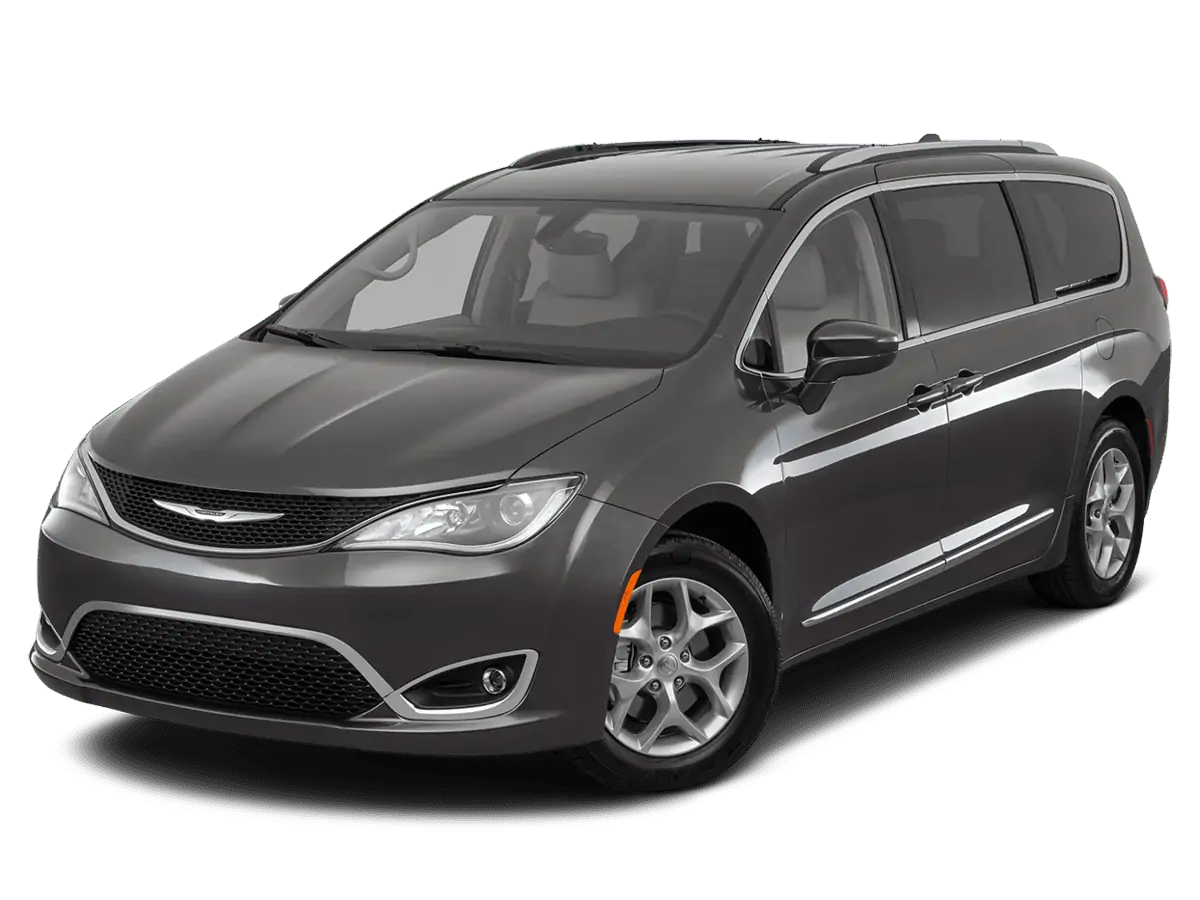
February 11, 2022 NHTSA CAMPAIGN NUMBER: 22V077000
A vehicle fire increases the risk of injury.
NHTSA Campaign Number: 22V077
Manufacturer Chrysler (FCA US, LLC)
Components HYBRID PROPULSION SYSTEM
Potential Number of Units Affected 16,741
Summary
Chrysler (FCA US, LLC) is recalling certain 2017-2018 Pacifica Plug-In Hybrid Electric Vehicles (PHEV). A vehicle fire can occur when parked, even with the ignition in the “Off” position.
Remedy
Owners are advised not to recharge their vehicles, and to park outside and away from structures, until they are repaired. Dealers will update the high voltage battery pack control module (BPCM) software. In addition, dealers will inspect and if necessary, replace the battery pack assembly. Repairs will be performed free of charge. Interim letters, informing owners of the safety risk were mailed on February 25, 2022. Final owner notification letters were mailed October 6, 2022. Owners may contact FCA US LLC customer service at 1-800-853-1403. FCA US LLC’s number for this recall is Z11.
Notes
Owners may also contact the National Highway Traffic Safety Administration Vehicle Safety Hotline at 1-888-327-4236 (TTY 1-800-424-9153), or go to www.nhtsa.gov.
Check if your Vehicle has a Recall
Revision 7 February 2023
Dealer Service Instructions for:
Safety Recall Z11 / NHTSA 22V-077 Plug-in Hybrid Electric Vehicle Fires
NOTE: Step numbers on pages 13, 14 and 30 have been revised.
Remedy Available
| 2017 – 2018 | (RU) | Chrysler Pacifica (PHEV) |
NOTE: This recall applies only to the above vehicles equipped with a 3.6L PHEV Hybrid Engine (sales code EH3).
NOTE: Some vehicles above may have been identified as not involved in this recall and therefore have been excluded from this recall.
IMPORTANT: Some of the involved vehicles may be in dealer new vehicle inventory. Federal law requires you to complete this recall service on these vehicles before retail delivery. Dealers should also consider this requirement toapply to used vehicle inventory and should perform this recall on vehicles in for service. Involved vehicles can be determined by using the VIP inquiry process.
Subject
Some of the above Plug-in Hybrid Electric Vehicles (PHEV) have experienced fires. A vehicle may experience a fire, even with the ignition in the “OFF” mode. A vehicle fire can result in increased risk of occupant injury and/or injury to persons outside the vehicle, as well as property damage.
Repair
Verify the state of the high voltage battery charge is below 50%. Inspect the Battery Pack Control Module (BPCM) for fault codes, follow service procedure to repair fault code(s). If no fault codes are present reprogram the BPCM with the most updated software and perform “Z11 BPCM Integrity Procedure”. and it will illuminate/continuously flash the Hybrid Electric Vehicle System Begin at section A. Battery Pack Control Module Software Update and BPCM Integrity Procedure.
ALERT: Performing the BPCM flash will disable electric propulsion mode
Service lamp. Every step in the Z11 BPCM Integrity Verification Procedure MUST be completed in order to turn the flashing service lamp off.
Alternate Transportation
Dealers should attempt to minimize customer inconvenience by placing the owner in a loaner vehicle if the vehicle must be held overnight.
Parts Information
All parts required will be Ordered by STAR Center, once approved.
Very few vehicles are expected to require Hight Voltage Battery replacement.
NOTE: Please read and follow the I-Sheet instructions that are included with the replacement battery for unpacking upon receipt and packing for return of removed battery information.
Parts Return
Parts return required for this campaign.
NOTE: Please read and follow the I-Sheet instructions that are included with the replacement battery for unpacking upon receipt and packing for return of removed battery information.
Special Tools
The following special tools are required to perform this repair:
| ➢ NPN | wiTECH MicroPod II |
| ➢ NPN | Laptop Computer |
| ➢ NPN | wiTECH Software |
| ➢ 2035100082 | Covers, HEV Battery Terminal |
| ➢ BX50-CHR | Table, Bishamon Lift |
| ➢ 2035200080 | Lift Straps, HEV Battery |
| ➢ 10441 | Cone, Safety |
| ➢ 10442 | Cone, Safety |
| ➢ 10452 | Sign, Danger High Voltage |
| ➢ 10443 | Cards, Windshield and Dash Placement |
| ➢ 126-1587 | Meter, Fluke |
| ➢ ZEN4520 | Lift, Wheel Jack Dolly |
Service Procedure
A. Battery Pack Control Module (BPCM) Software Update and BPCM Integrity Procedure
ALERT: This recall procedure REQUIRES you to reach the below screen message within the BPCM Integrity Procedure before returning the vehicle to a customer:
ALERT: Performing the BPCM flash will illuminate and continuously flash the Hybrid Electric Vehicle System Service lamp located in the instrument panel cluster. Every step in the Z11 BPCM Integrity Procedure MUST be completed in order to turn the flashing service lamp off.
Do not return the vehicle to the customer if the service lamp is flashing. (Figure 1).
NOTE: Before beginning the following Service Procedure: Open the hood and start the engine then allow the engine to reach normal operating temperature. This may be performed outside before technician receives the vehicle. Once normal operation temperature is reached technician may begin the procedure.
NOTE: Verify the vehicle high voltage battery is at or BELOW 50% State-of-Charge (SOC) on the instrument cluster, if not already below 50% SOC drive the vehicle to discharge the high voltage battery. DO NOT allow vehicle engine to run for a long period after the high voltage battery has been discharged, doing so will recharge the battery.
NOTE: The wiTECH scan tool must be used to perform this safety recall. If the BPCM reprogramming is aborted or interrupted during reprogramming, it must be restarted. The BPCM software must be at the latest software calibration level after completing this safety recall.
- Install a battery charger. Do not allow the charger to time out during the flash process. Set the battery charger timer (if so equipped) to maintain 12-Volt continuous charge.
- Connect the wiTECH micro pod II to the vehicle data link connector.
NOTE: Same wiTECH micro pod II MUST be used throughout the procedure.
- Place the ignition in the “RUN” position.
- Open the wiTECH 2.0 website.
- Enter your “User id” and “Password” and your “Dealer Code”, then select “Sign In” at the bottom of the screen. Click “Accept”.
- From the “Vehicle Selection” screen, select the vehicle to be updated.
- From the “Action Items” screen, select the “Topology” tab.
NOTE: Obtain a Vehicle Scan Report VSR and ECU details report. Both must be provided to the STAR Center for High Voltage Battery replacement authorization.
a. Create and save a Vehicle Scan Report VSR and ECU details report before proceeding. Both pre and post scan reports will be required for submission.
b. From the left column in the analysis section, select “Reports”.
c. On the reports page, select “Vehicle Scan Report”.
d. Repeat to obtain ECU details report.
e. Select “Printer Friendly” then save file type as “PDF”. Name the file with the last eight digits of the VIN.
- From the “Topology” tab, select the “BPCM” module icon.
- Within BPCM, select “System Tests” then select “BPCM Warming Procedure” then select “Continue”.
NOTE: Ensure the vehicle hood is open and remains open or the BPCM warming procedure will abort.
- Follow the wiTECH screen instruction steps to perform the BPCM warming procedure if directed, otherwise proceed to the “NOTE” before Step 15.
- BPCM cell warming period duration will require separate technician time punch. BPCM cell warming duration will be recorded and traced by wiTECH 2. Individual punch time must reflect actual BPCM cell warming period or claim will be rejected or charged back to dealership.
- The following data will be displayed during the warming procedure.
NOTE: During the BPCM warming procedure, if the high voltage battery reaches near full state of charge, the vehicle engine may exhibit a bucking or jerking while running. This is normal as the charging system switches modes in order to prevent over charging the battery.
- The following will be displayed once warming procedure has completed. Perform the steps listed on the screen before continuing.
- The following will be displayed once the warming procedure has finished.
NOTE: Verify the vehicle high voltage battery is at or BELOW 50% State-of-Charge (SOC) on the instrument cluster, if not already below 50% SOC drive the vehicle to discharge the high voltage battery. DO NOT allow vehicle engine to run for a long period after the high voltage battery has been discharged, doing so will recharge the battery.
- From the “Topology” tab, select “ALL DTCs” then “Clear All”. If any fault code(s) are present, repair as directed in the service manual procedure. If there are no active fault code(s) proceed to Step 16.
- From the “Topology” tab, select the “BPCM” module icon.
- From the “Flash” tab, compare the “Current Electronic Control Unit (ECU) Part Number” with the “New ECU Part Number” listed.
- If the “Current ECU part Number” is the same as the “New Part Number”, proceed to Step 24.
- If the “Current ECU part Number” is NOT the same as the “New Part Number”, continue with Step 18.
- From the BPCM tab, select the latest BPCM flash part number. Read the flash special instructions page. Select “OK” to continue.
- From the flash ECU agreement page, agree to terms by checking the box.
- Select “Flash ECU” and then follow the wiTECH screen instructions to complete the flash.
- Confirm the software is at the latest available calibration level.
- Cycle the ignition to the “Off” position, then to the “On” position.
- Click “View DTCs”, select “Clear All DTCs”, click “Continue” and then click “Close”.
- Place the ignition in the “OFF” position.
- Remove the 12-volt battery charger from the vehicle.
- Close the vehicle hood, doors and windows.
- Place the ignition in the “RUN” position.
- Confirm the vehicle high voltage battery is at 50% State-of-Charge (SOC) or less on the instrument cluster, if not already below 50% drive the vehicle to discharge the high voltage battery.
NOTE: Do not leave engine running once the battery has been discharged, this may recharge the battery
NOTE: It is important to disable Figure 1 – Apps Display Screen the Charging Schedule on the display. Failure to disable the charging schedule may require restarting the procedure.
- Select “Apps” then “Hybrid Electric” on the display (Figure 1).
- Select “Charging Schedule” (Figure 2).
- Verify the “Check Mark” is NOT selected in the “Enable Schedule” box (Figure 3).
- Park the vehicle next to an OUTDOOR Level 2 High Voltage Battery charger.
PREPARE THE WORK AREA
- Assemble the six Cone, Safety 10441 and six Barriers, Safety 10442 around the vehicle/hoist area.
- Position the two Sign, Danger High Voltage 10452 within the assembled safety cones and barriers.
- Place the four Cards, Windshield and Dash Placement 10443 within the vehicle.
- Create and tape a DO NOT DISTURB sign on driver’s door handle and near charge port.
- Open the wiTECH 2.0 website.
- Enter your “User id” and “Password” and your “Dealer Code”, then select “Sign In” at the bottom of the screen. Click “Accept”.
- From the “Vehicle Selection” screen, select the vehicle to be updated.
- From the “Action Items” screen, select the “Topology” tab.
- Select “BPCM” Icon.
- Select “System Test” tab.
- Select Z11 BPCM Integrity Procedure.
- Select test “I am Starting from beginning” and begin procedure.
- Follow screen prompts displayed in the wiTECH routine. Charge the High Voltage Battery to a full charge and allow a rest period, as directed by the wiTECH routine (up to 7 hrs. total) based on SOC and rate of charger input.
*Do Not Attempt to Return Earlier Than Directed*.
NOTE: Verify charger is charging by viewing the lights flashing on the dashboard, if only the 2 outer bars are illuminated, charger is not enabled restart the charging process.
- Disconnect the wiTECH micro pod II from the vehicle data link connector.
- Place the ignition in the “OFF” position.
CAUTION: If charging indoors is unavoidable (not preferred). Do not leave the vehicle unattended while charging. If any smoke is observed coming from the underbody, unplug the charge cable and, if safe to do so, slide the Lift, Wheel Jack Dolly under both front wheels (See Figure 4 and 5) elevate the vehicle and push it outside away from buildings and other vehicles. Call your local fire department immediately.
CAUTION: Vehicles involved in this recall should NOT be left connected to a charger after business hours.
NOTE: Any of the below interruptions will require restarting the routine.
- Lock doors and remove the key fob and set aside away from the vehicle ➢ DO NOT Disturb Vehicle while charging the High Voltage Battery
- DO NOT disconnect charge cable from charge port while charging
- DO NOT open any doors
- Observe the LED Charge Indicator on dash to verify charge status
NOTE: It is critical that step 44 is completed in a timely manner; within 1 minute. Step 44 and step 45 must be completed in the exact order listed. Failure to complete these steps in order may result in requiring the test to be re-performed.
- Only after the full time has passed, return to the vehicle. Using the key fob unlock then open the driver door and quickly place the ignition in the “RUN” position.
- Connect the wiTECH micro pod II to the vehicle data link connector.
- Open the wiTECH 2.0 website.
- Enter your “User id” and “Password” and your “Dealer Code”, then select “Sign In” at the bottom of the screen. Click “Accept”.
- From the “Vehicle Selection” screen, select the vehicle to be updated.
- From the “Topology” tab, select the “BPCM” module icon.
- Select “System Test” tab.
- Select Z11 BPCM Integrity Procedure.
- Select test “I Am Returning After Vehicle Charge Or 3 Hour Soak” and begin procedure.
- Follow all screen prompts until completed. If the wiTECH Routine indicates the High Voltage Battery requires replacement, follow section: High Voltage Battery Pack Removal Procedure otherwise, proceed to Step 54.
NOTE: High voltage battery pack must maintain not less than (50°F)(10°C) temperature environment during testing and wiTECH routine, failure to maintain the temperature may cause repeat testing.
- Allow the vehicle to rest an additional 3hrs (or longer) after completing Failure to complete these steps in order may result in requiring the test to Do not drive vehicle a long distance.
NOTE: It is critical that step 55 is completed in a timely manner; within 1 minute. Step 55 and step 56 must be completed in the exact order listed. be re-performed.
- Open the driver door and quickly place the ignition in the “RUN” position.
- Connect the wiTECH micro pod II to the vehicle data link connector.
- Open the wiTECH 2.0 website.
- Enter your “User id” and “Password” and your “Dealer Code”, then select “Sign In” at the bottom of the screen. Click “Accept”.
- From the “Vehicle Selection” screen, select the vehicle to be updated.
- From the “Topology” tab, select the “BPCM” module icon.
- Select “System Test” tab.
- Select Z11 BPCM Integrity Procedure.
- Select test “I Am Returning After Vehicle Charge Or 3 Hour Soak” and begin procedure. (NOTE: This is the final selection)
- Follow all screen prompts until test is completed.
- You MUST reach the wiTECH routine screen advising the vehicle can now be returned to the customer.
- If no DTCs are present, remove the wiTECH micro pod II device from the vehicle. If the wiTECH Routine indicates the High Voltage Battery requires replacement, follow section: High Voltage Battery Pack Removal Procedure.
B. High Voltage Battery Pack Removal Procedure
NOTE: A Vehicle Scan Report VSR and ECU details report must be provided to the STAR Center for High Voltage Battery replacement authorization.
a. Create and save a Vehicle Scan Report VSR and ECU details report before proceeding. Both pre and post scan reports will be required for submission.
b. From the left column in the analysis section, select “Reports”.
c. On the reports page, select “Vehicle Scan Report”.
d. Repeat to obtain ECU details report.
e. Select “Printer Friendly” then save file type as “PDF”. Name the file with the last eight digits of the vehicle VIN.
WARNING: Before performing any diagnostic or service procedure, you must thoroughly read and follow all applicable high voltage safety procedures. You must perform the high voltage power down procedures.
Loss of Isolation (LOI) must be performed before high voltage power up in cases where service has been performed on a high-voltage component or when diagnosing a LOI condition.
Be sure to use the proper safety equipment when working on any high voltage system or component. Failure to do so may result in serious or fatal injury.
Wait a minimum of two minutes after performing the high voltage battery disconnect procedure safety procedures before attempting to access the high voltage system, failure to do so may result in serious or fatal injury.
NOTE: Observe the following precautions when handling the high-voltage battery pack:
- Do not touch the high voltage terminals.
- Always use four lift points when moving the battery pack.
- Keep the battery pack in an upright position.
- Store in a clean and dry environment.
- Store at a temperature of 10°-30°C (50°-86°F) with relative humidity between 30-70%.
- Always store at a State-of-Charge (SOC) of around 30%.
- Always store on an electrically non-conducting (insulated) material.
- Store with spatial gap of at least 50 cm (20 in.).
- Do not store the battery pack near any environmental condition involving liquid, heat, strong magnetic field, electricity or that can generate heat (for example: transformers).
NOTE: When performing any repairs that involve contact with high voltage components or systems, the technician performing repairs on the vehicle must verify that the system remains powered down during high voltage repairs.
- This must be done by removing the service disconnect.
- The high voltage power down procedure must also be performed to ensure that the vehicle is properly powered down.
- The technician must know the whereabouts of the service disconnect throughout the repair.
- The technician must ensure that no one reconnects the service disconnect while service is being performed.
- The technician must recheck that the service disconnect has not been reinstalled in cases where the vehicle was unattended.
- Prepare the work area and familiarize yourself with all HIGH-VOLTAGE SAFETY PROCEDURES related to personal safety and vehicle safety associated with working on a Plug-In Hybrid Electric Vehicle (PHEV) (Refer to 08 – Electrical/Standard Procedure) .
- Inspect all orange high-voltage cables, and high-voltage components labeled with the high-voltage symbol for physical damage. If damage is present, extra caution must be taken to avoid contact with unprotected high -voltage. Do not insert probes, tools, objects or fluids into damaged high-voltage cables or components.
- Disconnect any charging equipment, turn off the ignition, remove the keys, open the hood and leave the vehicle doors open.
- Remove the air cleaner body.
- Use of an insulation tester such as the Fluke Meter, Multi 126-1587 is recommended for PHEV circuit testing. Perform the multi-meter functionality tests per the manufacture’s directions. Verify the multi-meter is operating correctly by measuring voltage from a known good power source, such as the vehicle’s 12-volt battery. If at any point during the procedure, the multi-meter settings are changed, or the probes are repositioned in the meter, verification with a known good power source must be repeated.
NOTE: Before performing step 6, verify the CAN C bus is asleep before removing the positive battery cable from the Power Distribution Center (PDC). Failure to do so may result in fault codes.
- Disconnect the B+ battery cable (1) from the 12-volt Power Distribution Center (PDC) (Figure 6).
- Isolate the battery cable terminal with Cover, Protective 10084
NOTE: Wait a minimum of 2 minutes before removing the manual service disconnect.
- Lift the carpet away from the high-voltage MSD floor access cover.
- Remove the four screws (2) and remove the high-voltage MSD access cover (1) (Figure 7).
- Depress the lever release latch (2) firmly. With the latch fully depressed, rotate the lever (1) upward. The lever will stop at the 45° position (Figure 7).
NOTE: At this stage, the High Voltage Inter-Lock (HVIL) connection has been broken and the circuit is de-energized.
- Again, depress the locking tab (2) and continue to rotate the lever to the end of travel (90° position) (Figure 8).
- Pull straight back on the plug lever (1) to disengage and remove the high-voltage manual service disconnect from the receptacle (Figure 9).
- Cap the receptacle on the high-voltage battery with the Covers, HEV Battery Terminal 2035100082 (1) to prevent foreign objects from entering (Figure 10).
NOTE: Make sure the location of the high-voltage MSD is always known; after removal, it is best practice to place the high-voltage MSD in a highly visible location.
NOTE: Always wear HV gloves and safety glasses for the next two steps
- Loosen two captive screws (1) and remove the single High Voltage Inter-Lock (HVIL) connector from the Power Inverter Module (PIM) cover (Figure 11).
- Loosen five captive screws (1) and remove the PIM cover (Figure 12).
NOTE: Always observe these precautions prior to taking a high-voltage measurement:
- Have known good test leads.
- Set the range to no decimal points.
- Read a known good low-voltage source first.
- High voltage Personnel Protection Equipment (PPE) must be worn.
- Measure the voltage at the PIM high voltage terminals:
- Measure between the positive and negative high voltage terminals.
- Measure between each high voltage terminal and chassis ground.
- The measured voltage should be near 0 volts (Figure 13).
- If the voltage measured is near 0 volts, it is safe to work on the high-voltage components with the exception of the high-voltage battery internal components.
- If the voltage is greater than 0 volts, an internal condition exists within the high-voltage battery that is preventing it from being powered down. Do not attempt to carry out repairs on any of the vehicle’s high-voltage components or wiring. Perform the HIGH VOLTAGE LOSS OF ISOLATION TEST PROCEDURE (Refer to 08 – Electrical/Standard Procedure)
- After confirming that the high voltage battery is powered down and locked out it is safe to power up the 12-volt system if needed to perform diagnostics or repairs.
- Raise and support the vehicle.
- Using suitable hose-pinching pliers, clamp-closed the coolant inlet (1) and outlet (2) hoses near the high-voltage battery (Figure 14).
CAUTION: Do not allow coolant to come in contact with any high voltage component electrical connections. Engine coolant will create a conductive path and cannot be effectively removed resulting in a loss of isolation and replacement of the contaminated high voltage component.
- Disengage the quick-connect couplings and carefully remove the coolant inlet (1) and outlet (2) hoses from the high voltage battery (Figure 15).
NOTE: Not all coolant will drain from the high voltage battery.
- If all coolant must be removed, as in the case of a high voltage battery replacement, use a shop air supply hose connected to the battery coolant inlet port (1). Adjust the air pressure regulator to not exceed 100 kPa (15 psi) and force the coolant from the battery coolant outlet port (2).
- Cap the nipples on the high-voltage battery with the Covers, HEV Battery Terminal 2035100082 and plug the coolant hose ends.
- Disengage the two wire harness retainers (2) from the high-voltage battery (Figure 16).
- Unlock and disconnect the Power Inverter Module (PIM) high-voltage wire harness connector (1) from the highvoltage battery. Cap the connector on the high-voltage battery with the Covers, HEV Battery Terminal 2035100082
- Unlock and disconnect the low-voltage wire harness connectors (1) from the high-voltage battery (Figure 17).
- Unlock and disconnect the Onboard Charging Module (OBCM) and Electric Coolant Heater (ECH) high-voltage wire harness connectors (2) from the high-voltage battery.
- Remove the nut (1) and the chassis ground cable from the high-voltage battery ground stud (2) (Figure 18).
- Position a suitable lifting device, such as Table, Bishamon Lift BX50-CHR, under the high-voltage battery pack. Secure the high-voltage battery pack to the lifting device.
NOTE: The high-voltage battery pack weighs 167 kg (368 lb.).
- Remove the eight bolts and Figure 18 – Ground Stud and Nut remove the high-voltage battery from the vehicle.
- Remove the nuts (1) and the heat shield from the high-voltage battery (Figure 19).
- Install the Lift Straps, HV Battery 2035200080 (1) and remove the high-voltage battery pack from the lifting device. Place the high-voltage battery pack in the shipping container or in a suitable storage location (Figure 20).
NOTE: If the high-voltage battery pack is being replaced;
- The Manual Service Disconnect (MSD) from this battery must be retained and returned with the battery.
- All coolant must be removed from the battery. Use a shop air supply hose connected to the battery coolant inlet port. Adjust the air pressure regulator to not exceed 100 kPa (15 psi) and force the coolant from the battery coolant outlet port.
- All coolant ports and electrical connections must be capped.
CAUTION: Do not allow coolant to come in contact with any high voltage component electrical connections. Engine coolant will create a conductive path and cannot be effectively removed resulting in a loss of isolation and replacement of the contaminated high voltage component.
NOTE: If the High Voltage battery is missing its return instructions, contact the UPS Call Center 800-567-9989.
B. High Voltage Battery Pack Installation Procedure.
- Install the Lift Straps, HV Battery 2035200080 and place the high-voltage battery pack on a suitable lifting device, such as Table, Bishamon Lift BX50-CHR. Secure the high-voltage battery pack to the lifting device.
- Install the heat shield to the high-voltage battery and securely tighten the nuts. Secure the high-voltage battery pack to the lifting device.
NOTE: The high-voltage battery pack weighs 167 kg (368 lb.).
- Install the high-voltage battery pack in the vehicle and tighten the eight bolts to 48 N·m (35ft. lbs.)
- Install the chassis ground cable to the high-voltage battery ground stud (2) and tighten the nut to 9 Nm (80In. lbs.).
- Remove the low-voltage battery port covers, connect and lock the low-voltage wire harness connectors to the high-voltage battery.
- Remove the high-voltage battery port covers, connect and lock the On-board Charging Module (OBCM) and Electric Coolant Heater (ECH) high-voltage wire harness connectors to the high-voltage battery.
- Remove the battery port cover, connect and lock the Power Inverter Module (PIM) high-voltage wire harness connector to the high-voltage battery.
- Engage the two wire harness retainers to the high-voltage battery.
- Install the coolant inlet (1) and outlet (2) hoses to the high-voltage battery and engage the quick-disconnects.
- If required: Remove the hose-pinching pliers from the coolant inlet and outlet hoses.
- Remove the support and lower the vehicle.
CAUTION: Only deionized or distilled water can be used in the PHEV cooling systems. The use of tap water is prohibited as this can damage the required, such as MOPAR 68163849AB 50/50 Prediluted Antifreeze/Coolant. components.
NOTE: A 50/50 mixture of an ethylene glycol based antifreeze formulated with Organic Additive Technology (OAT) and deionized or distilled water is
- The preferred method to remove air and fill the cooling system is to perform the Coolant Air Evacuation procedure using the Mopar Essential Tools and Service Equipment Tool, UView Airlift™ Cooling System Refill 399-550000 or equivalent.
- Remove the filler cap from the coolant reservoir.
- If cooling system evacuation and purging equipment is not available:
- Slowly add the engine coolant through the filler neck until the coolant level reaches the MAX level of the coolant reservoir.
- Attach the SVT275 Cooling Pressure Tester (2), available from Mopar® Service Equipment, or an equivalent to the pressurized coolant bottle (1).
- Operate tester pump to apply 100 kPa (15 psig) pressure to system. This should force coolant into any voids created by trapped air.
- Release pump pressure and remove tester.
- Add engine coolant until the coolant level again reaches the MAX level of the coolant reservoir.
- Repeat this process until the coolant level stabilizes at the MAX level of the coolant reservoir.
- Position the white sleeve in the full upright position for installation of the MSD to verify proper engagement as shown (Figure 21).
NOTE: If necessary, use a small screwdriver to loosen and guide the white sleeve to the full upward position as shown (Figure 22).
- Ensure that the mounting interface surface of the high-voltage Manual Service Disconnect (MSD) and the receptacle wall is clean, and that there are no surface contaminants or foreign objects within the receptacle.
- Align the polarization feature (1) of the high-voltage MSD with the receptacle on the high-voltage battery (Figure 23).
- Push the high-voltage MSD evenly into the receptacle with the lever (1) in the 90° position.
NOTE: With the high-voltage MSD properly aligned with the receptacle, the lever (1) will be released and allowed to rotate to the lock position (Figure 24).
- Rotate the lever (1) while maintaining a slight force on the high-voltage MSD. The lever will engage the receptacle and draw the high-voltage MSD down onto the receptacle as the lever is rotated.
- Rotate the lever (1) downward until it is fully engaged and locked by the lever release latch (2). An audible “click” will be heard as the lever latches into position. Gently pull the high-voltage MSD upward to ensure that it is fully seated in the receptacle and locked. If the MSD is able to be removed, repeat steps 16 – 21 (Figure 25).
- Install the high-voltage MSD floor access cover and tighten the four screws to 2.5 N·m (22In. lbs.).
NOTE: The clearance between the top of the high-voltage MSD and the bottom of the access cover is such that the access cover cannot be installed if the high-voltage MSD is not fully seated.
- Install the rear carpet.
- Connect the B+ battery cable to the 12-volt Power Distribution Center (PDC) and tighten the terminal nut to 9 N·m (80In. lbs.).
- Install the air cleaner body.
- Close the hood, insert the key in the ignition, press the START button and verify that the Hybrid Status Indicator is green and no warnings are displayed.
- Connect the WiTECH tool to the vehicle diagnostic connector and perform the “Replace BPCM” procedure in the BPCM section of the scan tool.
NOTE: If this procedure is not run the vehicle will not start. The high voltage battery pack is shipped with the contactors locked in the open position for safety concerns. Until this routine is run the battery p ack contactors will not close resulting in a no start condition.
- The new high-voltage battery pack must be flash programmed to operate.
- With the scan tool, flash program the Battery Pack Control Module (BPCM) with the latest software.
- Return the vehicle to the customer.
New Safety Recall Advanced Communication – Z11
FCA US LLC (FCA US) has announced a safety recall on certain 2017 and 2018 Model Year (RU) Chrysler Pacifica vehicles equipped with a 3.6L PHEV Hybrid Engine.
REASON FOR THIS SAFETY RECALL
Some of the above Plug-in Hybrid Electric Vehicles (PHEV) have experienced fires. The defect has not yet been identified and the root cause of these fires is still being investigated. A vehicle may experience a fire, even with the ignition in the “OFF” mode. A vehicle fire can result in increased risk of occupant injury and/or injury to persons outside the vehicle, as well as property damage.
Until further notice, FCA is advising owners of these hybrid vehicles to refrain from recharging the high voltage battery, and to park them away from structures and other vehicles.
SERVICE ACTION
FCA US will conduct a voluntary safety recall on all affected vehicles. The remedy for this condition is not currently available. Dealers will be notified of the launch of this safety recall by way of established communication methods.
We ask that you please take the time to ensure that your personnel are aware of this communication and are prepared to execute a customer friendly process for inquiries regarding involved vehicles.
FEB 2022
SAFETY RECALL Z11: MY 2017-18 CHRYSLER PACIFICA
(RU) PHEV — CUSTOMER COMMUNICATIONS
The Z11 recall involves model year 2017 and 2018 Chrysler Pacifica Hybrid vehicles for a possible fire event; no other Pacifica models are affected.
Until further notice, the company is advising owners of these hybrid vehicles to refrain from recharging them and to park them away from structures and other vehicles.
Jeep® Brand plug-in hybrid vehicles with 4xe technology are unaffected.
Stellantis will contact customers if their vehicles are affected; notification by mail is expected to begin this month. U.S. based customers with additional questions or concerns may call 800-853-1403.
To ensure a consistent message to our customers and avoid misinformation, please ensure your customer-facing dealer personnel have reviewed the following talking points.
POTENTIAL CUSTOMER COMMUNICATION TOPICS
- If a customer requires immediate assistance, please contact Customer Care on the customer’s behalf at 800-853-1403.
- If a customer asks if there a connection between the fires and recharging: “We have not made that determination. Out of an abundance of caution, we are advising owners of MY17-18 Chrysler Pacifica Hybrid vehicles to refrain from recharging until their vehicles are remedied.”
- If a customer asks if he or she can drive their vehicle: “We are unaware of any incidents that involve customers driving their vehicle.”
- If a customer asks why the company is not recalling MY19-22 vehicles: “There is no data to suggest a problem with these vehicles. As with all our vehicles, if we identify a defect, we conduct a safety recall. There is no such finding for any other model years.”
- If a customer asks what is causing the fires: “We are working to confirm the cause.”
- If a customer asks when the company will complete its investigation: “We’re working as expeditiously as possible, within the confines of scientific and engineering disciplines. Our investigation will conclude when we’re satisfied that our findings will protect our customers.”
- If a customer asks if there is a link to a previous recall involving Chrysler Pacifica Hybrid fires: “No. This campaign is unrelated to any other. The previous Chrysler Pacifica Hybrid campaign involved only the 12-volt battery system and a smaller number of fires.”
- If a customer asks when a remedy will become available: “The remedy is under development. We are expediting, but with due care. Remedy development is a process that includes numerous steps from validation to writing and distributing repair instructions for service technicians.”
Thank you,
Mopar
Chronology :
- On August 31, 2021, the FCA US LLC (“FCA US”) Technical Safety and Regulatory Compliance organization opened an investigation as a result of detecting a potential trend in fires in certain Chrysler Pacifica PHEVs.
- From September 2021, to January 2022, FCA US repurchased two vehicles for origin and cause investigation.
The cause of these fires is under investigation. - As of February 4, 2022, FCA US is aware of ten additional fires. The cause of these fires is under investigation.
- As of February 4, 2022, FCA US has identified five customer records, zero warranty claims, and 12 field reports potentially relating to this issue for all markets with dates of receipt ranging from April 23, 2019, to December 14, 2021.
- As of February 4, 2022, FCA US is not aware of any accidents or injuries potentially relating to this issue for all markets.
- On February 6, 2022, FCA US determined, through the Vehicle Regulations Committee, to conduct a voluntary safety recall of the affected vehicles.
- As of February 21, 2022, FCA US has not made a determination of whether the HV battery pack assembly is defective and/or the root cause of these fires.
2 Affected Products
Vehicle
| MAKE | MODEL | YEAR |
| CHRYSLER | PACIFICA HYBRID | 2017-2018 |
28 Associated Documents
Recall Acknowledgement
RCAK-22V077-8147.pdf 776.278KB
Defect Notice 573 Report
RCLRPT-22V077-3486.PDF 213.975KB
Manufacturer Notices(to Dealers,etc) – NSRAC re FCA US LLC (FCA US) has announced a safety recall on certain 2017 and 2018 Model Year (RU) Chrysler Pacifica vehicles equipped with a 3.6L PHEV Hybrid Engine.
Manufacturer Notices(to Dealers,etc) – SAFETY RECALL Z11: MY 2017-18 CHRYSLER PACIFICA (RU) PHEV — CUSTOMER COMMUNICATIONS
Manufacturer Notices(to Dealers,etc) – NSRAC Final re FCA US LLC (FCA US) has announced a safety recall on certain 2017 and 2018 Model Year (RU) Chrysler Pacifica vehicles equipped with a 3.6L PHEV Hybrid Engine.
Miscellaneous Document – FCA US LLC Z11 Involved Component Part Numbers Chrysler Pacifica PHEV Battery Pack Assembly
RMISC-22V077-7295.pdf 334.061KB
Manufacturer Notices(to Dealers,etc) – NSRAC Combo re FCA US LLC (FCA US) has announced a safety recall on certain 2017 and 2018 Model Year (RU) Chrysler Pacifica vehicles equipped with a 3.6L PHEV Hybrid Engine.
RCMN-22V077-2384.pdf 165.073KB
ISSUED Interim Owner Notification Letter(Part 577)
RIONL-22V077-8347.pdf 127.551KB
Miscellaneous Document – Campaign update
RMISC-22V077-7440.pdf 164.134KB
Remedy Instructions and TSB
RCRIT-22V077-7110.pdf 1009.655KB
Recall 573 Report – 8/30/22
RCLRPT-22V077-7527.PDF 214.584KB
Recall 573 Report – 9/22/2022
RCLRPT-22V077-6946.PDF 214.613KB
Recall 573 Report – 2/21/2022
RCLRPT-22V077-7442.PDF 214.407KB
Remedy Instructions and TSB
RCRIT-22V077-1792.pdf 1191.213KB
Manufacturer Notices(to Dealers,etc) – Dealer Resource Guide – Chrysler Pacifica Plug-In Hybrid Electric Vehicles (“PHEVs”) Resource Guide September 2022
RCMN-22V077-7190.pdf 623.581KB
Remedy Instructions and TSB
RCRIT-22V077-7245.pdf 1191.56KB
Remedy Instructions and TSB
RCRIT-22V077-1585.pdf 1191.447KB
ISSUED Owner Notification Letter(Part 577)
RCONL-22V077-4454.pdf 176.343KB
Manufacturer Notices(to Dealers,etc) – Z11 RENTAL ALLOWANCE CLARIFICATION
RCMN-22V077-6209.pdf 227.933KB
Miscellaneous Document – Unapproved Email Distribution of 10/27/22
RMISC-22V077-5317.pdf 135.199KB
Remedy Instructions and TSB
RCRIT-22V077-5391.pdf 1214.721KB
Manufacturer Notices(to Dealers,etc) – Z11 RECALL STEPS
RCMN-22V077-2129.pdf 156.844KB
Remedy Instructions and TSB
RCRIT-22V077-2535.pdf 922.664KB
Miscellaneous Document – Email Blast
RMISC-22V077-1277.pdf 170.119KB
Remedy Instructions and TSB
Recall Quarterly Report #1, 2022-4
RCLQRT-22V077-6799.PDF 211.145KB
Remedy Instructions and TSB
RCRIT-22V077-7220.pdf 1070.937KB
ISSUED Renotification Notice
RCRN-22V077-4271.pdf 102.511KB
Latest Recalls Documents

- Flex Level 1 EV Charger - The EVDANCE Level 1 electric car charger is compatible with J1772 electric vehicles and plug-in hybrid vehicles (North American Standard). *Tesla requires a SAE J1772 adapter.
- Convenient to Use - This charger has both NEMA 6-20 plug for 16A 240V charging (3.68kW, 10-12 mi/h) and a NEMA 6-20 to 5-15 plug adapter for 12A 120V charging (1.44kW, 2-5 mi/h). The included bag makes it easier to carry on the go. It also has a 25ft cable length, you can use it flexibly from anywhere in the garage or driveway.
- Check Your Outlet Type -This charger works with standard 120V NEMA 5-15/5-20 outlets (2-5 mph charging speed) and 240V NEMA 6-20 outlets (10-12 mph) . It's not compatible with NEMA 6-15/10-30/14-30/14-50/6-50 outlets – you'll need a NEMA 14-50/14-30/10-30/6-50 to 6-20 adapter (sold separately) to connect.
- Compatible EV Models -This EV charger works with most major electric vehicles, including Ford, Chevrolet, Hyundai, Audi, Nissan Ariya, Rivian R1S, Kia, and others. However, it's not compatible with Mini Cooper Electric Hardtop,Toyota Prus Prime/Z4X/RAV4Prime, Porsche Taycan Base/4S/Turbo/Turbo S or Tesla models (Tesla requires a J1772 to Tesla Adapter, sold separately). For a full list of compatible models, check out the Full Compatibility List on our product page.
- Indication Displays - LED display that can tell you the status as well as indicate errors while charging your electric vehicle.

- WORKS WITH EVERY NON-TESLA EV: Standard J1772 connector plugs straight into Ford, Chevrolet, Hyundai, Kia, Nissan, BMW, Volkswagen, Audi, Rivian, Lucid and every other EV or plug-in hybrid sold with a J1772 port - no adapter needed. Tesla drivers can charge too, using the J1772 adapter that comes with the car. The extra-long 25 ft cable easily reaches across a garage or driveway.
- HARDWIRED - PROFESSIONAL INSTALL: This Level 2 charger is hardwired (not plug-in), so a licensed electrician installs it per National Electrical Code. It delivers up to 48A on a dedicated 60A, 240V circuit - enough to charge most EVs fully overnight. Want more speed? You can set DIP switches 4 and 5 to unlock 50A on a dedicated 70A circuit. Before ordering, check your car's port type and that your electrical panel can support the circuit.
- CONTROL FROM YOUR PHONE: A stronger built-in antenna keeps the charger online even in a garage or basement. Use the free app to start and stop charging, set the charging speed (6-48A), get reminders, and track how much energy and money each charge uses. Requires a 2.4 GHz home WiFi network.
- SAFETY-CERTIFIED & WEATHERPROOF: Independently tested and certified (UL, ETL, FCC, Energy Star). A fully sealed IP66 / NEMA 4 housing stands up to rain, snow, heat and dust indoors or out, and internal steel shielding protects the electronics for years of reliable use.
- GLOW-IN-THE-DARK HOLSTER: The included high-visibility holster glows in the dark so you can find and dock the plug easily at night. Holds the connector securely when not in use.
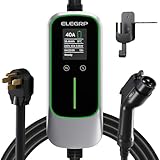
- Fast & Adjustable Charging: Up to 9.6 kW (37 mph), 7x faster than Level 1, with 5 current levels (16/20/24/32/40A) to match home capacity, plus 1–12H timing delay for off-peak charging, reducing costs and easing range anxiety
- Plug & Extended Reach: NEMA 14-50 plug fits 240V outlets for true plug-and-play use, while the 25FT cable offers flexible reach across garages and driveways, eliminating the need to reposition vehicles for easier daily charging
- ETL Certified & ELEGRP PBE Protection: Fully ETL certified, ELEGRP’s exclusive PBE technology combines full-link overheat protection with a triple-layer safety system, ensuring safer, more efficient charging. Includes a 2-year warranty
- All-Weather Indoor & Outdoor Use: IP67-rated for durability in rain, snow, and extreme temps (-21°F to 121°F), with a portable design that supports home, travel, and outdoor charging, delivering reliable performance anywhere
- Universal Compatibility: Works seamlessly with Mercedes, Chevy, Ford, Mustang Mach-E, Cadillac, Hyundai Ioniq, Kia EV6/EV9, Nissan Leaf, Chevy Bolt, Chrysler Pacifica Hybrid, and all PHEV/BEV. Tesla compatible with NACS adapter (sold separately)

- WORKS WITH EVERY NON-TESLA EV: Standard J1772 connector plugs straight into Ford, Chevrolet, Hyundai, Kia, Nissan, BMW, Volkswagen, Audi, Rivian, Lucid and every other EV or plug-in hybrid sold with a J1772 port - no adapter needed. Tesla drivers can charge too, using the J1772 adapter that comes with the car.
- PLUG IN, NO HARDWIRING: Level 2 charger delivers up to 40A to fully charge most EVs overnight. Plugs into a 240V, 4-prong NEMA 14-50 outlet (the RV/range type - NOT a dryer outlet) on a dedicated 50A circuit. The extra-long 25 ft cable easily reaches across a garage or driveway. Before ordering, check your car's port type and that you have the right outlet.
- CONTROL & SAVE FROM YOUR PHONE: A stronger built-in antenna keeps the charger online even in a garage or basement. Use the free app to start/stop charging, set speed (6-40A), get reminders, and track energy use and cost. Schedule off-peak overnight charging to cut your electric bill. Requires 2.4 GHz WiFi.
- SAFETY-CERTIFIED & WEATHERPROOF: Independently tested and certified (UL, ETL, FCC, Energy Star). A fully sealed IP66 / NEMA 4 housing stands up to rain, snow, heat and dust indoors or out, and internal steel shielding protects the electronics for years of reliable use.
- GLOW-IN-THE-DARK HOLSTER: The included high-visibility holster glows in the dark so you can find and dock the plug easily at night. Holds the connector securely when not in use.

- Charge with Confidence: ChargePoint builds reliable, flexible EV charging stations for home, business, and fleets. Get 24/7 support and access to hundreds of thousands of North American charging locations
- Charge Smart: With the user-friendly ChargePoint Mobile App, you can control your electric car charger, manage reminders, connect to smart home devices, find stations, get data and charging info, and access the latest features
- Vast Network: Wherever you go, ChargePoint’s network includes 274k+ stations across North America and Europe and 565k+ roaming partner stations
- Safe & Durable: Rely on this UL-certified EV charger for safe home charging. It can be installed indoors or outdoors by an electrician and includes a cold-resistant cable
- Fast & Powerful: This EV charger charges 9× faster than a 120V outlet, delivering up to 45 mi/hr., dependent upon your vehicle. It features a J1772 connector for all non-Tesla EVs and plugs into a 240V outlet with a 14-50 receptacle, requiring a 40A or 50A circuit. For Tesla EVs, this will require an adapter
SEOCONTENT-START
NHTSA#22V-077 / FCACampaign#Z11 Campaign Update-5/18/22 Root cause remains unknown; FCA US and our supplier continue to work diligently to identify root cause. Remedy also remains underdevelopment. A firm plan has not yet been established in the absence of root cause. FCA US mailed interim notices to owners on 2/25/22. The Company continues to advise owners of these hybrid vehicles to refrain from recharging them, and to park them away from structures and other vehicles. In the event of questions or concerns, customers are encouraged to contact the FCA Recall Assistance Center at 1-800-853-1403.
**************************************************************************************************************
FCA US LLC Z11 Involved Component Part Numbers Chrysler Pacifica PHEV Battery Pack Assembly Submitted on February 21, 2022 Battery Pack Assembly Part Numbers by Model Year Part Numbers by Model Year 2017 2018 05193143AA 68394027AA 05193143AB 68394027AB 05193143AC 68394027AG 05193143AD 68394027AH 05193143AE 68394027AI 05193143AF 68394027AJ 05193143AG 05193143AH 05193143AJ 05193143AK 05193143AL 05193143AM 05193143AN 05193143AO 05193143AS 05193143AT 05193143AU 05193143AV 05193143AW
**************************************************************************************************************
From: Sent: Thursday, October 27, 2022 2:43 PM To: l Subject: HOT – PLEASE READ – Recall Z11 – PHEV no routine data Attention Service Managers: Please have a technician meeting today to discuss the importance of following all of the steps to complete Recall Z11. Detroit is monitoring the recall and has identified a number of vehicles that the recall was not fully completed. The warranty department is going to CHARGEBACK all of these recall claims and reopen the recalls. I will be calling you to discuss these vehicles if you are involved as these customers will need to be called and the Recall needs to be completed in its entirety ASAP. ALL OF YOU need to make sure that all of your Technicians know that we can tell if the complete recall was done. This is a potential safety issue that puts your dealership at risk. Just so you understand and can explain it to your technicians in more detail, this recall is really two steps. 1. First is to flash the computer. That will resolve the potential for any future issues. 2. The second part which is the battery charging and testing is done to verify that the flash worked and the battery is OK to charge and be used. Without the second part, we are not sure that the flash is working and the vehicle is safe to charge / use as designed. Please make it a point to verbally discuss this recall with all of your personnel and make sure they do not shortcut the recall instructions in ANYWAY. Thanks for your assistance!!!
**************************************************************************************************************
View as web page URGENT SAFETY RECALL NOTICE Your 2018 Chrysler PACIFICA HYBRID LIMITED is under recall for Plug-in Hybrid Electric Vehicle Fires. To schedule your recall repair contact your dealership or the FCAUS Recall Team at 1-800-853-1403. . Recall notice issued to: Vehicle information: VIN 2018 Chrysler PACIFICA HYBRID LIMITED Recall information: Z11/NHTSA 22V-077 Visit recalls.mopar.com for more information or call the FCA US Recall Team at 1-800-853-1403. Details of the Recall Some of the above Plug-in Hybrid Electric Vehicles (PHEV) may experience a fire potentially originating in the center of the vehicle underbody with the ignition in the “OFF” mode. A vehicle fire can result in increased risk of occupant injury and/or injury to persons outside the vehicle, as well as property damage. FCA US will repair your vehicle free of charge (parts and labor). To do this, your dealer will update the High Voltage Battery Pack Control Module (BPCM) software to monitor battery pack assembly operational status for conditions that could lead to a fire in the battery pack assembly. In addition, we will inspect and if necessary, replace the battery pack assembly. Inspection involves charging and a full diagnostic assessment of the high voltage battery. The estimated repair time is 1.5 to 2days. While your vehicle is serviced FCA US will provide you a rental vehicle or courtesy transportation free of charge. In addition, your dealer will require your vehicle for proper check-in, preparation, and check-out during your visit, which may require more time. Your time is important to us, so we recommend that you schedule a service appointment to minimize your inconvenience. How do I schedule my FREE repair? ♦ Simply contact your Chrysler, Jeep®, Dodge or RAM dealer right away to schedule a service appointment. We apologize for any inconvenience, but are sincerely concerned about your safety. Thank you for your attention to this important matter. Customer Assistance/Field Operations FCA US LLC Team 1-800-853-1403. recalls.mopar.com
**************************************************************************************************************
This notice applies to your vehicle, Z11/NHTSA 22V- 077 YOUR SCHEDULING OPTIONS 1. Visit recalls.mopar.com to sign up for email or SMS notifications for when remedy parts become available. You will be asked to provide your Vehicle Identification Number (VIN), provided above 2. Scan below using your smartphone or tablet to sign up to be notified when remedy parts become available 3. Wait for FCA US to contact you again, by mail, with a follow-up recall notice when remedy parts are available 4. Call the FCA Recall Assistance Center at 1-800-853-1403. An agent can sign you up to be notified when remedy parts become available, or answer any other questions you may have DEALERSHIP INSTRUCTIONS Please reference Safety Recall Z11. IMPORTANT SAFETY RECALL Plug-in Hybrid Electric Vehicle Fires Dear [Name], This notice is sent to you in accordance with the National Traffic and Motor Vehicle Safety Act. FCA US has decided that a defect, which relates to motor vehicle safety, exists in certain [2017 – 2018 Model Year (RU) Chrysler Pacifica PHEV] vehicles. WHY DOES MY VEHICLE NEED REPAIRS? Some of the above Plug-in Hybrid Electric Vehicles (PHEV) may experience a fire potentially originating in the center of the vehicle [1] underbody with the ignition in the “OFF” mode. A vehicle fire can result in increased risk of occupant injury and/or injury to persons outside the vehicle, as well as property damage. Until further notice, FCA is advising owners of these hybrid vehicles to refrain from recharging the high voltage battery, and to park them away from structures and other vehicles. HOW DO I RESOLVE THIS IMPORTANT SAFETY ISSUE? The remedy for this condition is not currently available. We are making every effort to finalize the remedy and will service your vehicle free of charge (parts and labor) when the remedy is available. FCA US will contact you again, by mail, with a follow-up recall notice when the remedy is available. Once you receive your follow-up notice, simply contact your Chrysler, Jeep®, Dodge or RAM dealer right away to schedule a service appointment [2]. Additional options for your next steps are included on the left side of this notification. We appreciate your patience. WHAT IF I ALREADY PAID TO HAVE THIS REPAIR COMPLETED? If you have already experienced this specific condition and have paid to have it repaired, you may visit www.fcarecallreimbursement.com to submit your reimbursement request online [3]. Once we receive and verify the required documents, reimbursement will be sent to you within 60 days. If you have had previous repairs performed and/or already received reimbursement, you may still need to have the recall repair performed. We apologize for any inconvenience, but are sincerely concerned about your safety. Thank you for your attention to this important matter. Customer Assistance/Field Operations FCA US LLC VEHICLE PICTURE [Model Year and Model] VIN XXXXXXXXXXXXXXXXX LOGO QR Code [1] If you no longer own this vehicle, please help us update our records. Call the FCA Recall Assistance Center at 1-800-853-1403 to update your information. [2] If your dealer fails or is unable to remedy this defect without charge and within a reasonable time, you may submit a written complaint to the Administrator, National Highway Traffic Safety Administration, 1200 New Jersey Ave., S.E., Washington, DC 20590, or you can call the toll-free Vehicle Safety Hotline at 1-888-327-4236 (TTY 1-800-424-9153), or go to safercar.gov. [3] You can also mail in your original receipts and proof of payment to the following address for reimbursement consideration: FCA Customer Assistance, P.O. Box 21- 8004, Auburn Hills, MI 48321-8007, Attention: Recall Reimbursement. Note to lessors receiving this recall notice: Federal regulation requires that you forward this recall notice to the lessee within 10 days. Mr. Mrs. Customer 1234 Main Street Hometown, MI 48371
**************************************************************************************************************
Schedule your FREE repair today! URGENT SAFETY RECALL PLUG-IN HYBRID ELECTRIC VEHICLE FIRES — Z11/22V-077 [MY Make Model] AA111111 Dear CUSTOMER NAME: Please bring your vehicle and this card to your scheduled appointment. We apologize for any inconvenience and do appreciate your attention to this urgent matter. Safety recall campaign Z11/22V-077 is open on your [MY Make Model]. ATENCIÓN! La unidad descrita en esta carta tiene un llamado a revisión pendiente por realizer. Para protegerlo a usted y a su familia, es urgente que se comunique con el grupo FCA US al teléfono 1-800-853-1403 con el fin de programar una cita y se reparada su unidad sin costo para usted. 0000001/#105327/Z11-FNO Call 1-800-853-1403 Visit recalls.mopar.com to locate your closest dealer Download the Mopar Owner’s Companion App at either the App or Google Play Stores LOGO VEHICLE PICTURE
**************************************************************************************************************
This notice applies to your vehicle, Z11/NHTSA 22V-077 YOUR SCHEDULING OPTIONS 1. RECOMMENDED OPTION Call your authorized Chrysler / Dodge / Jeep® / RAM Dealership 2. Call the FCA Recall Assistance Center at 1-800-853-1403. An agent can confirm part availability and help schedule an appointment. 3. Visit recalls.mopar.com, scan the QR code below, or download the Mopar Owner’s Companion App. Get access to recall notifications, locate your nearest dealer, and more through this website or Mopar Owner’s Companion App. You will be asked to provide your Vehicle Identification Number (VIN) to protect and verify your identity. The last eight characters of your VIN are provided above. DEALERSHIP INSTRUCTIONS Please reference Safety Recall Z11. IMPORTANT SAFETY RECALL Plug-in Hybrid Electric Vehicle Fires Dear [Name], This notice is sent to you in accordance with the National Traffic and Motor Vehicle Safety Act. FCA US has decided that a defect, which relates to motor vehicle safety, exists in certain [2017 – 2018 Model Year (RU) Chrysler Pacifica PHEV] vehicles. It is extremely important to take steps now to repair your vehicle to ensure the safety of you and your passengers. WHY DOES MY VEHICLE NEED REPAIRS? Some of the above Plug-in Hybrid Electric Vehicles (PHEV) may experience a fire potentially originating in the center of the vehicle [1] underbody with the ignition in the “OFF” mode. A vehicle fire can result in increased risk of occupant injury and/or injury to persons outside the vehicle, as well as property damage. FCA is advising owners of these hybrid vehicles to refrain from recharging the high voltage battery, and to park them away from structures and other vehicles until your vehicle is remedied. HOW DO I RESOLVE THIS IMPORTANT SAFETY ISSUE? FCA US will repair your vehicle [2] free of charge (parts and labor). To do this, your dealer will update the High Voltage Battery Pack Control Module (BPCM) software to monitor battery pack assembly operational status for conditions that could lead to a fire in the battery pack assembly. In addition, we will inspect and if necessary, replace the battery pack assembly. Inspection involves charging and a full diagnostic assessment of the high voltage battery. The estimated repair time is 1.5 to 2 days. While your vehicle is serviced FCA US will provide you a rental vehicle or courtesy transportation free of charge. In addition, your dealer will require your vehicle for proper check-in, preparation, and check-out during your visit, which may require more time. Your time is important to us, so we recommend that you schedule a service appointment to minimize your inconvenience. Please bring this letter with you to your dealership. TO SCHEDULE YOUR FREE REPAIR, CALL YOUR CHRYSLER, DODGE, JEEP OR RAM DEALER TODAY WHAT IF I ALREADY PAID TO HAVE THIS REPAIR COMPLETED? If you have already experienced this specific condition and have paid to have it repaired, you may visit www.fcarecallreimbursement.com to submit your reimbursement request online. [3] Once we receive and verify the required documents, reimbursement will be sent to you within 60 days. If you have had previous repairs performed and/or already received reimbursement, you may still need to have the recall repair performed. We apologize for any inconvenience, but are sincerely concerned about your safety. Thank you for your attention to this important matter. Customer Assistance/Field Operations FCA US LLC [Model Year and Model] VIN XXXXXXXXXXXXXXXXX LOGO VEHICLE PICTURE QR Code [1] If you no longer own this vehicle, please help us update our records. Call the FCA Recall Assistance Center at 1-800-853-1403 to update your information. [2] If your dealer fails or is unable to remedy this defect without charge and within a reasonable time, you may submit a written complaint to the Administrator, National Highway Traffic Safety Administration, 1200 New Jersey Ave., S.E., Washington, DC 20590, or you can call the toll-free Vehicle Safety Hotline at 1-888-327-4236 (TTY 1-800-424- 9153), or go to safercar.gov. [3] You can also mail in your original receipts and proof of payment to the following address for reimbursement consideration: FCA Customer Assistance, P.O. Box 21-8004, Auburn Hills, MI 48321-8007, Attention: Recall Reimbursement. Note to lessors receiving this recall notice: Federal regulation requires that you forward this recall notice to the lessee within 10 days. Mr. Mrs. Customer 1234 Main Street Hometown, MI 48371
**************************************************************************************************************
02/18/2022 _____________________________________________________________________ New Safety Recall Advanced Communication – Z11 FCA US LLC (FCA US) has announced a safety recall on certain 2017 and 2018 Model Year (RU) Chrysler Pacifica vehicles equipped with a 3.6L PHEV Hybrid Engine. VINs identified as being involved in this campaign are currently live and searchable. REASON FOR THIS SAFETY RECALL Some of the above Plug-in Hybrid Electric Vehicles (PHEV) have experienced fires. The defect has not yet been identified and the root cause of these fires is still being investigated. A vehicle may experience a fire, even with the ignition in the “OFF” mode. A vehicle fire can result in increased risk of occupant injury and/or injury to persons outside the vehicle, as well as property damage. Until further notice, FCA is advising owners of these hybrid vehicles to refrain from recharging the high voltage battery, and to park them away from structures and other vehicles. SERVICE ACTION FCA US will conduct a voluntary safety recall on all affected vehicles. The remedy for this condition is not currently available. Dealers will be notified of the launch of this safety recall by way of established communication methods. We ask that you please take the time to ensure that your personnel are aware of this communication and are prepared to execute a customer friendly process for inquiries regarding involved vehicles. Customer Services Field Operations FCA US LLC
**************************************************************************************************************
SAFETY RECALL Z11: MY 2017-18 CHRYSLER PACIFICA (RU) PHEV — CUSTOMER COMMUNICATIONS FEB 2022 The Z11 recall involves model year 2017 and 2018 Chrysler Pacifica Hybrid vehicles for a possible fire event; no other Pacifica models are affected. Until further notice, the company is advising owners of these hybrid vehicles to refrain from recharging them and to park them away from structures and other vehicles. Jeep® Brand plug-in hybrid vehicles with 4xe technology are unaffected. Stellantis will contact customers if their vehicles are affected; notification by mail is expected to begin this month. U.S. based customers with additional questions or concerns may call 800-853-1403. To ensure a consistent message to our customers and avoid misinformation, please ensure your customer-facing dealer personnel have reviewed the following talking points. POTENTIAL CUSTOMER COMMUNICATION TOPICS • If a customer requires immediate assistance, please contact Customer Care on the customer’s behalf at 800-853-1403. • If a customer asks if there a connection between the fires and recharging: “We have not made that determination. Out of an abundance of caution, we are advising owners of MY17-18 Chrysler Pacifica Hybrid vehicles to refrain from recharging until their vehicles are remedied.” • If a customer asks if he or she can drive their vehicle: “We are unaware of any incidents that involve customers driving their vehicle.” • If a customer asks why the company is not recalling MY19-22 vehicles: “There is no data to suggest a problem with these vehicles. As with all our vehicles, if we identify a defect, we conduct a safety recall. There is no such finding for any other model years.” • If a customer asks what is causing the fires: “We are working to confirm the cause.” • If a customer asks when the company will complete its investigation: “We’re working as expeditiously as possible, within the confines of scientific and engineering disciplines. Our investigation will conclude when we’re satisfied that our findings will protect our customers.” • If a customer asks if there is a link to a previous recall involving Chrysler Pacifica Hybrid fires: “No. This campaign is unrelated to any other. The previous Chrysler Pacifica Hybrid campaign involved only the 12-volt battery system and a smaller number of fires.” • If a customer asks when a remedy will become available: “The remedy is under development. We are expediting, but with due care. Remedy development is a process that includes numerous steps from validation to writing and distributing repair instructions for service technicians.” Thank you, Mopar
**************************************************************************************************************
Recall Z11 Chrysler Pacifica Plug-In Hybrid Electric Vehicles (“PHEVs”) Resource Guide September 2022 TABLEOF CONTENTS RECALL OVERVIEW Safety Recall Z11: Applies to all 2017 -2018model year Pacifica Plug-In Hybrid Electric Vehicles (PHEV) Some vehicles experienced fires that may have originated at the center of the vehicle underbody where the high voltage (“HV”) battery pack assembly is located. To assist with this campaign, this resource guide has been developed to ensure an exceptional level of customer service and efficient execution during the repair process. This document encompasses important dealer procedures, owner communication, customer handling, FAQs and contact information. Important Information: • Mailings for the Interim letters were completed in February 2022. A final recall notification will be mailed to owners advising them to call their dealer to schedule an appointment. In addition, FCA will also enact a customer outreach program. • Included in this guide are Customer Care and Dealer service processes that provide specific actions to ensure compliance and an enhanced customer experience. We are counting on your expertise to support and provide these customers and their vehicles the highest priority in your stores. Thank you for your support and commitment to Mopar service quality. 3 CUSTOMER HANDLING PROCEDURES Fixed Operations Best Practices Proper customer handling will help ensure we provide a best-in-class service experience for our customers. It is strongly recommended you identify a single point of contact to help schedule appointments, answer questions, etc. This dealership expert will aid in assisting customers and ensuring a positive service experience. This single point of contact can be a Service Manager or Service Advisor. This is the person who Customer Care will first attempt to reach when scheduling these appointments. It is important to understand this is an electrical charge / test and not a typical “servicebay” repair. Below are some best practices and suggestions. Dealer Best Practices & Suggestions: ✓ Identify a single point of contact for customer handling ✓ Set proper expectations with the customer for the expected repair time ✓ This repair will necessitate the vehicle be kept at the dealership overnight – it is important to ensure all service & parts staff understand the length of time involved in this recall repair ✓ Scheduling will need to be based upon the number of chargers you have available / repair time needed (Example: 3Chargers = 3Repairs per day) ✓ Ensure all advisors and technicians are familiar with the repair process. Interruption of the repair process/steps may lead to re-starting the repair and additional time to complete. ✓ Due to the time required for this repair, the customer will likely need alternate transportation. Work to accommodate customer requests for loaner / pickup & delivery / shuttle service/ rideshare (see bulletin D-22-01RevC.) ✓ If the customer expresses concern about the recall or repair process, please reference the repair Q&A section of this dealer guide beginning on page 12 of this document. ✓ Follow-up with customer within 72 hrs after repair completion to ensure customer satisfaction. For any additional questions or concerns please immediately reach out to your Area Manager. 4 OWNER LETTER (sample) Copy of Final Repair Notification to customers (October 2022) 5 REPAIR INSTRUCTIONS PLEASEACCESS SERVICE LIBRARY OR RECALLCENTRAL FOR Z11 REPAIR INSTRUCTIONS 6 TECHNICAL SUPPORT – STAR CENTER To obtain a replacement HV Battery Pack a STAR Case must be created. • A Vehicle Scan Report and ECU details page must be attached to the STAR case for each vehicle • Selecting “Z11Hybrid Battery Recall “when opening a case will ensure it is handled by the appropriate technical support personnel 7 • Perform outbound calls to all customers that have reached out regarding Z11. o Call Priority: 1. Rental Customers 2. Gift Card Recipients 3. Consumers who requested to be notified when the remedy is available 4. Contact the remaining customers with the open recall o Upon contacting the customer, the Specialist will schedule the appointment with the dealer on the customers behalf. The Specialist will verify if the customer desires a loaner vehicle and if they require pick-up (if applicable). ▪ Attempt to schedule an appointment with the Dealer on separate line during the call ▪ Provide Dealership contact to the customer ▪ Warm transfer to the Dealership CUSTOMER CARE SUPERIOR SERVICE Customer Care Outreach Process – A Z11 Recall Specialists will proactively contact Dealers to help schedule appointments with the Dealership Z11 point of contact in service. It’s critical that appointments adhere to the estimated repair timeline (1 car per EV charger per day), to ensure Z11 customer appointments do not overlap. • Z11 Recall Specialist contacts customer, apologizes for the delay, informs them that the recall remedy is available • Coordinates repair date/time with Dealer and customer (refer to Dealer script) • Work with Dealer to provide one of the following service/transportation alternatives: o Alt 1) Courtesy Transportation loaner – something comparable as able o Alt 2) Rental – through rental agency o Alt 3) Existing Rental – If consumer is already in an approved rental maintain through remedy fix o Alt 4) Ride Share, Dealership Pickup and Delivery, or Shuttle Service (to and from Dealer) • Specialist sends confirmation appointment email/text (customer preference) with service details to the customer • Post-recall completion: Customer Care follows up with customer o Confirms service satisfaction o Reference the goodwill LOF package, and thank them for being a loyal customer 8 ✓ Proactively reach out to customers regarding recall repair scheduling (utilize Open Recall list) ✓ Schedule repair considering repair requires 1.5 days and access to a charging port ✓ If requested, dealer to provide pickup of Pacifica PHEV and/or delivery of loaner ✓ Dealer to provide alternative transportation (in alignment with Goodwill Alternate Transportation guidelines on Warranty Bulletin D-22-01 Rev C unless otherwise indicated) o Alt 1) Courtesy Transportation loaner – something comparable as able o Alt 2) Rental Vehicle o Alt 3) Existing Rental – If consumer is already in an approved rental maintain through remedy fix o Alt 4) Ride Share, Dealership Pickup and Delivery, or Shuttle Service (to and from Dealer) ✓ Every Pacifica PHEV will be returned with a full charge ✓ Every Pacifica PHEV will be retuned with a full tank of fuel ✓ At time of scheduling, ask customer if they would like there Pacifica PHEV returned with exterior and interior wash o Receive complimentary exterior car wash o Front interior carpet will be vacuumed o Front wiped out (dash, steering wheel, and armrest) ✓ Ensure protective covering have been removed from seat and footwells ✓ Car will be returned with customer preferences of seat position, radio station, and temperature settings returned the same as when the vehicle was brought in ✓ Any other customer concerns on repair orders have been completed ✓ Dealer to follow up with customer within 72 hrs. post recall completion Note: Same process should be followed if the customer schedules an appointment directly with the dealership or through Customer Care 95- 51 – High Line Vehicle Service Loaner: ( vs. standard; vs. competitive-make vehicle) 95- -52 – Rental Vehicle: up to ( vs. standard; vs. competitive make vehicle – validation of charges will occur upon claim submission) 95- -59 – Vehicle Fuel Fill: (must include fuel receipt with claim) 95- -50 – Wash Exterior and Interior: (Exterior Car Wash; Front interior carpet vacuum; wipe down front dash, steering wheel and armrest) CHRYSLER COMMITMENT Chrysler Commitment Checklist: Ensuring Highest Level of Customer Service . Use appropriate Special Service LOPs for all affected customers: Note: Only one form of alternate transportation can be used per repair visit. 9 • Alternative transportation can be offered as alternative to Loaners, based on dealer capabilities and customer needs. • These are in alignment to the Goodwill Alternate Transportation Program as outlined in Bulletin D-22-01 Rev C.: ➢ Ride share: Up to – Receipt required o For Rideshare, a receipt must be attached to the claim for the amount requested o Travel from Dealer: LOP 95 -53 o Travel to Dealer: LOP 95- -52 ➢ Pickup and Delivery: * way o Pickup: LOP 95- -50 o Delivery: LOP 95- -51 ➢ Shuttle Service: way* o LOP 95- -51 *For both Pickup/Delivery and Shuttle Service, the dealer must keep a log of the customers who are serviced that contains all necessary information: Customer name, VIN, date of service, and RO NOTE: Only one form of alternate transportation can be used per repair visit. SEE OFFICIAL BULLETIN FOR ALL DETAILS • Dealer is to offer alternative transportation in conjunction with Recall Z11 to reduce inconvenience for customer and increase customer satisfaction. • Increased Day rates for Loaner vehicles have been enacted to support putting a consumer in a comparable vehicle that aligns with their needs: o High Line Vehicle Service Loaner (up to ) LOP 95- -51 o Rental Vehicle (up to ) LOP 95- -52 ALT. TRANSPORTATION PROGRAM Increased Loaner Reimbursement Standard Reimbursements based on Goodwill Alternate Transportation Note: Only one form of alternate transportation can be used per repair visit. 10 GOODWILL Customers included in this recall will receive: Mopar Vehicle Protection Essential Care Package -Two Year, Three LOF plan – Up to 3 Oil Changes, incl. Oil/ Oil Filter and Lube ( ) – Up to 3 Tire Rotation Services ( Note: Dealer payment shown reflects updated reimbursement rates. The service contract will be offered after theZ11recall completion and will be auto applied to the affected VIN. – Please have customer allow up to 10BusinessDays afterZ11completion for implementation of their complimentary 2YearEssentialCarePackage – Please note that 1-3 year Terms are non-transferable – For any concerns please contact the Customer Care Team (800-853-1403) Once the Complimentary Essential Care Package has been implemented an electronic copy will be distributed to the provided customer’s email which includes the policy number; and that a hard copy will be mailed in approximately 5-7 business days. 11 FAQs – DEALER General Questions and Answers Who is making the initial contact to the customer? Customer Care will continue working with customers and dealers who have active cases to confirm availability and scheduling for the service. Dealers should begin internal outreach for customer scheduling. What if the customer is already in a loaner? The customer can remain in the loaner, continue to work with your Business Center representative as required. Who coordinates the rental, dealer CTP loaner or Enterprise, with the customer? o The dealer should coordinate a vehicle, from their CTP loaner fleet or Enterprise. o If a dealer CTP fleet loaner is utilized using LOP for this recall (LOP 95- 51, up to ) o If Enterprise is utilized, Enterprise will bill the dealer through the current rental process and the dealers claims the loaner using the Enterprise loaner LOP for this recall (LOP 95- -52; enter LOP and invoice amount) What if the customer is already in a loaner? The customer can remain in the loaner, continue to work with your Business Center representative as required. If my dealership personnel delivers a CTP vehicle to and from the customer’s location of choice, will they be covered by the provided CTP insurance? Yes, however only if the vehicle is driven during regular business hours and by employees that are eligible drivers on the dealer’s garage policy. 12 FAQs – DEALER Repair Questions and Answers Do all vehicles require a part replacement? No, very few vehicles are expected to require a high voltage battery replacement. Can this software flash occur off-site? No, the vehicle is required to be located at the dealership with access to Level 2 charging. The battery integrity check requires several hours of “soak” (rest period after charging) time for validation of the battery operational status. What level tech can perform the repair flash or part replacement? o Perform a flash, the technician needs to be at least a level 0 technician and familiar with vehicle software flashing o For replacement of the high voltage battery replacement, the technician must be at least a Level 2, in skill category 6 Electrical Body Systems. In addition, they have had to complete (or have equivalency) – High Voltage Safety Applications o Highly recommended, is the level 3 course, Hybrid Operation and Diagnosis If a customer declines to have the repair completed, who should I contact? Your Area Manager. Am I required to both charge and fill the fuel tank of every vehicle I perform the recall on? To ensure all our PHEV customers receive the highest level of treatment and have an exceptional experience, it is highly recommended to fill the fuel tank. The recall remedy procedure requires full battery charging. If the battery pack is replaced will the original battery need to be returned? The high voltage battery return is required for this campaign, please follow the directions as described in the I-sheet. Failure to return the pack within 30 days will result in a charge back of the core value. Who should I contact if I encounter issues when performing the recall? Requests for technical support should be directed to the STAR Center: 800-850- 7827 13 FAQs – DEALER Flash Questions and Answers What should be done if the software update fails, or the software update can not be completed? If the software update fails, verify there is good Wi-Fi reception. If reception is good, attempt the flash again. If the flash fails again or the software update can not be completed, contact wiTECH Helpdesk (preferred): [email protected] or 888-wiTECH1. What should be done if the vehicle is rendered immobile due to a flash failure? This is not an expected condition of the software flash. Requests for technical support should be directed to the STAR Center: 800-850-7827 14 FAQs – CUSTOMER How long with the repair take? o The software updates and battery pack integrity validation will require the vehicle to be held 1.5 to 2 days o In the rare instance your vehicle requires the high voltage battery pack to be replaced, the repair time would be communicated to you at that time What will the remedy do? The remedy alerts the driver and will restrict continued vehicle operation and/or battery recharging until the vehicle is serviced appropriately. Have you had to replace many batteries? Battery-replacement is a rare procedure. The Chrysler Pacifica Hybrid continues to earn third-party endorsements and earn customer commendations. How can you have a remedy without a root cause? We have identified conditions that potentially precede fire. The remedy addresses those conditions. 15 CONTACTS STAR SUPPORT: (800) 850-STAR (7827) For technical assistance and to create a STAR Case WARRANTYHOTLINE: (888) 255-2616 Questions regarding claim processing instructions and guidelines for recall Z11can be directed to the warranty hotline. (M-F 8AM-6PMEST) RECALLASSISTANCE HOTLINE: (800) 853-1403 Dedicated team to answer questions (M-F 7AM-11PMET) 16
**************************************************************************************************************
Z11 RENTAL ALLOWANCE CLARIFICATION OCT 2022 Z11 customers are eligible for an increased loaner amount. For Z11 recalls the standard loaner allowance has increased from and the competitive-make allowance has increased from The up to allowance can be used for either a Chrysler product OR a competitive make product. We also encourage you to use the additional special service LOPs for vehicle fuel fill and vehicle wash wherever possible. Note page 9 from the Z11 Dealer Resource Guide:
**************************************************************************************************************
02/12/2022 _____________________________________________________________________ New Safety Recall Advanced Communication – Z11 FCA US LLC (FCA US) has announced a safety recall on certain 2017 and 2018 Model Year (RU) Chrysler Pacifica vehicles equipped with a 3.6L PHEV Hybrid Engine. REASON FOR THIS SAFETY RECALL Some of the above Plug-in Hybrid Electric Vehicles (PHEV) have experienced fires. The defect has not yet been identified and the root cause of these fires is still being investigated. A vehicle may experience a fire, even with the ignition in the “OFF” mode. A vehicle fire can result in increased risk of occupant injury and/or injury to persons outside the vehicle, as well as property damage. Until further notice, FCA is advising owners of these hybrid vehicles to refrain from recharging the high voltage battery, and to park them away from structures and other vehicles. SERVICE ACTION FCA US will conduct a voluntary safety recall on all affected vehicles. The remedy for this condition is not currently available. Dealers will be notified of the launch of this safety recall by way of established communication methods. We ask that you please take the time to ensure that your personnel are aware of this communication and are prepared to execute a customer friendly process for inquiries regarding involved vehicles. Customer Services Field Operations FCA US LLC
**************************************************************************************************************
02/18/2022 _____________________________________________________________________ New Safety Recall Advanced Communication – Z11 FCA US LLC (FCA US) has announced a safety recall on certain 2017 and 2018 Model Year (RU) Chrysler Pacifica vehicles equipped with a 3.6L PHEV Hybrid Engine. VINs identified as being involved in this campaign are currently live and searchable. REASON FOR THIS SAFETY RECALL Some of the above Plug-in Hybrid Electric Vehicles (PHEV) may experience a fire potentially originating in the center of the vehicle underbody with the ignition in the “OFF” mode. A vehicle fire can result in increased risk of occupant injury and/or injury to persons outside the vehicle, as well as property damage. Until further notice, FCA is advising owners of these hybrid vehicles to refrain from recharging the high voltage battery, and to park them away from structures and other vehicles. SERVICE ACTION FCA US will conduct a voluntary safety recall on all affected vehicles. The remedy for this condition is not currently available. Dealers will be notified of the launch of this safety recall by way of established communication methods. We ask that you please take the time to ensure that your personnel are aware of this communication and are prepared to execute a customer friendly process for inquiries regarding involved vehicles. Customer Services Field Operations FCA US LLC This notice applies to your vehicle, Z11/NHTSA 22V- 077 YOUR SCHEDULING OPTIONS 1. Visit recalls.mopar.com to sign up for email or SMS notifications for when remedy parts become available. You will be asked to provide your Vehicle Identification Number (VIN), provided above 2. Scan below using your smartphone or tablet to sign up to be notified when remedy parts become available 3. Wait for FCA US to contact you again, by mail, with a follow-up recall notice when remedy parts are available 4. Call the FCA Recall Assistance Center at 1-800-853-1403. An agent can sign you up to be notified when remedy parts become available, or answer any other questions you may have DEALERSHIP INSTRUCTIONS Please reference Safety Recall Z11. IMPORTANT SAFETY RECALL Plug-in Hybrid Electric Vehicle Fires Dear [Name], This notice is sent to you in accordance with the National Traffic and Motor Vehicle Safety Act. FCA US has decided that a defect, which relates to motor vehicle safety, exists in certain [2017 – 2018 Model Year (RU) Chrysler Pacifica PHEV] vehicles. WHY DOES MY VEHICLE NEED REPAIRS? Some of the above Plug-in Hybrid Electric Vehicles (PHEV) may experience a fire potentially originating in the center of the vehicle [1] underbody with the ignition in the “OFF” mode. A vehicle fire can result in increased risk of occupant injury and/or injury to persons outside the vehicle, as well as property damage. Until further notice, FCA is advising owners of these hybrid vehicles to refrain from recharging the high voltage battery, and to park them away from structures and other vehicles. HOW DO I RESOLVE THIS IMPORTANT SAFETY ISSUE? The remedy for this condition is not currently available. We are making every effort to finalize the remedy and will service your vehicle free of charge (parts and labor) when the remedy is available. FCA US will contact you again, by mail, with a follow-up recall notice when the remedy is available. Once you receive your follow-up notice, simply contact your Chrysler, Jeep®, Dodge or RAM dealer right away to schedule a service appointment [2]. Additional options for your next steps are included on the left side of this notification. We appreciate your patience. WHAT IF I ALREADY PAID TO HAVE THIS REPAIR COMPLETED? If you have already experienced this specific condition and have paid to have it repaired, you may visit www.fcarecallreimbursement.com to submit your reimbursement request online [3]. Once we receive and verify the required documents, reimbursement will be sent to you within 60 days. If you have had previous repairs performed and/or already received reimbursement, you may still need to have the recall repair performed. We apologize for any inconvenience, but are sincerely concerned about your safety. Thank you for your attention to this important matter. Customer Assistance/Field Operations FCA US LLC VEHICLE PICTURE [Model Year and Model] VIN XXXXXXXXXXXXXXXXX LOGO QR Code [1] If you no longer own this vehicle, please help us update our records. Call the FCA Recall Assistance Center at 1-800-853-1403 to update your information. [2] If your dealer fails or is unable to remedy this defect without charge and within a reasonable time, you may submit a written complaint to the Administrator, National Highway Traffic Safety Administration, 1200 New Jersey Ave., S.E., Washington, DC 20590, or you can call the toll-free Vehicle Safety Hotline at 1-888-327-4236 (TTY 1-800-424-9153), or go to safercar.gov. [3] You can also mail in your original receipts and proof of payment to the following address for reimbursement consideration: FCA Customer Assistance, P.O. Box 21- 8004, Auburn Hills, MI 48321-8007, Attention: Recall Reimbursement. Note to lessors receiving this recall notice: Federal regulation requires that you forward this recall notice to the lessee within 10 days. Mr. Mrs. Customer 1234 Main Street Hometown, MI 48371
**************************************************************************************************************
Z11 RECALL STEPS NOV 2022 Please review these critical Z11 recall steps with all technicians. It is important that you ensure all techs understand that before a vehicle with an open Z11 recall is returned to the customer the technician MUST receive the wiTECH confirmation screen advising “The vehicle can now be returned to the customer”. Every safety recall, including Z11, requires the technician to complete ALL steps in the repair process. This includes: • Verify the state of the high voltage battery charge is below 60%. • Inspect the Battery Pack Control Module (BPCM) for fault codes, follow service procedure to repair fault code(s). • If no fault codes are present reprogram the BPCM with the most updated software and perform “Z11 BPCM Integrity Procedure”. Begin at section A. Battery Pack Control Module Software Update and BPCM Integrity Procedure. • Verify the BPCM Integrity confirmation screen is received in wiTECH (see below for example) before the vehicle is returned to the customer. DO NOT return a vehicle back to the customer before you’ve received this confirmation screen within wiTECH. Please reach out to your Area Manager should you have any questions or concerns.
**************************************************************************************************************
OMB Control No.: 2127-0004 Part 573 Safety Recall Report 22V-077 The information contained in this report was submitted pursuant to 49 CFR §573 Manufacturer Name : Chrysler (FCA US, LLC) Submission Date : AUG 30, 2022 NHTSA Recall No. : 22V-077 Manufacturer Recall No. : Z11 Manufacturer Information : Manufacturer Name : Chrysler (FCA US, LLC) Address : 800 Chrysler Drive CIMS 482-00-91 Auburn Hills MI 48326-2757 Company phone : 1-800-853-1403 Population : Number of potentially involved : 16,741 Estimated percentage with defect : 100 % Vehicle Information : Vehicle 1 : 2017-2018 Chrysler Pacifica Vehicle Type : Body Style : VAN Power Train : NR Descriptive Information : Some 2017-2018 MY Chrysler Pacifica Plug-In Hybrid Electric Vehicles (“PHEVs”) have experienced fires that may have originated at the center of the vehicle underbody where the high voltage (“HV”) battery pack assembly is located. The defect has not yet been identified and the root cause of these fires is still being investigated. The potentially affected vehicle production period began on August 12, 2016, when production of Chrysler Pacifica PHEVs began, and ended on August 7, 2018, when 2018 MY production ended. The suspect population was determined using vehicle manufacturing records. Similar vehicles not included in this recall are not PHEVs, or were built after the suspect vehicle production period. Production Dates : AUG 12, 2016 – AUG 07, 2018 VIN Range 1 : Begin : NR End : NR Not sequential Description of Defect : Description of the Defect : A vehicle may experience a fire potentially originating in the center of the vehicle underbody with the ignition in the “OFF” mode. FMVSS 1 : NR FMVSS 2 : NR Part 573 Safety Recall Report 22V-077 Page 2 The information contained in this report was submitted pursuant to 49 CFR §573 Description of the Safety Risk : A vehicle fire can result in increased risk of occupant injury and/or injury to persons outside the vehicle, as well as property damage. Description of the Cause : NR Identification of Any Warning that can Occur : None Involved Components : Component Name 1 : Hybrid Battery Pack Assembly Component Description : Please see attached supplemental information titled “FCA US LLC Z11 Involved Component Part Numbers Chrysler Pacifica PHEV Battery Pack Assembly – 02212022.pdf” Component Part Number : See attached document referenced above for Chrysler Pacifica PHEV battery pack assembly part numbers Supplier Identification : Component Manufacturer Name : LG Energy Solutions Michigan, Inc. Address : 1 LG Way Holland Michigan 49423 Country : United States Chronology : • On August 31, 2021, the FCA US LLC (“FCA US”) Technical Safety and Regulatory Compliance organization opened an investigation as a result of detecting a potential trend in fires in certain Chrysler Pacifica PHEVs. • From September 2021, to January 2022, FCA US repurchased two vehicles for origin and cause investigation. The cause of these fires is under investigation. • As of February 4, 2022, FCA US is aware of ten additional fires. The cause of these fires is under investigation. • As of February 4, 2022, FCA US has identified five customer records, zero warranty claims, and 12 field reports potentially relating to this issue for all markets with dates of receipt ranging from April 23, 2019, to December 14, 2021. • As of February 4, 2022, FCA US is not aware of any accidents or injuries potentially relating to this issue for all Part 573 Safety Recall Report 22V-077 Page 3 The information contained in this report was submitted pursuant to 49 CFR §573 markets. • On February 6, 2022, FCA US determined, through the Vehicle Regulations Committee, to conduct a voluntary safety recall of the affected vehicles. • As of February 21, 2022, FCA US has not made a determination of whether the HV battery pack assembly is defective and/or the root cause of these fires. Description of Remedy : Description of Remedy Program : FCA US will conduct a voluntary safety recall on all affected vehicles to update the High Voltage Battery Pack Control Module (“BPCM”) software to monitor battery pack assembly operational status for conditions that could lead to a fire in the battery pack assembly. FCA US will inspect and, if necessary, replace the battery pack assembly. Until the remedy is complete, the Company is advising owners of these hybrid vehicles to refrain from recharging them, and to park them away from structures and other vehicles. FCA US has a longstanding policy and practice of reimbursing owners who have incurred the cost of repairing a problem that subsequently becomes the subject of a field action. To ensure consistency, FCA US, as part of the owner letter, will request that customers send the original receipt and/or other adequate proof of payment to the company for confirmation of the expense. How Remedy Component Differs from Recalled Component : Remedy is updated BPCM software to monitor battery pack assembly operational status for conditions that could lead to a fire in the battery pack assembly. FCA US will inspect and, if necessary, replace the battery pack assembly. Root cause is unknown. Identify How/When Recall Condition was Corrected in Production : NR Recall Schedule : Description of Recall Schedule : **02/11/2022: FCA US will notify dealers and begin notifying owners on or about 04/02/2022. Planned Dealer Notification Date : APR 02, 2022 – APR 02, 2022 Planned Owner Notification Date : APR 02, 2022 – APR 02, 2022 * NR – Not Reported
**************************************************************************************************************
OMB Control No.: 2127-0004 Part 573 Safety Recall Report 22V-077 The information contained in this report was submitted pursuant to 49 CFR §573 Manufacturer Name : Chrysler (FCA US, LLC) Submission Date : FEB 21, 2022 NHTSA Recall No. : 22V-077 Manufacturer Recall No. : Z11 Manufacturer Information : Manufacturer Name : Chrysler (FCA US, LLC) Address : 800 Chrysler Drive CIMS 482-00-91 Auburn Hills MI 48326-2757 Company phone : 1-800-853-1403 Population : Number of potentially involved : 16,741 Estimated percentage with defect : 100 % Vehicle Information : Vehicle 1 : 2017-2018 Chrysler Pacifica Vehicle Type : Body Style : VAN Power Train : NR Descriptive Information : Some 2017-2018 MY Chrysler Pacifica Plug-In Hybrid Electric Vehicles (“PHEVs”) have experienced fires that may have originated at the center of the vehicle underbody where the high voltage (“HV”) battery pack assembly is located. The defect has not yet been identified and the root cause of these fires is still being investigated. The potentially affected vehicle production period began on August 12, 2016, when production of Chrysler Pacifica PHEVs began, and ended on August 7, 2018, when 2018 MY production ended. The suspect population was determined using vehicle manufacturing records. Similar vehicles not included in this recall are not PHEVs, or were built after the suspect vehicle production period. Production Dates : AUG 12, 2016 – AUG 07, 2018 VIN Range 1 : Begin : NR End : NR Not sequential Description of Defect : Description of the Defect : A vehicle may experience a fire potentially originating in the center of the vehicle underbody with the ignition in the “OFF” mode. FMVSS 1 : NR FMVSS 2 : NR Part 573 Safety Recall Report 22V-077 Page 2 The information contained in this report was submitted pursuant to 49 CFR §573 Description of the Safety Risk : A vehicle fire can result in increased risk of occupant injury and/or injury to persons outside the vehicle, as well as property damage. Description of the Cause : NR Identification of Any Warning that can Occur : None Involved Components : Component Name 1 : Hybrid Battery Pack Assembly Component Description : Please see attached supplemental information titled “FCA US LLC Z11 Involved Component Part Numbers Chrysler Pacifica PHEV Battery Pack Assembly – 02212022.pdf” Component Part Number : See attached document referenced above for Chrysler Pacifica PHEV battery pack assembly part numbers Supplier Identification : Component Manufacturer Name : LG Energy Solutions Michigan, Inc. Address : 1 LG Way Holland Michigan 49423 Country : United States Chronology : • On August 31, 2021, the FCA US LLC (“FCA US”) Technical Safety and Regulatory Compliance organization opened an investigation as a result of detecting a potential trend in fires in certain Chrysler Pacifica PHEVs. • From September 2021, to January 2022, FCA US repurchased two vehicles for origin and cause investigation. The cause of these fires is under investigation. • As of February 4, 2022, FCA US is aware of ten additional fires. The cause of these fires is under investigation. • As of February 4, 2022, FCA US has identified five customer records, zero warranty claims, and 12 field reports potentially relating to this issue for all markets with dates of receipt ranging from April 23, 2019, to December 14, 2021. • As of February 4, 2022, FCA US is not aware of any accidents or injuries potentially relating to this issue for all Part 573 Safety Recall Report 22V-077 Page 3 The information contained in this report was submitted pursuant to 49 CFR §573 markets. • On February 6, 2022, FCA US determined, through the Vehicle Regulations Committee, to conduct a voluntary safety recall of the affected vehicles. • As of February 21, 2022, FCA US has not made a determination of whether the HV battery pack assembly is defective and/or the root cause of these fires. Description of Remedy : Description of Remedy Program : FCA US will conduct a voluntary safety recall on all affected vehicles. Remedy is under development. Until further notice, the Company is advising owners of these hybrid vehicles to refrain from recharging them, and to park them away from structures and other vehicles. FCA US has a longstanding policy and practice of reimbursing owners who have incurred the cost of repairing a problem that subsequently becomes the subject of a field action. To ensure consistency, FCA US, as part of the owner letter, will request that customers send the original receipt and/or other adequate proof of payment to the company for confirmation of the expense. How Remedy Component Differs from Recalled Component : Remedy is under development. Root cause is unknown. Identify How/When Recall Condition was Corrected in Production : NR Recall Schedule : Description of Recall Schedule : **02/11/2022: FCA US will notify dealers and begin notifying owners on or about 04/02/2022. Planned Dealer Notification Date : APR 02, 2022 – APR 02, 2022 Planned Owner Notification Date : APR 02, 2022 – APR 02, 2022 * NR – Not Reported
**************************************************************************************************************
OMB Control No.: 2127-0004 Part 573 Safety Recall Report 22V-077 The information contained in this report was submitted pursuant to 49 CFR §573 Manufacturer Name : Chrysler (FCA US, LLC) Submission Date : SEP 22, 2022 NHTSA Recall No. : 22V-077 Manufacturer Recall No. : Z11 Manufacturer Information : Manufacturer Name : Chrysler (FCA US, LLC) Address : 800 Chrysler Drive CIMS 482-00-91 Auburn Hills MI 48326-2757 Company phone : 1-800-853-1403 Population : Number of potentially involved : 16,741 Estimated percentage with defect : 100 % Vehicle Information : Vehicle 1 : 2017-2018 Chrysler Pacifica Vehicle Type : Body Style : VAN Power Train : NR Descriptive Information : Some 2017-2018 MY Chrysler Pacifica Plug-In Hybrid Electric Vehicles (“PHEVs”) have experienced fires that may have originated at the center of the vehicle underbody where the high voltage (“HV”) battery pack assembly is located. The defect has not yet been identified and the root cause of these fires is still being investigated. The potentially affected vehicle production period began on August 12, 2016, when production of Chrysler Pacifica PHEVs began, and ended on August 7, 2018, when 2018 MY production ended. The suspect population was determined using vehicle manufacturing records. Similar vehicles not included in this recall are not PHEVs, or were built after the suspect vehicle production period. Production Dates : AUG 12, 2016 – AUG 07, 2018 VIN Range 1 : Begin : NR End : NR Not sequential Description of Defect : Description of the Defect : A vehicle may experience a fire potentially originating in the center of the vehicle underbody with the ignition in the “OFF” mode. FMVSS 1 : NR FMVSS 2 : NR Part 573 Safety Recall Report 22V-077 Page 2 The information contained in this report was submitted pursuant to 49 CFR §573 Description of the Safety Risk : A vehicle fire can result in increased risk of occupant injury and/or injury to persons outside the vehicle, as well as property damage. Description of the Cause : NR Identification of Any Warning that can Occur : None Involved Components : Component Name 1 : Hybrid Battery Pack Assembly Component Description : Please see attached supplemental information titled “FCA US LLC Z11 Involved Component Part Numbers Chrysler Pacifica PHEV Battery Pack Assembly – 02212022.pdf” Component Part Number : See attached document referenced above for Chrysler Pacifica PHEV battery pack assembly part numbers Supplier Identification : Component Manufacturer Name : LG Energy Solutions Michigan, Inc. Address : 1 LG Way Holland Michigan 49423 Country : United States Chronology : • On August 31, 2021, the FCA US LLC (“FCA US”) Technical Safety and Regulatory Compliance organization opened an investigation as a result of detecting a potential trend in fires in certain Chrysler Pacifica PHEVs. • From September 2021, to January 2022, FCA US repurchased two vehicles for origin and cause investigation. The cause of these fires is under investigation. • As of February 4, 2022, FCA US is aware of ten additional fires. The cause of these fires is under investigation. • As of February 4, 2022, FCA US has identified five customer records, zero warranty claims, and 12 field reports potentially relating to this issue for all markets with dates of receipt ranging from April 23, 2019, to December 14, 2021. • As of February 4, 2022, FCA US is not aware of any accidents or injuries potentially relating to this issue for all Part 573 Safety Recall Report 22V-077 Page 3 The information contained in this report was submitted pursuant to 49 CFR §573 markets. • On February 6, 2022, FCA US determined, through the Vehicle Regulations Committee, to conduct a voluntary safety recall of the affected vehicles. • As of February 21, 2022, FCA US has not made a determination of whether the HV battery pack assembly is defective and/or the root cause of these fires. Description of Remedy : Description of Remedy Program : FCA US will conduct a voluntary safety recall on all affected vehicles to update the High Voltage Battery Pack Control Module (“BPCM”) software to monitor battery pack assembly operational status for conditions that could lead to a fire in the battery pack assembly. FCA US will inspect and, if necessary, replace the battery pack assembly. Until the remedy is complete, the Company is advising owners of these hybrid vehicles to refrain from recharging them, and to park them away from structures and other vehicles. FCA US has a longstanding policy and practice of reimbursing owners who have incurred the cost of repairing a problem that subsequently becomes the subject of a field action. To ensure consistency, FCA US, as part of the owner letter, will request that customers send the original receipt and/or other adequate proof of payment to the company for confirmation of the expense. How Remedy Component Differs from Recalled Component : Remedy is updated BPCM software to monitor battery pack assembly operational status for conditions that could lead to a fire in the battery pack assembly. FCA US will inspect and, if necessary, replace the battery pack assembly. Root cause is unknown. Identify How/When Recall Condition was Corrected in Production : NR Recall Schedule : Description of Recall Schedule : **09/22/2022: FCA US will notify dealers and begin mailing Final Owner Letters on or about 10/11/2022. **02/11/2022: FCA US will notify dealers and begin notifying owners on or about 04/02/2022. Planned Dealer Notification Date : APR 02, 2022 – APR 02, 2022 Planned Owner Notification Date : APR 02, 2022 – APR 02, 2022 * NR – Not Reported
**************************************************************************************************************
OMB Control No.: 2127-0004 Part 573 Safety Recall Report 22V-077 The information contained in this report was submitted pursuant to 49 CFR §573 Manufacturer Name : Chrysler (FCA US, LLC) Submission Date : FEB 11, 2022 NHTSA Recall No. : 22V-077 Manufacturer Recall No. : Z11 Manufacturer Information : Manufacturer Name : Chrysler (FCA US, LLC) Address : 800 Chrysler Drive CIMS 482-00-91 Auburn Hills MI 48326-2757 Company phone : 1-800-853-1403 Population : Number of potentially involved : 16,741 Estimated percentage with defect : 100 % Vehicle Information : Vehicle 1 : 2017-2018 Chrysler Pacifica Vehicle Type : Body Style : VAN Power Train : NR Descriptive Information : Some 2017-2018 MY Chrysler Pacifica Plug-In Hybrid Electric Vehicles (“PHEVs”) have experienced fires. The defect has not yet been identified and the root cause of these fires is still being investigated. The potentially affected vehicle production period began on August 12, 2016, when production of Chrysler Pacifica PHEVs began, and ended on August 7, 2018, when 2018 MY production ended. The suspect population was determined using vehicle manufacturing records. Similar vehicles not included in this recall are not PHEVs, or were built after the suspect vehicle production period. Production Dates : AUG 12, 2016 – AUG 07, 2018 VIN Range 1 : Begin : NR End : NR Not sequential Description of Defect : Description of the Defect : A vehicle may experience a fire, even with the ignition in the “OFF” mode. FMVSS 1 : NR FMVSS 2 : NR Description of the Safety Risk : A vehicle fire can result in increased risk of occupant injury and/or injury to persons outside the vehicle, as well as property damage. Description of the Cause : NR Part 573 Safety Recall Report 22V-077 Page 2 The information contained in this report was submitted pursuant to 49 CFR §573 Identification of Any Warning that can Occur : None Involved Components : Component Name 1 : NR Component Description : NR Component Part Number : NR Supplier Identification : Component Manufacturer Name : NR Address : NR NR Country : NR Chronology : • On August 31, 2021, the FCA US LLC (“FCA US”) Technical Safety and Regulatory Compliance organization opened an investigation as a result of detecting a potential trend in fires in certain Chrysler Pacifica PHEVs. • From September 2021, to January 2022, FCA US repurchased two vehicles for origin and cause investigation. The cause of these fires is under investigation. • As of February 4, 2022, FCA US is aware of ten additional fires. The cause of these fires is under investigation. • As of February 4, 2022, FCA US has identified five customer records, zero warranty claims, and 12 field reports potentially relating to this issue for all markets with dates of receipt ranging from April 23, 2019, to December 14, 2021. • As of February 4, 2022, FCA US is not aware of any accidents or injuries potentially relating to this issue for all markets. • On February 6, 2022, FCA US determined, through the Vehicle Regulations Committee, to conduct a voluntary safety recall of the affected vehicles. Part 573 Safety Recall Report 22V-077 Page 3 The information contained in this report was submitted pursuant to 49 CFR §573 Description of Remedy : Description of Remedy Program : FCA US will conduct a voluntary safety recall on all affected vehicles. Remedy is under development. Until further notice, the Company is advising owners of these hybrid vehicles to refrain from recharging them, and to park them away from structures and other vehicles. FCA US has a longstanding policy and practice of reimbursing owners who have incurred the cost of repairing a problem that subsequently becomes the subject of a field action. To ensure consistency, FCA US, as part of the owner letter, will request that customers send the original receipt and/or other adequate proof of payment to the company for confirmation of the expense. How Remedy Component Differs from Recalled Component : Remedy is under development. Root cause is unknown. Identify How/When Recall Condition was Corrected in Production : NR Recall Schedule : Description of Recall Schedule : **02/11/2022: FCA US will notify dealers and begin notifying owners on or about 04/02/2022. Planned Dealer Notification Date : APR 02, 2022 – APR 02, 2022 Planned Owner Notification Date : APR 02, 2022 – APR 02, 2022 * NR – Not Reported
**************************************************************************************************************
© Copyright 2023, FCA US LLC, All Rights Reserved (tdb) Revision 7 February 2023 Dealer Service Instructions for: Safety Recall Z11 / NHTSA 22V-077 Plug-in Hybrid Electric Vehicle Fires NOTE: Step numbers on pages 13, 14 and 30 have been revised. 2017 – 2018 (RU) Chrysler Pacifica (PHEV) NOTE: This recall applies only to the above vehicles equipped with a 3.6L PHEV Hybrid Engine (sales code EH3). NOTE: Some vehicles above may have been identified as not involved in this recall and therefore have been excluded from this recall. Some of the above Plug-in Hybrid Electric Vehicles (PHEV) have experienced fires. A vehicle may experience a fire, even with the ignition in the “OFF” mode. A vehicle fire can result in increased risk of occupant injury and/or injury to persons outside the vehicle, as well as property damage. Remedy Available IMPORTANT: Some of the involved vehicles may be in dealer new vehicle inventory. Federal law requires you to complete this recall service on these vehicles before retail delivery. Dealers should also consider this requirement to apply to used vehicle inventory and should perform this recall on vehicles in for service. Involved vehicles can be determined by using the VIP inquiry process. Subject Safety Recall Z11 – Plug-in Hybrid Electric Vehicle Fires Page 2 Verify the state of the high voltage battery charge is below 50%. Inspect the Battery Pack Control Module (BPCM) for fault codes, follow service procedure to repair fault code(s). If no fault codes are present reprogram the BPCM with the most updated software and perform “Z11 BPCM Integrity Procedure”. Begin at section A. Battery Pack Control Module Software Update and BPCM Integrity Procedure. ALERT: Performing the BPCM flash will disable electric propulsion mode and it will illuminate/continuously flash the Hybrid Electric Vehicle System Service lamp. Every step in the Z11 BPCM Integrity Verification Procedure MUST be completed in order to turn the flashing service lamp off. Dealers should attempt to minimize customer inconvenience by placing the owner in a loaner vehicle if the vehicle must be held overnight. All parts required will be Ordered by STAR Center, once approved. Very few vehicles are expected to require Hight Voltage Battery replacement. NOTE: Please read and follow the I-Sheet instructions that are included with the replacement battery for unpacking upon receipt and packing for return of removed battery information. Parts return required for this campaign. NOTE: Please read and follow the I-Sheet instructions that are included with the replacement battery for unpacking upon receipt and packing for return of removed battery information. Repair Alternate Transportation Parts Information Parts Return Safety Recall Z11 – Plug-in Hybrid Electric Vehicle Fires Page 3 The following special tools are required to perform this repair: ➢ NPN wiTECH MicroPod II ➢ NPN Laptop Computer ➢ NPN wiTECH Software ➢ 2035100082 Covers, HEV Battery Terminal ➢ BX50-CHR Table, Bishamon Lift ➢ 2035200080 Lift Straps, HEV Battery ➢ 10441 Cone, Safety ➢ 10442 Barriers, Safety ➢ 10452 Sign, Danger High Voltage ➢ 10443 Cards, Windshield and Dash Placement ➢ 126-1587 Meter, Fluke ➢ ZEN4520 Lift, Wheel Jack Dolly Special Tools Safety Recall Z11 – Plug-in Hybrid Electric Vehicle Fires Page 4 A. Battery Pack Control Module (BPCM) Software Update and BPCM Integrity Procedure ALERT: This recall procedure REQUIRES you to reach the below screen message within the BPCM Integrity Procedure before returning the vehicle to a customer: ALERT: Performing the BPCM flash will illuminate and continuously flash the Hybrid Electric Vehicle System Service lamp located in the instrument panel cluster. Every step in the Z11 BPCM Integrity Procedure MUST be completed in order to turn the flashing service lamp off. Do not return the vehicle to the customer if the service lamp is flashing. (Figure 1). Service Procedure Figure 1 – Service Light VEHICLE SYSTEM SERVICE LIGHT Safety Recall Z11 – Plug-in Hybrid Electric Vehicle Fires Page 5 NOTE: Before beginning the following Service Procedure: Open the hood and start the engine then allow the engine to reach normal operating temperature. This may be performed outside before technician receives the vehicle. Once normal operation temperature is reached technician may begin the procedure. NOTE: Verify the vehicle high voltage battery is at or BELOW 50% Stateof- Charge (SOC) on the instrument cluster, if not already below 50% SOC drive the vehicle to discharge the high voltage battery. DO NOT allow vehicle engine to run for a long period after the high voltage battery has been discharged, doing so will recharge the battery. NOTE: The wiTECH scan tool must be used to perform this safety recall. If the BPCM reprogramming is aborted or interrupted during reprogramming, it must be restarted. The BPCM software must be at the latest software calibration level after completing this safety recall. 1. Install a battery charger. Do not allow the charger to time out during the flash process. Set the battery charger timer (if so equipped) to maintain 12-Volt continuous charge. 2. Connect the wiTECH micro pod II to the vehicle data link connector. NOTE: Same wiTECH micro pod II MUST be used throughout the procedure. 3. Place the ignition in the “RUN” position. 4. Open the wiTECH 2.0 website. 5. Enter your “User id” and “Password” and your “Dealer Code”, then select “Sign In” at the bottom of the screen. Click “Accept”. 6. From the “Vehicle Selection” screen, select the vehicle to be updated. Service Procedure [Continued] Safety Recall Z11 – Plug-in Hybrid Electric Vehicle Fires Page 6 7. From the “Action Items” screen, select the “Topology” tab. NOTE: Obtain a Vehicle Scan Report VSR and ECU details report. Both must be provided to the STAR Center for High Voltage Battery replacement authorization. a) Create and save a Vehicle Scan Report VSR and ECU details report before proceeding. Both pre and post scan reports will be required for submission. b) From the left column in the analysis section, select “Reports”. c) On the reports page, select “Vehicle Scan Report”. d) Repeat to obtain ECU details report. e) Select “Printer Friendly” then save file type as “PDF”. Name the file with the last eight digits of the VIN. 8. From the “Topology” tab, select the “BPCM” module icon. 9. Within BPCM, select “System Tests” then select “BPCM Warming Procedure” then select “Continue”. NOTE: Ensure the vehicle hood is open and remains open or the BPCM warming procedure will abort. Service Procedure [Continued] Safety Recall Z11 – Plug-in Hybrid Electric Vehicle Fires Page 7 10. Follow the wiTECH screen instruction steps to perform the BPCM warming procedure if directed, otherwise proceed to the “NOTE” before Step 15. 11. BPCM cell warming period duration will require separate technician time punch. BPCM cell warming duration will be recorded and traced by wiTECH 2. Individual punch time must reflect actual BPCM cell warming period or claim will be rejected or charged back to dealership. 12. The following data will be displayed during the warming procedure. Service Procedure [Continued] Display starting temperature Values will increase over time Until min cell temp reaches desired value RPM will stay around 6000 rpm during the procedure Engine rpm will start high, then come down. If hood was not opened, rpm may drop to 0 during warming, routine will exit and tell tech to open hood Safety Recall Z11 – Plug-in Hybrid Electric Vehicle Fires Page 8 NOTE: During the BPCM warming procedure, if the high voltage battery reaches near full state of charge, the vehicle engine may exhibit a bucking or jerking while running. This is normal as the charging system switches modes in order to prevent over charging the battery. 13. The following will be displayed once warming procedure has completed. Perform the steps listed on the screen before continuing. 14. The following will be displayed once the warming procedure has finished. Service Procedure [Continued] If the battery started at –20 C (-4 F) – this value will be 95 Safety Recall Z11 – Plug-in Hybrid Electric Vehicle Fires Page 9 NOTE: Verify the vehicle high voltage battery is at or BELOW 50% Stateof- Charge (SOC) on the instrument cluster, if not already below 50% SOC drive the vehicle to discharge the high voltage battery. DO NOT allow vehicle engine to run for a long period after the high voltage battery has been discharged, doing so will recharge the battery. 15. From the “Topology” tab, select “ALL DTCs” then “Clear All”. If any fault code(s) are present, repair as directed in the service manual procedure. If there are no active fault code(s) proceed to Step 16. 16. From the “Topology” tab, select the “BPCM” module icon. 17. From the “Flash” tab, compare the “Current Electronic Control Unit (ECU) Part Number” with the “New ECU Part Number” listed. ➢ If the “Current ECU part Number” is the same as the “New Part Number”, proceed to Step 24. ➢ If the “Current ECU part Number” is NOT the same as the “New Part Number”, continue with Step 18. 18. From the BPCM tab, select the latest BPCM flash part number. Read the flash special instructions page. Select “OK” to continue. 19. From the flash ECU agreement page, agree to terms by checking the box. 20. Select “Flash ECU” and then follow the wiTECH screen instructions to complete the flash. 21. Confirm the software is at the latest available calibration level. 22. Cycle the ignition to the “Off” position, then to the “On” position. 23. Click “View DTCs”, select “Clear All DTCs”, click “Continue” and then click “Close”. 24. Place the ignition in the “OFF” position. Service Procedure [Continued] Safety Recall Z11 – Plug-in Hybrid Electric Vehicle Fires Page 10 25. Remove the 12-volt battery charger from the vehicle. 26. Close the vehicle hood, doors and windows. 27. Place the ignition in the “RUN” position. 28. Confirm the vehicle high voltage battery is at 50% State-of-Charge (SOC) or less on the instrument cluster, if not already below 50% drive the vehicle to discharge the high voltage battery. NOTE: Do not leave engine running once the battery has been discharged, this may recharge the battery NOTE: It is important to disable the Charging Schedule on the display. Failure to disable the charging schedule may require restarting the procedure. 29. Select “Apps” then “Hybrid Electric” on the display (Figure 1). 30. Select “Charging Schedule” (Figure 2). Service Procedure [Continued] Figure 1 – Apps Display Screen Figure 2 – Charging Schedule Display Safety Recall Z11 – Plug-in Hybrid Electric Vehicle Fires Page 11 31. Verify the “Check Mark” is NOT selected in the “Enable Schedule” box (Figure 3). 32. Park the vehicle next to an OUTDOOR Level 2 High Voltage Battery charger. PREPARE THE WORK AREA ➢ Assemble the six Cone, Safety 10441 and six Barriers, Safety 10442 around the vehicle/hoist area. ➢ Position the two Sign, Danger High Voltage 10452 within the assembled safety cones and barriers. ➢ Place the four Cards, Windshield and Dash Placement 10443 within the vehicle. ➢ Create and tape a DO NOT DISTURB sign on driver’s door handle and near charge port. 33. Open the wiTECH 2.0 website. 34. Enter your “User id” and “Password” and your “Dealer Code”, then select “Sign In” at the bottom of the screen. Click “Accept”. 35. From the “Vehicle Selection” screen, select the vehicle to be updated. 36. From the “Action Items” screen, select the “Topology” tab. 37. Select “BPCM” Icon. Service Procedure [Continued] Figure 3 – Enable Schedule Screen Safety Recall Z11 – Plug-in Hybrid Electric Vehicle Fires Page 12 38. Select “System Test” tab. 39. Select Z11 BPCM Integrity Procedure. 40. Select test “I am Starting from beginning” and begin procedure. 41. Follow screen prompts displayed in the wiTECH routine. Charge the High Voltage Battery to a full charge and allow a rest period, as directed by the wiTECH routine (up to 7 hrs. total) based on SOC and rate of charger input. *Do Not Attempt to Return Earlier Than Directed*. NOTE: Verify charger is charging by viewing the lights flashing on the dashboard, if only the 2 outer bars are illuminated, charger is not enabled restart the charging process. 42. Disconnect the wiTECH micro pod II from the vehicle data link connector. 43. Place the ignition in the “OFF” position. CAUTION: If charging indoors is unavoidable (not preferred). Do not leave the vehicle unattended while charging. If any smoke is observed coming from the underbody, unplug the charge cable and, if safe to do so, slide the Lift, Wheel Jack Dolly under both front wheels (See Figure 4 and 5) elevate the vehicle and push it outside away from buildings and other vehicles. Call your local fire department immediately. Service Procedure [Continued] Figure 4 – Lift, Wheel Jack Dolly Figure 5 – Wheel Jack Dolly Installed Safety Recall Z11 – Plug-in Hybrid Electric Vehicle Fires Page 13 CAUTION: Vehicles involved in this recall should NOT be left connected to a charger after business hours. NOTE: Any of the below interruptions will require restarting the routine. ➢ DO NOT Disturb Vehicle while charging the High Voltage Battery ➢ DO NOT disconnect charge cable from charge port while charging ➢ DO NOT open any doors ➢ Observe the LED Charge Indicator on dash to verify charge status ➢ Lock doors and remove the key fob and set aside away from the vehicle NOTE: It is critical that step 44 is completed in a timely manner; within 1 minute. Step 44 and step 45 must be completed in the exact order listed. Failure to complete these steps in order may result in requiring the test to be re-performed. 44. Only after the full time has passed, return to the vehicle. Using the key fob unlock then open the driver door and quickly place the ignition in the “RUN” position. 45. Connect the wiTECH micro pod II to the vehicle data link connector. 46. Open the wiTECH 2.0 website. 47. Enter your “User id” and “Password” and your “Dealer Code”, then select “Sign In” at the bottom of the screen. Click “Accept”. 48. From the “Vehicle Selection” screen, select the vehicle to be updated. 49. From the “Topology” tab, select the “BPCM” module icon. 50. Select “System Test” tab. 51. Select Z11 BPCM Integrity Procedure. 52. Select test “I Am Returning After Vehicle Charge Or 3 Hour Soak” and begin procedure. 53. Follow all screen prompts until completed. If the wiTECH Routine indicates the High Voltage Battery requires replacement, follow section: B. High Voltage Battery Pack Removal Procedure otherwise, proceed to Step 54. Service Procedure [Continued] Safety Recall Z11 – Plug-in Hybrid Electric Vehicle Fires Page 14 NOTE: High voltage battery pack must maintain not less than (50°F)(10°C) temperature environment during testing and wiTECH routine, failure to maintain the temperature may cause repeat testing. 54. Allow the vehicle to rest an additional 3hrs (or longer) after completing charge. Do not drive vehicle a long distance. NOTE: It is critical that step 55 is completed in a timely manner; within 1 minute. Step 55 and step 56 must be completed in the exact order listed. Failure to complete these steps in order may result in requiring the test to be re-performed. 55. Open the driver door and quickly place the ignition in the “RUN” position. 56. Connect the wiTECH micro pod II to the vehicle data link connector. 57. Open the wiTECH 2.0 website. 58. Enter your “User id” and “Password” and your “Dealer Code”, then select “Sign In” at the bottom of the screen. Click “Accept”. 59. From the “Vehicle Selection” screen, select the vehicle to be updated. 60. From the “Topology” tab, select the “BPCM” module icon. 61. Select “System Test” tab. 62. Select Z11 BPCM Integrity Procedure. 63. Select test “I Am Returning After Vehicle Charge Or 3 Hour Soak” and begin procedure. (NOTE: This is the final selection) 64. Follow all screen prompts until test is completed. 65. You MUST reach the wiTECH routine screen advising the vehicle can now be returned to the customer. 66. If no DTCs are present, remove the wiTECH micro pod II device from the vehicle. If the wiTECH Routine indicates the High Voltage Battery requires replacement, follow section: B. High Voltage Battery Pack Removal Procedure. Service Procedure [Continued] Safety Recall Z11 – Plug-in Hybrid Electric Vehicle Fires Page 15 B. High Voltage Battery Pack Removal Procedure NOTE: A Vehicle Scan Report VSR and ECU details report must be provided to the STAR Center for High Voltage Battery replacement authorization. a) Create and save a Vehicle Scan Report VSR and ECU details report before proceeding. Both pre and post scan reports will be required for submission. b) From the left column in the analysis section, select “Reports”. c) On the reports page, select “Vehicle Scan Report”. d) Repeat to obtain ECU details report. e) Select “Printer Friendly” then save file type as “PDF”. Name the file with the last eight digits of the vehicle VIN. WARNING: Before performing any diagnostic or service procedure, you must thoroughly read and follow all applicable high voltage safety procedures. You must perform the high voltage power down procedures. Loss of Isolation (LOI) must be performed before high voltage power up in cases where service has been performed on a high-voltage component or when diagnosing a LOI condition. Be sure to use the proper safety equipment when working on any high voltage system or component. Failure to do so may result in serious or fatal injury. Wait a minimum of two minutes after performing the high voltage battery disconnect procedure safety procedures before attempting to access the high voltage system, failure to do so may result in serious or fatal injury. Service Procedure [Continued] Safety Recall Z11 – Plug-in Hybrid Electric Vehicle Fires Page 16 NOTE: Observe the following precautions when handling the high-voltage battery pack: • Do not touch the high voltage terminals. • Always use four lift points when moving the battery pack. • Keep the battery pack in an upright position. • Store in a clean and dry environment. • Store at a temperature of 10°-30°C (50°-86°F) with relative humidity between 30-70%. • Always store at a State-of-Charge (SOC) of around 30%. • Always store on an electrically non-conducting (insulated) material. • Store with spatial gap of at least 50 cm (20 in.). • Do not store the battery pack near any environmental condition involving liquid, heat, strong magnetic field, electricity or that can generate heat (for example: transformers). NOTE: When performing any repairs that involve contact with high voltage components or systems, the technician performing repairs on the vehicle must verify that the system remains powered down during high voltage repairs. • This must be done by removing the service disconnect. • The high voltage power down procedure must also be performed to ensure that the vehicle is properly powered down. • The technician must know the whereabouts of the service disconnect throughout the repair. • The technician must ensure that no one reconnects the service disconnect while service is being performed. • The technician must recheck that the service disconnect has not been reinstalled in cases where the vehicle was unattended. Service Procedure [Continued] Safety Recall Z11 – Plug-in Hybrid Electric Vehicle Fires Page 17 1. Prepare the work area and familiarize yourself with all HIGH-VOLTAGE SAFETY PROCEDURES related to personal safety and vehicle safety associated with working on a Plug-In Hybrid Electric Vehicle (PHEV) (Refer to 08 – Electrical/Standard Procedure) . 2. Inspect all orange high-voltage cables, and high-voltage components labeled with the high-voltage symbol for physical damage. If damage is present, extra caution must be taken to avoid contact with unprotected high-voltage. Do not insert probes, tools, objects or fluids into damaged high-voltage cables or components. 3. Disconnect any charging equipment, turn off the ignition, remove the keys, open the hood and leave the vehicle doors open. 4. Remove the air cleaner body. 5. Use of an insulation tester such as the Fluke Meter, Multi 126-1587 is recommended for PHEV circuit testing. Perform the multi-meter functionality tests per the manufacture’s directions. Verify the multi-meter is operating correctly by measuring voltage from a known good power source, such as the vehicle’s 12-volt battery. If at any point during the procedure, the multi-meter settings are changed, or the probes are repositioned in the meter, verification with a known good power source must be repeated. NOTE: Before performing step 6, verify the CAN C bus is asleep before removing the positive battery cable from the Power Distribution Center (PDC). Failure to do so may result in fault codes. 6. Disconnect the B+ battery cable (1) from the 12-volt Power Distribution Center (PDC) (Figure 6). 7. Isolate the battery cable terminal with Cover, Protective 10084 Service Procedure [Continued] Figure 6 – Battery Cable Safety Recall Z11 – Plug-in Hybrid Electric Vehicle Fires Page 18 NOTE: Wait a minimum of 2 minutes before removing the manual service disconnect. 8. Lift the carpet away from the high-voltage MSD floor access cover. 9. Remove the four screws (2) and remove the high-voltage MSD access cover (1) (Figure 7). 10. Depress the lever release latch (2) firmly. With the latch fully depressed, rotate the lever (1) upward. The lever will stop at the 45° position (Figure 7). NOTE: At this stage, the High Voltage Inter-Lock (HVIL) connection has been broken and the circuit is de-energized. 11. Again, depress the locking tab (2) and continue to rotate the lever to the end of travel (90° position) (Figure 8). 12. Pull straight back on the plug lever (1) to disengage and remove the high-voltage manual service disconnect from the receptacle (Figure 9). Service Procedure [Continued] Figure 7 – MSD Access Cover Figure 3 – MSD Latch Figure 8 – MSD Locking Tab Safety Recall Z11 – Plug-in Hybrid Electric Vehicle Fires Page 19 13. Cap the receptacle on the highvoltage battery with the Covers, HEV Battery Terminal 2035100082 (1) to prevent foreign objects from entering (Figure 10). NOTE: Make sure the location of the high-voltage MSD is always known; after removal, it is best practice to place the high-voltage MSD in a highly visible location. Service Procedure [Continued] Figure 9 – MSD Removal Figure 10 – MSD Cover Safety Recall Z11 – Plug-in Hybrid Electric Vehicle Fires Page 20 NOTE: Always wear HV gloves and safety glasses for the next two steps 14. Loosen two captive screws (1) and remove the single High Voltage Inter-Lock (HVIL) connector from the Power Inverter Module (PIM) cover (Figure 11). 15. Loosen five captive screws (1) and remove the PIM cover (Figure 12). Service Procedure [Continued] Figure 11 – Power Inverter Module Figure 12 – PIM Cover Safety Recall Z11 – Plug-in Hybrid Electric Vehicle Fires Page 21 NOTE: Always observe these precautions prior to taking a high-voltage measurement: • Have known good test leads. • Set the range to no decimal points. • Read a known good low-voltage source first. • High voltage Personnel Protection Equipment (PPE) must be worn. 16. Measure the voltage at the PIM high voltage terminals: • Measure between the positive and negative high voltage terminals. • Measure between each high voltage terminal and chassis ground. 17. The measured voltage should be near 0 volts (Figure 13). • If the voltage measured is near 0 volts, it is safe to work on the highvoltage components with the exception of the high-voltage battery internal components. • If the voltage is greater than 0 volts, an internal condition exists within the high-voltage battery that is preventing it from being powered down. Do not attempt to carry out repairs on any of the vehicle’s high-voltage components or wiring. Perform the HIGH VOLTAGE LOSS OF ISOLATION TEST PROCEDURE (Refer to 08 – Electrical/Standard Procedure) 18. After confirming that the high voltage battery is powered down and locked out it is safe to power up the 12-volt system if needed to perform diagnostics or repairs. Service Procedure [Continued] Figure 13 – Voltage Measurement Safety Recall Z11 – Plug-in Hybrid Electric Vehicle Fires Page 22 19. Raise and support the vehicle. 20. Remove the engine belly pan, charger belly pan, battery belly pan and rear suspension belly pan. 21. Using suitable hose-pinching pliers, clamp-closed the coolant inlet (1) and outlet (2) hoses near the high-voltage battery (Figure 14). CAUTION: Do not allow coolant to come in contact with any high voltage component electrical connections. Engine coolant will create a conductive path and cannot be effectively removed resulting in a loss of isolation and replacement of the contaminated high voltage component. 22. Place a suitable coolant recovery container under the coolant inlet and outlet hoses. 23. Disengage the quick-connect couplings and carefully remove the coolant inlet (1) and outlet (2) hoses from the high voltage battery (Figure 15). NOTE: Not all coolant will drain from the high voltage battery. 24. If all coolant must be removed, as in the case of a high voltage battery replacement, use a shop air supply hose connected to the battery coolant inlet port (1). Adjust the air pressure regulator to not exceed 100 kPa (15 psi) and force the coolant from the battery coolant outlet port (2). Service Procedure [Continued] Figure 14 – Coolant Hoses Figure 15 – Quick Connect Couplings Safety Recall Z11 – Plug-in Hybrid Electric Vehicle Fires Page 23 25. Cap the nipples on the high-voltage battery with the Covers, HEV Battery Terminal 2035100082 and plug the coolant hose ends. 26. Disengage the two wire harness retainers (2) from the high-voltage battery (Figure 16). 27. Unlock and disconnect the Power Inverter Module (PIM) high-voltage wire harness connector (1) from the highvoltage battery. Cap the connector on the high-voltage battery with the Covers, HEV Battery Terminal 2035100082 28. Unlock and disconnect the low-voltage wire harness connectors (1) from the high-voltage battery (Figure 17). 29. Unlock and disconnect the Onboard Charging Module (OBCM) and Electric Coolant Heater (ECH) high-voltage wire harness connectors (2) from the highvoltage battery. 30. Cap the connectors on the highvoltage battery with the Covers, HEV Battery Terminal 2035100082. Service Procedure [Continued] Figure 16 – Wire Harness Figure 17 – Wire Harness Safety Recall Z11 – Plug-in Hybrid Electric Vehicle Fires Page 24 31. Remove the nut (1) and the chassis ground cable from the high-voltage battery ground stud (2) (Figure 18). 32. Position a suitable lifting device, such as Table, Bishamon Lift BX50-CHR, under the highvoltage battery pack. Secure the high-voltage battery pack to the lifting device. NOTE: The high-voltage battery pack weighs 167 kg (368 lb.). 33. Remove the eight bolts and remove the high-voltage battery from the vehicle. 34. Remove the nuts (1) and the heat shield from the high-voltage battery (Figure 19). Service Procedure [Continued] Figure 18 – Ground Stud and Nut Figure 19 – Heat Shield Safety Recall Z11 – Plug-in Hybrid Electric Vehicle Fires Page 25 35. Install the Lift Straps, HV Battery 2035200080 (1) and remove the high-voltage battery pack from the lifting device. Place the high-voltage battery pack in the shipping container or in a suitable storage location (Figure 20). NOTE: If the high-voltage battery pack is being replaced; • The Manual Service Disconnect (MSD) from this battery must be retained and returned with the battery. • All coolant must be removed from the battery. Use a shop air supply hose connected to the battery coolant inlet port. Adjust the air pressure regulator to not exceed 100 kPa (15 psi) and force the coolant from the battery coolant outlet port. • All coolant ports and electrical connections must be capped. CAUTION: Do not allow coolant to come in contact with any high voltage component electrical connections. Engine coolant will create a conductive path and cannot be effectively removed resulting in a loss of isolation and replacement of the contaminated high voltage component. NOTE: If the High Voltage battery is missing its return instructions, contact the UPS Call Center 800-567-9989. Service Procedure [Continued] Figure 20 – Lift Straps Safety Recall Z11 – Plug-in Hybrid Electric Vehicle Fires Page 26 B. High Voltage Battery Pack Installation Procedure. 1. Install the Lift Straps, HV Battery 2035200080 and place the high-voltage battery pack on a suitable lifting device, such as Table, Bishamon Lift BX50- CHR. Secure the high-voltage battery pack to the lifting device. NOTE: The high-voltage battery pack weighs 167 kg (368 lb.). 2. Install the heat shield to the high-voltage battery and securely tighten the nuts. 3. Install the high-voltage battery pack in the vehicle and tighten the eight bolts to 48 N·m (35ft. lbs.) 4. Install the chassis ground cable to the high-voltage battery ground stud (2) and tighten the nut to 9 Nm (80In. lbs.). 5. Remove the low-voltage battery port covers, connect and lock the low-voltage wire harness connectors to the high-voltage battery. 6. Remove the high-voltage battery port covers, connect and lock the On-board Charging Module (OBCM) and Electric Coolant Heater (ECH) high-voltage wire harness connectors to the high-voltage battery. 7. Remove the battery port cover, connect and lock the Power Inverter Module (PIM) high-voltage wire harness connector to the high-voltage battery. 8. Engage the two wire harness retainers to the high-voltage battery. 9. Install the coolant inlet (1) and outlet (2) hoses to the high-voltage battery and engage the quick-disconnects. 10. If required: Remove the hose-pinching pliers from the coolant inlet and outlet hoses. 11. Install the rear suspension belly pan, battery belly pan, charger belly pan and engine belly pan. Service Procedure [Continued] Safety Recall Z11 – Plug-in Hybrid Electric Vehicle Fires Page 27 12. Remove the support and lower the vehicle. CAUTION: Only deionized or distilled water can be used in the PHEV cooling systems. The use of tap water is prohibited as this can damage the components. NOTE: A 50/50 mixture of an ethylene glycol based antifreeze formulated with Organic Additive Technology (OAT) and deionized or distilled water is required, such as MOPAR 68163849AB 50/50 Prediluted Antifreeze/Coolant. 13. The preferred method to remove air and fill the cooling system is to perform the Coolant Air Evacuation procedure using the Mopar Essential Tools and Service Equipment Tool, UView Airlift™ Cooling System Refill 399-550000 or equivalent. 14. Remove the filler cap from the coolant reservoir. 15. If cooling system evacuation and purging equipment is not available: • Slowly add the engine coolant through the filler neck until the coolant level reaches the MAX level of the coolant reservoir. • Attach the SVT275 Cooling Pressure Tester (2), available from Mopar® Service Equipment, or an equivalent to the pressurized coolant bottle (1). • Operate tester pump to apply 100 kPa (15 psig) pressure to system. This should force coolant into any voids created by trapped air. • Release pump pressure and remove tester. • Add engine coolant until the coolant level again reaches the MAX level of the coolant reservoir. • Repeat this process until the coolant level stabilizes at the MAX level of the coolant reservoir. Service Procedure [Continued] Safety Recall Z11 – Plug-in Hybrid Electric Vehicle Fires Page 28 16. Position the white sleeve in the full upright position for installation of the MSD to verify proper engagement as shown (Figure 21). NOTE: If necessary, use a small screwdriver to loosen and guide the white sleeve to the full upward position as shown (Figure 22). Service Procedure [Continued] Figure 21 – MSD Position Figure 22 – White Sleeve Safety Recall Z11 – Plug-in Hybrid Electric Vehicle Fires Page 29 17. Ensure that the mounting interface surface of the high-voltage Manual Service Disconnect (MSD) and the receptacle wall is clean, and that there are no surface contaminants or foreign objects within the receptacle. 18. Align the polarization feature (1) of the high-voltage MSD with the receptacle on the high-voltage battery (Figure 23). 19. Push the high-voltage MSD evenly into the receptacle with the lever (1) in the 90° position. NOTE: With the high-voltage MSD properly aligned with the receptacle, the lever (1) will be released and allowed to rotate to the lock position (Figure 24). Service Procedure [Continued] Figure 23 – MSD Installation Figure 24 – MSD Lever Safety Recall Z11 – Plug-in Hybrid Electric Vehicle Fires Page 30 20. Rotate the lever (1) while maintaining a slight force on the high-voltage MSD. The lever will engage the receptacle and draw the high-voltage MSD down onto the receptacle as the lever is rotated. 21. Rotate the lever (1) downward until it is fully engaged and locked by the lever release latch (2). An audible “click” will be heard as the lever latches into position. Gently pull the high-voltage MSD upward to ensure that it is fully seated in the receptacle and locked. If the MSD is able to be removed, repeat steps 16 – 21 (Figure 25). 22. Install the high-voltage MSD floor access cover and tighten the four screws to 2.5 N·m (22In. lbs.). NOTE: The clearance between the top of the high-voltage MSD and the bottom of the access cover is such that the access cover cannot be installed if the high-voltage MSD is not fully seated. 23. Install the rear carpet. 24. Connect the B+ battery cable to the 12-volt Power Distribution Center (PDC) and tighten the terminal nut to 9 N·m (80In. lbs.). 25. Install the air cleaner body. Service Procedure [Continued] Figure 25 – MSD Lever Locking Safety Recall Z11 – Plug-in Hybrid Electric Vehicle Fires Page 31 26. Close the hood, insert the key in the ignition, press the START button and verify that the Hybrid Status Indicator is green and no warnings are displayed. 27. Connect the WiTECH tool to the vehicle diagnostic connector and perform the “Replace BPCM” procedure in the BPCM section of the scan tool. NOTE: If this procedure is not run the vehicle will not start. The high voltage battery pack is shipped with the contactors locked in the open position for safety concerns. Until this routine is run the battery pack contactors will not close resulting in a no start condition. 28. The new high-voltage battery pack must be flash programmed to operate. 29. With the scan tool, flash program the Battery Pack Control Module (BPCM) with the latest software. 30. Return the vehicle to the customer. Service Procedure [Continued] Safety Recall Z11 – Plug-in Hybrid Electric Vehicle Fires Page 32 Claims for vehicles that have been serviced must be submitted on the DealerCONNECT Claim Entry Screen located on the Service tab. Claims paid will be used by FCA to record recall service completions and provide dealer payments. Use the following labor operation numbers and time allowances: Labor Operation Time Number Allowance Inspect and update BPCM Software 18-Z1-11-82 0.6 hours Perform BPCM integrity Inspect and update BPCM Software 18-Z1-11-83 2.8 hours Perform BPCM Integrity, Replace High Voltage Battery Pack Related Operations Road Test 1-6% Reduction in Battery SOC 18-Z1-11-50 0.1 hours Road Test 7-13% Reduction in Battery SOC 18-Z1-11-51 0.2 hours Road Test 14-19% Reduction in Battery SOC 18-Z1-11-52 0.3 hours Road Test 20-26% Reduction in Battery SOC 18-Z1-11-53 0.4 hours Road Test 27-32% Reduction in Battery SOC 18-Z1-11-54 0.5 hours NOTE: The BPCM related LOP is only intended for the specific, unique time required to achieve minimum cell temperature when wiTECH 2 determines necessary. Battery Pack Control Module Cell Heating Period 18-Z1-11-55 A/T Completion Reporting and Reimbursement Safety Recall Z11 – Plug-in Hybrid Electric Vehicle Fires Page 33 Additional Services Number Allowance Wash Exterior and Interior: up to 95-08-10-50 MAX (Exterior Car Wash; Front interior carpet vacuum; wipe down front dash, steering wheel and arm rest) High Line Vehicle Service Loaner: 95-08-10-51 MAX up to per day ( increase vs. standard: increase vs. competitive-make vehicle) Rental Vehicle: up to per day 95-08-10-52 MAX ( increase vs. standard: increase vs. competitive-make vehicle-validation of charges will occur upon claim submission) Vehicle Fuel Fill: up to 95-14-01-59 MAX (Must include fuel receipt with claim) NOTE: See the Warranty Administration Manual, Recall Claim Processing Section, for complete recall claim processing instructions. To view this notification on DealerCONNECT, select “Global Recall System” on the Service tab, then click on the description of this notification. All involved vehicle owners known to FCA are being notified of the service requirement by first class mail. They are requested to schedule appointments for this service with their dealers. A generic copy of the owner letter is attached. Completion Reporting and Reimbursement [Cont.] Dealer Notification Owner Notification and Service Scheduling Safety Recall Z11 – Plug-in Hybrid Electric Vehicle Fires Page 34 All involved vehicles have been entered into the DealerCONNECT Global Recall System (GRS) and Vehicle Information Plus (VIP) for dealer inquiry as needed. GRS provides involved dealers with an updated VIN list of their incomplete vehicles. The owner’s name, address and phone number are listed if known. Completed vehicles are removed from GRS within several days of repair claim submission. To use this system, click on the “Service” tab and then click on “Global Recall System.” Your dealer’s VIN list for each recall displayed can be sorted by: those vehicles that were unsold at recall launch, those with a phone number, city, zip code, or VIN sequence. Dealers must perform this repair on all unsold vehicles before retail delivery. Dealers should also use the VIN list to follow up with all owners to schedule appointments for this repair. Recall VIN lists may contain confidential, restricted owner name and address information that was obtained from the Department of Motor Vehicles of various states. Use of this information is permitted for this recall only and is strictly prohibited from all other use. If you have any questions or need assistance in completing this action, please contact your Service and Parts District Manager. Customer Services / Field Operations FCA US LLC Vehicle Lists, Global Recall System, VIP and Dealer Follow Up Additional Information This notice applies to your vehicle, Z11/NHTSA 22V-077 YOUR SCHEDULING OPTIONS 1. RECOMMENDED OPTION Call your authorized Chrysler / Dodge / Jeep® / RAM Dealership 2. Call the FCA Recall Assistance Center at 1-800-853-1403. An agent can confirm part availability and help schedule an appointment. 3. Visit recalls.mopar.com, scan the QR code below, or download the Mopar Owner’s Companion App. Get access to recall notifications, locate your nearest dealer, and more through this website or Mopar Owner’s Companion App. You will be asked to provide your Vehicle Identification Number (VIN) to protect and verify your identity. The last eight characters of your VIN are provided above. DEALERSHIP INSTRUCTIONS Please reference Safety Recall Z11. IMPORTANT SAFETY RECALL Plug-in Hybrid Electric Vehicle Fires Dear [Name], This notice is sent to you in accordance with the National Traffic and Motor Vehicle Safety Act. FCA US has decided that a defect, which relates to motor vehicle safety, exists in certain [2017 – 2018 Model Year (RU) Chrysler Pacifica PHEV] vehicles. It is extremely important to take steps now to repair your vehicle to ensure the safety of you and your passengers. WHY DOES MY VEHICLE NEED REPAIRS? Some of the above Plug-in Hybrid Electric Vehicles (PHEV) may experience a fire potentially originating in the center of the vehicle [1] underbody with the ignition in the “OFF” mode. A vehicle fire can result in increased risk of occupant injury and/or injury to persons outside the vehicle, as well as property damage. FCA is advising owners of these hybrid vehicles to refrain from recharging the high voltage battery, and to park them away from structures and other vehicles until your vehicle is remedied. HOW DO I RESOLVE THIS IMPORTANT SAFETY ISSUE? FCA US will repair your vehicle [2] free of charge (parts and labor). To do this, your dealer will update the High Voltage Battery Pack Control Module (BPCM) software to monitor battery pack assembly operational status for conditions that could lead to a fire in the battery pack assembly. In addition, we will inspect and if necessary, replace the battery pack assembly. Inspection involves charging and a full diagnostic assessment of the high voltage battery. The estimated repair time is 1.5 to 2 days. While your vehicle is serviced FCA US will provide you a rental vehicle or courtesy transportation free of charge. In addition, your dealer will require your vehicle for proper check-in, preparation, and check-out during your visit, which may require more time. Your time is important to us, so we recommend that you schedule a service appointment to minimize your inconvenience. Please bring this letter with you to your dealership. TO SCHEDULE YOUR FREE REPAIR, CALL YOUR CHRYSLER, DODGE, JEEP OR RAM DEALER TODAY WHAT IF I ALREADY PAID TO HAVE THIS REPAIR COMPLETED? If you have already experienced this specific condition and have paid to have it repaired, you may visit www.fcarecallreimbursement.com to submit your reimbursement request online. [3] Once we receive and verify the required documents, reimbursement will be sent to you within 60 days. If you have had previous repairs performed and/or already received reimbursement, you may still need to have the recall repair performed. We apologize for any inconvenience, but are sincerely concerned about your safety. Thank you for your attention to this important matter. Customer Assistance/Field Operations FCA US LLC [Model Year and Model] VIN XXXXXXXXXXXXXXXXX LOGO VEHICLE PICTURE QR Code [1] If you no longer own this vehicle, please help us update our records. Call the FCA Recall Assistance Center at 1-800-853-1403 to update your information. [2] If your dealer fails or is unable to remedy this defect without charge and within a reasonable time, you may submit a written complaint to the Administrator, National Highway Traffic Safety Administration, 1200 New Jersey Ave., S.E., Washington, DC 20590, or you can call the toll-free Vehicle Safety Hotline at 1-888-327-4236 (TTY 1-800-424- 9153), or go to safercar.gov. [3] You can also mail in your original receipts and proof of payment to the following address for reimbursement consideration: FCA Customer Assistance, P.O. Box 21-8004, Auburn Hills, MI 48321-8007, Attention: Recall Reimbursement. Note to lessors receiving this recall notice: Federal regulation requires that you forward this recall notice to the lessee within 10 days. Mr. Mrs. Customer 1234 Main Street Hometown, MI 48371
SEOCONTENT-END
This product presentation was made with AAWP plugin.