NUMBER: 08-075-15
GROUP: Electrical
DATE: July 23, 2015
SUBJECT:
RL4 RK4 RM4 Radio Enhancements
OVERVIEW:
This bulletin involves inspecting and, if required, updating the radio software.
MODELS:
| 2015 – 2016 | (WK) | Jeep Grand Cherokee (International) |
| 2015 – 2016 | (KL) | Jeep Cherokee (International) |
| 2015 – 2016 | (UF) | Chrysler 200 (International) |
| 2015 – 2016 | (LX) | Chrysler 300 (International) |
NOTE: This bulletin applies to vehicles within the following markets/countries: APAC
NOTE: This bulletin applies to vehicles built on or before June 11, 2015 (MDH 1001XX) equipped with one of the following radios:
- Uconnect AM/FM/DMB/BT/NAV/Voice (sales code RL4)
- Uconnect 8.4N AM/FM/BT/NAV (sales code RK4)
- Uconnect AM/FM/BT/NAV/Voice (sales code RM4)
SYMPTOM/CONDITION:
A small number of customers may experience one or more of the following:
- Radio screen display freezes while using Point of Interest (POI) feature.
- Voice Recognition (VR) – voice commands not working.
- Improper translation of some words and units of meter and kilometers.
DIAGNOSIS:
Using a Scan Tool (wiTECH) with the appropriate Diagnostic Procedures available, verify the Audio system is operating properly. If Audio DTCs are present, record them on the repair order and repair as necessary before proceeding further with this bulletin.
REPAIR PROCEDURE:
- Has the USB flash drive been created?
- Yes >>> Proceed to .
- No >>> Proceed to Step #2.
- Go to DealerCONNECT> Service> UCONNECT Information & Utilities> Uconnect Dealer software downloads to download the files.
- If a security message appears “Do you want to view only the web page content that was delivered securely?” see (Fig. 1). Press No to continue.
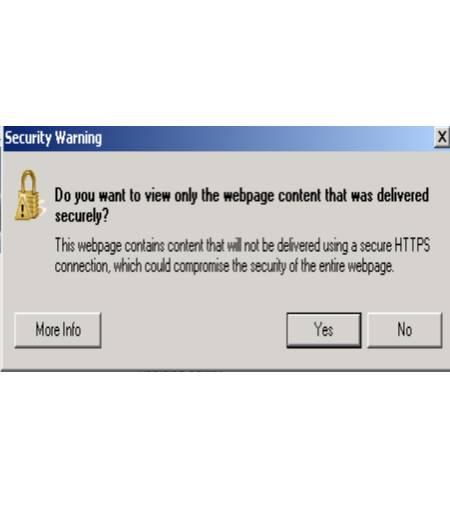
Fig. 1 Pop-up Security Message
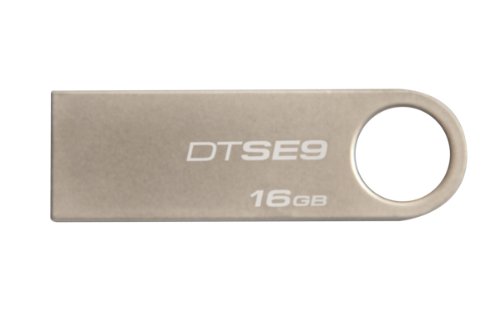
NOTE: A blank USB flash drive
NOTE: If the dealer cannot download the software, make sure you have proper security access. If not, have the Service Manager or Shop Foreman download the software update.
- To download the software files to a USB flash drive, follow the on screen instructions and perform the following.
- Acquire a blank USB flash drive with at least 4 gb of space.
- Download the software update file to your local pc’s desktop.
- Be sure to extract the file before copying it to the blank USB flash drive.
- A blank USB flash drive will be needed one for each radio update, additional updates can not be on the same USB flash drive.
- Once the file is saved to the USB flash drive, it is recommended you physically label the USB flash drive with the bulletin number and proper radio sales codes.
- With the engine running and radio powered on, insert the correct USB flash drive with new software into USB port.
- The next screen display will have the old and new software levels. The radio will be updated to 15.15.0.
- Is the radio at software level 15.15.0 or higher?
CAUTION: If the radio software level is at or above the level on the USB flash drive, DO NOT perform the update.
- Press the soft key “Yes” to start the update.
NOTE: If the software update process is interrupted, aborted or failed, the process should be restarted.
NOTE: Do not cycle the ignition or touch the radio during the update process.
- The update may take up to 20 minutes to load. No other actions will be needed to initiate the update.
- After the update is done, the screen will display the software levels again.
- Press “No” and turn the vehicle off. Open and close the driver’s door and let the Busgo to sleep.
NOTE: Make sure to leave ignition off, do not press the brake, and do not reopen any doors, so the modules will go to sleep.
- Cycle the ignition on, then back off one more time. Open and close the driver’s doorand let the Bus go to sleep. This will complete the radio update.
- Remove the USB flash drive, the bulletin is now complete.
POLICY:
Reimbursable within the provisions of the warranty.
TIME ALLOWANCE:
| Labor Operation No: | Description | Skill Category | Amount |
|---|---|---|---|
| 18-60-02-FU | Radio, Check Software Level Only (0 – Introduction) | 6 – Electrical and Body Systems | 0.2 Hrs. |
| 18-60-02-FV | Radio, Check Software Level and, Perform Software Update (0 – Introduction) | 6 – Electrical and Body Systems | 0.3 Hrs. |
| 18-60-02-FW | Radio, Software – Create USB flash drive, Uconnnect Website (One Time Only) (0 – Introduction) | 6 – Electrical and Body Systems | 0.2 Hrs. |
NOTE: The “One Time Only” LOP is used one time per dealer when downloading the software onto a USB flash drive. The dealer can only use the download LOP, one time for each of the radios listed.
NOTE: The expected completion time for the flash download portion of this procedure is approximately 12 minutes. Actual flash download times may be affected by vehicle connection and network capabilities.
FAILURE CODE:
The dealer must choose which failure code to use. If the customer came in with an issue and the dealer found updated software to correct that issue, use failure code CC, for all other use failure code RF.
- CC – Customer Concern (Ex. Customer comes in with a concern and updated (flash) software is found pertaining to the concern).
- RF – Routine Flash (Ex. Customer comes in with no concern but updated (flash) software is found in VIP, wiTECH or wiADVISOR).
| CC | Customer Concern |
| RF | Routine Flash |
Uconnect Updates – Chrysler Dodge Ram Jeep Fiat
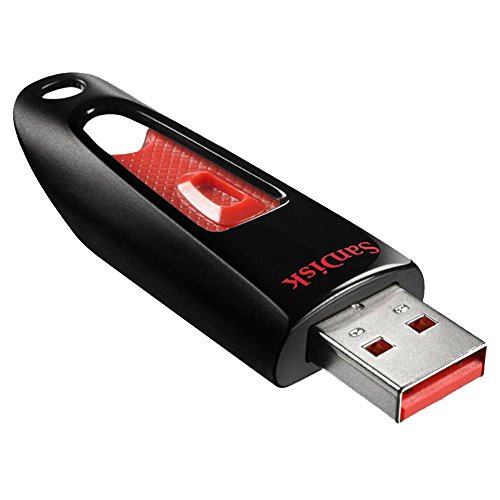
- Take it all with you on reliable USB flash drives
- Transfer with confidence when moving images and other files from PC to PC or other consumer electronic devices
- Ideal for video - the easy way to store, share and play your favorite video files
- Trust the minds behind flash memory to keep your files safe and secure with a two-year limited manufacturer warranty [visit official SanDisk website for warranty details]
- Available in capacities up to 256GB [1GB = 1 billion bytes - Some capacity not available for data storage]

- Compact plug-and-stay design to instantly add storage to your laptop, game console, in-car audio, and more
- Save time with ultra-fast transfer speeds up to 400MB/s (Based on read speed. 1 MB/s = 1 million bytes per second. Based on internal testing; performance may vary depending upon host device, usage conditions, drive capacity, and other factors. USB 3.0 port required.)
- Transfer a full-length movie to the drive in less than 30 seconds (Based on 1.2GB MPEG-4 video transfer with USB 3.2 Gen 1 or USB 3.0 host device.)
- Get space for your high-resolution photos, videos, and more at a great value with up to 512GB of storage (1GB=1,000,000,000 bytes. Actual user storage less.)
- Password-protect files using a downloadable software (Password protection uses 128-bit AES encryption and is supported by Windows 10+ and macOS v10.9+ (Software download required, see Password Protection page on SanDisk site).)
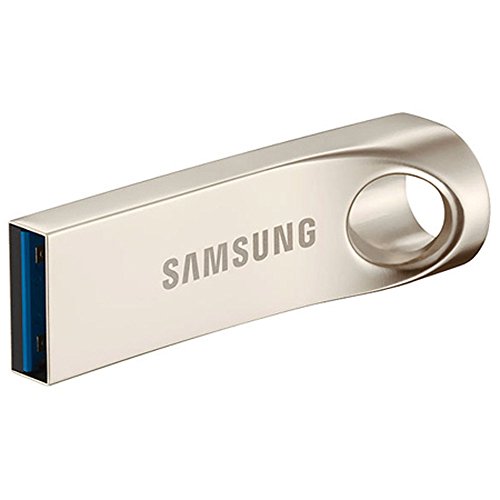
- High-quality metal casing for durability with key ring to prevent loss
- NAND Flash Technology, Up to 150MB/s Data Transfer Speed
- Water proof, Shock proof, magnet proof, temp proof, and X-ray proof with a 5-year warranty
- High-speed USB 3.0 flash drive for fast data transfer. Waterproof
- Operating temperature is 0 to 60 degree celsius. Non-operating temperature is minus 10 to 70 degree celsius
This product presentation was made with AAWP plugin.